 ProMapRanker
Best Video Creation Tools in 2026

Key takeaways
- DaVinci Resolve and Shotcut offer the most depth for free, while CapCut and Canva offer the fastest route to a finished social video.
- Premiere Pro and Final Cut Pro remain the professional standards, but their cost only makes sense for frequent or client work.
- Descript suits creators who edit by transcript, while Synthesia and InVideo suit teams that need fast templated or avatar-led videos.
- Pick by workflow first: a template tool will frustrate a long-form editor, and a professional editor will slow down a team that needs ten social clips a week.
Quick comparison
| Pick | Great for | Pricing starts at | Free tier | |
|---|---|---|---|---|
 Adobe Premiere Pro | Professional editing | $22.99 per month | No | Visit |
 Final Cut Pro | Mac professional editing | $299.99 one-time | No | Visit |
 DaVinci Resolve | Free professional editing | Free | Yes | Visit |
 Filmora | Friendly desktop editing | $49.99 per year | Yes | Visit |
 CapCut | Short social videos | Free | Yes | Visit |
 Canva | Branded templated videos | Free | Yes | Visit |
 Descript | Transcript-based editing | See website | Yes | Visit |
 Animoto | Slideshow-style marketing videos | Free | Yes | Visit |
 InVideo | Fast templated video production | Free | Yes | Visit |
 Synthesia | Avatar-led training videos | See website | No | Visit |
The best video creation tools
Video creation now covers several different jobs, from cutting footage to building a video from a template or a script. The tools below span professional editors, friendly desktop editors, template platforms, and AI-assisted production tools. We compared price, free access, and workflow fit so you can pick a tool for the videos you actually make.
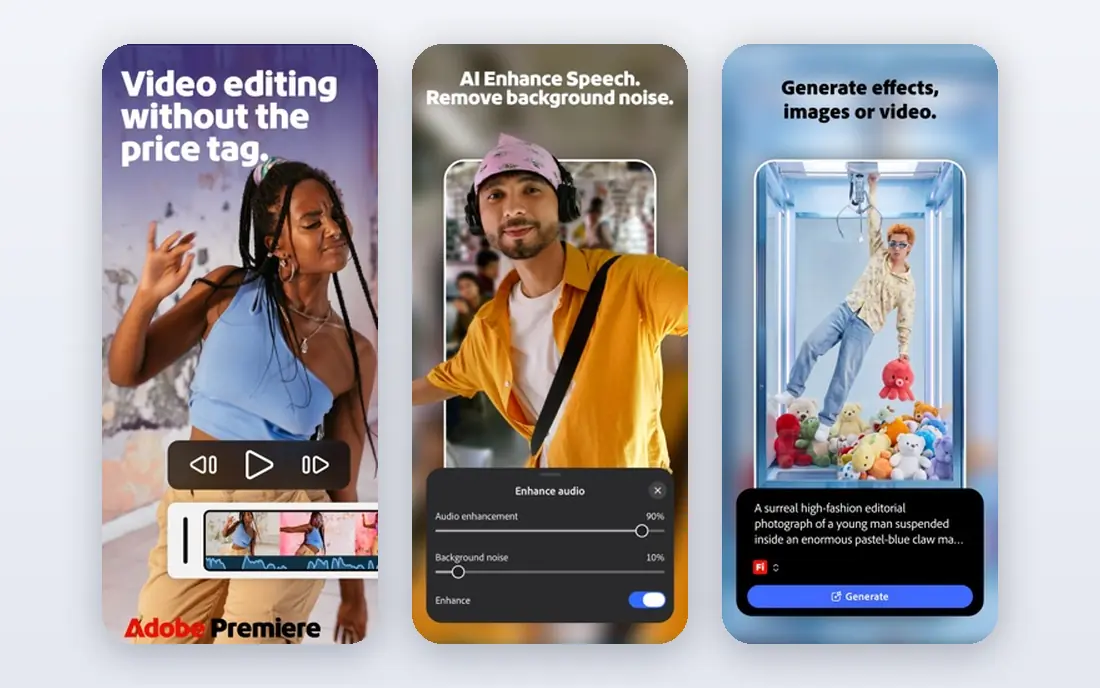
Premiere Pro remains the professional standard for many editors, agencies, and YouTube teams. It handles multi-camera edits, detailed color work, audio mixing, captions, and effects in one timeline, and it works smoothly with After Effects, Photoshop, and Audition for teams already in the Adobe system. Recent Adobe pricing lists Premiere Pro from $22.99 per month on an annual plan.
The cost and complexity are real barriers. There is no buyout option, and the interface assumes you already know editing basics. A casual creator who makes one video a month will find CapCut or Filmora faster and cheaper. For frequent, client-facing, or long-form work, Premiere Pro offers depth that simpler tools cannot match.
- Industry-standard timeline
- Deep color, audio, and effects tools
- Strong integration with other Adobe apps
- Subscription only
- Steep learning curve
- Needs a capable computer

Final Cut Pro is Apple's professional editor for Mac, priced at $299.99 as a one-time purchase. It is known for fast performance on Apple silicon, a magnetic timeline that keeps clips connected as you rearrange them, and a clean interface that feels less crowded than Premiere Pro. For Mac users who edit often, the one-time price can be cheaper over several years than a monthly subscription.
The limits are platform and habit. Final Cut Pro runs only on Mac, and its magnetic timeline feels different from a traditional track-based editor at first. Some premium content has also moved behind Apple Creator Studio, a separate subscription. If you already work on a Mac and want a professional editor without a monthly bill, Final Cut Pro is a strong buy.
- One-time purchase for Mac
- Fast performance on Apple silicon
- Magnetic timeline speeds assembly
- Mac only
- Different timeline logic takes adjustment
- Some premium content now needs a subscription
DaVinci Resolve earns its place here as the best free professional tool, not just the best free tool. The free version includes editing, color grading, Fusion effects, and Fairlight audio in one app, with no watermark and no time limit. That breadth means a single free download can handle a project that would need several paid tools elsewhere.
The learning curve is the main cost. Panels for editing, color, effects, and audio each have their own logic, and beginners can feel lost at first. A capable computer also helps with larger projects. If you are willing to learn, Resolve gives you professional room to grow at no cost. If you need a finished clip today, start with CapCut or Canva instead.
- Free version with editing, color, effects, and audio
- No watermark
- Exports up to 4K
- Steep learning curve
- Studio version costs $295 for extra tools
Filmora sits between simple phone editors and professional tools. The timeline is easy to learn, effects and templates are plentiful, and AI tools help with captions, background removal, and audio cleanup. Pricing starts at $49.99 per year, with a perpetual license also available for users who dislike subscriptions, though that license does not include future versions.
Free use is limited by a watermark on exports, so Filmora is best judged on its paid plans rather than its free tier. It also lacks the deep color and audio control of Premiere Pro or Resolve. For YouTubers and small business creators who want a friendly desktop editor with plenty of ready-made style, Filmora is a practical middle ground.
- Easy timeline
- Large effects and template library
- AI tools for captions and background removal
- Free exports carry a watermark
- Perpetual license does not include future versions
CapCut is the fastest tool in this list for short social videos. The editor is built around vertical formats, trending templates, auto captions, and quick effects that suit TikTok, Reels, and Shorts. It runs on phones, desktop, and the web, and the free plan covers everyday 1080p social clips for most creators.
Paid plans start with Standard at around $9.99 per month and Pro at $19.99 per month in recent published pricing, adding 4K export and the fuller AI toolkit. That tiered structure means CapCut is free to start but not free for everything. For a creator who posts short videos often, CapCut remains the most efficient choice in this list.
- Fast social editing
- Auto captions
- Templates and effects for TikTok, Reels, and Shorts
- Paid tiers gate 4K and fuller AI tools
- Cloud storage on new free spaces is limited
Canva is a design platform first and a video tool second, which is exactly why many small businesses like it. Video templates sit next to social graphics, presentations, and brand assets, so a team can keep one brand look across formats. The free plan covers many templates, while Pro, listed at $18 per month or $144 per year in recent US pricing, adds premium stock, brand kits, background removal, and larger AI allowances.
The weakness is timeline depth. Long, complex edits with detailed audio and color work feel cramped in Canva compared with Premiere Pro or Resolve. For branded social videos, product promos, and simple explainers, Canva is fast and consistent. For a documentary or a long tutorial, pick a dedicated editor.
- Huge template library
- Brand kits
- Video sits beside graphics and presentations
- Less depth for long timelines
- Premium assets need Pro
Descript changes how editing feels by letting you cut video by deleting words in a transcript. That suits podcasts, interviews, tutorials, and talking-head videos, where the words drive the edit. Transcription, filler-word removal, and audio cleanup save hours on speech-heavy content, and the free plan lets you try the workflow before paying.
Pricing is metered, with plans varying by media hours and AI credits, so we list it as See website rather than a single figure. Visual-heavy edits with many layers and effects are less comfortable in Descript than in Premiere Pro. If your videos are mostly people talking, Descript can cut editing time more than any other tool here.
- Edit video by editing text
- Transcription and filler-word removal
- Audio cleanup tools
- Pricing is metered by media hours and AI credits
- Less suited to visual-heavy edits
Animoto builds slideshow-style videos from photos and short clips with music, text, and transitions, which suits real estate listings, product highlights, and event recaps. The drag-and-drop builder is one of the easiest in this list, and the licensed music library removes a common headache for business users. A free plan lets you try the builder before paying.
Free exports are limited to 720p and carry a watermark, so Animoto is best judged on its paid plans for business use. Control is also limited compared with a full timeline editor, since you work within templates rather than freeform tracks. For fast, polished slideshow videos, Animoto is a good fit. For detailed edits, it is not.
- Very easy slideshow builder
- Licensed music library
- Quick marketing and real estate videos
- Free exports limited to 720p with a watermark
- Less control than a timeline editor
InVideo is built for speed, with templates and a text-to-video workflow that turn a script or brief into a draft video quickly. Stock photos, clips, and music are included, which helps small teams that lack their own footage. The free plan lets you test templates and exports before committing to a paid plan for higher quality and more generation credits.
Free exports carry limits, and AI-generated video quality varies with the prompt, so expect to edit the draft rather than publish it untouched. InVideo suits marketers who need many short videos per week and accept template structure in exchange for speed. For a unique, hand-crafted edit, a timeline editor remains better.
- Large template library
- Text-to-video workflow
- Stock media included
- Free exports carry limits
- AI generation quality varies by prompt and plan
Synthesia creates videos with AI avatars that present a written script, which suits training, onboarding, and internal communications. You can update a script and regenerate a video without re-recording, and avatars cover many languages, which helps global teams. That workflow saves studio time for content that would otherwise need a presenter, camera, and edit.
Synthesia is not a general video editor and has no free plan for full use, so we list pricing as See website. Avatar delivery also feels formal and suits training better than personal vlogs or brand storytelling. For a team that produces many training videos, Synthesia can be a major time saver. For creative social content, pick CapCut or Canva instead.
- AI avatars present scripts in many languages
- No camera or studio needed
- Fast updates to training content
- No free plan for full use
- Avatar videos suit training, not personal storytelling
How we picked these
We compared official pricing pages, feature pages, and app listings for video creation tools live in October 2026. We favored tools with a clear workflow, a usable free tier or a transparent paid price, and a real user base, and we noted where pricing is metered or varies by plan. We did not claim hands-on testing, and we left out tools that are only a trial or that have no clear current pricing.
How to choose the right video creation tool
Start with the video you make most often. A talking-head creator should favor Descript, a social creator should favor CapCut or Canva, a training team should favor Synthesia, and a long-form editor should favor Premiere Pro, Final Cut Pro, or Resolve. A tool that fits your main workflow will save more time than a tool with a longer feature list that you rarely use.
Next, test the export before you commit to a project. Check resolution, watermark rules, file format, and whether stock assets are licensed for your use. Finally, weigh the total cost over a year, including subscriptions, AI credits, and stock upgrades. A cheap monthly plan with metered credits can cost more than a flat yearly plan if you generate or export often.
Frequently asked questions
What is the best video creation tool?
DaVinci Resolve is the best free professional tool, CapCut is the best free tool for short social videos, and Premiere Pro is the best professional tool for frequent client work. The best video creation tool for you depends on your workflow, your device, and how often you publish.
What is the best free video creation app?
CapCut and Canva are the best free video creation apps for social content, while DaVinci Resolve is the best free desktop tool for detailed edits. CapCut fits vertical social clips, Canva fits branded templates, and Resolve fits longer projects that need color and audio control.
What is the best video creation software for beginners?
Filmora and Canva are the easiest desktop and browser options for beginners, thanks to templates and simple timelines. CapCut is also easy for phone users. Beginners who want to grow into professional work should consider DaVinci Resolve, despite its longer learning curve.
What is the best video creation platform for business?
Canva suits branded social content, InVideo suits fast templated marketing videos, and Synthesia suits training and internal videos. For client work that needs full control, Premiere Pro or Final Cut Pro remain the safer professional choices.
Can I create videos with AI?
Yes, InVideo and Synthesia both offer AI-assisted creation, with InVideo turning scripts into templated videos and Synthesia using avatars to present scripts. AI drafts still need human review for accuracy, tone, and licensing, especially for business or training content.
Sources
See where you really rank - block by block
ProMapRanker scans Google Maps across a grid of your service area. Simple monthly plans from $19, white-label on every plan.
Start freeKeep reading
 zscaler alternatives
Best Zscaler Alternatives in 2026
Looking for zscaler alternatives? We compare 9 SASE and zero trust platforms on architecture, data protection, pricing, and fit for your network and team.
Read → zapier alternatives free
Best Zapier Alternatives Free in 2026
Nine automation tools for zapier alternatives free in 2026, all with genuinely free tiers, plus free plan limits, starting prices and upgrade paths explained.
Read → which platform is best for online reputation
Which Platform Is Best for Online Reputation in 2026
Wondering which platform is best for online reputation? We compare 8 review, listing, and response tools for small and multi-location businesses and agencies.
Read →