 ProMapRanker
Best Value Web Scraping Services in 2026


Enterprise scale and reliability · Pricing starts at: $1.50 per 1,000 records
Key takeaways
- ScrapingBee and ScraperAPI both start at $49 per month in guides, but rendered pages cost more credits.
- Apify starts at $29 per month with a free tier, while Browse AI starts at $19 per month in guides.
- Bright Data pay as you go starts at $1.50 per 1,000 records, which suits hard sites more than easy ones.
- Credit systems differ so much that pricing your actual pages matters more than comparing headline plans.
Quick comparison
| Pick | Great for | Pricing starts at | Free tier | |
|---|---|---|---|---|
| Bright Data | Enterprise scale and reliability | $1.50 per 1,000 records | Yes | Visit |
 Oxylabs | Enterprise compliance and coverage | $49 per month | Free trial | Visit |
 ScrapingBee | Simple API for developers | $49 per month | Free trial | Visit |
 ScraperAPI | Beginner-friendly scraping API | $49 per month | Free trial | Visit |
 Apify | Ready-made scrapers marketplace | $29 per month | Yes | Visit |
 ZenRows | Anti-bot bypass for protected sites | $69 per month | Free trial | Visit |
 Browse AI | No-code scraping for non-developers | $19 per month | Yes | Visit |
 ParseHub | Free desktop scraping for small jobs | See website | Yes | Visit |
The best value web scraping services
Frame this list only for lawful collection: your own sites, public data with permission, or consented sources. Respect robots.txt, terms of service and privacy law, and do not use these tools to collect personal data without a lawful basis, to bypass access controls for unauthorised access, or to violate a site terms. We compared price per output, free tiers and ease of use, using current guides and vendor pages.
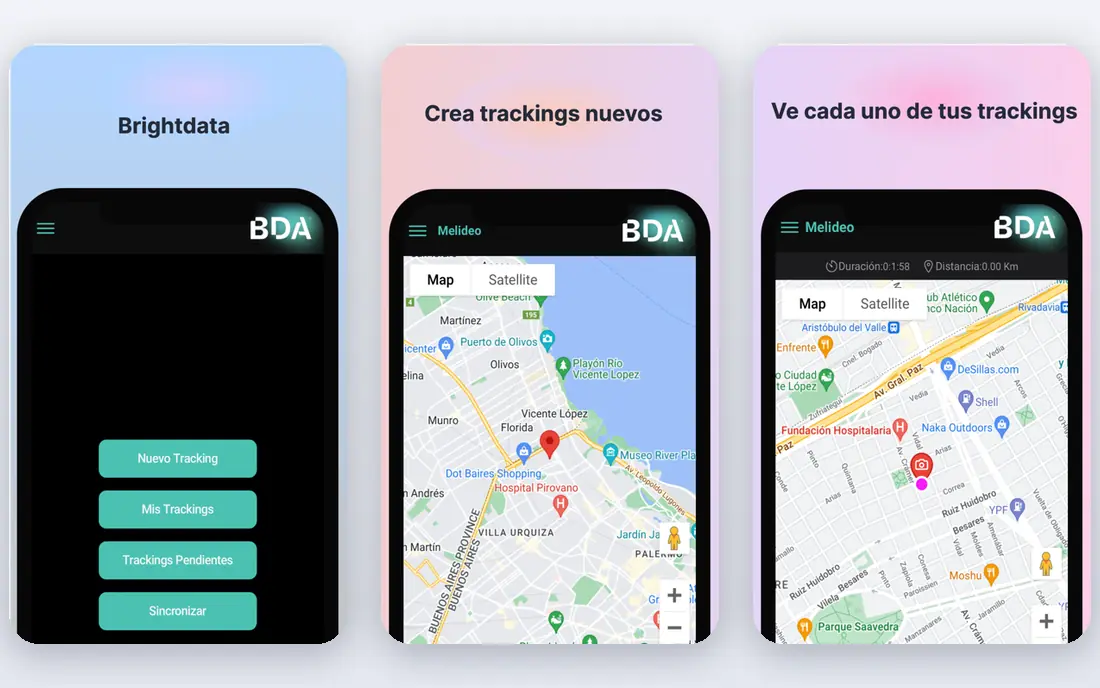
Bright Data suits enterprises that need scale, reliability and compliance credentials for lawful data collection. It offers proxy networks, web access tool and datasets, with pay as you go from $1.50 per 1,000 records in guides. That flat rate simplifies budgeting for hard sites, even if it costs more for easy ones.
The trade-off is price for simple work. For plain pages, cheaper APIs may cost far less per thousand pages, so price your actual site mix before choosing Bright Data.
- Largest proxy network in guides
- Web access tool pay as you go from $1.50 per 1,000 records
- Datasets and prebuilt scrapers
- Flat per-record rate can be pricey for easy pages
- Enterprise features need higher plans
Oxylabs fits teams that need enterprise compliance and global coverage for lawful scraping projects. It offers Web Scraper API from $49 per month, proxy pools and unblocking tools, with compliance credentials that matter to larger firms. That combination helps when legal and security review is part of procurement.
The catch is traffic billing on some products. Heavy pages can push costs up quickly on traffic-billed plans, so test with real page sizes and confirm which product fits your workload.
- Web Scraper API from $49 per month in guides
- SOC 2 and ISO 27001 credentials described
- Large residential pool
- Web Unblocker billed by traffic can be costly for heavy pages
- Entry price rises with volume
ScrapingBee suits developers who want one simple endpoint rather than building proxy and rendering logic themselves. It handles proxies, headless rendering and related work through one API, with plans from $49 per month in guides. That simplicity speeds up a first project and reduces maintenance.
The limit is credit counting. A rendered page costs more credits than a plain page in guides, so a project that needs rendering for every page will cost more than the headline plan suggests.
- Single API for proxies, rendering and handling
- $49 per month plan in guides
- Screenshot and JS rendering
- Rendered pages cost 5 credits by default in guides, so plain-page cost differs from rendered cost
- Credit math needs care
ScraperAPI fits beginners and small teams that want a straightforward API with clear documentation. It offers one endpoint that handles proxies, rendering and anti-bot measures, with plans from $49 per month in guides. That low friction helps a team shipping its first scraper quickly.
The trade-off is cost at scale for rendered pages. Like ScrapingBee, feature-weighted credits mean rendered work costs more, so test with your real pages before committing to a plan size.
- Single endpoint for proxies, rendering and anti-bot handling
- $49 per month plan in guides
- Simple docs
- Rendered pages cost more credits
- Latency spread is wider in one benchmark
- Credit math varies by feature
Apify suits teams that want ready-made scrapers rather than building every scraper from scratch. Its marketplace offers thousands of Actors for common sites and tasks, with a free tier and Starter at $29 per month in guides. Scheduling, integrations and cloud runs make it practical for recurring jobs.
The limit is pricing transparency per job. Compute-unit billing means cost per page depends on the Actor and workload, so run a small test and check the compute usage before scaling.
- Marketplace of thousands of ready-made Actors
- Free tier with $5 platform credit in guides
- Scheduling and integrations
- Pricing is compute-unit based, so cost per page varies by Actor
- You run your own scraper logic on the platform
ZenRows fits projects where protected sites and anti-bot measures are the main obstacle, not just fetching HTML. It focuses on bypassing anti-bot protection, with JS rendering, proxy rotation and related tools, from $69 per month in guides. That focus helps when simpler APIs are blocked.
The catch is entry price. At $69 per month, it costs more than several rivals, so use it where protection is actually the problem, and use a cheaper API for easy sites.
- Anti-bot bypass focus
- JS rendering and proxy rotation
- Plans from $69 per month in guides
- Higher entry price than ScrapingBee or ScraperAPI
- Credit costs rise for rendered pages
Browse AI suits non-developers who want to point, click and schedule a scrape without writing code. It lets users train robots on a site, schedule runs and monitor changes, with a free tier and paid plans from $19 per month in guides. That no-code route is ideal for price monitoring or lead lists from consented sources.
The limit is scale and complexity. Credits map to rows, so large jobs need careful plan sizing, and very complex or protected sites may still need an API-based tool.
- No-code robot builder
- Free tier
- Credit equals 10 rows in guides
- Scheduling and monitoring
- Credit per row math needs care at scale
- Complex sites may still need a developer API
ParseHub fits a small team or individual who wants a free desktop tool for visual scraping. It offers a point-and-click builder, free desktop use and paid cloud options, which helps a beginner learn scraping without an API. That free start is useful for testing a lawful use case.
The trade-off is cloud and scale. Free desktop runs suit small jobs, while scheduled cloud runs and larger volumes sit on paid plans, so confirm limits before building a recurring workflow.
- Free desktop app for visual scraping
- Point-and-click builder
- Cloud runs on paid plans
- Desktop focus can limit cloud scheduling on free tier
- Paid plans and limits should be confirmed at signup
How we picked these
We compared official feature pages, pricing pages, app store listings, privacy policies and public reviews for each service in this list. We kept only services that appear to operate in October 2026 and that fit the topic directly. We did not claim hands-on testing that did not happen, and we treated promotional first-year prices as promotional rather than permanent.
We gave weight to clear pricing, a stated scope of work, honest limits and a practical fit for a small business or an ordinary consumer. Where a price could not be verified on the vendor site at the time of writing, we wrote See website rather than guessing. Readers should confirm the current price and terms at checkout, because plans change.
We also checked that each product still fits the topic in October 2026, rather than relying on an old category label or a discontinued product page. A service that changed its model, closed to new customers or moved to a different owner was left out, even when it was well known in earlier years. That check matters because a list that includes a closed service wastes the reader time and undermines trust in the rest of the comparison, so we preferred a shorter honest list over a padded one.
Pricing your scraping job honestly before you buy
Run a small test on your real targets first. Count plain versus rendered pages, average page size and success rate, then convert those numbers into credits, records or compute units for each vendor. A vendor that looks cheap for plain pages can become expensive once rendering, premium proxies or traffic billing are added.
Build lawful collection into the workflow. Check robots.txt, read the target terms, limit request rates, cache where appropriate and avoid personal data unless you have a lawful basis and a clear purpose. Keep a record of permission or lawful basis for each source, so a future review can show why the collection was allowed.
Frequently asked questions
What is the best value web scraping software?
For no-code work, Browse AI and ParseHub are strong value choices, with Browse AI from $19 per month and ParseHub offering a free desktop tier in guides. For developer APIs, ScrapingBee and ScraperAPI at $49 per month offer good value for simple jobs.
Is web scraping legal?
It depends on the source, terms, data type and jurisdiction. Collect only from your own sites, public data with permission or consented sources, respect robots.txt and terms of service, and follow privacy law. Get legal advice for sensitive or personal data.
Why do credit prices vary so much?
Vendors bill by credits, records, requests, traffic or compute units, and rendered pages cost more than plain pages. That is why two vendors with the same monthly price can cost very different amounts for the same job.
Should I choose a marketplace or an API?
Choose a marketplace like Apify if ready-made scrapers fit your targets, and an API like ScrapingBee or ScraperAPI if you want to control the code. Marketplaces save build time, while APIs offer more control.
What should I avoid scraping?
Avoid personal data without a lawful basis, content behind logins you do not own, and sites whose terms forbid scraping. Avoid aggressive request rates that harm the target site, and never use a tool to evade access controls for unauthorised access.
Sources
See where you really rank - block by block
ProMapRanker scans Google Maps across a grid of your service area. Simple monthly plans from $19, white-label on every plan.
Start freeKeep reading
 worlds best local seo company
8 Worlds Best Local SEO Companies for Map Pack Growth in 2026
Compare the worlds best local seo company options for Google Business Profile work, citations, reviews, and multi-location rankings and reporting in 2026.
Read → world's best web hosting company
World's Best Web Hosting Company in 2026
Searching for the world's best web hosting company? We compared 10 hosts on price, renewal rates, speed, and support to help you choose well today in 2026.
Read → who's got the best nanny tax services
Who's Got the Best Nanny Tax Services in 2026
We answer who's got the best nanny tax services, comparing full filing, back taxes, software, and pricing so families can handle nanny taxes correctly.
Read →