 ProMapRanker
Best Value Cloud Infrastructure Platforms in 2026


Simple predictable cloud for startups · Pricing starts at: $4 per month
Key takeaways
- DigitalOcean, Vultr, Linode, and Hetzner give the clearest value for predictable virtual servers and simple apps.
- The large hyperscalers cost more per unit, but they offer far more managed services, regions, and compliance options.
- Egress fees and included bandwidth often matter more than the headline server price, so compare the full monthly bill.
- A free tier is useful for learning, but it rarely supports a production workload for long.
Quick comparison
| Pick | Great for | Pricing starts at | Free tier | |
|---|---|---|---|---|
| DigitalOcean | Simple predictable cloud for startups | $4 per month | No | Visit |
 Vultr | Low cost servers in many locations | See website | No | Visit |
 Linode | Straightforward virtual servers | $5 per month | No | Visit |
 Hetzner Cloud | Low cost servers in Europe | See website | No | Visit |
 Amazon Web Services | Broadest service catalog at scale | See website | Yes | Visit |
 Microsoft Azure | Microsoft and hybrid workloads | See website | Yes | Visit |
 Google Cloud | Data, analytics, and AI workloads | See website | Yes | Visit |
 Oracle Cloud | Enterprise databases and high performance work | See website | Yes | Visit |
 OVHcloud | European bare metal and cloud | See website | No | Visit |
The best value cloud infrastructure platforms
We compared official pricing pages and public provider guides on server prices, included bandwidth, managed services, and ease of use. Value here means a fair price for the performance and features you actually use, not only the lowest headline rate.
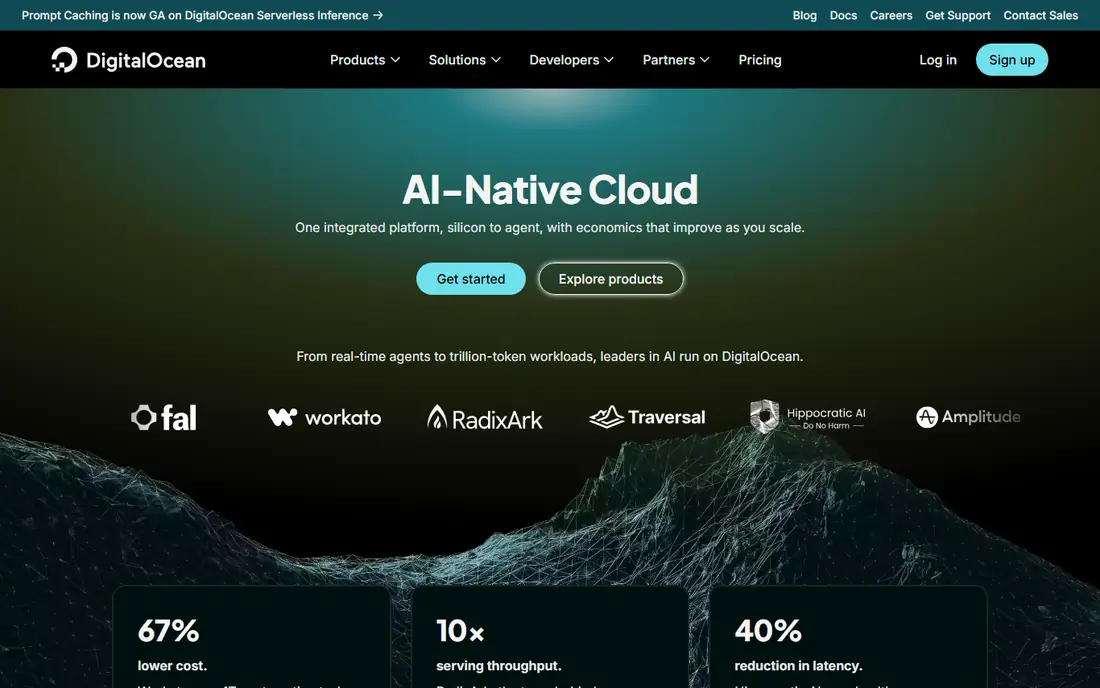
DigitalOcean is our pick for teams that want a cloud they can understand at a glance. Droplets start at a low monthly price, managed databases and Kubernetes are offered in the same simple model, and included bandwidth is generous compared with many hyperscalers. That predictability is why small teams and developers rate it well for apps, APIs, and side projects that grow into production.
The limit is scope. DigitalOcean does not match AWS, Azure, or Google Cloud on managed service breadth, specialized AI hardware, or global region count. Teams that need those services should treat DigitalOcean as a strong core host, not a one stop enterprise cloud.
- Clear flat pricing
- Generous included bandwidth
- Simple dashboard and docs
- Smaller service catalog than hyperscalers
- Fewer regions than the largest clouds

Vultr offers compute, storage, bare metal, and GPU instances across many locations, with pricing that undercuts the large hyperscalers for standard servers. Hourly billing helps for short tests, while monthly billing suits steady workloads. That mix makes it a good value pick for developers, agencies, and teams that run servers in several regions.
Vultr is less of a managed platform than some rivals. Teams should be comfortable with server setup, backups, and monitoring, or pair Vultr with managed tools. Check the exact instance price in your region, since prices and availability vary by location.
- Wide location choice
- Bare metal and GPU options
- Hourly and monthly billing
- Support is less hands on than managed hosts
- Managed services are narrower

Linode, now part of Akamai, focuses on virtual servers, storage, and managed Kubernetes with pricing that is easy to compare. Shared CPU plans start low, while dedicated plans suit steadier production loads. Reviewers often note that Linode does what it promises without surprise fees, which matters when a small team runs on a fixed budget.
The trade off is a narrower managed service set. Teams that need a large catalog of AI, analytics, or enterprise services will need other providers or third party tools. For standard web apps, APIs, and databases, Linode remains a strong value choice.
- Clear pricing
- Good performance for the price
- Akamai network backing
- Fewer managed AI services
- Smaller catalog than hyperscalers
Hetzner Cloud is often the cheapest option per unit of CPU and memory, especially for European users. Its cloud servers, storage boxes, and dedicated servers suit developers, small businesses, and teams that host in Europe and want strong value. Hourly billing and a clear control panel keep costs easy to track.
Location is the main limit. Hetzner has fewer global regions than hyperscalers, so teams serving users in Asia, South America, or Africa should test latency before committing. Support is also more basic than a fully managed host, so teams should be comfortable managing their own servers.
- Very low prices for the specs
- Good performance
- Clear hourly billing
- Data centers only in Europe and the US
- Support is more limited
AWS offers the widest range of cloud services, from virtual servers and storage to managed databases, AI, and analytics. That breadth is why large teams choose it even when unit prices are higher than smaller clouds. The free tier helps for learning and small tests, and reserved or savings plans can cut steady workload costs.
The risk is bill complexity. Egress fees, storage tiers, snapshots, and managed service charges can push a small project over budget if they are not watched. Use billing alerts, cost explorer, and a clear tagging plan from the start, and price the full stack, not only the server.
- Huge service catalog
- Many regions
- Strong compliance coverage
- Pricing can be complex
- Egress and add on costs add up
Azure fits teams already using Microsoft 365, Windows Server, or Active Directory. Hybrid tools help connect on premises systems to the cloud, and identity integration through Entra ID keeps access management in one place. A free tier and credits help for first tests, and hybrid benefit pricing can lower costs for teams with existing licenses.
Azure pricing has many parts, so buyers should estimate compute, storage, networking, and managed services together. It is best value for Microsoft centered teams, while teams with no Microsoft stack may find a simpler cloud cheaper for the same workload.
- Deep Microsoft 365 and Windows integration
- Hybrid tools
- Broad compliance coverage
- Pricing can be hard to follow
- Smaller free tier value for production
Google Cloud is a strong value pick for data heavy and AI work. BigQuery, Vertex AI, and custom machine types let teams size compute closely to the job, and sustained use and committed use discounts can lower steady costs. The free tier includes a small always free virtual machine and credits for new accounts, which helps for learning.
For simple web hosting, Google Cloud can feel more complex and pricier than a small provider. Teams should price the exact services they need, including storage, networking, and data processing, rather than comparing only a single server price.
- Strong data and AI tools
- Custom machine types
- Global network
- Pricing varies by service
- Smaller enterprise service set in some areas
Oracle Cloud Infrastructure stands out on egress, with a large free allowance that can make a real difference for data heavy apps. It also performs well for Oracle databases and high performance computing, and its always free tier covers small servers, databases, and storage for testing. Universal credits suit teams that want a single credit pool across services.
The ecosystem is smaller than AWS or Azure, so some third party tools and managed services are less mature. Teams should confirm that their tools, regions, and support needs are covered before moving a core workload.
- Generous free egress allowance
- Strong database performance
- Always free tier options
- Smaller third party ecosystem
- Learning curve for new users
OVHcloud offers public cloud, private cloud, and bare metal servers with a European focus on data protection and compliance. Bare metal suits teams that want dedicated hardware without virtualization overhead, while public cloud instances cover standard apps and storage. Prices are competitive, especially for European hosting.
Support and global reach are the main limits. Teams outside Europe should check region availability and latency, and teams that need hands on managed support should compare OVHcloud support plans carefully against a managed host.
- Strong European data protection focus
- Bare metal options
- Competitive prices
- Support can be slower
- Smaller global region set
How we picked these
We compared official pricing pages and public provider guides for platforms live in October 2026, focusing on server value, included bandwidth, managed services, and ease of billing. We favored providers with published pricing or a clear free tier, and we noted where pricing is usage based and needs a full bill estimate. We did not claim hands on testing.
What to check before you buy
Price the whole workload, not one server. Add storage, backups, load balancing, monitoring, and egress, then compare that monthly total across providers. A cheap server with high egress fees can cost more than a pricier server with generous included bandwidth.
Regions and latency
Choose a region close to your users, and test latency from your main markets. A provider with a low price but no nearby region may hurt performance and user experience.
Discounts and commitments
Reserved instances, savings plans, and committed use discounts can cut steady costs a lot, but they lock you in. Start on demand, measure real use for a month or two, then commit only to the baseline you are confident you will keep.
Frequently asked questions
What is the cheapest cloud infrastructure platform?
For simple virtual servers, Hetzner, DigitalOcean, Vultr, and Linode usually offer the lowest monthly prices. The cheapest choice depends on region, specs, and included bandwidth, so compare the full bill for your workload.
Are hyperscalers ever good value?
Yes, when you need their managed services, compliance coverage, or global regions. A higher server price can be good value if it replaces several tools, reduces engineering time, or avoids a costly migration later.
What are egress fees?
Egress fees are charges for data leaving a cloud provider to the internet or to another provider. They can be a large part of a bill for data heavy apps, so check the free allowance and the per gigabyte rate before you choose.
Do I need a managed cloud or a raw server?
A raw server gives control and lower cost, but you own updates, backups, and monitoring. A managed platform costs more but handles much of that work. Small teams often start managed, then move parts to raw servers as they grow.
Can I switch cloud providers later?
Yes, but switching takes planning, especially for managed databases and proprietary services. Using portable tools, standard formats, and infrastructure as code makes a move easier, so avoid deep lock in for core data unless the benefit is clear.
Sources
- https://www.digitalocean.com/resources/articles/cloud-service-providers
- https://www.digitalocean.com/resources/articles/comparing-aws-azure-gcp
- https://www.cloudzero.com/blog/aws-alternatives/
- https://thectoclub.com/tools/best-iaas-provider/
- https://www.digitalocean.com
- https://www.vultr.com
- https://www.linode.com
- https://www.hetzner.com/cloud/
- https://aws.amazon.com
- https://azure.microsoft.com
- https://cloud.google.com
- https://www.oracle.com/cloud/
- https://www.ovhcloud.com
See where you really rank - block by block
ProMapRanker scans Google Maps across a grid of your service area. Simple monthly plans from $19, white-label on every plan.
Start freeKeep reading
 zscaler alternatives
Best Zscaler Alternatives in 2026
Looking for zscaler alternatives? We compare 9 SASE and zero trust platforms on architecture, data protection, pricing, and fit for your network and team.
Read → zapier alternatives free
Best Zapier Alternatives Free in 2026
Nine automation tools for zapier alternatives free in 2026, all with genuinely free tiers, plus free plan limits, starting prices and upgrade paths explained.
Read → which platform is best for online reputation
Which Platform Is Best for Online Reputation in 2026
Wondering which platform is best for online reputation? We compare 8 review, listing, and response tools for small and multi-location businesses and agencies.
Read →