 ProMapRanker
Best Usability Testing Tools in 2026

Key takeaways
- Maze and Lyssna are the best starts for design teams, with free plans and fast unmoderated tests from prototypes and live sites.
- UserTesting suits enterprise research at scale, but pricing is custom, so budget for a sales conversation rather than a flat monthly fee.
- Lookback is the pick for moderated interviews with live observation, while Hotjar adds heatmaps and recordings for behavior analysis.
- Panel recruitment is often a separate cost, so price participants separately from the platform fee when you compare tools.
Quick comparison
| Pick | Great for | Pricing starts at | Free tier | |
|---|---|---|---|---|
 Maze | Prototype testing for design teams | Free | Yes | Visit |
 Lyssna | Fast design validation for small teams | Free | Yes | Visit |
 UserTesting | Enterprise research at scale | See website | No | Visit |
 Lookback | Moderated interviews and observation | See website | No | Visit |
 Hotjar | Heatmaps, recordings, and feedback | Free | Yes | Visit |
 Optimal Workshop | Card sorting and tree testing | See website | No | Visit |
 Useberry | Prototype testing with design tools | Free | Yes | Visit |
 UXtweak | Many research methods in one tool | Free | Yes | Visit |
 Userbrain | Quick video-first unmoderated tests | Free | Yes | Visit |
 Loop11 | Quantitative usability benchmarking | See website | No | Visit |
The best usability testing tools
We compared test methods, recruitment, pricing transparency, and reporting, since a tool that only does unmoderated tests will not suit a team that needs live interviews.

Maze is the pick for design-led product teams that already work in Figma. You import a prototype, define tasks, and Maze turns it into an unmoderated test that runs against your own users or a recruited panel, with results such as heatmaps, click paths, misclick rates, and success scores, usually within hours. An AI study builder can draft a test from a prompt, and automated reports reduce the slide-deck work after each study.
The free plan is genuinely usable for basic prototype testing, with around 10 testers per month in some listings, while paid plans start at $99 per month in several comparisons. Panel recruitment is a separate line item, so the platform fee is only part of the real cost when you need participants. Maze is unmoderated by design, so if you need to ask why mid-task, pair it with a moderated tool such as Lookback.
- Free plan for basic prototype testing
- Strong Figma integration
- Heatmaps, click paths, and success scores
- Paid plans from $99 per month in some listings
- Panel recruitment is a separate cost
- Unmoderated by design
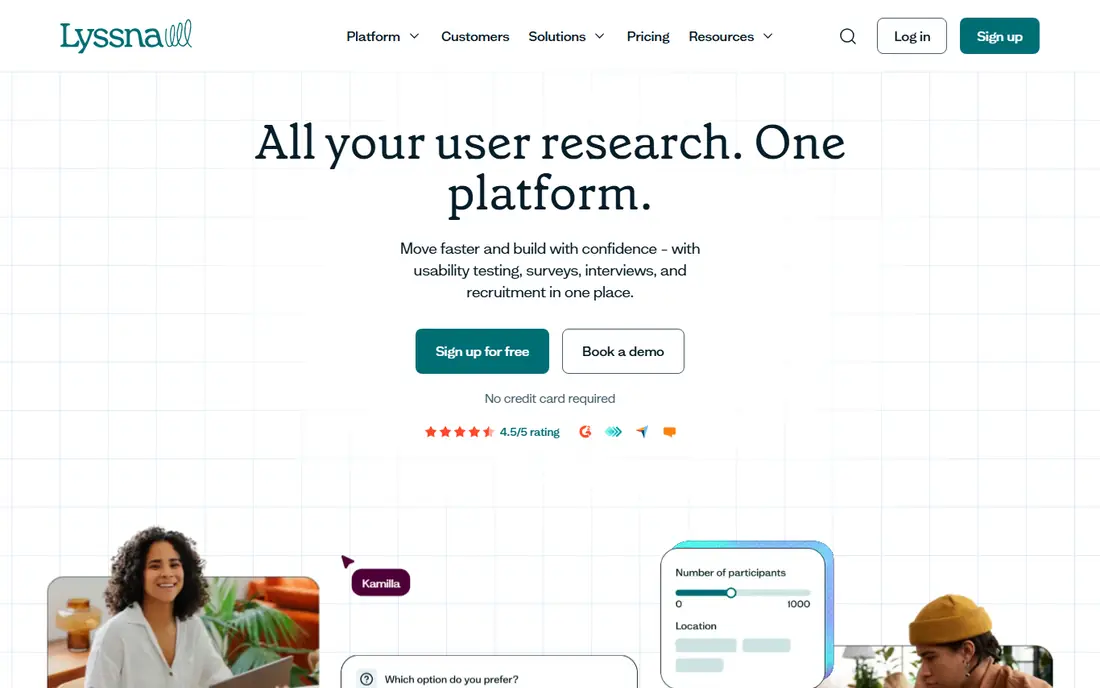
Lyssna, formerly UsabilityHub, suits solo researchers and small teams that need fast design validation without enterprise pricing. It covers first-click tests, prototype tests, five-second tests, surveys, and preference tests, with a free plan for basic use and a Growth plan from $166 per month in some listings. Tests are quick to set up, results are easy to share, and the tool works well for early design checks before a full usability study.
Panel responses are priced separately, so budget for participants on top of the subscription when you cannot recruit your own users. Moderated interviews are also thinner here than in Lookback, so Lyssna fits unmoderated validation best. For a small team that needs frequent, low-cost design checks, Lyssna offers strong value and a gentle learning curve.
- Free plan available
- First-click, prototype, and survey tests
- Growth plan from $166 per month in some listings
- Panel responses priced separately
- Moderated features are thinner than Lookback
UserTesting is the enterprise standard for usability testing at scale, with a large recruited panel, moderated and unmoderated tests, and reporting built for research teams. It suits organizations that run many studies a year, need global participants, and want integrations with design, analytics, and product tools. Video, transcripts, and highlight reels help teams share findings with stakeholders who never attended a session.
Pricing is custom, and third-party listings often place enterprise contracts at high annual levels, so small teams should expect a sales conversation rather than a simple monthly checkout. That cost buys scale, panel quality, and support, but it is overkill for a team that runs a few tests a year. For enterprise research operations, UserTesting remains a leading choice, alongside UserZoom, which is now part of the same company in some listings.
- Large recruited panel
- Moderated and unmoderated tests
- Strong enterprise reporting and integrations
- Custom pricing, often at enterprise levels
- Overkill and costly for small teams
Lookback is the pick for moderated research, where a researcher talks to a participant live and observers watch in real time. It supports live sessions, observation rooms, recordings, and collaborative notes, which help teams catch the reasons behind user behavior, not just the clicks. That depth matters for complex products, onboarding flows, and tasks where a wrong turn needs a follow-up question.
Pricing has varied across listings, with older plans from $25 per month for freelancers and newer team plans higher, so check the current pricing page before budgeting. Lookback is less suited to large unmoderated surveys or quantitative benchmarking, where Maze, Lyssna, or Loop11 fit better. For interview-based usability work, Lookback is a focused, proven tool.
- Live moderated sessions with observation rooms
- Session recordings and notes
- Strong for interview-based research
- Pricing varies by plan and has changed across listings, so check the current page
- Less suited to large unmoderated surveys
Hotjar is a behavior analytics tool that complements usability testing, rather than replacing it. Heatmaps show where visitors click, move, and scroll, session recordings reveal real journeys on a live site, and surveys and feedback widgets collect comments in context. A free plan covers basic use, with paid plans from around $32 per month in some listings for more sessions and features.
Hotjar does not run prototype tests or recruit panel participants in the way Maze or UserTesting do, so it fits teams that want to learn from live site behavior, then run targeted usability tests elsewhere. For a team optimizing a live website or landing page, Hotjar plus a prototype tool gives both quantitative behavior and qualitative test insight. For early prototype validation alone, start with Maze or Lyssna.
- Free plan available
- Heatmaps and session recordings
- Surveys and feedback widgets for live sites
- Not a prototype testing tool
- Participant recruitment is not its main job
Optimal Workshop, often called Optimal, specializes in information architecture research: card sorting, tree testing, first-click testing, and surveys that reveal how users group content and find pages. That focus makes it the pick for navigation, menu, and content organization work, where a general usability tool gives thinner results. Reporting is clear for stakeholders who need to see why a navigation change works.
Pricing starts from $199 per month billed annually in several listings, with team and enterprise plans above that, so it is a considered purchase for a team that does navigation research often. It is narrower than Maze or Lyssna for general prototype testing, so many teams use Optimal alongside a broader tool. For IA work, it is a leader.
- Strong card sorting, tree testing, and first-click tools
- Good for information architecture
- Clear reporting for navigation work
- Pricing from $199 per month billed annually in some listings
- Narrower than all-in-one research platforms
Useberry suits product teams that validate prototypes in Figma or ProtoPie and want detailed interaction data. The free plan covers basic prototype testing, while Growth plans from $79 per month in some listings add more tests, responses, and features. Heatmaps, click analysis, and task success metrics help designers see where a prototype confuses users before development starts.
Panel recruitment and some advanced features cost extra, and the community and integration range are smaller than Maze. For a team that lives in ProtoPie or needs deep prototype interaction data, Useberry is a strong alternative to Maze. For a team that wants the largest template and community range, Maze may feel broader.
- Free plan available
- Deep Figma and ProtoPie prototype testing
- Growth from $79 per month in some listings
- Panel and advanced features cost extra
- Smaller community than Maze
UXtweak consolidates many research methods into one platform, including usability testing, tree testing, card sorting, session recordings, surveys, and prototype testing. That breadth suits a team that wants to replace several separate tools with one subscription, rather than juggling a prototype tool, an IA tool, and a recording tool. A free plan covers basic use, with paid plans from around $59 to $125 per month in different listings, depending on plan and billing.
The breadth is also a learning curve, since each method has its own setup and reporting. Teams that only need one method may prefer a focused tool such as Optimal Workshop for IA or Maze for prototypes. For a team that runs varied research and wants one home for it, UXtweak offers good method coverage at a competitive price.
- Free plan available
- Tree testing, card sorting, session recordings, and surveys in one platform
- Competitive paid entry
- Paid plans vary across listings, so check the current page
- Interface takes time to learn across many methods
Userbrain is built for quick, recurring, video-first unmoderated tests, where participants record their screen and voice while completing tasks. That format gives teams real reactions and spoken reasoning without scheduling live interviews, which suits weekly product checks and landing page tests. A free plan covers basic use, with paid plans from around $49 to $124 per month in different listings, and panel testers can be recruited for a fee per test in some listings.
Userbrain is less suited to moderated interviews, card sorting, or large quantitative studies, where Lookback, Optimal Workshop, or Loop11 fit better. For a team that wants fast video feedback on a regular cadence, Userbrain is a simple, affordable option. Test the free plan first to see whether video-first feedback matches how your team reviews findings.
- Free plan available
- Video-first unmoderated tests
- Panel testers available for quick checks
- Paid plans vary across listings
- Less depth for moderated or IA research
Loop11 focuses on quantitative usability testing: task success, time on task, click paths, and benchmarking across designs or over time. That makes it the pick for teams that need numbers to prove whether a redesign improved usability, rather than just video clips. True Intent studies add insight into what users came to do, which helps for website optimization and content work.
Pricing varies across listings, with some placing entry plans from $179 per month billed annually and others listing lower self-serve tiers, so check the current pricing page. Loop11 is less suited to moderated interviews or deep qualitative work, where Lookback or UserTesting fit better. For benchmarking and quantitative comparison, Loop11 is a strong, focused choice.
- Quantitative task analytics and benchmarking
- True Intent studies
- Good for comparing designs over time
- Pricing varies and is often by quote or from $179 per month in some listings
- Less suited to moderated interviews
How we picked these
We compared vendor pricing pages, usability testing comparisons checked in October 2026, and method coverage for moderated, unmoderated, prototype, IA, and behavior research. We kept tools that are live and widely used, and we noted where pricing has changed across listings, since several vendors have moved to quote-based or revised plans. Panel costs are separate in many cases, so we flagged that wherever it applied.
How to choose a usability testing tool
Start with the question you need to answer. If you need to know why users struggle, pick a moderated tool such as Lookback. If you need to know where a prototype fails at scale, pick an unmoderated tool such as Maze or Lyssna. If you need to know whether navigation works, pick Optimal Workshop. If you need numbers over time, pick Loop11.
Next, decide who your participants will be. Recruiting your own users keeps costs low, while panel recruitment adds a per-participant fee that can exceed the platform fee for large studies. Finally, run one small test before you buy an annual plan. A tool that your team actually uses weekly beats a more powerful tool that sits unused because setup feels heavy.
Frequently asked questions
What is the best usability testing tool?
Maze is our pick for most design teams, thanks to its free plan, Figma integration, and fast unmoderated tests. Lyssna suits small teams that need quick validation, Lookback suits moderated interviews, and UserTesting suits enterprise research at scale. The best tool depends on method, not just price.
What is the best free usability testing tool?
Maze, Lyssna, Hotjar, Useberry, UXtweak, and Userbrain all offer free plans with limits. Maze and Lyssna are best for prototype and design validation, while Hotjar is best for live site behavior. Free plans usually limit tests, responses, or features, so check the current free tier before you plan a large study.
How much does usability testing software cost?
Free plans cover basic use, while paid plans range from around $79 to $199 per month for many mid-tier tools, depending on plan and billing. Enterprise tools such as UserTesting are priced by quote, often at much higher annual levels. Add panel recruitment fees separately, since they are often not included.
What is the difference between moderated and unmoderated usability testing?
Moderated testing involves a live researcher who can ask follow-up questions, which gives deeper reasons behind behavior. Unmoderated testing lets participants complete tasks alone, which is faster and cheaper at scale, but gives less depth on why a task failed. Many teams use both: unmoderated for scale, moderated for depth.
Can usability testing tools recruit participants?
Yes, many tools offer panel recruitment, including Maze, Lyssna, UserTesting, and Userbrain, but panel responses are often priced separately from the platform fee. You can also recruit your own users by sharing a test link, which keeps costs low. For niche or B2B audiences, panel costs rise, so get a recruitment quote early.
Is Hotjar a usability testing tool?
Hotjar is a behavior analytics tool, not a full usability testing platform. It offers heatmaps, recordings, and feedback for live sites, which complement usability tests. For prototype testing or moderated interviews, pair Hotjar with Maze, Lyssna, or Lookback.
Sources
- https://maze.co/pricing
- https://www.lyssna.com/pricing
- https://www.usertesting.com/pricing
- https://www.lookback.com/pricing
- https://www.hotjar.com/pricing
- https://www.optimalworkshop.com/pricing
- https://www.useberry.com/pricing
- https://www.uxtweak.com/pricing
- https://www.userbrain.com/pricing
- https://www.loop11.com/pricing
See where you really rank - block by block
ProMapRanker scans Google Maps across a grid of your service area. Simple monthly plans from $19, white-label on every plan.
Start freeKeep reading
 zscaler alternatives
Best Zscaler Alternatives in 2026
Looking for zscaler alternatives? We compare 9 SASE and zero trust platforms on architecture, data protection, pricing, and fit for your network and team.
Read → zapier alternatives free
Best Zapier Alternatives Free in 2026
Nine automation tools for zapier alternatives free in 2026, all with genuinely free tiers, plus free plan limits, starting prices and upgrade paths explained.
Read → which platform is best for online reputation
Which Platform Is Best for Online Reputation in 2026
Wondering which platform is best for online reputation? We compare 8 review, listing, and response tools for small and multi-location businesses and agencies.
Read →