 ProMapRanker
Best Uptime Monitoring Tools in 2026


Simple monitoring for many sites · Pricing starts at: See website
Key takeaways
- Free plans from UptimeRobot and Better Stack cover small sites well, while paid plans add faster checks, more monitors and phone alerts.
- Check interval matters more than monitor count for revenue sites, since a five-minute gap can hide a short outage.
- Pingdom and Better Stack suit teams that need transaction checks or incident workflows, not just a simple up or down signal.
- Self-hosted Uptime Kuma is free, but it stops alerting if its own server fails, so pair it with an external check for critical sites.
Quick comparison
| Pick | Great for | Pricing starts at | Free tier | |
|---|---|---|---|---|
| UptimeRobot | Simple monitoring for many sites | See website | Yes | Visit |
 Better Stack | Monitoring plus incident response | $24 per month | Yes | Visit |
 Pingdom | Synthetic and transaction checks | See website | Free trial | Visit |
 Site24x7 | All-in-one infrastructure monitoring | See website | Free trial | Visit |
 StatusCake | Broad checks for small teams | See website | Yes | Visit |
 Oh Dear | Agencies managing site health | 15 euros per month | Free trial | Visit |
 Checkly | Developer monitoring as code | $24 per month | Yes | Visit |
 Uptime Kuma | Free self-hosted monitoring | Free | Yes | Visit |
 Uptime.com | Synthetic checks and SLA reporting | $7 per month | Free trial | Visit |
The best uptime monitoring tools
Uptime monitoring tools check your website, API or server at set intervals and alert you when it stops responding. We compared official pricing pages, feature pages and public documentation, focusing on check speed, alert options, status pages and total cost for a typical small team.
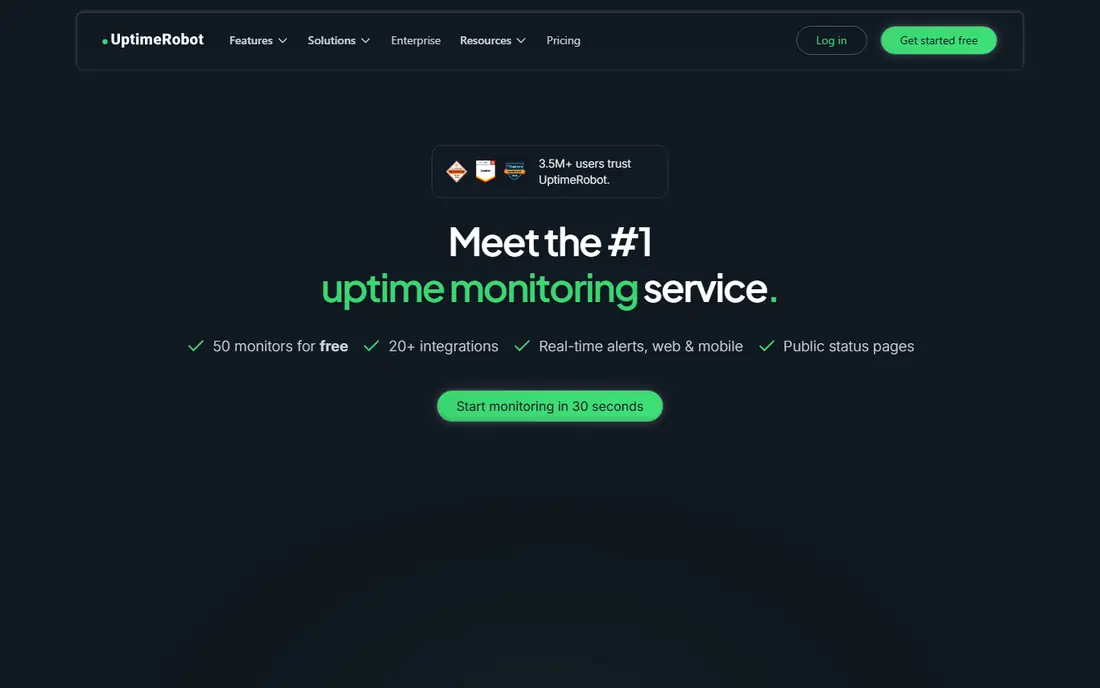
UptimeRobot is the easiest place to start. You add a URL, choose a check type, and get alerts by email or common chat tools when a site goes down. Its free tier covers many monitors, which suits personal projects, portfolios and small sites that need basic coverage without a subscription.
The limits matter for business sites. Free checks run every five minutes, so a short outage can pass unnoticed, and recent listings note the free tier is aimed at non-commercial use. Paid plans add faster checks, more monitors and extra alert options. For simple, low-cost coverage, UptimeRobot remains a strong first choice.
- Generous free monitor allowance
- Simple setup
- Public status pages
- Free checks run every five minutes
- Free tier is aimed at non-commercial use in listings

Better Stack combines uptime monitoring with incident management, on-call schedules and status pages, so a team can detect, acknowledge and communicate an outage from one system. Its free tier covers a small set of monitors and heartbeats, while paid plans add faster checks and phone alerts. Teams that already handle incidents in spreadsheets or chat threads often gain the most.
Pricing is modular, with separate costs for monitoring, logs and responder seats, so compare the full bundle before budgeting. A solo site owner may not need the incident layer, while a SaaS team will. If outage response is part of your job, Better Stack is a natural upgrade from a basic checker.
- Uptime, incidents and status pages in one place
- Fast paid checks
- On-call tools
- Modular pricing takes time to compare
- Responder seats cost extra
Pingdom, from SolarWinds, is a mature choice for teams that need more than a ping. It can run synthetic checks from many locations, test multi-step transactions such as checkout flows, and track real-user performance alongside uptime. That combination helps teams find problems that a simple up check would miss, such as a payment step failing while the homepage loads.
Pricing is split across synthetic monitoring, real-user monitoring and related products, so the total depends on what you enable. There is no permanent free tier, only a trial. Choose Pingdom when you need to prove that key user journeys still work, not just that a server answers.
- Mature synthetic monitoring
- Transaction checks
- Real-user performance data
- Pricing varies by product
- No permanent free tier
Site24x7 covers far more than uptime. It monitors websites, servers, networks, cloud resources and applications, with alerts, reports and status pages in one console. IT teams that want one platform for infrastructure health, rather than separate tools for each layer, often prefer this breadth.
That breadth is also the drawback for a small site owner who only wants to know if a homepage is down. Setup and pricing take longer to work through, since plans vary by what you monitor. For teams already managing servers and networks, Site24x7 offers good value as a single monitoring home.
- Website, server, network and API monitoring
- Broad alert options
- Detailed reports
- Broad scope can feel heavy for simple uptime needs
- Pricing varies by bundle
StatusCake gives small teams a wide set of checks in one place, including uptime, page speed, SSL expiry and domain expiry. Its free tier covers a small set of monitors, which suits agencies and small businesses watching a handful of client sites. Setup is quick, and alerts cover common channels.
Paid plans are needed for faster checks, more monitors and public status pages in recent listings, so costs rise as coverage grows. StatusCake still offers a useful middle ground between a basic free checker and a full incident platform, especially for teams that value SSL and domain alerts.
- Uptime, page speed, SSL and domain checks
- Free monitors
- Simple dashboard
- Faster checks and higher limits need paid plans
- Status pages are paid in listings
Oh Dear is built for agencies and developers who manage many websites and want a clear health view per site. It checks uptime, SSL certificates, domain expiry, broken links, scheduled tasks and application status, which catches the slow failures that pure uptime tools miss. Its interface is clean and focused on actionable site issues.
There is no permanent free tier, only a trial, and the entry plan covers a small number of sites in listings, so agency costs scale with client count. For a team managing client sites and wanting broken-link and cron coverage in the same tool, Oh Dear is a strong specialist pick.
- Uptime, broken links, SSL and cron checks
- Clear site health view
- Agency-friendly
- No permanent free tier
- Entry price covers only two sites in listings
Checkly suits developers who want monitoring defined in code and stored with their project. It runs API checks and Playwright browser checks, so teams can test real user flows, API responses and performance from code rather than clicking through a dashboard. Its free tier covers a small set of uptime monitors for testing the approach.
The technical focus is also the barrier. Non-developers may prefer a simpler dashboard tool, and browser check usage can add cost at scale. For engineering teams already using Playwright and infrastructure-as-code workflows, Checkly fits naturally into deployment and review processes.
- API and browser checks
- Monitoring as code
- Playwright-based flows
- More technical than basic tools
- Browser check minutes cost extra at scale
Uptime Kuma is a free, open-source monitoring tool you install on your own server. It offers fast checks, many monitor types, notifications and status pages without a subscription, which appeals to hobbyists, homelabs and budget-conscious teams. Its interface is modern and easy to read, and setup is quick for anyone comfortable running a small service.
Self-hosting creates a single point of failure. If the server running Uptime Kuma goes down, monitoring goes down with it, so critical sites still need an external check. You also handle updates, backups and security. Used as a second layer, or for non-critical sites, it is excellent value.
- Free and open source
- Unlimited monitors on your server
- Fast checks and status pages
- You host and maintain it
- Fails with its own server unless paired externally
Uptime.com offers synthetic monitoring, transaction checks, API monitoring, page speed data and real-user monitoring, with reporting suited to SLA tracking. Teams that must show uptime evidence to clients or management often value its formal reports and global check locations. Its entry price is low in recent listings, which helps small teams start.
As with Site24x7, the full platform can feel heavy for a team that only wants a simple down alert. Check volume, transaction steps and extra features affect the final bill, so confirm pricing for your monitor count. For SLA reporting and transaction coverage, Uptime.com is a credible alternative to Pingdom.
- Transaction and API checks
- Page speed and real-user data
- Formal SLA reports
- More platform than basic uptime needs
- Pricing rises with check volume
How we picked these
We compared official pricing pages, feature pages and public documentation for tools that run external uptime checks and send alerts. We excluded pure status-page tools without monitoring and pure APM suites without a clear uptime product. Where pricing varied by region, currency or bundle, we used See website rather than locking in a single figure.
What to check before you buy
Check interval and locations
Choose a check interval that matches the cost of downtime. A brochure site can live with five-minute checks, while a checkout or API usually needs one-minute or faster checks. Check how many global locations a tool uses, since a single-location check can report false outages from network issues.
Alerts, status pages and proof
Test alert channels your team actually reads, such as email, Slack, SMS or phone, and confirm escalation rules for unacknowledged alerts. If clients ask about outages, a public status page and uptime history save time. Keep incident reports and SLA evidence in mind before you need them.
Cost at your real scale
Count monitors, check frequency, transaction steps and status pages, not just the headline plan price. A cheap plan with few monitors can cost more than a mid-tier plan once you add client sites. Run a trial with your full monitor list to see the true monthly total.
Frequently asked questions
What is the best uptime monitoring service?
For simple coverage, UptimeRobot is a strong free starting point, while Better Stack suits teams that also need incident response. Pingdom and Uptime.com suit transaction and SLA needs, and Checkly suits developer teams. Match the tool to check speed and workflow, not just price.
What is the best uptime monitoring tool for a small business?
A small business with a few sites usually does well with UptimeRobot free or Better Stack free, upgrading only when faster checks or phone alerts matter. StatusCake is another good middle option for SSL and domain checks. Start free, measure alert quality, and pay only for gaps you actually hit.
How often should uptime checks run?
Five-minute checks suit brochure sites and personal projects, while one-minute checks suit stores, SaaS apps and APIs where downtime costs money. Faster checks cost more and can raise false positives if set too aggressively. Balance speed with alert quality, and use multiple locations to reduce false alarms.
Do I need uptime monitoring if my host promises high uptime?
Yes, because a host promise covers its infrastructure, not your app, DNS, SSL or third-party services. Your site can fail while the host stays up, and only an external check sees what visitors see. Monitoring also gives you evidence when you need to claim credits or explain an outage.
Is self-hosted uptime monitoring reliable?
Self-hosted tools such as Uptime Kuma are reliable for the sites they watch, until their own server fails. That is why critical sites need at least one external check from a separate provider. Many teams use a free external checker for critical pages and self-hosted monitoring for everything else.
Sources
See where you really rank - block by block
ProMapRanker scans Google Maps across a grid of your service area. Simple monthly plans from $19, white-label on every plan.
Start freeKeep reading
 zscaler alternatives
Best Zscaler Alternatives in 2026
Looking for zscaler alternatives? We compare 9 SASE and zero trust platforms on architecture, data protection, pricing, and fit for your network and team.
Read → zapier alternatives free
Best Zapier Alternatives Free in 2026
Nine automation tools for zapier alternatives free in 2026, all with genuinely free tiers, plus free plan limits, starting prices and upgrade paths explained.
Read → which platform is best for online reputation
Which Platform Is Best for Online Reputation in 2026
Wondering which platform is best for online reputation? We compare 8 review, listing, and response tools for small and multi-location businesses and agencies.
Read →