 ProMapRanker
Best Unified Workforce Platform in 2026


HR, IT and finance in one place · Pricing starts at: $8 per user per month
Key takeaways
- Rippling is the clearest unified pick, joining HR, IT and finance in one system of record.
- Deel suits global-first teams, while Gusto suits small US teams that want simple payroll and benefits.
- Workday, Dayforce and ADP suit larger or more complex workforces, with quote based pricing and longer implementation.
- Modular pricing means the headline per user price is rarely the total, so get a quote for every module you need.
Quick comparison
| Pick | Great for | Pricing starts at | Free tier | |
|---|---|---|---|---|
| Rippling | HR, IT and finance in one place | $8 per user per month | No | Visit |
 Deel | Global hiring and payroll | $49 per month | No | Visit |
 Remote | Global employment compliance | See website | No | Visit |
 Gusto | Small US payroll and benefits | $49 per month | No | Visit |
 Paylocity | Mid-market HR and payroll | See website | No | Visit |
 Workday | Enterprise HR and finance | See website | No | Visit |
 Dayforce | Shift and payroll operations | See website | No | Visit |
 BambooHR | Core HR for growing teams | See website | No | Visit |
 ADP Workforce Now | Large US payroll and HR | See website | No | Visit |
The best unified workforce platforms
We compared vendor pricing, module scope and workforce coverage, focusing on platforms that join HR, payroll, IT, time and finance data in one system rather than single purpose tools.
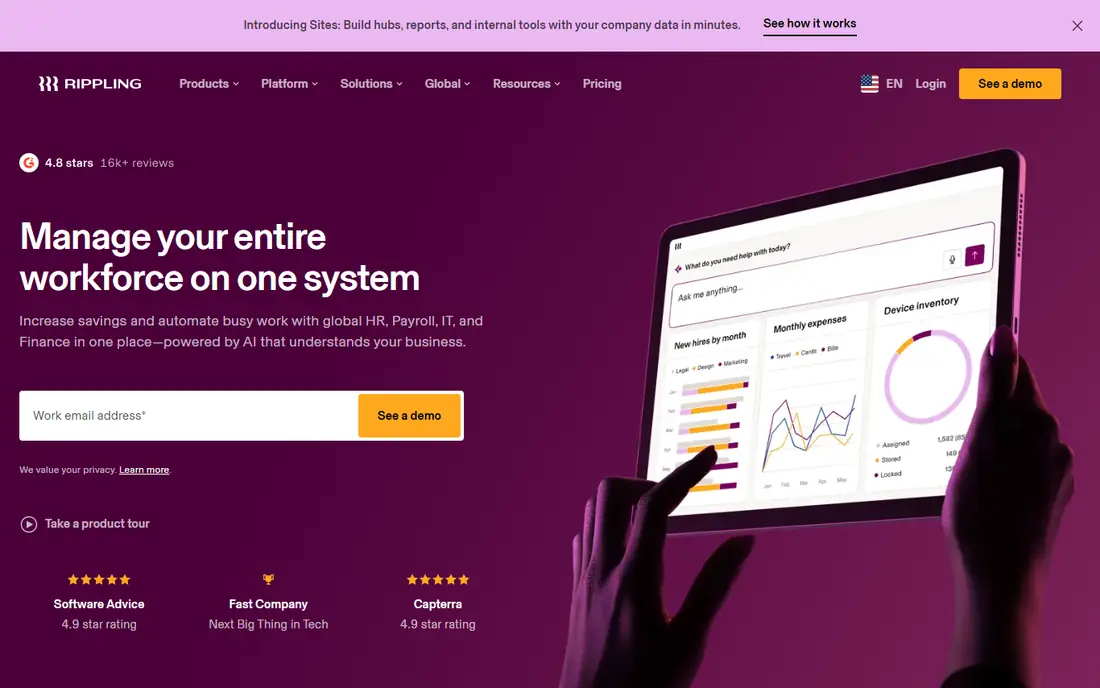
Rippling is our top unified pick because it treats employee data as one system, not as separate HR, IT and finance records. A hire, role change or departure can trigger payroll, benefits, device provisioning and app access from the same record, which cuts manual handoffs. Its automation and reporting also help growing teams keep compliance tasks in step with headcount growth.
The catch is modular pricing. The $8 per user per month Unity base is only the start, with payroll, benefits, IT and global modules adding cost. Get a quote for your full module list, and plan implementation time for data cleanup before migration.
- Unified employee data across HR, IT and finance
- Strong automation
- Large integration set
- Modular pricing grows with add-ons
- Implementation takes planning for larger teams
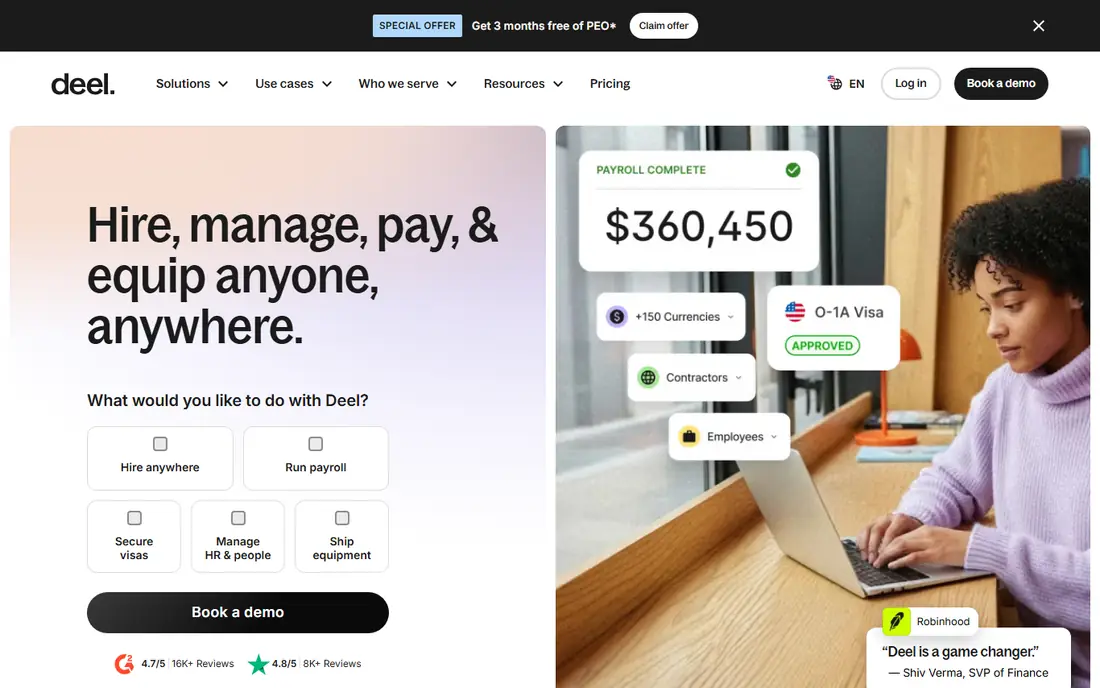
Deel suits teams hiring across borders first, with US hiring second. Its contractor management starts at $49 per month, and its employer of record service covers many countries through owned entities and partners. That breadth helps companies hire compliantly where they have no local entity, with payroll, benefits and contracts handled in one place.
The drawback is employer of record cost, which is far higher per person than contractor or payroll pricing. Use Deel for international hires where compliance matters, and compare Rippling or Gusto for a mostly US workforce before you standardise on Deel alone.
- Broad global hiring coverage
- Clear contractor pricing
- Strong compliance support
- Employer of record pricing is high per person
- Full platform cost needs a quote
Remote suits companies that prioritise compliance and data control in global hiring. Its owned entity approach in many countries reduces reliance on third party partners, which some teams prefer for payroll accuracy and data handling. Contractor management, global payroll and employer of record services sit in one platform.
The limit is breadth. Remote is strongest on global employment, while Rippling covers HR, IT and finance more deeply for a US centred team. Check country coverage for your hiring map, and get pricing for employer of record, contractor and payroll separately.
- Owned entity model in many countries
- Strong compliance focus
- Contractor and payroll tools
- Quote based pricing for several products
- Less HR and IT depth than Rippling
Gusto is the easiest unified start for small US businesses. Its Simple plan starts at $49 per month plus $6 per employee per month, with automated tax filing, direct deposit and benefits administration that mostly run without specialist help. That clarity and simplicity make it a good first platform for teams under fifty people.
The trade-off is depth. Gusto lacks the advanced performance, learning, IT provisioning and scheduling tools of Rippling, Paylocity or Dayforce. If you need those modules, you will add third party tools or migrate later, so weigh simplicity now against growth needs in two years.
- Clear published pricing
- Simple payroll and tax filing
- Good benefits marketplace for small teams
- Limited advanced HR, IT and scheduling depth
- Support quality varies in reviews
Paylocity suits mid-market teams that want HR, payroll, time tracking, engagement and compensation in one platform. Its reporting builder, surveys and performance tools help HR teams manage a growing workforce without stitching many tools together. Time and attendance with scheduling support also helps shift based teams.
Pricing is quote based, which makes upfront comparison harder than with Gusto or Rippling. Ask for a full quote by module and headcount, check implementation fees, and pilot reporting and mobile time tracking with your actual managers before rollout.
- Full HR suite with payroll, time and engagement
- Strong reporting
- Good for mid-market growth
- Quote based pricing
- App reliability and report sharing draw mixed reviews
Workday suits large enterprises that need HR and finance in one system at global scale. Its human capital management, financial management, planning and analytics modules support complex organisations with many entities, currencies and compliance needs. That depth is why it remains a standard choice for large employers.
For small and mid-size teams, Workday is usually too heavy and too costly. Implementation takes months, pricing is quote based, and you need specialist staff or partners to run it well. Only shortlist Workday when your size and complexity already match enterprise HCM.
- Deep enterprise HR and finance
- Strong planning and analytics
- Global scale
- Quote based enterprise pricing
- Long implementation and specialist staffing needs
Dayforce, from Ceridian, suits mid to large teams with shift based work, such as retail, hospitality and manufacturing. Its continuous calculation payroll engine updates pay impacts as timecards change, which reduces end of week reconciliation work. Scheduling, mobile clocking and compliance alerts also fit shift operations well.
The drawback is total cost and implementation effort. Pricing is not published, and implementation fees reported in comparisons can be a large share of first year cost. Get a full proposal, including implementation, and test scheduling and payroll with your real shift patterns before you commit.
- Continuous payroll calculation
- Strong scheduling and time tools
- Good for retail and manufacturing
- Quote based pricing
- Implementation costs can be a large share of first year cost
BambooHR suits growing teams that want clean core HR first, with payroll and performance as add-ons. Its employee records, onboarding, time off and reporting tools are easy for small HR teams to run, and the interface is less daunting than enterprise HCM. That makes it a good step up from spreadsheets or a payroll only tool.
The limit is unified depth. BambooHR does not match Rippling on IT provisioning or Workday on finance, and payroll availability depends on your plan and region. Check which modules are included in your quote, and confirm payroll coverage for every state or country you operate in.
- Clean core HR interface
- Good onboarding and time off tools
- Easy for non-specialist HR teams
- Payroll and advanced modules vary by plan
- Pricing is quote based
ADP Workforce Now suits larger US employers that need broad payroll, tax, benefits and HR coverage with a large support network. ADP handles complex multi-state payroll, compliance and reporting at scale, and its module range covers talent, time and benefits for growing firms. That scale and history give many HR leaders confidence.
For small teams, ADP can feel complex and quote based pricing makes comparison slow. Get a proposal for your headcount and modules, check implementation and support terms, and compare it with Gusto for simplicity and Rippling for unified IT coverage before you choose.
- Very broad US payroll and compliance coverage
- Large support network
- Many modules
- Quote based pricing
- Platform depth can feel complex for small teams
How we picked these
We compared vendor pricing, module scope and workforce coverage, and we kept only platforms that join several workforce functions today. We gave weight to a single employee record, payroll accuracy, time and scheduling, IT provisioning and global coverage, and we wrote See website where pricing was quote based. Where a headline price covered only a base module, we said so in the product write-up.
How to choose a unified workforce platform
Start with your workforce map, not with a feature list. Count US and international staff, contractors, shift workers and managers, then list the modules you must have in year one. A platform that covers payroll well but lacks IT provisioning will still leave manual work, and a global platform that lacks your countries is not unified for your team.
Implementation and data cleanup
Budget time for data cleanup before migration, because a unified platform only helps if HR, payroll and IT records match. Clean job titles, managers, locations and pay data first, test payroll in parallel with your old system for at least one cycle, and train managers on approvals and time off before go-live. A rushed migration creates more work than the old tools did.
Frequently asked questions
What is a unified workforce platform?
It is a system that joins HR, payroll, time, IT and sometimes finance data in one employee record, so a hire or role change updates several functions at once. Rippling is the clearest example, while Workday and Dayforce offer enterprise versions.
Which unified workforce platform is best for a small business?
Gusto suits small US teams that want simple payroll, while Rippling suits growing teams that also need IT and finance in one place. Pick based on headcount, countries and module needs, not on the longest feature list.
Is Rippling or Deel better for global teams?
Deel suits global-first hiring with broad employer of record coverage, while Rippling suits US centred teams expanding abroad with unified HR and IT. Check your hiring map and get both quotes before you choose.
How much does a unified workforce platform cost?
It varies widely. Gusto starts at $49 per month plus $6 per employee, Rippling starts at $8 per user per month plus modules, and Workday, Dayforce, Paylocity and ADP are quote based.
Can I migrate from separate HR and payroll tools?
Yes, but plan data cleanup, parallel payroll testing and manager training first. Migrate in phases if you can, starting with core HR and payroll, then adding IT, time and performance modules.
Sources
See where you really rank - block by block
ProMapRanker scans Google Maps across a grid of your service area. Simple monthly plans from $19, white-label on every plan.
Start freeKeep reading
 worlds best local seo company
8 Worlds Best Local SEO Companies for Map Pack Growth in 2026
Compare the worlds best local seo company options for Google Business Profile work, citations, reviews, and multi-location rankings and reporting in 2026.
Read → world's best web hosting company
World's Best Web Hosting Company in 2026
Searching for the world's best web hosting company? We compared 10 hosts on price, renewal rates, speed, and support to help you choose well today in 2026.
Read → who's got the best nanny tax services
Who's Got the Best Nanny Tax Services in 2026
We answer who's got the best nanny tax services, comparing full filing, back taxes, software, and pricing so families can handle nanny taxes correctly.
Read →