 ProMapRanker
Best Trip Planner App in 2026

Key takeaways
- Wanderlog is our top pick for designing a trip, with a map, itinerary, budget, and collaboration in the free plan.
- TripIt is the top pick for organising bookings, by turning confirmation emails into one itinerary.
- Roadtrippers suits US road trips and RV travel, while Polarsteps suits tracking and sharing a journey.
- Tripsy, Stippl, Hopper, and Tripadvisor add Apple-focused planning, newer group tools, price tracking, or free trip saves.
Quick comparison
| Pick | Great for | Pricing starts at | Free tier | |
|---|---|---|---|---|
 Wanderlog | Designing trips with map and budget | Free | Yes | Visit |
 TripIt | Organising bookings into one itinerary | Free | Yes | Visit |
 Roadtrippers | US road trips and RV routes | Free | Yes | Visit |
 Polarsteps | Tracking and sharing a journey | Free | Yes | Visit |
 Tripsy | Apple-focused itinerary planning | Free | Yes | Visit |
 Stippl | Group planning with routes and lists | Free | Yes | Visit |
 Hopper | Flight and hotel price tracking | Free | Yes | Visit |
 Tripadvisor | Free trip saves and reviews | Free | Yes | Visit |
The best trip planner app
First, decide if you are designing a trip or organising bookings, then check collaboration, offline access, and price tracking.
A trip planner app can mean two different jobs. One job is designing a trip: choosing stops, ordering days, and building a map. The other job is organising bookings after you have paid: flights, hotels, cars, and confirmations in one itinerary. The apps below cover both jobs, plus road trips, group travel, and travel journals, so the best pick depends on if you are still planning or already booked. We compared free plans and paid prices from vendor and review pages checked in October 2026. Wanderlog and TripIt both offer strong free plans, Roadtrippers suits road trips, and Polarsteps suits tracking a trip as it happens. If you travel with others, check collaboration and sharing first, because a planner that only works for one person will frustrate a group quickly.
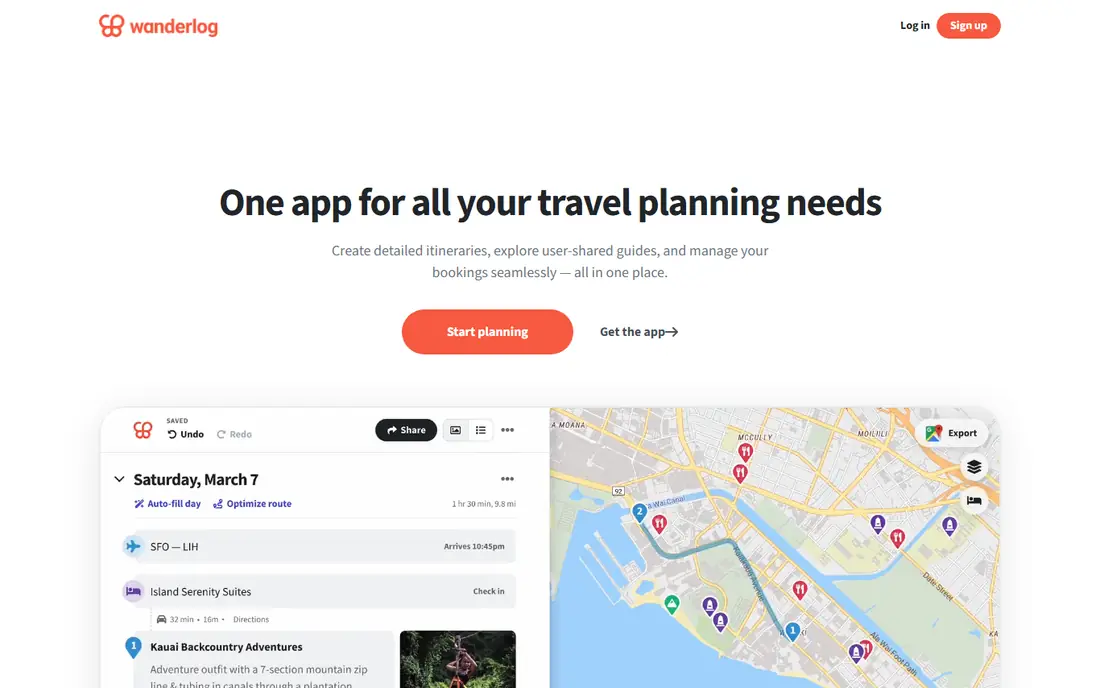
Wanderlog is the best all-round planner for a trip that is still taking shape. The free plan includes an itinerary builder, a colour-coded map, a budget tool, trip sharing, and recommendations, so a group can build a day-by-day plan together without paying. That combination is rare, and it suits road trips, multi-city trips, and group holidays where the order of stops matters as much as the bookings themselves.
Pro costs $39.99 per year and adds offline access, automatic Gmail scanning, Google Maps export, route optimisation, and unlimited AI assistant use. Some travellers will not need those extras, and the free plan is enough for most planning. Wanderlog can feel feature rich at first, so a new user should start with one trip, add stops on the map, and only then explore budget and collaboration tools.
- Free plan covers itinerary, map, budget, and collaboration
- Pro adds offline access and route optimisation
- Pro costs $39.99 per year
- Some features need Pro
- Recommendations can feel hotel heavy for some users
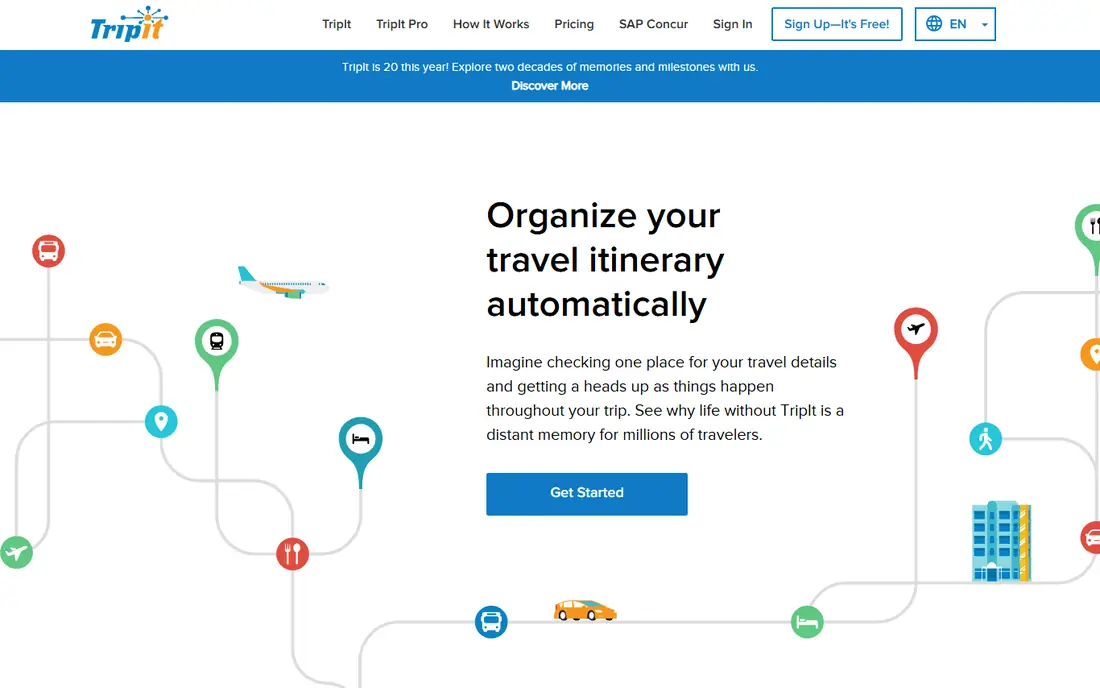
TripIt is the organiser for travellers who already have bookings. Forward flight, hotel, car, and activity confirmations to TripIt, and it builds a single itinerary with times, addresses, and confirmation numbers. The free plan covers that core job, plus calendar sync and sharing, which makes it useful for a complex trip with many separate bookings that would otherwise live in different inboxes.
TripIt is less of a design tool than Wanderlog. Its map is simpler, and it does not help as much with choosing the order of stops or balancing days between cities. Pro costs $49 per year and adds real-time flight alerts, fare tracking, seat tools, and airport navigation, which suit frequent flyers. If your trip is already booked, TripIt is the pick. If you are still deciding where to go, start with Wanderlog.
- Free plan turns confirmation emails into an itinerary
- Calendar sync
- Document storage
- Pro costs $49 per year
- Planning and map tools are simpler than Wanderlog
- Flight alerts need Pro

Roadtrippers is built for road trips, with a map-first planner that suggests stops, attractions, campsites, and fuel along a route. It suits US travellers, RV owners, and campers who need to plan driving days, overnight stops, and detours, rather than just listing flights and hotels. Paid plans add more waypoints, RV-safe routing, and extra trip features that matter when a vehicle has height, weight, or propane limits.
The free plan limits waypoints, so a long multi-stop trip will need a paid plan from $35.99 per year for Basic, with higher tiers for more features. Coverage is strongest in the US, Canada, Australia, and New Zealand, and RV routing is mainly a US feature, so international travellers should check coverage before relying on it. For a US road trip, Roadtrippers remains the most focused planner in this guide.
- Road trip planning with stops and maps
- RV-safe routing on suitable plans
- Gas and camping insights
- Free plan limits waypoints
- Paid plans from $35.99 per year
- Coverage is strongest in the US, Canada, Australia, and New Zealand
Polarsteps tracks a trip as it happens, turning a route, photos, and notes into a travel journal that friends and family can follow. It suits long trips, backpacking, and road journeys where the story matters as much as the plan, and it can produce a printed book of the trip afterwards. The app is free to install, with in-app purchases for extras such as printed books, which makes it easy to try on a first trip.
Polarsteps is not a booking organiser like TripIt, and it does not design a day-by-day itinerary like Wanderlog. Its strength is the journey itself, including automatic tracking, stats on countries and distance, and a visual journal. If you want to share a trip live or keep a record to print later, Polarsteps is a lovely companion. If you need flight alerts or hotel confirmations in one place, pair it with TripIt.
- Free trip tracking with automatic route
- Photo journal and stats
- Printed travel books as an extra
- Tracking focus means less booking organisation
- Printed books cost extra
- Some features need in-app purchases
Tripsy is the design-led pick for travellers who use Apple devices. It offers a clean itinerary view, widgets, maps, and travel stats such as countries visited and nights away, with a focus on making a trip look good as well as work well. Friends can view a trip in a browser even without the app, which helps when a group uses mixed devices for viewing, even if editing stays on Apple devices.
The limits are platform and Pro features. There is no Android app, and forwarding booking emails needs Tripsy Pro, with pricing that varies by store and region. A traveller who needs Android editing or free email import should look at Wanderlog or TripIt first. For an Apple user who values design, widgets, and a travel record, Tripsy is a pleasure to use and a strong trip planner.
- Beautiful itinerary design for iPhone, iPad, and Mac
- Widgets and travel stats
- Browser sharing
- Email forwarding needs Pro
- No Android app
- Pro pricing varies by store and region
Stippl is a newer planner built for group travel, with routes, packing lists, a travel journal, and collaboration tools that help friends plan together. It suits a group that wants one place for the route, the packing list, and the daily plan, without switching between spreadsheets, maps, and chat threads. The free plan covers core group planning, and Pro adds extra features for frequent travellers.
Stippl is newer than Wanderlog or TripIt, so its community, guides, and integrations are smaller, and some features are still growing. Pro pricing is about 24.99 euros per year on some listings, which is competitive, but travellers should check current pricing for their region. If you like trying a fresh group planner and your group will actually use one shared app, Stippl is worth a test trip. If you need a proven booking organiser, TripIt is safer.
- Free group planning
- Routes, packing lists, and journal
- Collaboration for travel groups
- Newer platform with smaller community
- Pro costs about 24.99 euros per year
- Some features still growing
Hopper suits travellers whose main question is when to book. It uses price data to predict whether a flight or hotel price is likely to rise or fall, and it can watch a route and alert you to changes. That price focus helps a traveller who is flexible on dates and wants to avoid paying a peak price, and booking can happen inside the app for flights, hotels, and rental cars.
Hopper is not a full itinerary planner. Its trip planning, map, and collaboration tools are simpler than Wanderlog, and its price predictions are estimates, not guarantees, so a traveller should still compare prices elsewhere before booking. Fees and final prices can vary by booking, so check the total before paying. Use Hopper for price timing, and pair it with Wanderlog or TripIt for the full trip plan.
- Price predictions for flights and hotels
- Price watches and alerts
- Booking in the app
- Planning and itinerary tools are simpler than Wanderlog
- Prices and fees vary by booking
- Predictions are estimates, not guarantees
Tripadvisor Trips is the free, familiar option for travellers who already use Tripadvisor for reviews. You can save hotels, restaurants, and activities into a trip, add notes, and share the trip with travel companions, all without a subscription. The huge review library helps a traveller judge a hotel or restaurant before adding it to a plan, which is useful in a new city where local knowledge is limited.
The planner itself is simpler than Wanderlog or Roadtrippers, with less map-based day planning, budgeting, or route optimisation. Booking prices vary by partner, and reviews need a recency check, because an old top-rated spot may have changed. Tripadvisor works best as a research and saves companion, used alongside a dedicated planner for the day-by-day itinerary. For a first trip with simple needs, it can be enough on its own.
- Free Trips planner inside Tripadvisor
- Huge review library
- Saves for hotels, restaurants, and activities
- Planner is simpler than dedicated planners
- Booking prices vary by partner
- Reviews need checking for recency
How we picked these
We compared official feature pages, pricing pages, app store listings, and public help pages for each product, and we checked that each one is still offered in October 2026. We gave weight to fit for the stated use, clear pricing, and limits that a new user would meet in the first month. We left out products that had closed, changed into a different kind of tool, or did not match the topic closely enough, even when they were well known in another category. We did not claim hands-on testing. Our notes come from what vendors publish and what their public documentation says about plans, features, and restrictions. Prices change often, so we used the vendor page or app store listing as the source and wrote See website where a current price was not published clearly.
How to choose a trip planner app
First, decide which job matters most. If you are still choosing stops and days, pick a design planner such as Wanderlog, Roadtrippers, or Stippl. If you are already booked, pick an organiser such as TripIt. If you are tracking a journey, pick Polarsteps. Many travellers end up with two apps, one for planning and one for bookings, and that split is fine as long as each app has a clear job and you do not duplicate the same itinerary in both. Next, check collaboration and sharing. A group trip needs live editing, comments, and a shared map, not just a link to view a finished plan. Test sharing with one companion before the trip, and confirm that edits appear for everyone without a paid plan. If one person uses Android and another uses Apple, check platform support, because Tripsy edits only on Apple devices while Wanderlog and TripIt work across platforms. Then check offline access, maps, and price tools. Offline access matters for rural road trips and international travel without data, and it is often a Pro feature, so check whether your plan includes it. Map tools matter for road trips, while flight alerts and price watches matter for flyers. Do not pay for Pro for a feature you will use once, but do pay for offline access if your trip depends on it. Finally, test the app on a real short trip before a big holiday. Build one weekend itinerary, forward one booking, add one budget, and share it with a companion. Check that times, addresses, and confirmation numbers appear correctly, and that the app still works without a strong signal. That short test will expose limits in maps, sharing, or offline access before they matter on a long trip.
Frequently asked questions
What is the best trip planner app?
Wanderlog is the best all-round trip planner for designing a trip, and TripIt is best for organising bookings you already have. Roadtrippers is best for US road trips, Polarsteps is best for tracking a journey, and Tripsy is best for Apple users who value design.
What are the best trip planner apps for group travel?
Wanderlog and Stippl suit group travel, with shared maps, itineraries, and collaboration in their free plans. Tripadvisor Trips also allows sharing saves with companions, but its planning tools are simpler. Test live editing with your group before the trip, because view-only sharing is not the same as collaborative planning.
Is there a free trip planner app?
Yes. Wanderlog, TripIt, Roadtrippers, Polarsteps, Tripsy, Stippl, Hopper, and Tripadvisor all offer free plans or free core features. Paid Pro plans add offline access, flight alerts, route optimisation, or extra waypoints, so check which free features cover your trip before you pay.
Can a trip planner app track flight prices?
Hopper specialises in flight and hotel price predictions and alerts, and TripIt Pro adds fare tracking and flight alerts. Wanderlog Pro also adds flight and car rental deal alerts on some plans. Price predictions are estimates, so compare prices on more than one source before you book.
Do trip planner apps work offline?
Some do on paid plans. Wanderlog Pro adds offline access to your itinerary, while free plans usually need an internet connection for maps and updates. If you will travel without reliable data, check offline support before you rely on an app, and keep a printed or PDF copy of key bookings as a backup.
Sources
See where you really rank - block by block
ProMapRanker scans Google Maps across a grid of your service area. Simple monthly plans from $19, white-label on every plan.
Start freeKeep reading
 zscaler alternatives
Best Zscaler Alternatives in 2026
Looking for zscaler alternatives? We compare 9 SASE and zero trust platforms on architecture, data protection, pricing, and fit for your network and team.
Read → zapier alternatives free
Best Zapier Alternatives Free in 2026
Nine automation tools for zapier alternatives free in 2026, all with genuinely free tiers, plus free plan limits, starting prices and upgrade paths explained.
Read → which platform is best for online reputation
Which Platform Is Best for Online Reputation in 2026
Wondering which platform is best for online reputation? We compare 8 review, listing, and response tools for small and multi-location businesses and agencies.
Read →