 ProMapRanker
Best Travel Apps in 2026: 8 Apps Compared

Key takeaways
- No single app covers a whole trip well, so pick one app for flights, one for planning, one for maps and one for stays.
- Google Maps is the essential free navigation app, with offline maps, transit directions and place reviews in one place.
- TripIt and Wanderlog are the strongest planners, with TripIt best for auto-organized bookings and Wanderlog best for collaborative planning.
- Skyscanner and Hopper help with flight prices, while Booking.com and Airbnb cover most stays.
- Download offline maps, tickets and itineraries before you travel, since airport and rural coverage can be unreliable.
Quick comparison
| Pick | Great for | Pricing starts at | Free tier | |
|---|---|---|---|---|
 Google Maps Google Maps | Navigation and offline maps | Free | Yes | Visit |
 TripIt TripIt | Auto-organized itineraries | Free | Yes | Visit |
 Wanderlog Wanderlog | Collaborative trip planning | Free | Yes | Visit |
 Skyscanner Skyscanner | Flight comparison | Free | Yes | Visit |
 Hopper Hopper | Flight price predictions | Free | Yes | Visit |
 Booking.com Booking.com | Hotels and apartments | Free | Yes | Visit |
 Airbnb Airbnb | Longer stays and homes | Free | Yes | Visit |
 Google Translate Google Translate | Language help abroad | Free | Yes | Visit |
The best travel apps
We compared official app pages, pricing, offline features, platform support and planning tools. The list favors apps that are actively maintained in 2026 and that solve a distinct part of a trip, rather than several apps that do the same job.
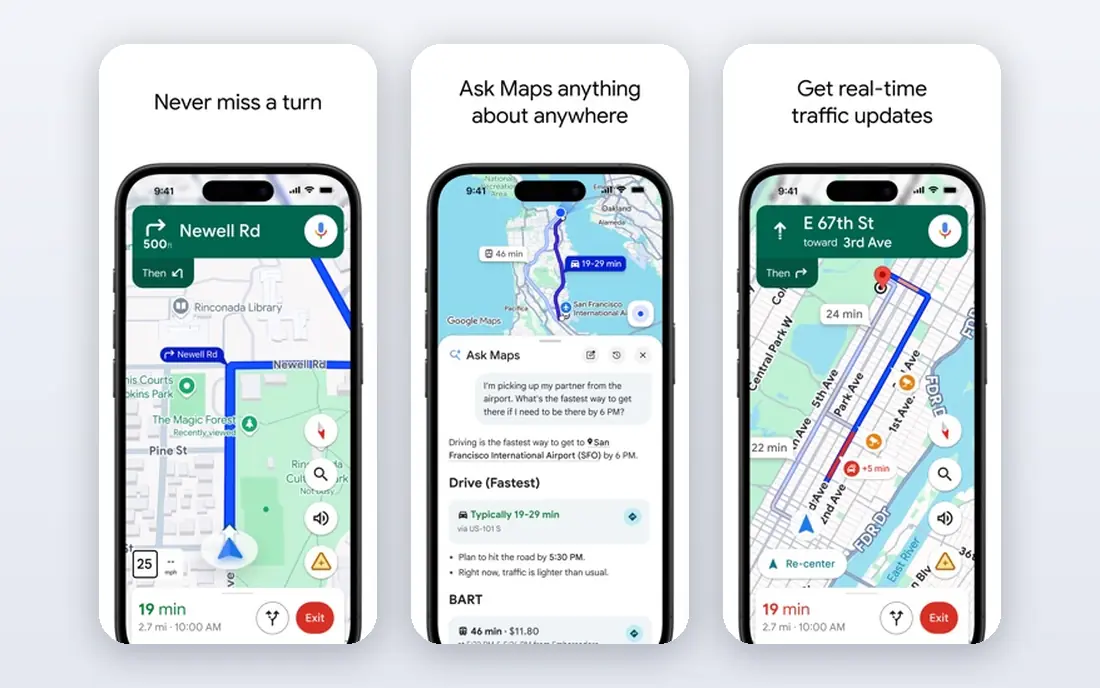
Google Maps is the first app to install for any trip. It covers driving, transit, walking and cycling directions, shows live traffic and transit times, and lets you download maps for offline use. Saved lists help you mark restaurants, hotels and sights before you arrive, and reviews and photos help you judge places quickly.
Offline maps need planning. Downloads expire after a set period and need refreshing, and rural coverage can be thinner than city coverage. Download your destination region on Wi-Fi before departure, save your hotel and key stops, and keep a backup such as a printed address for arrival day.
- Free
- Offline maps for whole regions
- Transit, walking and driving directions with live traffic
- Offline maps expire and need updates
- Place data varies by region
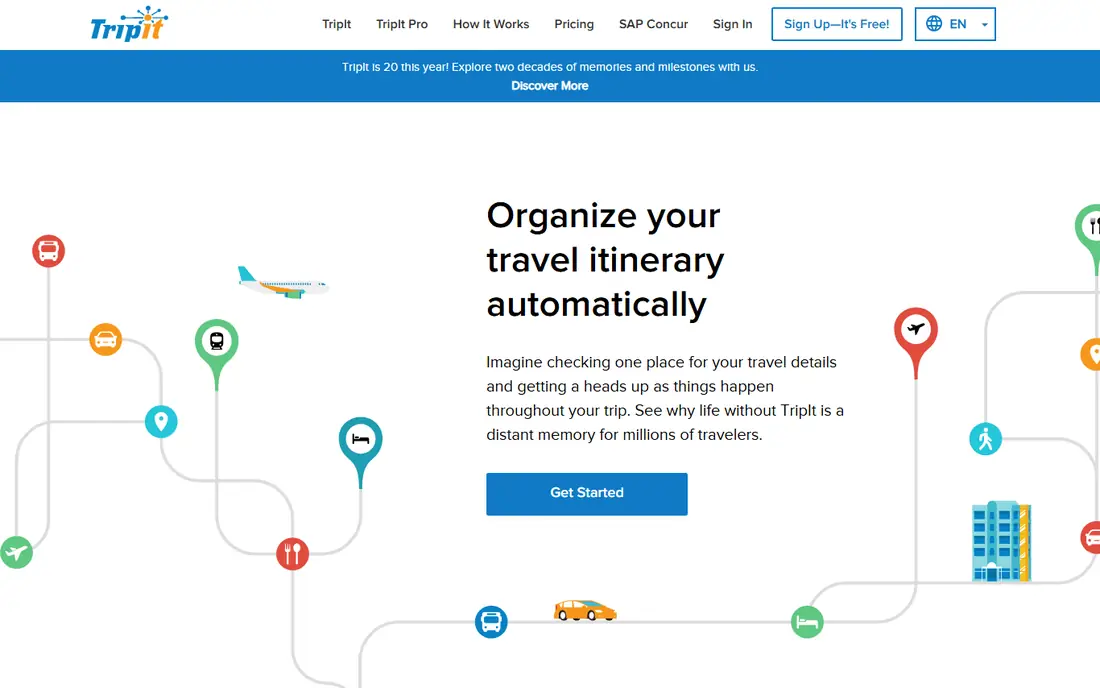
TripIt turns a messy inbox into a clean trip plan. Forward flight, hotel and car confirmation emails, and TripIt builds a chronological itinerary with times, confirmation numbers and maps. The free plan handles most trips well, while TripIt Pro, listed at $49 per year in current guides, adds fare refund alerts, seat tracking and a points tracker for frequent flyers.
The weakness is collaboration and detailed day planning. TripIt organizes bookings well but offers less map-based planning than Wanderlog. Use TripIt as your master itinerary, especially for business trips and multi-leg journeys, and pair it with a planner for day-by-day activities.
- Builds itineraries from forwarded confirmation emails
- Free plan covers core trips
- Plus adds refund alerts and points tracking
- Plus costs $49 per year
- Sharing and maps are simpler than Wanderlog
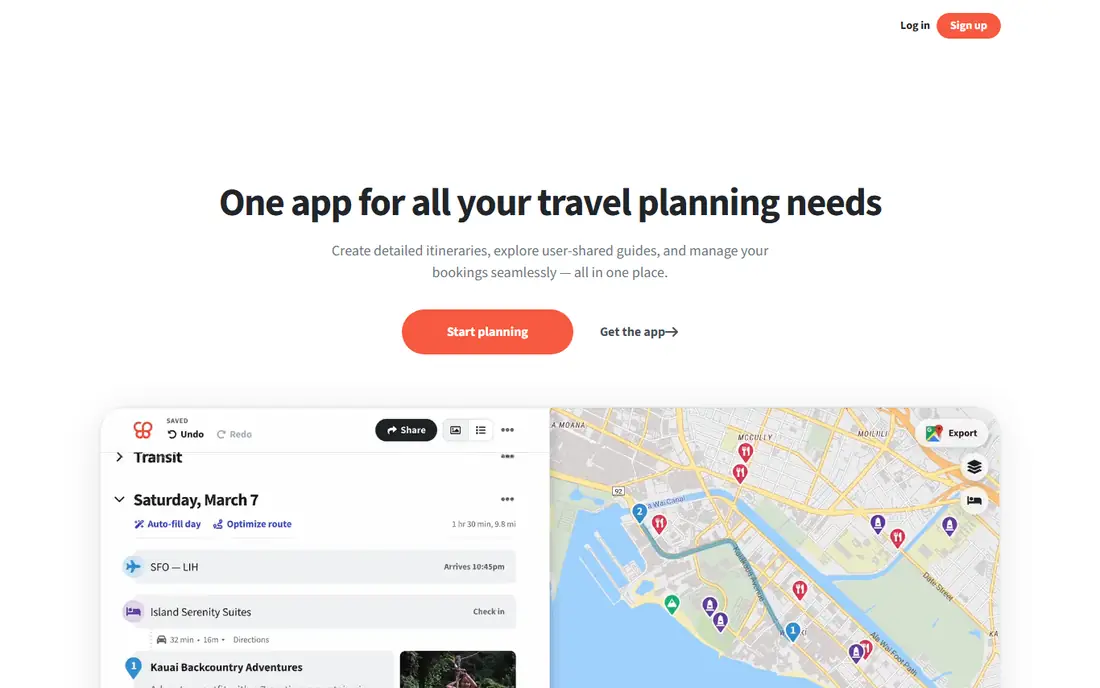
Wanderlog is the best planner for group trips. Friends can edit the same itinerary live, vote on places, pin stops on a map and arrange them in a sensible route order. The free plan covers most features, which makes it easy to invite a whole group without asking everyone to pay. Expense splitting also helps settle shared costs after the trip.
Offline access is the main limit on the free plan, so download or screenshot key plans before areas with poor coverage. Wanderlog also works best for trips with a clear start and end, rather than open-ended travel. For family and friend trips, it beats a shared document or group chat.
- Free core planning
- Live co-editing with friends
- Map pins, route order and expense splitting
- Pro costs from $39.99 per year
- Offline access is limited on the free plan
Skyscanner is the fastest way to compare flight prices across airlines and booking sites. Its whole-month and cheapest-month views help flexible travelers save, and its price alerts track routes without constant manual checks. The app also compares hotels and car rentals, though flights are its strength.
The final price can differ from the search result, especially when a third-party seller adds fees or baggage charges. Always compare the total price with the airline's own site before booking, and check baggage, change and cancellation rules. Use Skyscanner for discovery, then book where the total price and terms are clearest.
- Free
- Compares many airlines and booking sites
- Flexible date and whole-month searches
- Final price can differ at checkout
- Booking through third parties varies in service quality
Hopper adds a prediction layer to flight search. It analyzes fare data and tells you whether to book now or wait, with an estimated saving if you wait. That guidance helps travelers who have flexible dates and want to avoid buying at a peak. Hopper now covers hotels and car rentals with a similar approach.
Predictions are estimates, not promises, and fares can move for reasons no model predicts. Hopper also charges service fees on bookings, and its flexible disruption protections cost extra. Compare the final price with the airline site, and treat a "wait" recommendation as a suggestion, not a guarantee.
- Free app
- Price predictions that suggest booking now or waiting
- Covers flights, hotels and car rentals
- Service fees on bookings
- Disruption protections cost extra
- Predictions are estimates, not guarantees
Booking.com offers the deepest lodging inventory of any app on this list, from hotels and apartments to cabins and guesthouses. Its Genius loyalty program adds discounts after a few completed stays, and many listings offer free cancellation, which helps when plans change. Filters for price, rating, location and amenities make shortlisting fast.
Terms vary by property, so read cancellation deadlines, check-in times and extra charges before booking. Customer service experiences also vary, especially for third-party properties. For most city and resort stays, Booking.com is the safest first search, with Airbnb as a complement for longer stays.
- Free app
- Widest lodging selection worldwide
- Genius discounts after completed stays
- Free cancellation on many listings
- Service and cancellation terms vary by property
- Customer service quality varies
Airbnb suits longer stays, families and groups who want a kitchen, laundry and living space. Apartments and homes often cost less per night than hotels for stays of a week or more, and unique stays such as cabins and cottages add variety. Reviews, host response rates and Superhost status help judge listings before booking.
Fees are the catch. Cleaning fees, service fees and taxes can raise the total well above the nightly rate, so compare the full checkout price with a hotel. Host cancellation policies also vary, so read them carefully for trips that might change. For short city stays, a hotel may be simpler. For longer stays, Airbnb often wins.
- Free app
- Homes, apartments and unique stays
- Kitchens and laundry for longer trips
- Experiences in many cities
- Cleaning and service fees can raise the total
- Host cancellation rules vary
- Quality varies by listing
Google Translate is essential for international trips, especially outside English-speaking countries. Its camera mode translates signs and menus in real time, conversation mode helps with spoken exchanges, and offline packs let you translate without mobile data. Downloading languages before departure avoids data charges and coverage gaps.
Accuracy has limits. Idioms, medical terms and legal wording can translate poorly, so confirm important details with a local speaker or official source when it matters. Camera mode also needs clear lighting and steady framing. For everyday travel, menus, directions and simple questions, Google Translate is reliable and free.
- Free
- Offline translation for downloaded languages
- Camera mode for signs and menus
- Conversation mode
- Translations can miss nuance
- Offline packs need downloading in advance
- Camera mode needs good lighting
How we picked these
We compared official pricing, offline features, platform support and current app guides, favoring apps that are free or have a useful free plan and that cover a distinct trip need. We excluded apps that duplicate another pick without a clear advantage, and we kept the list to eight so travelers can install a focused set rather than dozens of overlapping tools. We did not claim hands-on testing; our comparison rests on vendor pages and public guides.
How to build your travel app set
Start with the four essentials: Google Maps for navigation, TripIt or Wanderlog for planning, Skyscanner or Hopper for flights, and Booking.com or Airbnb for stays. Add Google Translate for international trips, and add a currency, eSIM or expense app only if your trip needs it. Installing too many overlapping apps makes a trip harder, not easier.
Before departure, download offline maps and translation packs, save tickets and itineraries offline, and screenshot hotel addresses and confirmation numbers. Check data options for your destination, including eSIM providers such as Airalo, and confirm that your payment cards work abroad. A small, tested app set beats a large, untested one.
Frequently asked questions
What are the best travel apps for international trips?
Google Maps, Google Translate, TripIt, Skyscanner and Booking.com form a strong international set, covering navigation, language, itineraries, flights and stays. Add an eSIM app such as Airalo for mobile data and a currency app for exchange rates. Download offline maps and translation packs before you leave.
What is the best travel app for flights?
Skyscanner is best for comparing many airlines and flexible dates, while Hopper is best for price predictions and buy-or-wait guidance. Use both for research, then compare the final total price with the airline's own site before booking, including baggage and change fees.
What is the best travel planning app?
TripIt is best for auto-organized itineraries from confirmation emails, while Wanderlog is best for collaborative planning with friends on a map. Choose TripIt for business and multi-leg trips, and Wanderlog for group leisure trips where everyone edits the plan.
What are the best apps for travel planning and itineraries?
TripIt, Wanderlog, Google Maps lists and Roadtrippers cover most itinerary needs, with Roadtrippers best for US road trips. Keep one master itinerary in TripIt or Wanderlog, and use Google Maps for daily navigation, so plans do not split across several apps.
Do travel apps work offline?
Some do, with preparation. Google Maps offers offline maps, Google Translate offers offline language packs, and TripIt lets you view itineraries offline. Flight search, booking and live transit updates need internet, so download what you need on Wi-Fi before departure.
What is the best travel planner app for groups?
Wanderlog is a strong group planner because friends can co-edit the itinerary live, pin places on a map and split expenses. TripIt also allows trip sharing, but its strength is booking organization rather than collaborative day planning. For group trips, start with Wanderlog.
Sources
See where you really rank - block by block
ProMapRanker scans Google Maps across a grid of your service area. Simple monthly plans from $19, white-label on every plan.
Start freeKeep reading
 youtube alternatives
Best YouTube Alternatives in 2026
Looking for youtube alternatives in 2026? We compare Vimeo, Dailymotion, Twitch, Rumble, and more on price, audience, monetization, control and privacy.
Read → what's the best ai tool for photo editing
What Is the Best AI Tool for Photo Editing in 2026
What is the best AI tool for photo editing? We compare ten tools for 2026, from Photoshop and Lightroom to Luminar, Topaz, Canva and mobile editors today.
Read → twitter alternatives
Best Twitter Alternatives in 2026
Compare the best twitter alternatives for 2026, from Bluesky, Threads, and Mastodon to Reddit, Tumblr, and Micro.blog, with free plans and audience notes.
Read →