 ProMapRanker
Best Translation Software for Business in 2026


High-quality machine translation for business · Pricing starts at: $8.74 per month
Key takeaways
- DeepL is the strongest machine translation engine for European business content, while Google Cloud Translation and Microsoft Translator offer the broadest developer coverage.
- Smartling, Phrase, and Lokalise suit companies running continuous localization, with translation memory, glossaries, and human review built in.
- Professional translators still rely on CAT tools such as Trados Studio and memoQ, which manage translation memory and terminology across large projects.
- Small teams should start with a machine engine plus a light localization platform, and add enterprise workflow tools only when volume and locales grow.
Quick comparison
| Pick | Great for | Pricing starts at | Free tier | |
|---|---|---|---|---|
| DeepL | High-quality machine translation for business | $8.74 per month | Yes | Visit |
 Smartling | Enterprise localization with human review | See website | No | Visit |
 Phrase | Large localization programs and software strings | $27 per month | Free trial (14 days) | Visit |
 Lokalise | Product and app localization for teams | See website | Free trial (14 days) | Visit |
 Crowdin | Continuous software localization | $59 per month | Yes | Visit |
 Smartcat | CAT tool plus translator marketplace | See website | Yes | Visit |
 Trados Studio | Professional translators working with agencies | $408 per year | Free trial | Visit |
 memoQ | Translators who want a perpetual license | See website | Free trial | Visit |
 Google Cloud Translation | Developer API with broad language coverage | See website | Yes | Visit |
The best translation software for business
Business translation covers two different needs that are often confused. Machine translation engines convert text quickly, while localization platforms manage the workflow, memory, and human review around that text. This guide includes both, plus the CAT tools professional translators use, so you can match the tool to the job.

DeepL is our pick for most business teams that need accurate machine translation without a complex platform. Its strength is European language pairs, where nuance and formal tone matter in contracts, support pages, and marketing copy. Paid plans add glossary control, document translation, and higher usage limits, which make it practical for daily business use.
The limit is scope. DeepL is an engine, not a full localization system, so large teams still need a platform for workflow, review, and string management. It also covers fewer languages than Google, so teams with Asian, African, or less common language needs should check coverage before committing. For core European business translation, it remains the quality leader.
- Strong European language quality
- Document translation
- Glossary and tone controls on paid plans
- Fewer languages than Google
- No full localization workflow on its own
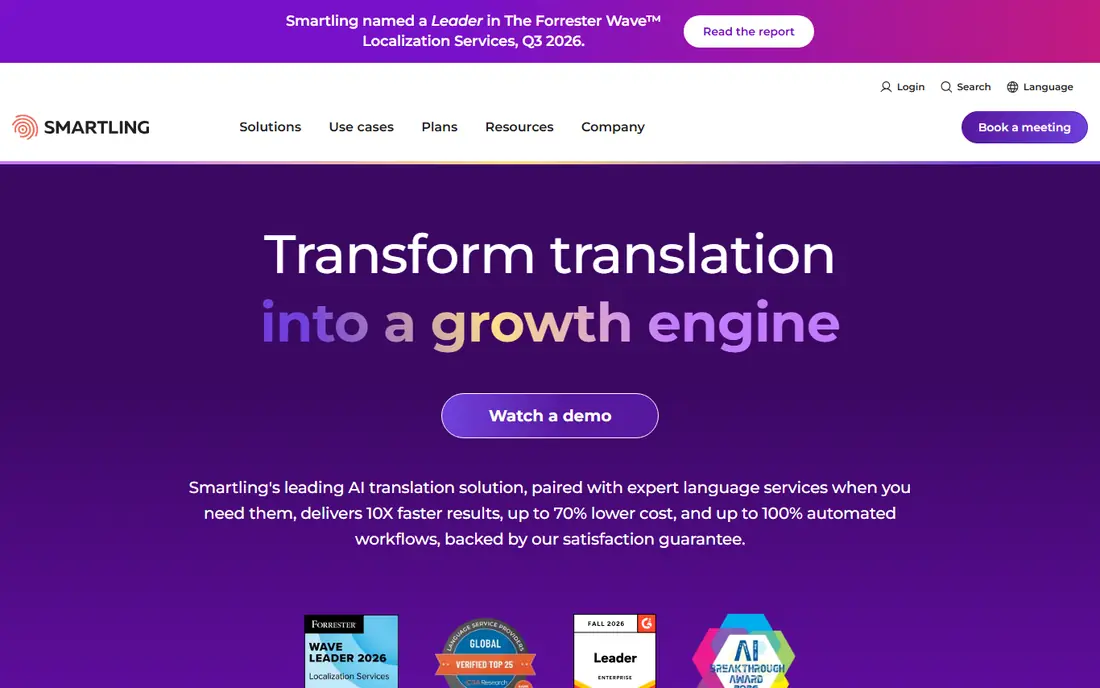
Smartling suits enterprises that combine machine translation with professional human review across many locales. Its platform gives translators visual context, so they see where a string appears on a page or in an app, which reduces errors in short UI text. Workflow automation, translation memory, and quality checks help large teams keep pace with frequent releases.
The drawback is cost and complexity. Pricing is by quote, and onboarding takes planning, so Smartling is a poor fit for a small team with occasional translation needs. It earns its place for companies localizing marketing sites, products, and support content at scale, where a mistranslation costs more than the platform does.
- AI plus human translation at scale
- Strong workflow and integrations
- Visual context for translators
- Quote-based pricing
- Setup time for enterprise programs

Phrase, formerly PhraseApp and Memsource combined, unifies software localization and translation workflow in one platform. Development teams can push strings from code, translators can work with memory and terminology, and managers can order professional translation without leaving the system. That end-to-end flow suits companies shipping software in many languages.
Small teams should note the price jump from the $27 per month freelancer tier to team plans, which are quoted at a much higher level. Phrase is best for companies with ongoing localization volume, not for a one-off document translation. For software teams with continuous releases, its automation and quality controls are hard to match.
- Strong software string management
- Translation memory and glossaries
- Professional translation ordering
- Team plans cost far more than the freelancer tier
- Setup can feel complex
Lokalise is built for product teams that localize apps and websites continuously. Its integrations with design tools and code repositories help translators see context, and its collaboration features let product managers, developers, and translators work on the same strings. That design-aware workflow is its main advantage over generic translation platforms.
The cost model needs care, since pricing depends on seats and string counts, and larger teams pay more. Lokalise is less suited to long-form document translation, where a CAT tool or machine engine fits better. For product and engineering teams with frequent releases, it is a strong and practical choice.
- Design-friendly localization workflow
- Strong integrations
- Translator collaboration tools
- Pricing rises with team size and keys
- Less suited to heavy document translation
Crowdin appeals to development teams that want localization to follow the code pipeline. It connects to repositories, automates string updates, and supports community translation for open-source and fan projects. A free plan makes it accessible for small projects, and the Pro plan at $59 per month is a clear entry point for commercial teams.
Non-technical content teams may find Crowdin less welcoming than Smartling or Lokalise, since its workflow assumes some developer involvement. For software companies with regular releases and a technical team, that trade-off is worth it. For marketing-only localization, a more content-focused platform may fit better.
- Developer-friendly integrations
- Free plan for smaller projects
- Community translation support
- Business features sit on higher plans
- Interface can feel technical for non-developers
Smartcat combines a computer-assisted translation tool with a marketplace where businesses can hire translators. Freelance translators can use the core CAT features free, while businesses can manage projects, translation memory, and review in one place. Its website translation options, including SEO-friendly URLs on higher plans, suit teams localizing a marketing site.
The catch is that paid business plans are annual commitments, and marketplace quality depends on the individual linguist you choose. Smartcat is a good fit for teams that want one place for tooling and hiring, and for translators who want a free CAT tool with client work attached. Larger enterprises may still prefer a dedicated localization platform.
- Free CAT tool for translators
- Marketplace for hiring linguists
- Website translation with SEO options
- Paid plans are annual and can be costly
- Marketplace quality varies by linguist
Trados Studio remains the CAT tool many agencies expect translators to know. It manages translation memory, terminology, and project packages, so a translator can reuse past work and keep terms consistent across long documents. For freelance translators working with agencies, knowing Trados is often a practical requirement, not just a preference.
The drawbacks are cost and platform. The freelance subscription at $408 per year is a real expense for a new translator, and the workflow is Windows-centered. Translators who work mainly with direct clients may prefer a cheaper or free tool, but those who want agency work should treat Trados as a career investment.
- Industry-standard CAT tool
- Strong translation memory
- Widely required by agencies
- Windows-focused workflow
- Annual cost for freelancers
memoQ is a professional CAT tool favored by translators and language service providers who want control over their software. It offers translation memory, terminology management, and quality assurance checks, and it has long offered a perpetual license alongside subscription options. That ownership model appeals to translators who dislike paying every year for the same tool.
New users should expect a learning period, since CAT tools carry many features that take time to master. Pricing also varies by license and version, so confirm the current figure on the vendor site before budgeting. For translators who want a long-term tool they own, memoQ is a strong alternative to Trados.
- Perpetual license option
- Strong terminology and quality checks
- Good for teams and freelancers
- Pricing varies by license type
- Learning curve for new CAT users
Google Cloud Translation
Great for: Developer API with broad language coverage
Google Cloud Translation is the developer option for teams building their own translation pipeline. It covers a very broad set of languages, offers a free tier of 500,000 characters per month, and then charges per character on a pay-as-you-go basis. That model suits apps, support tools, and internal systems that need translation on demand.
It is not a business translation product on its own. There is no translation memory workflow, glossary management for non-technical teams, or human review built in, so a team must build or buy those layers. For developers with the skills to build that pipeline, Google offers unmatched breadth at a flexible price.
- Broadest language coverage
- Generous free tier
- Pay-as-you-go API pricing
- Raw engine only, no workflow
- Quality varies by language pair
How we picked these
We compared official feature and pricing pages for translation tools live in October 2026, and we kept tools that serve a clear business or translator need. We favored engines with stated language coverage, platforms with translation memory and review, and CAT tools used by professional translators. Where pricing was quoted or varied by region, we used See website rather than repeating a third-party figure. We did not claim hands-on testing.
How to choose for your business
Start with the content type, not the brand. A product string, a legal contract, and a marketing page need different levels of accuracy and review, and the wrong tool for one will fail on another.
Match accuracy to risk
Machine translation alone suits internal drafts, support triage, and low-risk content. Customer-facing marketing, legal, and medical content needs human review, and regulated content may need a certified translator. Build the review step into the budget from the start, since it is where quality is actually decided.
Check language coverage first
DeepL leads on European quality, while Google leads on breadth. Before you buy, test your exact language pairs on real content, including formal and informal tone, product names, and legal terms. A tool that excels in French and German may be weak in your second most important market.
Plan for translation memory and glossaries
Translation memory reuses past translations and keeps costs down over time, while glossaries keep brand terms consistent. Any team translating regularly should require both, and should own its memory data so switching tools later does not mean starting over. Ask how memory exports work before you sign a long contract.
Test the workflow, not just the engine
Push a real set of strings through the tool, from code or document to reviewed translation and back. Watch for lost context, broken formatting, and slow review loops, since those problems cost more than a small price difference. A trial that only translates a paragraph will not reveal workflow gaps.
Frequently asked questions
What is the best translation software for business?
For most small and mid-size teams, DeepL is the best machine engine, paired with a localization platform such as Phrase, Lokalise, or Crowdin for workflow. Large enterprises with many locales and human review needs should shortlist Smartling. The right answer depends on content type, language pairs, and whether you need workflow or just translation.
What are the best tools for translators?
Professional translators most often use Trados Studio or memoQ, both CAT tools with translation memory and terminology management. Smartcat is a strong free CAT option with a client marketplace, while DeepL is widely used as a machine engine inside CAT workflows. Agency work often requires Trados, so check what your clients expect.
Is machine translation good enough for business use?
For internal and low-risk content, yes, especially with glossary control and light human review. For customer-facing, legal, or regulated content, machine output should pass through a professional translator. Quality varies by language pair, so test your exact pairs on real content before relying on machine translation alone.
How much does business translation software cost?
Costs range from free tiers for light use to $8.74 per month for DeepL Starter, $27 per month for Phrase Freelancer, $59 per month for Crowdin Pro, and $408 per year for Trados Studio Freelance. Enterprise platforms such as Smartling are quoted, so request a quote based on locales, volume, and review needs.
What is the difference between translation software and a localization platform?
Translation software converts text from one language to another, while a localization platform manages the full process: strings, translation memory, glossaries, workflow, review, and publishing. Engines such as DeepL and Google Cloud Translation provide the conversion, while Phrase, Lokalise, Smartling, and Crowdin provide the management layer around it.
Can translation software handle websites?
Yes, but the method matters. Website tools and localization platforms can manage multilingual pages, SEO URLs, and CMS publishing, while raw engines need a developer pipeline. If website translation is the main job, choose a platform with CMS connectors and SEO support, and confirm how updates to the source site flow through to translated pages.
Sources
See where you really rank - block by block
ProMapRanker scans Google Maps across a grid of your service area. Simple monthly plans from $19, white-label on every plan.
Start freeKeep reading
 zscaler alternatives
Best Zscaler Alternatives in 2026
Looking for zscaler alternatives? We compare 9 SASE and zero trust platforms on architecture, data protection, pricing, and fit for your network and team.
Read → zapier alternatives free
Best Zapier Alternatives Free in 2026
Nine automation tools for zapier alternatives free in 2026, all with genuinely free tiers, plus free plan limits, starting prices and upgrade paths explained.
Read → which platform is best for online reputation
Which Platform Is Best for Online Reputation in 2026
Wondering which platform is best for online reputation? We compare 8 review, listing, and response tools for small and multi-location businesses and agencies.
Read →