 ProMapRanker
Best Translation App for Live Conversation in 2026


Broad live conversation for travel · Pricing starts at: Free
Key takeaways
- Google Translate and Microsoft Translator cover the widest live conversation needs for free.
- Apple Translate suits iPhone users who want a built in, offline friendly conversation view.
- iTranslate, SayHi, and Papago add useful strengths for travel, simple chats, and Asian languages.
- Live translation accuracy varies by language pair and conditions, so keep sentences short and confirm key details.
Quick comparison
| Pick | Great for | Pricing starts at | Free tier | |
|---|---|---|---|---|
| Google Translate | Broad live conversation for travel | Free | Yes | Visit |
 Microsoft Translator | Group and offline conversation | Free | Yes | Visit |
 Apple Translate | Built in conversation on iPhone and iPad | Free | Yes | Visit |
 iTranslate | Feature rich travel translator | See website | Yes | Visit |
 SayHi Translate | Simple voice conversations | Free | Yes | Visit |
 Papago | Asian language conversation | Free | Yes | Visit |
 DeepL Translate | Nuanced written and spoken translation | Free | Yes | Visit |
 Yandex Translate | Russian and regional language support | Free | Yes | Visit |
 Reverso | Context and phrase conversation help | Free | Yes | Visit |
The best translation apps for live conversation
We compared apps with a real conversation mode, where two people can speak in turn and read or hear the translation at once. Live translation accuracy varies by language pair and conditions, so we note where offline packs, noise, and less common languages can change results. The list below focuses on face to face talk, not document translation alone.
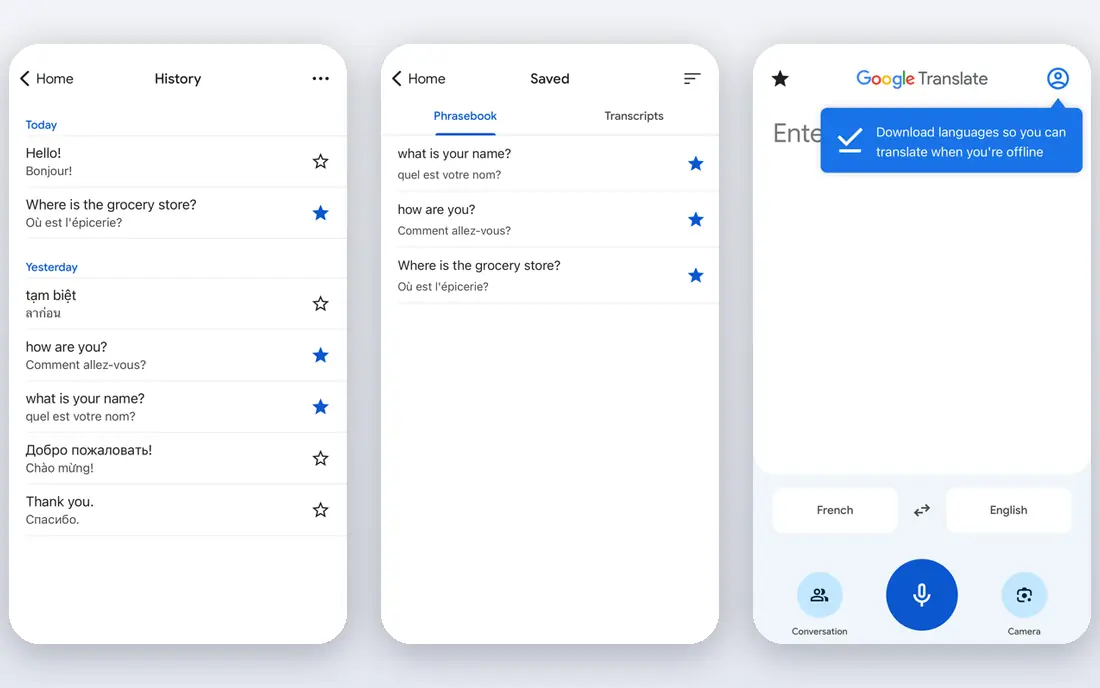
Google Translate is our pick for most people because its conversation mode, voice input, camera translation, and offline language packs cover the widest set of travel situations for free. You can speak, read the translation, and switch languages quickly, which helps at a hotel desk, a market, or a clinic. Keep sentences short in noisy places, and download packs before you travel so a weak signal does not stop a chat.
For day to day use, the fit comes down to how you watch, listen, or work with the tool, and how much setup you are willing to do before the first session. Google Translate suits broad live conversation for travel, and it is worth checking device support and file or account needs on its official pages before you commit.
The honest catch is usually the same across this category: the free tier covers the basics, and the paid tier adds convenience, extra devices, or deeper controls. With Google Translate, weigh that trade against your budget and your patience for setup.
- Free conversation and transcribe modes
- Camera and offline packs
- Very wide language support
- Accuracy varies by language and noise
- Some features work best online
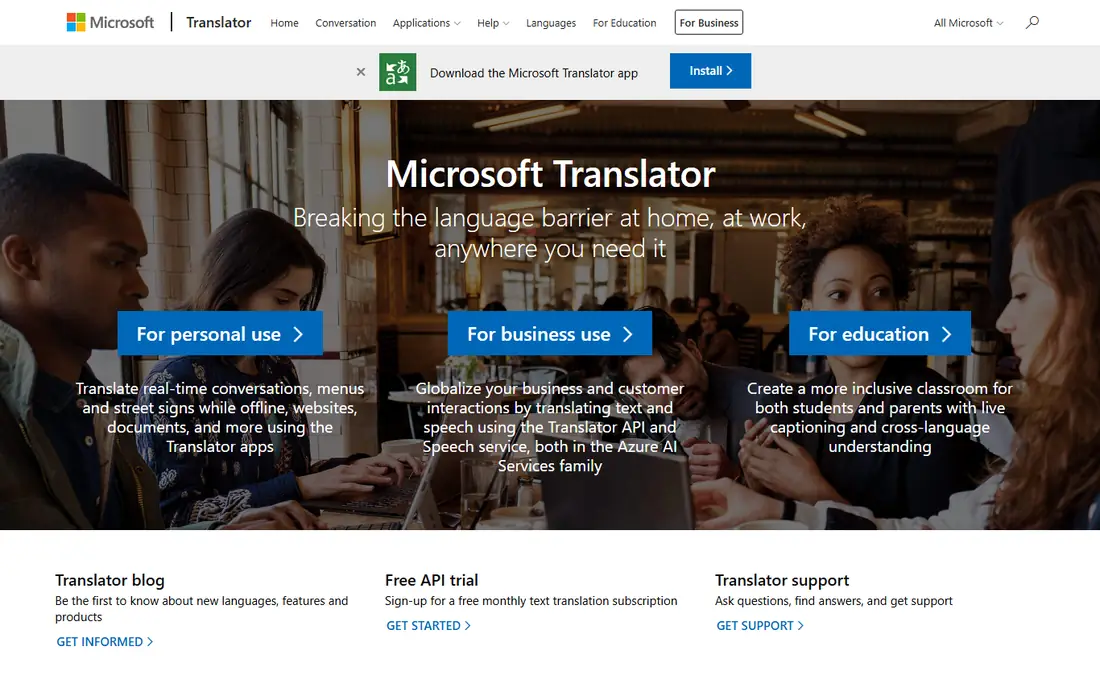
Microsoft Translator offers text, voice, and image translation with offline packs for supported languages, and it has long been known for multi person conversation use. It is a practical free choice for meetings and travel groups where several people need to follow the same thread. Check the current conversation features in the app before a group event, since Microsoft has retired some older group modes.
The practical question is not only what Microsoft Translator can do, but how it behaves on the devices you already own. It is built for group and offline conversation, so test it on your main screen or phone first, and check whether the parts you need sit in the free tier or in a paid plan.
Before you settle, compare Microsoft Translator with one or two others on this list on the same task, using the same files, route, or event. Pick the one that stays out of your way on a normal day.
- Free text, voice, and image translation
- Offline packs
- Multi device conversation features
- Language coverage is narrower than Google
- Group features have changed over time

Apple Translate is already on iPhone and iPad, with a face to face view that lets both people read the screen during a chat. It supports text and speech translation and offline packs for supported languages, which makes it a low friction choice for Apple users. Its language coverage is narrower than Google Translate, so check that both of your languages are supported before you rely on it abroad.
We would start by matching Apple Translate to one clear job rather than trying to use every feature at once. As a choice for built in conversation on iPhone and iPad, it works best when that job is the one you repeat most often.
Our view is simple: choose Apple Translate when its best fit matches your main use, and skip it when you need a different strength, such as lower cost, simpler setup, or wider device support.
- Built into Apple devices
- Face to face conversation view
- Offline packs for supported languages
- Apple only
- Language list is narrower than Google
- Some features need newer devices
iTranslate combines translation with a dictionary, phrasebook, and conversation tools in one travel app. The free tier is useful for quick lookups, while the paid plan adds the fuller conversation, camera, and offline experience that travelers often want. It suits people who want one app for both learning phrases and handling live chats on a trip.
What matters most here is the balance between control and effort. iTranslate gives you a clear route for feature rich travel translator, but that route may ask for more setup than a ready made service.
A final check helps here. Confirm that iTranslate still supports your device and your region, and that the price shown on the vendor site matches what you expect to pay.
- Conversation mode
- Camera and offline features in paid plans
- Phrasebook and dictionary tools
- Full conversation and offline features need a paid plan
- Accuracy varies by language
SayHi Translate keeps live conversation simple, with a clear screen for speaking, reading, and hearing translations in turn. It supports many languages for speech and text, and it is free, which makes it easy to hand to another person during a chat. It needs a connection for most use and has fewer extras than Google or iTranslate, but for a plain conversation that simplicity is a strength.
For day to day use, the fit comes down to how you watch, listen, or work with the tool, and how much setup you are willing to do before the first session. SayHi Translate suits simple voice conversations, and it is worth checking device support and file or account needs on its official pages before you commit.
The honest catch is usually the same across this category: the free tier covers the basics, and the paid tier adds convenience, extra devices, or deeper controls. With SayHi Translate, weigh that trade against your budget and your patience for setup.
- Simple two person voice interface
- Speech and text translation
- Free to use
- Needs an internet connection for most use
- Fewer extra tools than larger apps
Papago, from Naver, is especially strong for Korean, Japanese, and Chinese, with conversation, voice, image, and offline tools in its mobile app. Travelers in East Asia often find its phrasing and local terms more natural than a general translator for those languages. For languages outside that focus, check coverage first, since the list is narrower than the largest global apps.
The practical question is not only what Papago can do, but how it behaves on the devices you already own. It is built for asian language conversation, so test it on your main screen or phone first, and check whether the parts you need sit in the free tier or in a paid plan.
Before you settle, compare Papago with one or two others on this list on the same task, using the same files, route, or event. Pick the one that stays out of your way on a normal day.
- Strong Korean, Japanese, and Chinese support
- Conversation and voice modes
- Image translation
- Language list is narrower outside Asia
- Some features vary by region
DeepL is known for careful, natural sounding translation, especially for European languages, and its app supports voice input alongside text. It is a good second app to check when a live chat involves formal wording, directions, or a sensitive request that needs clear phrasing. Its language list is smaller than Google, so use it where your pair is supported and keep a broader app as backup.
We would start by matching DeepL Translate to one clear job rather than trying to use every feature at once. As a choice for nuanced written and spoken translation, it works best when that job is the one you repeat most often.
Our view is simple: choose DeepL Translate when its best fit matches your main use, and skip it when you need a different strength, such as lower cost, simpler setup, or wider device support.
- High quality phrasing for supported languages
- Voice input
- Clear interface
- Language list is smaller than Google
- Live conversation is less central than text
Yandex Translate offers free text, voice, and image translation with offline packs for some languages, and it is particularly useful for Russian and related regional languages. It works on web and mobile, which makes it easy to use on a shared screen during a conversation. As with every app here, results vary by language pair and conditions, so confirm important details in plain words.
What matters most here is the balance between control and effort. Yandex Translate gives you a clear route for russian and regional language support, but that route may ask for more setup than a ready made service.
A final check helps here. Confirm that Yandex Translate still supports your device and your region, and that the price shown on the vendor site matches what you expect to pay.
- Free text, voice, and image translation
- Offline packs for some languages
- Website and app
- Coverage and features vary by region
- Accuracy varies by language pair
Reverso helps live conversation in a different way, by showing phrases in context so you can pick the wording that fits the situation. It supports voice and text translation plus dictionary tools, which helps when a single word has several meanings. It is best as a companion to a dedicated conversation app, especially when you need to check tone, formality, or a tricky phrase before you speak.
For day to day use, the fit comes down to how you watch, listen, or work with the tool, and how much setup you are willing to do before the first session. Reverso suits context and phrase conversation help, and it is worth checking device support and file or account needs on its official pages before you commit.
The honest catch is usually the same across this category: the free tier covers the basics, and the paid tier adds convenience, extra devices, or deeper controls. With Reverso, weigh that trade against your budget and your patience for setup.
- Context examples for phrases
- Voice and text translation
- Dictionary and conjugation tools
- Conversation flow is less direct than dedicated chat apps
- Some features need an account
How we picked these
We compared official app pages, store listings, and help pages for each app, and we kept only apps that are live in October 2026 and that offer a voice or face to face conversation mode. We checked language coverage, offline packs, and whether core conversation features are free or paid. Live translation accuracy varies by language pair and conditions, so we did not rank apps on a single accuracy score, and we marked prices as See website where a plan was not published in a simple form.
Choosing the right live conversation app
Start with your language pair. A general app such as Google Translate covers the most pairs, while Papago may serve Korean, Japanese, or Chinese better, and DeepL may phrase European languages more naturally. Test your exact pair with a few real sentences before you travel, including names, numbers, and polite requests.
Next, plan for connection and noise. Download offline packs where offered, carry a charger, and practice a slow, short sentence style that helps every app. In a loud market or station, a text view on screen can work better than spoken output, so pick an app whose screen layout both people can read easily.
Finally, treat the app as help, not proof. Confirm addresses, prices, times, and medical details by showing the written translation and asking for a nod or a correction. For contracts, medical care, or legal matters, use a professional interpreter rather than a consumer app.
Frequently asked questions
What is the best live conversation translation app?
Google Translate is the best all round choice for free live conversation, thanks to wide language support and offline packs. Apple Translate suits iPhone users, while Microsoft Translator suits group and offline use.
Is live translation accurate?
Live translation accuracy varies by language pair and conditions, including noise, accent, speed, and sentence length. Short, plain sentences work best, and key details should always be confirmed in writing.
Which translation app works offline?
Google Translate, Microsoft Translator, and Apple Translate offer offline packs for supported languages. Download the packs before you travel, since offline coverage is narrower than online coverage.
Can I use these apps for group conversations?
Microsoft Translator has offered multi device conversation features, and Google Translate covers two person chats well. Check the current features in the app before a group meeting, since group modes change over time.
Which app is best for Korean or Japanese?
Papago is a strong choice for Korean, Japanese, and Chinese conversation, with voice and image tools built for those languages. Keep Google Translate as a backup for other pairs on the same trip.
Sources
See where you really rank - block by block
ProMapRanker scans Google Maps across a grid of your service area. Simple monthly plans from $19, white-label on every plan.
Start freeKeep reading
 zoho inventory alternatives
6 Alternatives to Zoho Inventory, Compared on Price and Fit
Zoho Inventory alternatives: 6 tools compared on price, free plans and fit. Katana leads the list for manufacturers. Fit and flaws are laid out for each entry.
Read → zoho crm alternatives
Best Zoho CRM Alternatives (2026)
Need Zoho CRM alternatives? We compare 7 tools on cost, free access and who each suits. Every pick gets a straight assessment. Built for quick decisions.
Read → zelle alternatives
Best Zelle Alternatives in 2026
Compare the best Zelle alternatives for sending money to friends, paying sellers and moving funds abroad, with honest notes on fees, speed and safety in 2026.
Read →