 ProMapRanker
Best Tracking App in 2026: 8 Apps Compared

Key takeaways
- Use location sharing only with consent from the adults involved, and agree as a household when sharing stays on.
- Built-in tools from Apple, Google, and Samsung cover lost phones well at no extra cost.
- Life360 adds driving, crash, and place alerts that built-in tools do not bundle in one app.
- Temporary sharing tools such as Glympse suit meetups and trips better than always-on tracking.
Quick comparison
| Pick | Great for | Pricing starts at | Free tier | |
|---|---|---|---|---|
 Life360 Life360 | Family location, driving, and place alerts | Free | Yes | Visit |
 Apple Find My Apple Find My | Finding Apple devices and sharing with family | Free | Yes | Visit |
 Google Find Hub Google Find Hub | Finding Android phones and devices | Free | Yes | Visit |
 Glympse Glympse | Temporary location sharing for meetups | Free | Yes | Visit |
 GeoZilla GeoZilla | Family location with place alerts | Free | Yes | Visit |
 Find My Kids Find My Kids | Parents tracking a child phone or watch | Free | Yes | Visit |
 Tile Tile | Finding keys, bags, and everyday items | Free | Yes | Visit |
 Samsung SmartThings Find Samsung SmartThings Find | Finding Galaxy phones and Samsung devices | Free | Yes | Visit |
The best tracking apps
We compared location and phone tracking apps for legitimate uses: family safety, finding a lost phone, sharing an arrival time, and tracking items you own. A short privacy note matters here: do not use any app to track another adult in secret, and check local laws before tracking a device you do not own or manage for a child in your care.
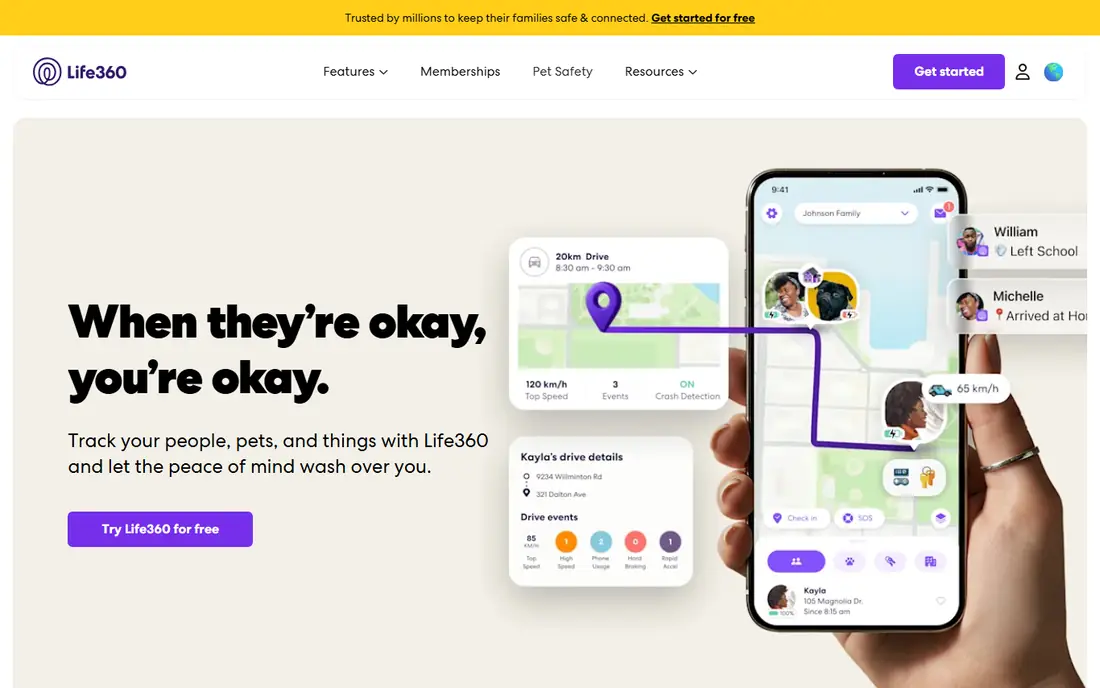
For many buyers, Life360 is the first name that comes up, and there is a reason for that. Life360 suits families who want one cross-platform app for location, driving, and safety alerts. Its circles, place alerts, and crash features go beyond basic live sharing, especially for teen drivers.
The catch is privacy settings, since you should review data sharing and location history options after setup and agree sharing rules as a household. Before you commit, check the current plan details, any contract or cancellation terms, and what is included at the price shown on the vendor site. If that fit matches your routine and your budget, Life360 is a sensible shortlist pick. If it does not, one of the other options below may suit you better.
- Cross-platform family circles
- Place alerts
- Crash detection and driving reports on paid plans
- Location history and alerts are limited on the free plan
- Battery use can be high
If your priority is Finding Apple devices and sharing with family, Apple Find My deserves a close look before you decide. Apple Find My suits households where everyone uses an iPhone or iPad. It finds lost devices, shares location with family, and tracks supported items without a subscription.
The catch is platform lock-in, since Android family members cannot join the same built-in system. Before you commit, check the current plan details, any contract or cancellation terms, and what is included at the price shown on the vendor site. If that fit matches your routine and your budget, Apple Find My is a sensible shortlist pick. If it does not, one of the other options below may suit you better.
- Built into Apple devices
- Finds phones, tablets, watches, and items
- Family sharing
- Apple devices only
- Live sharing needs an Apple account for each person
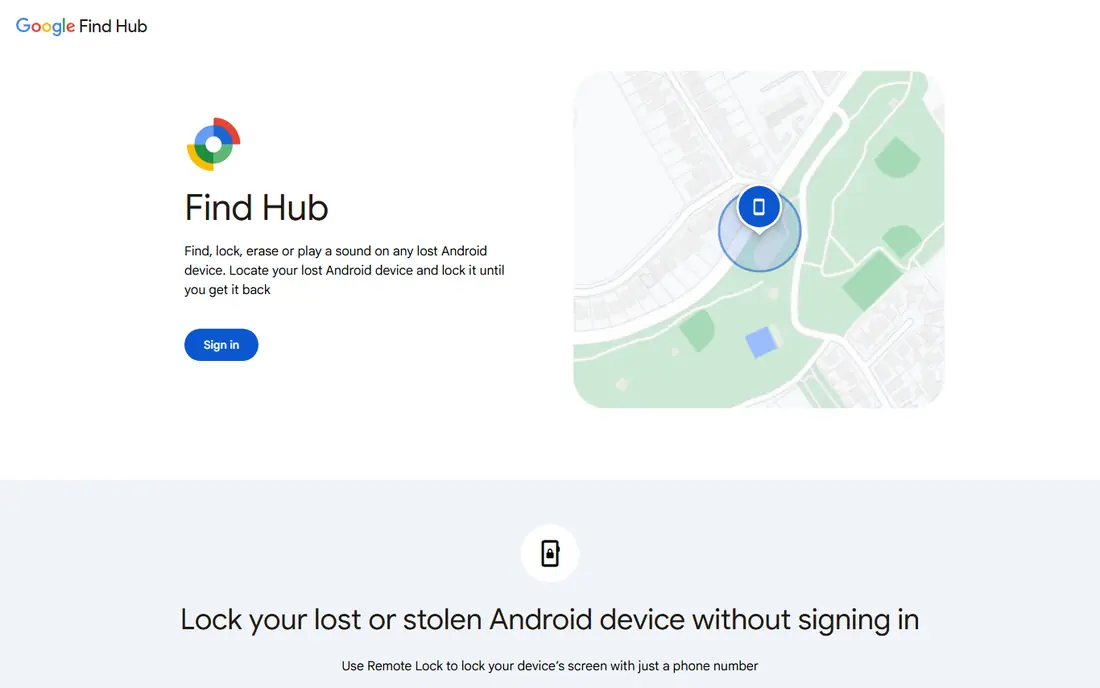
Google Find Hub suits buyers who want a clear trade between price, features, and effort. Google Find Hub suits Android households that want a free way to find lost phones. It can locate, ring, lock, or erase a lost Android device from a browser or another phone.
The catch is device variation, since not every Android model supports every Find Hub feature. Before you commit, check the current plan details, any contract or cancellation terms, and what is included at the price shown on the vendor site. If that fit matches your routine and your budget, Google Find Hub is a sensible shortlist pick. If it does not, one of the other options below may suit you better.
- Built into Android
- Finds phones, tablets, and supported accessories
- Web access
- Android focus
- Feature availability varies by device and region
Start with Glympse if you want a practical option without a long setup process. Glympse suits short trips, meetups, and arrival sharing rather than always-on family tracking. You share location for a set time, and the share ends automatically when that time runs out.
The catch is scope, since it is not built for long-term family circles or driving reports. Before you commit, check the current plan details, any contract or cancellation terms, and what is included at the price shown on the vendor site. If that fit matches your routine and your budget, Glympse is a sensible shortlist pick. If it does not, one of the other options below may suit you better.
- No account needed to view a share
- Time-limited sharing
- Works on iOS and Android
- No always-on family tracking
- Business features are paid and separate
We put GeoZilla on this list because it answers a specific need well. GeoZilla suits families who want a Life360-style app with a free starting tier. Its circles and place alerts cover the core family safety use without a subscription at the start.
The catch is free limits, since unlimited alerts and longer history need Premium. Before you commit, check the current plan details, any contract or cancellation terms, and what is included at the price shown on the vendor site. If that fit matches your routine and your budget, GeoZilla is a sensible shortlist pick. If it does not, one of the other options below may suit you better.
- Cross-platform family location
- Place alerts
- Location history on Premium
- Free plan limits place alerts and history
- Smaller user base than Life360
Find My Kids is worth shortlisting when Parents tracking a child phone or watch matters more than having every extra feature. Find My Kids suits parents who want location and safety alerts for a child phone or GPS watch. Its geofence alerts, SOS button, and loud alert help when a child does not answer a call.
The catch is setup, since you need to install and configure the child app correctly and agree rules with older children. Before you commit, check the current plan details, any contract or cancellation terms, and what is included at the price shown on the vendor site. If that fit matches your routine and your budget, Find My Kids is a sensible shortlist pick. If it does not, one of the other options below may suit you better.
- Real-time location for a child device
- Geofence alerts
- SOS and loud alert features
- Full features need a paid plan
- Child device setup needs care and consent within the family
Among the options here, Tile stands out for a simple reason: it is easy to understand what you get. Tile suits people who lose keys, bags, and wallets more often than phones. Its small trackers attach to everyday items, and the app shows the last known location.
The catch is hardware cost, since the app alone does not track an item without a Tile device. Before you commit, check the current plan details, any contract or cancellation terms, and what is included at the price shown on the vendor site. If that fit matches your routine and your budget, Tile is a sensible shortlist pick. If it does not, one of the other options below may suit you better.
- Small trackers for keys and bags
- Community find network
- App for iOS and Android
- Tracker hardware is bought separately
- Premium features need a subscription
Consider Samsung SmartThings Find if you want a dependable choice for everyday use. Samsung SmartThings Find suits households that mainly use Galaxy phones and Samsung accessories. It finds Samsung phones, tablets, watches, and earbuds from one app, including offline finding on supported models.
The catch is brand lock-in, since mixed Android and iPhone households need a cross-platform app instead. Before you commit, check the current plan details, any contract or cancellation terms, and what is included at the price shown on the vendor site. If that fit matches your routine and your budget, Samsung SmartThings Find is a sensible shortlist pick. If it does not, one of the other options below may suit you better.
- Built into Samsung devices
- Finds phones, tablets, watches, and buds
- Offline finding on supported models
- Samsung devices only for full features
- Some features need a Samsung account
How we picked these
We compared official app pages, pricing pages, and privacy descriptions for each app, and we focused on legitimate uses such as family safety, lost device finding, and temporary sharing. We favored apps with clear consent controls, time limits, or family circle settings, and we left out tools marketed for secret tracking. We did not claim hands-on tracking tests, and we treated plan prices as starting points.
How to choose a tracking app with consent and privacy in mind
Start with who is sharing and why. For a lost phone, a built-in tool from Apple, Google, or Samsung is usually enough and costs nothing. For family safety, a cross-platform app such as Life360 or GeoZilla works across iPhone and Android. For a one-off meetup, a time-limited share from Glympse is less intrusive than always-on tracking.
Consent, children, and settings
Adults should agree to location sharing openly, including when it stays on and when it pauses. For children, use parental tools that fit your local rules, explain what is shared, and review settings as children grow older. Turn off sharing when it is no longer needed, check who can see location history, and use strong passwords and two-factor sign-in on every account.
Battery, accuracy, and limits
Always-on GPS tracking uses more battery than occasional sharing, so check battery settings if a phone drains fast. Accuracy varies by GPS signal, Wi-Fi, and building cover, so a location dot is an estimate, not an exact room. Also check device limits, since some apps limit how many family members or trackers can join one plan.
Frequently asked questions
What is the best tracking app for family safety?
Life360 is the most complete cross-platform family option because it adds place alerts, driving reports, and crash features. Apple Find My and Google Find Hub are strong free options inside one ecosystem. GeoZilla is a useful free starting point for mixed-device families.
Is it legal to track someone with an app?
Tracking your own phone, your own items, or a child in your care under local parental rules is a common legitimate use. Tracking another adult without consent is a different matter and can break privacy laws. Agree sharing openly and check local rules before you track any device you do not own.
What is the best app for finding a lost phone?
Use the built-in tool for your phone type first: Apple Find My for iPhone, Google Find Hub for Android, and SmartThings Find for Samsung. These tools can ring, locate, lock, or erase a lost phone at no extra cost. Third-party family apps are a backup, not a replacement.
Can I share location temporarily?
Yes, Glympse is built for time-limited sharing, and Google Maps and messaging apps also offer temporary live location. Temporary sharing suits meetups, airport pickups, and trips better than always-on tracking. Set a short time limit and let the share expire.
Do tracking apps drain battery?
Always-on GPS tracking can drain battery faster than normal use, especially on older phones. Built-in tools tend to use less power than third-party apps that poll location often. Check battery settings and location accuracy settings if drain becomes a problem.
What is the best location sharing app for mixed iPhone and Android families?
Life360, Glympse, and GeoZilla all work across iPhone and Android. Life360 offers the most family safety features, while Glympse suits temporary sharing. Pick by whether you need always-on circles or only occasional sharing.
Sources
See where you really rank - block by block
ProMapRanker scans Google Maps across a grid of your service area. Simple monthly plans from $19, white-label on every plan.
Start freeKeep reading
 zendesk alternatives
Best Zendesk Alternatives in 2026
Compare the best Zendesk alternatives in 2026, from budget help desks to AI-first support tools, with current pricing, free plans, and honest trade-offs.
Read → wordpress alternatives
Best WordPress Alternatives in 2026
Looking for the best WordPress alternatives? We compare 8 free and paid options for blogs, business sites, stores, and developer-led projects in 2026.
Read → which real estate company has the best training
Best Real Estate Company Training in 2026
Compare which real estate company has the best training, from Keller Williams and eXp to Compass and Coldwell Banker, by program, mentor, and fit in 2026.
Read →