 ProMapRanker
Best Tools to Find Company Decision Makers in 2026


All round prospecting and outreach · Pricing starts at: $49 per user per month
Key takeaways
- Apollo is the best all round starting point for small teams, with a free plan, a large database and built in outreach at $49 per user per month on annual billing.
- LinkedIn Sales Navigator is best for mapping reporting lines and job changes, but it does not give you verified emails or phone numbers on its own.
- ZoomInfo and Cognism are enterprise tools with quote based pricing, and they suit larger teams that need org charts, intent data or strong European coverage.
- Credit costs decide the real bill, because a phone number often costs more credits than an email, so test each tool before committing.
Quick comparison
| Pick | Great for | Pricing starts at | Free tier | |
|---|---|---|---|---|
| Apollo | All round prospecting and outreach | $49 per user per month | Yes | Visit |
 ZoomInfo ZoomInfo | Enterprise data and org charts | See website | Yes | Visit |
 LinkedIn Sales Navigator LinkedIn Sales Navigator | Mapping titles and reporting lines | $119.99 per user per month | Free trial | Visit |
 Lusha Lusha | Quick LinkedIn lookups | See website | Yes | Visit |
 RocketReach RocketReach | Individual people lookups | See website | Yes | Visit |
 UpLead UpLead | Verified emails with guarantees | $74 per month | Free trial (7 days) | Visit |
 Hunter Hunter | Email finding by domain | $49 per month | Yes | Visit |
 Clay Clay | Waterfall enrichment workflows | $149 per month | Yes | Visit |
 Cognism Cognism | European compliant phone data | See website | No | Visit |
 Seamless.AI Seamless.AI | Real time contact search | See website | Yes | Visit |
The best tools to find company decision makers
We focused on tools that help you identify the right person by title, seniority and company, and then give you a usable way to reach them, rather than tools that only list company names.
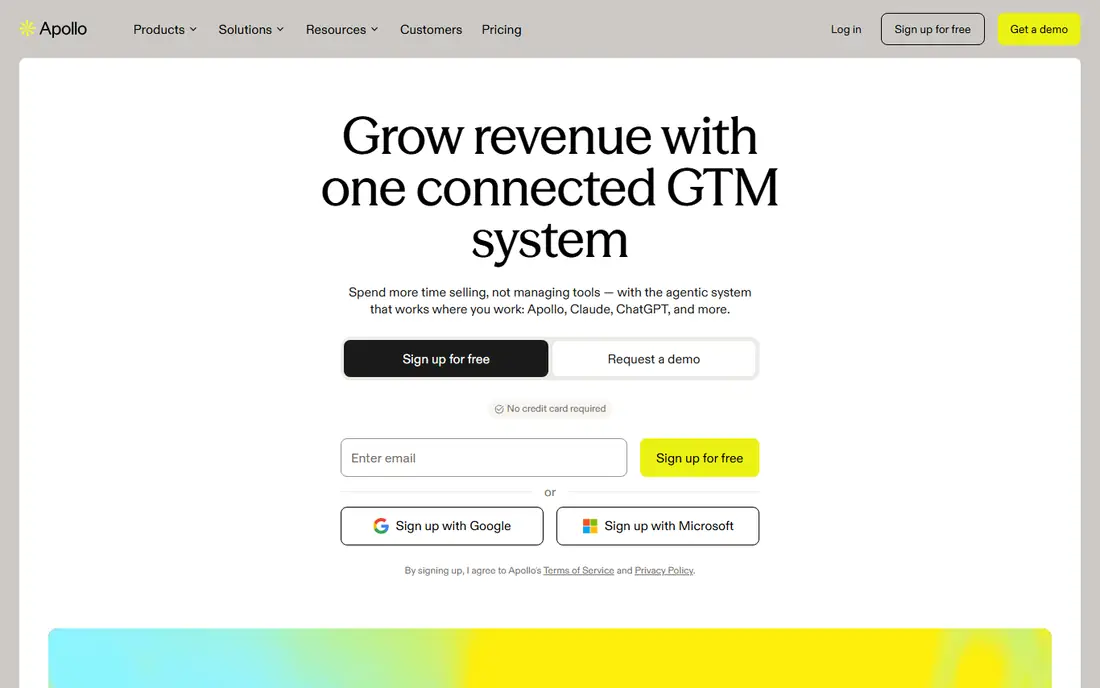
Apollo is the default pick for a small sales team that wants one tool for finding people and contacting them. You can filter by title, seniority, company size and industry, build a list, and send sequences from the same platform. The free plan is useful for testing, and the paid Basic plan starts at $49 per user per month when billed annually.
The catch is credit math, because revealing a phone number costs more credits than an email, so a phone heavy workflow will burn through credits faster than the headline price suggests. Apollo also works better for common US roles and industries than for very small or niche markets, where coverage can be thinner.
- Large contact database
- Filters for title, seniority and company
- Built in email sequences and dialer
- Phone numbers cost more credits than emails
- Data quality varies by niche and region
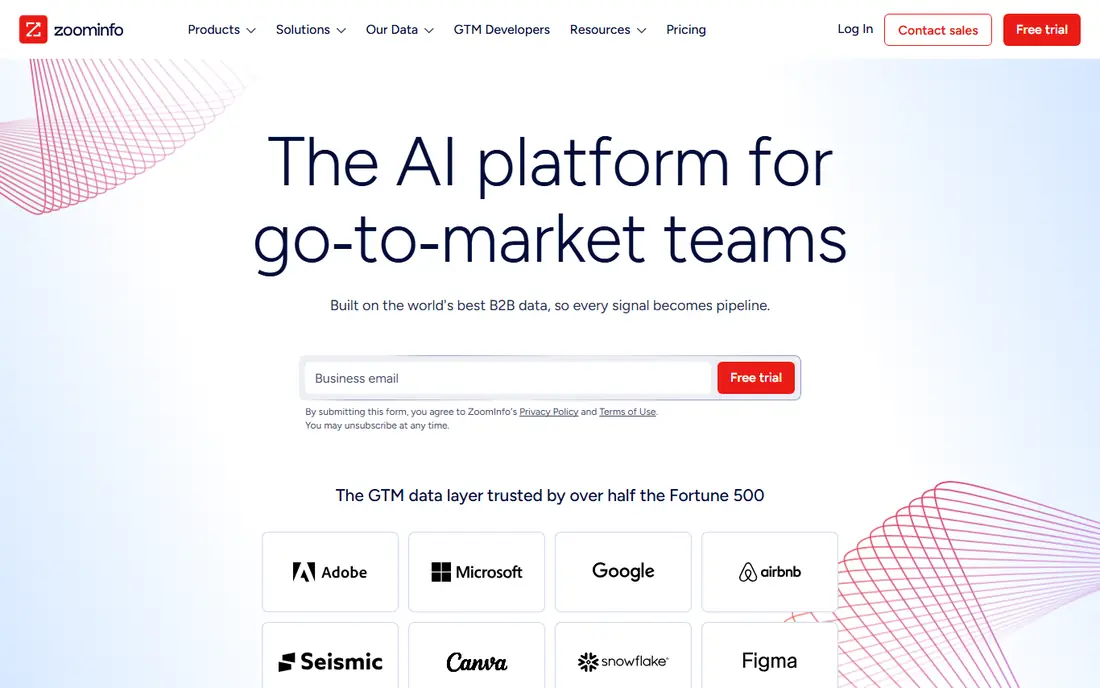
ZoomInfo is the enterprise standard for a reason, because it combines a large contact database with company hierarchies, org charts and buying intent signals that help larger teams prioritize accounts. For a team mapping reporting lines or spotting buying signals, it offers depth cheaper tools do not match. There is also a limited free edition, ZoomInfo Lite, with monthly credits, which is useful for a quick test.
The price is the barrier, because ZoomInfo does not publish a standard price and sells on annual contracts, with reported deals often running into five figures per year. That makes it a poor fit for a freelancer or a two person team, and the platform can feel heavy if you only need a few contacts a week. If you have the budget and the volume, it is a strong choice, but get a written quote and test data quality on your market first.
- Deep company and contact data
- Org charts and intent signals
- Strong North American coverage
- Quote based pricing with annual contracts
- Overkill and overpriced for a solo seller
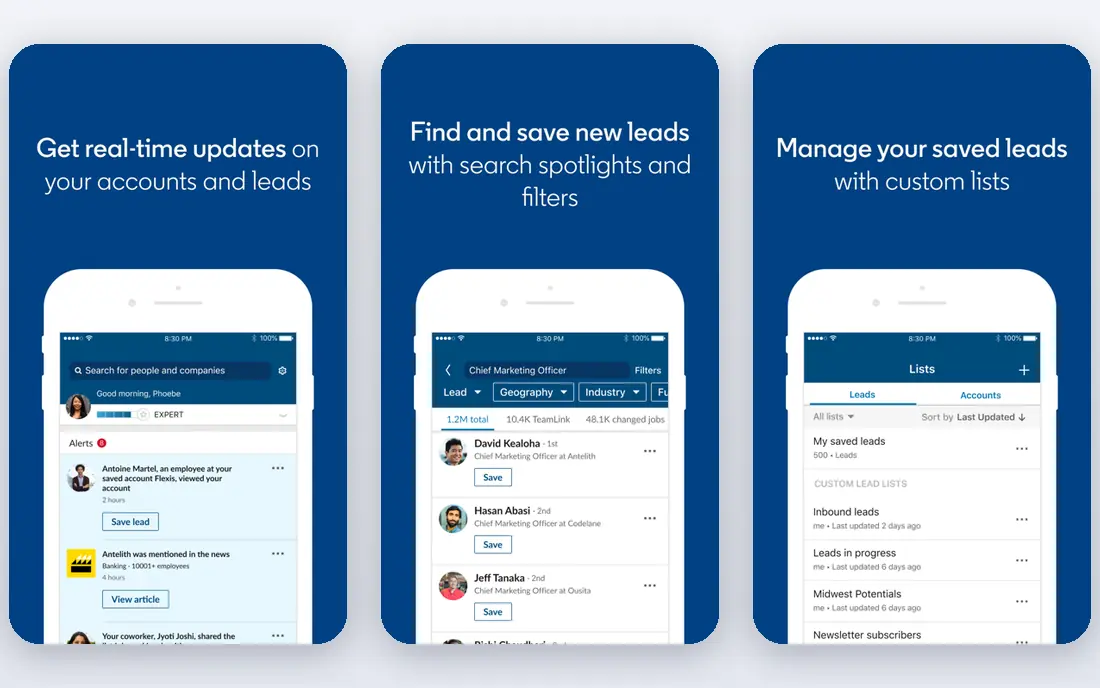
LinkedIn Sales Navigator is the best tool for answering the question of who actually holds a role right now, because LinkedIn profiles are updated by the people themselves. You can search by title, seniority and recent job changes, save leads and accounts, and get alerts when a decision maker changes role. The Core plan starts at $119.99 per user per month, with an Advanced plan at $159.99 per user per month for teams that need more collaboration features.
The limitation is that Sales Navigator is a research tool, not a contact database, because it does not supply verified work emails or phone numbers. Most teams pair it with a tool such as Lusha, Apollo or Hunter to turn a LinkedIn profile into a usable contact. If your work starts with mapping an account and finding the right person, start here, but budget for a second tool if you need contact details.
- Best source for current titles and job changes
- Advanced lead and account filters
- Alerts for role changes
- No verified emails or direct dials included
- Cannot export lists directly in the usual way
Lusha is built for speed, because its browser extension lets you reveal contact details while you are already looking at a LinkedIn profile or a company website. That suits reps who find people on LinkedIn and want an email or direct dial without switching tools. The free tier gives a small monthly allowance, enough to test coverage for your market.
The trade off is that Lusha is a lookup tool rather than a full prospecting platform, so it does not replace list building, sequencing or account research on its own. Pricing has changed over time and varies by billing period, so check the current plan page rather than relying on an old review. For quick, one by one lookups, it remains one of the simplest options in this list.
- Fast browser extension for LinkedIn
- Simple credit system
- Free tier for testing
- Prices and credit rules vary by plan
- Phone reveals cost more credits than emails
RocketReach is useful when you already know a name or a company and need to find that person, rather than when you are building a list from scratch. Search by name, employer, title or social profile to return emails and, on higher plans, phone numbers. That makes it a good companion to Sales Navigator, because you can map the person on LinkedIn and then look them up here.
It is less suited to bulk list building than Apollo or ZoomInfo, and its pricing has varied across sources, so confirm the current plan before budgeting. The free lookups are enough to judge coverage for your niche, which matters because no database covers every industry equally well. For recruiters, founders and solo sellers who do a few targeted lookups a day, RocketReach is a practical choice.
- Strong person search by name, company or social profile
- Useful outside LinkedIn
- Free lookups to test
- Pricing varies by plan and billing period
- Better for single lookups than large list building
UpLead appeals to teams that care more about list quality than list size, because it verifies emails in real time when you export them and offers an accuracy guarantee with credit refunds for incorrect data. That reduces bounce rates and protects your sender reputation, which matters if you run cold email at volume. Filters cover title, industry, size, location and technologies used, so you can narrow a list to companies that fit your product.
The Essentials plan starts at $74 per month on annual billing, with a seven day trial. UpLead lacks Apollo built in sequencing and dialer, so many teams pair it with a separate outreach tool. If bad data has burned you before, the verification and guarantee make it worth testing.
- Real time email verification at export
- Accuracy guarantee with credit refunds for bad data
- Technographic filters
- Smaller feature set than Apollo for outreach
- Phone data is more limited than email data
Hunter is the simplest tool in this list, and that is its strength. Enter a company domain and it finds public email addresses, with a pattern finder and verifier to check deliverability. The free plan includes a small monthly credit allowance, and paid plans start at $49 per month, with a lower monthly equivalent on annual billing. For a small business that only needs emails, it is cheap and easy.
The limit is clear, because Hunter does not provide phone numbers or deep org charts, and a domain search alone will not always tell you who the current head of a department is. Pair it with Sales Navigator or a company website to identify the right person first, then use Hunter to find and verify their email. For email first outreach, it is a reliable and low cost option.
- Fast domain search for company emails
- Email verification included
- Simple and transparent pricing
- Email only, with no phone numbers
- Less useful for finding a specific decision maker by title alone
Clay is different from the other tools here, because it is not one database but a workflow layer that queries many data providers in sequence, a method known as waterfall enrichment. If one provider misses a contact, Clay tries the next, raising match rates for hard to find people. You can build lists, enrich them with titles, emails, phones and company data, and push the result to a CRM or outreach tool.
The Starter plan starts at $149 per month, with a free plan for testing, but total cost depends on providers and credits used, so budget carefully. Clay takes longer to learn than Apollo or Lusha, because you build workflows rather than running a simple search.
- Chains many data providers to fill gaps
- Strong list building and enrichment automation
- Good for hard to find contacts
- Not a single database, so costs depend on providers used
- Learning curve is steeper than a simple lookup tool
Cognism is the pick for teams that sell into Europe and need phone numbers they can trust. Its mobile numbers are phone verified, and the company screens against do not call lists in several European countries. That matters if you do cold calling in markets where data rules are stricter and where US focused databases have thinner coverage.
Pricing is quote based, with annual contracts and a seat minimum on some plans, and there is no free plan, only a demo, which makes testing slower than with Apollo or Lusha. For a mid market team with a European focus, Cognism is worth a demo, but small teams will find Apollo or UpLead easier.
- Phone verified mobile numbers
- Strong European coverage
- Compliance focused data handling
- Quote based pricing with annual contracts
- Minimum seat requirements can exclude small teams
Seamless.AI searches for contacts in real time using artificial intelligence, rather than relying only on a stored database, which can surface people that other tools miss. Its browser extension and CRM integrations suit reps prospecting from LinkedIn, and the free tier gives a small allowance to test coverage. For high volume US prospecting, it can be a useful extra source alongside a main database.
The drawback is pricing, because paid plans are quote based rather than published, which makes budgeting harder. Accuracy varies by niche, so verify emails for important prospects first. Use Seamless.AI as a second source, or as a primary tool if a demo shows strong coverage and the quote fits.
- Real time search rather than only a static database
- Browser extension and CRM integrations
- Free tier with credits
- Paid pricing is quote based
- Accuracy varies, so verify key contacts before outreach
How we picked these
We compared official feature pages, pricing pages and app store and review listings for each tool, and we favored tools that are still sold in 2026 and that directly help you find a decision maker by role, not just a company. We checked whether prices are published or quote based, whether a free plan or trial exists, and whether phone and email data are included or cost extra credits. We also read public reviews to see where users report the same issues, such as thin coverage in a niche, credit costs for phone numbers, or the need to pair a research tool with a contact tool.
Choosing the right tool for your outreach
Start with how you actually find people, because a list builder, a lookup tool and an enrichment workflow solve different problems.
If you are a small team on a budget
Start with Apollo for data and outreach, and add Hunter if you only need emails. Test both free plans on the same list, and count usable emails and phones per dollar, not just the credit allowance.
A note on consent and compliance
Finding a work email does not mean you have permission to email that person forever. Follow data protection and anti spam rules for your market, give people a clear way to opt out, and remove contacts who ask to be removed. Good data helps you reach the right person, but respectful outreach earns a reply.
Frequently asked questions
What is the best tool to find company decision makers?
Apollo is the best starting point for most small teams, combining a large database, title filters and built in outreach at a published price. Sales Navigator is better for mapping who holds a role now, while ZoomInfo and Cognism suit larger teams. Test two tools on your own list, because coverage varies by industry.
How do I find the decision maker at a company?
Start with the company website and LinkedIn to see the team structure, then use Sales Navigator to narrow by title and department. Once you have a name, use Apollo, Lusha, RocketReach or Hunter to find a verified work email. A short, role specific message works better than a generic message to a whole department.
Are there free tools to find decision makers?
Yes, Apollo, Lusha, RocketReach, Hunter, Clay and Seamless.AI have free plans, plus a limited free edition of ZoomInfo. Free plans suit testing and occasional lookups, but their credit limits are small, so regular prospecting usually needs a paid plan.
Is ZoomInfo worth the price?
ZoomInfo can be worth it for enterprise teams that need org charts, intent data and deep North American coverage at scale. For a solo seller or small team, the quote based price is usually too high, and Apollo or UpLead cover most needs for less. Ask for a quote and compare cost per usable contact first.
How accurate is contact data from these tools?
Accuracy varies by tool, industry and region, and no database is perfect, because people change jobs. Tools that verify emails at export, such as UpLead, tend to produce fewer bounces, while phone verified data from Cognism tends to connect more often. Verify key contacts and watch your bounce rate.
Do I need Sales Navigator and a contact tool?
Many teams use both, because Sales Navigator is best for finding the right person and tracking job changes, while a contact tool supplies the email or phone number. If you mainly build lists by title and company and do not need LinkedIn alerts, Apollo alone may be enough. If your deals depend on reaching a specific executive soon after a role change, the pairing is worth the extra cost.
Sources
- https://www.apollo.io
- https://www.zoominfo.com
- https://www.linkedin.com/sales
- https://www.lusha.com
- https://www.rocketreach.co
- https://www.uplead.com
- https://hunter.io
- https://www.clay.com
- https://www.cognism.com
- https://www.seamless.ai
- https://prospeo.io/s/lead-list-providers
- https://overloop.com/blog/uplead-alternatives
- https://rankite.com/blog/best-sales-prospecting-software
See where you really rank - block by block
ProMapRanker scans Google Maps across a grid of your service area. Simple monthly plans from $19, white-label on every plan.
Start freeKeep reading
 zendesk alternatives
Best Zendesk Alternatives in 2026
Compare the best Zendesk alternatives in 2026, from budget help desks to AI-first support tools, with current pricing, free plans, and honest trade-offs.
Read → wordpress alternatives
Best WordPress Alternatives in 2026
Looking for the best WordPress alternatives? We compare 8 free and paid options for blogs, business sites, stores, and developer-led projects in 2026.
Read → which real estate company has the best training
Best Real Estate Company Training in 2026
Compare which real estate company has the best training, from Keller Williams and eXp to Compass and Coldwell Banker, by program, mentor, and fit in 2026.
Read →