 ProMapRanker
Best Tools for Startups in 2026

Key takeaways
- A small startup stack works best when each tool owns one job: docs, chat, customers, payments, and automation.
- Free plans from Notion, Slack, HubSpot, and ClickUp cover a real early business before paid upgrades are needed.
- Stripe and Zapier add revenue and automation without hiring for those functions in the early months.
- Google Workspace gives a credible domain email and shared docs base that investors and customers expect.
- The best free tools for startups are the ones the whole team uses daily, not the ones with the longest feature list.
Quick comparison
| Pick | Great for | Pricing starts at | Free tier | |
|---|---|---|---|---|
 Notion | Docs, wiki, and light planning | Free | Yes | Visit |
 Slack | Team chat and channels | Free | Yes | Visit |
 HubSpot | Free CRM and early sales | Free | Yes | Visit |
 Stripe | Payments and billing | See website | No | Visit |
 Zapier | Automation between apps | Free | Yes | Visit |
 Google Workspace | Domain email and shared docs | $6 per user per month | Free trial | Visit |
 Figma | Product design and prototypes | Free | Yes | Visit |
 Linear | Engineering and product work | Free | Yes | Visit |
 ClickUp | All-in-one tasks and docs | Free | Yes | Visit |
The best tools for startups
Early teams do not need a large stack. They need a few tools that cover planning, talking, selling, charging, and designing, and that stay usable when the team grows from two people to twenty. The nine tools below each own a clear job, and most offer a free tier that lets a new team start without a large monthly bill.
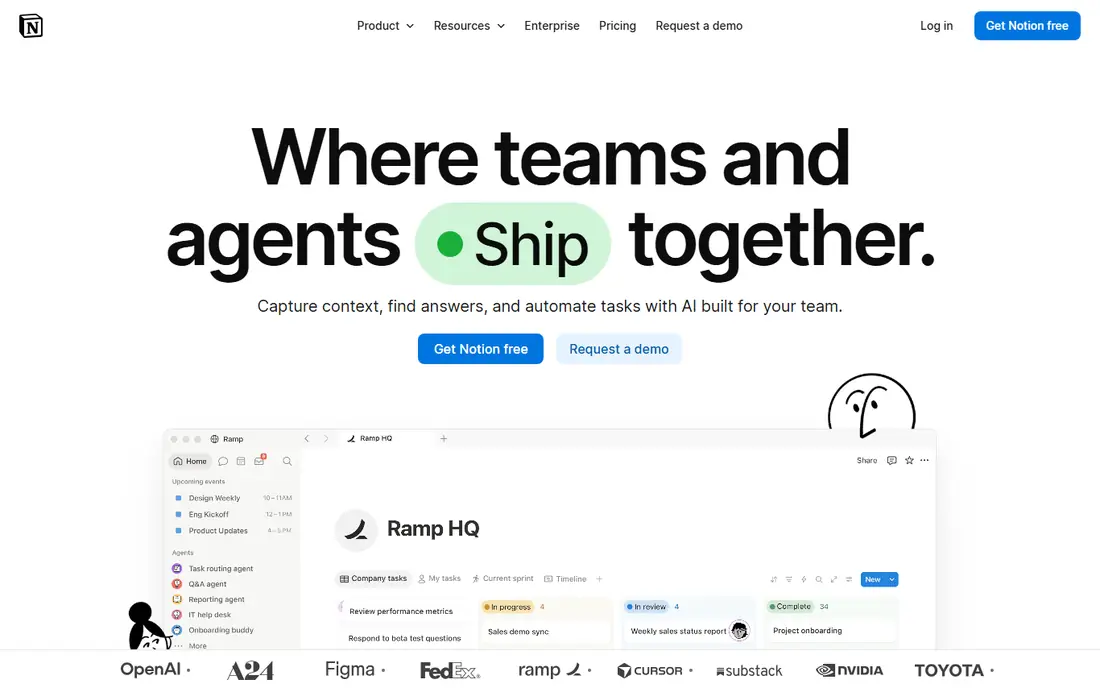
Notion is the shared brain for many early teams: company wiki, meeting notes, roadmaps, and simple project boards in one workspace. Its databases link plans to specs and launch checklists, and its templates cover fundraising, hiring, and product planning. For a team that needs one place where decisions live, Notion is a natural first tool. The catch is scale. Very large databases with many linked views can feel slow, and some permission and history controls need a paid plan. Start with a simple structure, keep pages short, and upgrade only when version history or advanced sharing becomes a real need rather than a nice option.
- Flexible docs and databases
- Many startup templates
- Easy sharing
- Large databases can feel slow
- Advanced permissions sit on paid plans

Slack gives a startup one place for team chat, with channels for product, sales, and general talk, plus threads that keep side talk from swamping the main channel. Its integrations pull alerts from code, payments, and support tools into the places where the team already works. For remote and hybrid teams, that shared chat room replaces much of the office chatter. The honest catch is message history on the free plan and the risk of decisions living only in chat. Pair Slack with Notion or another docs tool, and move final decisions into written pages. Used that way, Slack speeds daily work without becoming the only record of what was agreed.
- Channels keep work visible
- Many integrations
- Easy guest access
- Free history limits
- Chat can fragment decisions if docs are ignored

HubSpot CRM is a strong free starting point for sales-led startups: contacts, companies, deals, and pipelines without a monthly fee for the core tools. It tracks who talked to whom, what stage a deal reached, and what follow-up is due, which stops early leads from living in spreadsheets and inboxes. As the team grows, paid hubs add marketing, sales automation, and support tools in the same system. The catch is cost growth and data hygiene. Paid plans add up if every hub is bought at once, and a CRM with duplicate contacts and stale deals helps no one. Start with the free CRM, define pipeline stages clearly, and add paid features only for a specific bottleneck, such as sequences or reporting.
- Free CRM core
- Contact and deal tracking
- Grows into marketing and support
- Paid hubs can grow costly
- Setup needs care to avoid messy data
Stripe lets a startup accept online card payments, run subscriptions, and send invoices without building a payments system from scratch. Its checkout, billing, and dashboard tools cover one-time sales and recurring plans, and its developer docs are widely used, which helps when hiring or using contractors. For a product that charges online, Stripe is often the default first choice. The trade-off is fees and compliance work. Stripe charges per transaction, so check the current fee page for your country and card types, and review tax, refund, and payout rules for your business model. Stripe handles much of the payment plumbing, but pricing, tax, and refund policy remain the startup's own decisions.
- Fast online payments
- Subscriptions and invoicing
- Wide developer support
- Transaction fees apply per payment
- Payout and tax rules need review
Zapier connects apps without code, so a new lead in a form can create a CRM contact, send a Slack alert, and add a row to a sheet in one step. For a small team, that automation replaces manual copying and reduces missed follow-ups. Its free tier suits a few simple workflows, and paid plans raise task limits for busier operations. The catch is task counting and fragility. Every step in a workflow can use tasks, so a busy automation can hit plan limits faster than expected. Test workflows with real data, add error alerts, and keep critical paths simple. Zapier is best software for startups that need automation now, without waiting for engineering time.
- No-code automation
- Thousands of app links
- Fast to test a workflow
- Task limits on lower plans
- Complex workflows need careful testing
Google Workspace gives a startup email on its own domain, plus Docs, Sheets, Drive, and Meet in one account system. That domain email matters for credibility with customers and investors, and shared drives keep contracts, decks, and hiring files in one managed place. Admin controls cover user accounts and access when staff join or leave. The honest catch is per-user pricing. At $6 per user per month for the starter tier, costs grow with every hire, so plan headcount honestly. For most early teams, the simplicity and familiarity of Google tools outweigh that cost, and the trial period gives time to test mail, calendar, and drive sharing before paying.
- Professional domain email
- Docs, Sheets, Drive, and Meet
- Simple admin
- Per-user cost grows with headcount
- Some teams prefer other office tools
Figma is where many startups design their product, from wireframes to clickable prototypes that can be tested with users before code is written. Designers, founders, and engineers can work in the same file, leave comments in context, and hand off specs without exporting static images. That shared design space shortens feedback loops in early product work. The catch is team cost and skill. Free plans suit small teams and starter projects, while larger teams pay per editor seat. Figma also rewards teams that already have design ability; a founder with no design background will still need templates or design help. For product-led startups, it remains one of the best startup tools for turning an idea into something testable.
- Real-time design collaboration
- Strong prototyping
- Large template range
- Paid seats for larger teams
- Design depth needs design skill to use well
Linear is built for product and engineering teams that want fast issue tracking without the clutter of a general project tool. Issues, cycles, roadmaps, and triage views keep engineering work visible, and its speed is a real difference when a team logs many small tasks each day. For a startup building software, Linear often replaces a general board once engineering work grows. The trade-off is generality. Teams that need marketing calendars, client work, and docs in the same tool may prefer Notion or ClickUp. Linear fits best when engineering is the centre of the work and when the team values speed and a clear product workflow over a do-everything workspace.
- Fast issue tracking
- Clean product workflow
- Good for engineering teams
- Less suited to non-technical project styles
- Some integrations need setup
ClickUp tries to cover tasks, docs, goals, and time tracking in one workspace, which suits startups that want fewer tools rather than a best-in-class tool for each job. Its views include lists, boards, calendars, and timelines, and its free tier covers many small teams. For a founder who wants one home for operations, ClickUp is a practical choice. The honest catch is complexity. The same depth that makes ClickUp flexible can overwhelm a new team, so start with one view and a small set of task types. If the team grows into distinct needs for docs, engineering, and CRM, separate tools may serve better than forcing everything into one workspace.
- Many views and task types
- Docs and goals in one place
- Generous free tier
- Feature depth can overwhelm new users
- Setup needs discipline
How we picked these
We compared official pricing pages, free tier limits, and product docs for tools that cover a distinct startup job and that remain live in October 2026. We favoured tools with a usable free tier or a low starter price, clear documentation, and wide integration support. We used See website for Stripe because its cost is mainly transaction-based and varies by country and payment type, rather than a single monthly price.
How to build a startup stack without waste
Start with five jobs, not fifteen tools
Cover docs, chat, customers, payments, and design or engineering first. Every extra tool adds login, billing, and training costs, even on a free tier. Add a new tool only when a job is clearly failing, such as leads slipping through or manual work eating hours each week.
Use free tiers as a test, not a permanent plan
Free plans are ideal for testing fit, but check their limits on users, history, and storage before building a whole process around them. When a limit starts to block work, that is the signal to upgrade that one tool, not to rebuild the whole stack. Keep a simple list of what each tool costs at your next headcount level.
Keep one source of truth for decisions
Chat is for discussion, docs are for decisions. When a pricing change, hire, or product choice is agreed in chat, move it into a doc the same day. That habit saves a startup from re-deciding the same question and helps new hires learn how the company works without asking the founder each time.
Frequently asked questions
What are the best free tools for startups?
Notion, Slack, HubSpot CRM, Figma, Linear, and ClickUp all offer free tiers that cover docs, chat, sales, design, engineering, and tasks for early teams. The best free startup tools are the ones your team uses daily and that keep data in one place. Check user, history, and storage limits on each free plan, since those limits decide when an upgrade is needed.
What is the best software for startups on a tight budget?
Start with free tiers for docs, chat, and CRM, add Google Workspace for domain email, and add Stripe only when you charge customers. That stack keeps fixed monthly costs low while covering credibility, sales, and payments. Avoid buying paid marketing or analytics tools before you have customers to serve and data to act on.
How many tools should a startup use at first?
Five to seven tools are enough for most early teams: docs, chat, CRM, payments, design or engineering, email, and one automation tool. More tools create more places for work to hide. Review the stack each quarter, drop tools no one uses, and merge jobs where one tool now covers two needs well.
Is Notion or ClickUp better for a startup?
Notion suits teams that centre on docs, wikis, and light planning, while ClickUp suits teams that centre on tasks, views, and goals in one workspace. Both offer free tiers, so trial both with a real project for two weeks. The better choice is the one the team keeps updated without reminders, since an empty tool helps no one.
When should a startup pay for tools?
Pay when a free limit blocks real work, when a paid feature saves hours each week, or when support and security controls become a customer or investor requirement. Do not pay for a full suite on day one. Upgrade one tool at a time, track the monthly total, and keep the stack lean until revenue supports it.
Do startups need a CRM from day one?
Yes, in a light form. Even a simple pipeline in HubSpot free CRM stops leads from being lost in inboxes and spreadsheets. A CRM does not need to be complex at first: contacts, deal stages, and next steps are enough. Add automation and reporting only when deal volume makes manual follow-up unreliable.
Sources
See where you really rank - block by block
ProMapRanker scans Google Maps across a grid of your service area. Simple monthly plans from $19, white-label on every plan.
Start freeKeep reading
 zscaler alternatives
Best Zscaler Alternatives in 2026
Looking for zscaler alternatives? We compare 9 SASE and zero trust platforms on architecture, data protection, pricing, and fit for your network and team.
Read → zapier alternatives free
Best Zapier Alternatives Free in 2026
Nine automation tools for zapier alternatives free in 2026, all with genuinely free tiers, plus free plan limits, starting prices and upgrade paths explained.
Read → which platform is best for online reputation
Which Platform Is Best for Online Reputation in 2026
Wondering which platform is best for online reputation? We compare 8 review, listing, and response tools for small and multi-location businesses and agencies.
Read →