 ProMapRanker
Best Tools for Digital Marketing in 2026

Key takeaways
- HubSpot is the best all-in-one core, while Semrush and Ahrefs cover SEO depth from different angles.
- Mailchimp and ActiveCampaign cover email, with Mailchimp simpler for newsletters and ActiveCampaign stronger for lifecycle automation.
- Buffer and Canva cover social and design output, GA4 covers measurement for free, and Zapier connects the stack.
- Start with the channel that drives revenue, add measurement next, and only then add automation and extra suites.
Quick comparison
| Pick | Great for | Pricing starts at | Free tier | |
|---|---|---|---|---|
 HubSpot HubSpot | All-in-one CRM and marketing | Free | Yes | Visit |
 Semrush Semrush | SEO and competitive research | $139.95 per month | Free trial | Visit |
 Mailchimp Mailchimp | Email marketing and automation | $13 per month | Yes | Visit |
 Ahrefs Ahrefs | Backlinks and content research | $29 per month | Free trial | Visit |
 Buffer Buffer | Simple social scheduling | See website | Yes | Visit |
 Google Analytics 4 Google Analytics 4 | Free website and app analytics | Free | Yes | Visit |
 Canva Canva | Fast marketing design | Free | Yes | Visit |
 Zapier Zapier | No-code app automation | Free | Yes | Visit |
 ActiveCampaign ActiveCampaign | Email and lifecycle automation | $15 per month | Free trial | Visit |
The best tools for digital marketing
We compared tools that cover different parts of a marketing workflow, so you can build a small stack that fits your channels instead of buying one suite for everything.
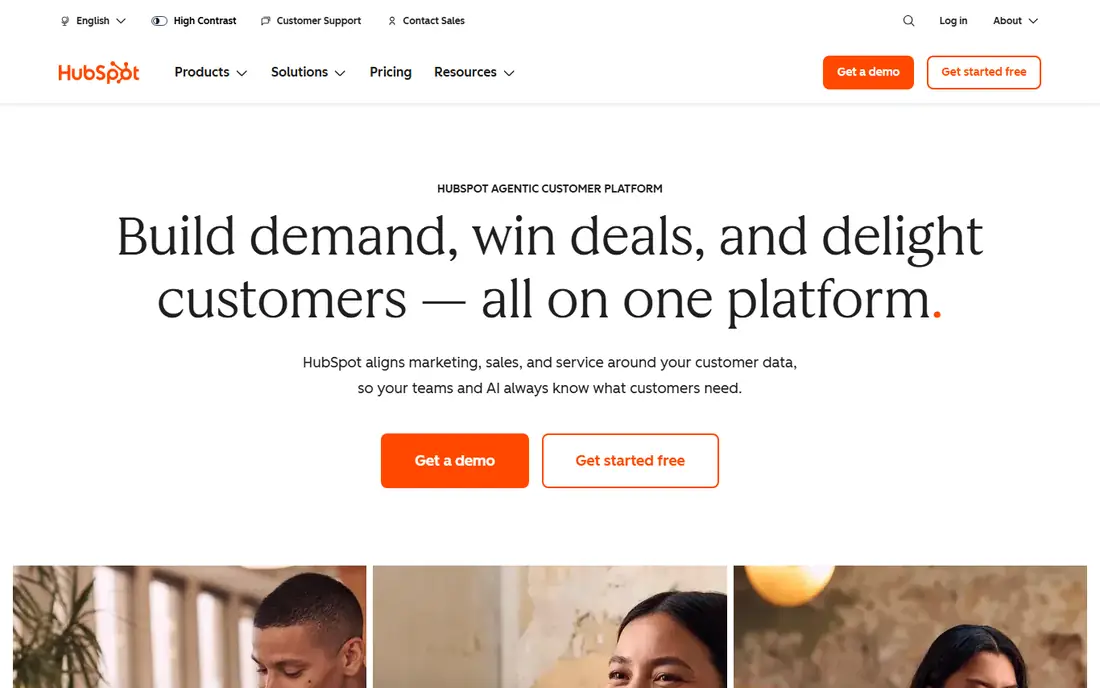
HubSpot brings CRM, email marketing, landing pages, forms, and automation into one system with a shared contact record. That shared record helps marketing and sales see the same lead history, instead of passing spreadsheets between tools. A free tier covers basic CRM and marketing tools, which makes it easy to start.
The cost picture changes as you grow: paid hubs, seats, and marketing contacts add up, and the most powerful automation sits on higher tiers. Teams that only need email or SEO may find HubSpot more than they need. For growing teams that want marketing and sales in one place, HubSpot is a strong core tool.
- Free CRM with marketing basics
- Email, landing pages, and automation on paid tiers
- Shared contact records
- Costs rise quickly as you add hubs and seats
- Advanced automation needs higher tiers
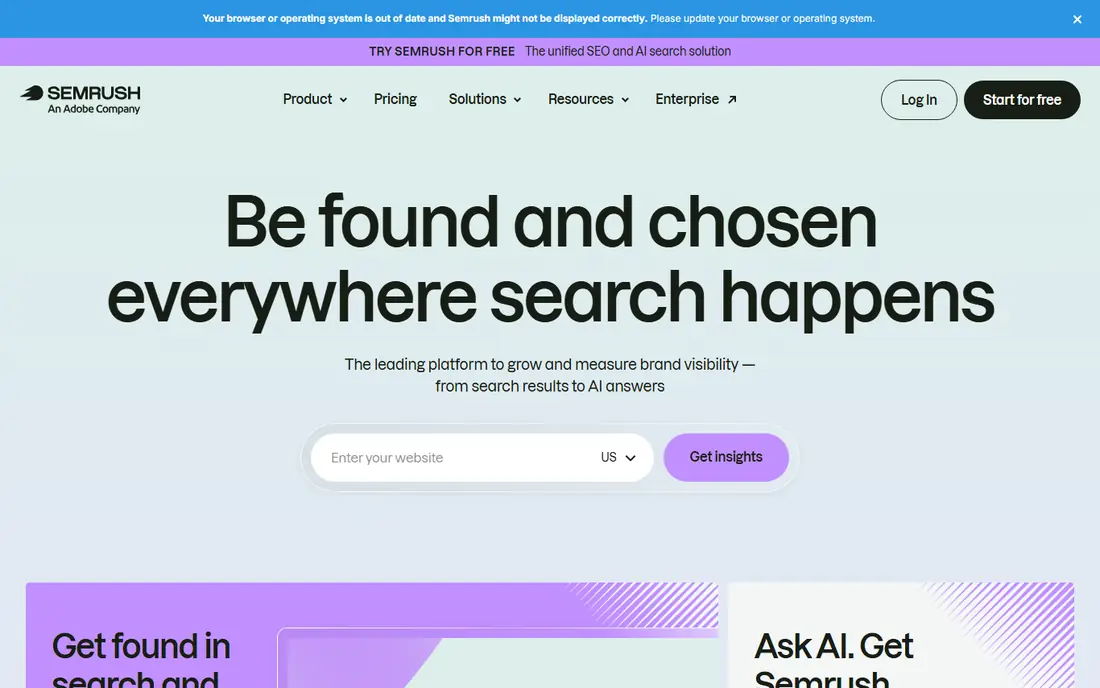
Semrush is an all-in-one SEO and content toolkit for keyword research, competitor analysis, site audits, backlink checks, and rank tracking. Marketing teams use it to find topics, spot content gaps, and track how pages perform in search. Its breadth makes it useful for agencies and in-house teams that manage several sites.
The starting price is higher than some single-purpose SEO tools, and the full toolkit takes time to learn. Smaller teams may only use a few features, which makes the cost harder to justify. If SEO and content are core channels, Semrush gives a deep, connected view that cheaper tools may not match.
- Keyword and competitor research
- Site audits
- Content and rank tracking tools
- Higher starting price than some SEO tools
- Learning the full toolkit takes time
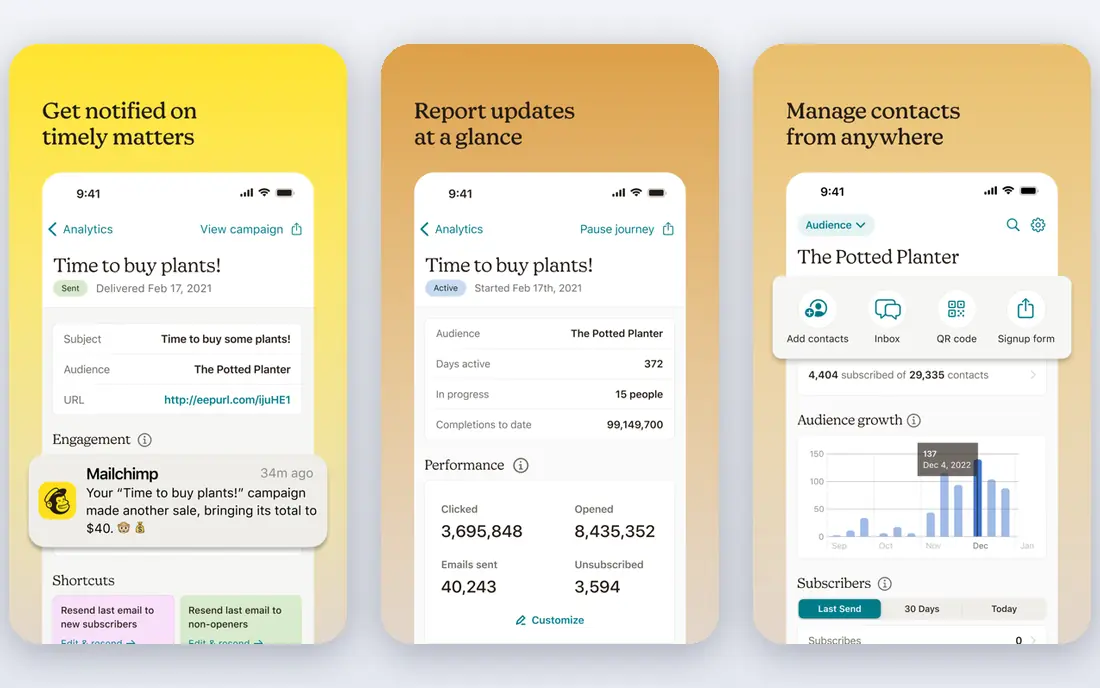
Mailchimp is a well-known email marketing platform with a drag-and-drop builder, templates, audience segments, and automation for welcome series, abandoned carts, and newsletters. Small businesses can start on a free plan, build a list, and send regular campaigns without a steep learning curve. Its reports show opens, clicks, and audience growth in one place.
The free plan limits contacts and monthly sends, and pricing rises as your list grows, so a large list can become costly. Advanced segmentation, testing, and automation sit on higher tiers. For email-first teams that want a familiar, easy tool, Mailchimp remains a practical choice.
- Email builder and templates
- Audience segmentation
- Automation and basic analytics
- Free plan limits contacts and sends
- Pricing rises with audience size
- Advanced features need higher tiers
Ahrefs is best known for backlink analysis, with a large link index, plus keyword research, content gap tools, site audits, and rank tracking. SEO teams use it to find linking sites, compare content with competitors, and track which pages earn links over time. Its interface is focused, which helps teams that live in SEO data daily.
The Starter plan limits reports, projects, and seats, so agencies and larger teams need higher tiers. Ahrefs is also less of an all-in-one marketing suite than HubSpot or Semrush, because it centres on SEO. For teams that prioritise links and content research, it is a strong specialist tool.
- Large backlink index
- Keyword and content gap tools
- Site audit and rank tracking
- Starter plan limits reports and seats
- Full agency use needs higher tiers
Buffer is a simple social media tool for planning, scheduling, and publishing posts across channels, with basic analytics on reach and engagement. Small teams like its clean calendar, queue, and approval flow, which keep social posting organised without a complex suite. A free plan helps solo creators and small brands start.
Buffer is lighter on social listening, inbox management, and deep reporting than larger social suites. Teams that handle high volumes of comments and messages may need another tool for engagement. For straightforward scheduling and publishing, Buffer is easy to adopt and easy to teach.
- Social scheduling across channels
- Simple analytics
- Easy team workflow for small teams
- Deeper listening and engagement tools are limited
- Larger teams may need a bigger social suite
Google Analytics 4, often called GA4, is the free analytics tool for websites and apps, showing traffic sources, user behaviour, conversions, and audience patterns. It integrates with Google Ads and other Google tools, which helps teams connect ad spend to site actions. For most small sites, it is the default analytics choice because it costs nothing for standard use.
GA4 setup takes care: events, conversions, and data streams need correct configuration before reports become useful. Its standard reports also need custom exploration for specific business questions. Despite that setup effort, GA4 remains essential for measuring what marketing actually drives on a website.
- Free analytics for websites and apps
- Traffic, conversion, and audience reports
- Google Ads integration
- Setup and event configuration take care
- Reports need custom setup for business questions
Canva gives marketers templates, stock assets, and a drag-and-drop editor for social posts, ads, presentations, and print materials. Teams can save brand colours, fonts, and logos in a Brand Kit on paid plans, and resize designs for different channels quickly. That speed helps small teams publish consistent visuals without a designer for every asset.
The free plan limits premium assets and AI uses, and Canva does not replace professional design software for complex print or brand work. AI usage is metered, so heavy users should check allowances. For everyday marketing design, Canva is the fastest tool for most non-designers.
- Templates for social, ads, and presentations
- Brand kit and resize tools on paid tiers
- Team collaboration
- AI allowances and premium assets need a paid plan
- Not a replacement for professional design software
Zapier connects apps so marketing data moves without manual copying. A new form submission can create a CRM contact, send a Slack message, and add a row to a sheet, all without code. That automation saves time on lead routing, notifications, and reporting, and it helps small teams act on leads faster.
The free plan limits monthly tasks, and high-volume or multi-step workflows need paid plans. Complex workflows also need testing, because a wrong filter or field mapping can send bad data to several tools. For teams that use many apps, Zapier is a useful glue layer between marketing tools.
- Connects thousands of apps
- Automates lead routing, notifications, and data sync
- No code needed
- Free plan limits tasks
- Complex workflows and high task volume cost more
- Debugging needs care
ActiveCampaign combines email marketing, automation, and a light CRM, with a visual builder for welcome series, nurture flows, and post-purchase follow-ups. Teams can segment by behaviour, score leads, and trigger messages based on site activity. That lifecycle focus suits businesses that sell by email over weeks, not just in one campaign.
Pricing depends on contact count, so a growing list raises the bill. Building good automation also takes planning and testing, and reports are less deep than a dedicated analytics suite. For teams that want email automation with CRM context, ActiveCampaign is a strong mid-priced option.
- Visual automation builder
- Email, CRM, and segmentation in one tool
- Site tracking and scoring
- Pricing varies by contacts
- Learning automation takes time
- Reporting is less deep than analytics suites
How we picked these
We compared official feature pages, pricing pages, and public reviews for marketing tools available in October 2026. We looked at SEO, email, social, analytics, design, and automation, and we favoured tools with a free plan or trial, a clear pricing page, and exports or integrations that avoid lock-in. We did not rank tools on a single score, because a great SEO tool and a great email tool solve different problems. Where pricing varied by contacts, seats, or billing period, we used the starting figure from vendor or search-checked listings and wrote See website where it was unclear.
What to look for in digital marketing tools
Start with the job, not the suite. If search drives your leads, SEO research and rank tracking matter most. If email drives sales, automation and segmentation matter most. If social drives awareness, scheduling and analytics matter most. A tool that covers your main channel well is better than a suite that covers every channel thinly.
Next, check measurement before you scale spend. GA4 or another analytics tool should track conversions, not just visits, so you can see which channels bring leads and sales. Connect ad platforms, email, and CRM where you can, and agree on one definition of a lead or sale. Without that shared measurement, teams argue about results instead of improving them.
Building a small stack
A practical small stack is a CRM or email tool, an SEO tool, a social scheduler, a design tool, and analytics, connected by automation where it saves time. Keep the stack small at first, learn each tool, and replace only the piece that limits you. Adding tools before you use the first ones well creates cost without results.
Email, SEO, and social trade-offs
Email gives you direct access to an audience you own, but list growth takes time and deliverability needs care. SEO brings steady traffic, but results take months and need consistent content. Social brings fast reach, but you rent the audience and algorithms change. A balanced plan uses all three, with email as the owned channel you control.
Budget and team size
Free plans work for solo marketers and small lists, but contact, task, and seat limits matter as you grow. Price the stack for your team size in six months, not just today, and check annual versus monthly billing. If a tool needs a specialist to run it, factor in training time as well as the subscription cost.
Frequently asked questions
What are the 5 best digital marketing tools for a small business?
A practical five-tool set is HubSpot or Mailchimp for email and CRM, Semrush or Ahrefs for SEO, Buffer for social scheduling, Canva for design, and Google Analytics 4 for measurement. Start with the tools that cover your main channel, then add the rest as volume grows.
What is the best marketing tool for SEO?
Semrush is the best all-in-one SEO choice for many teams, with keyword, competitor, audit, and tracking tools in one place. Ahrefs is a strong alternative when backlink and content gap research matter most. Both need time to learn, so pick the one whose reports your team will actually read.
What are the best digital marketing platforms for email?
Mailchimp suits straightforward newsletters and small lists, while ActiveCampaign suits lifecycle automation with segmentation and scoring. HubSpot suits teams that want email tied to a full CRM. Compare pricing by contact count, because list size drives the bill.
What is the best mobile marketing platform for small teams?
For mobile, the best approach is usually a mix: Buffer or a similar scheduler for social, Mailchimp or ActiveCampaign for mobile-friendly email, and GA4 to measure mobile traffic and conversions. Check that templates, landing pages, and forms work well on phones before you commit.
Do I need a best digital marketing tool or a full suite?
Most small teams do better with a few focused tools than one expensive suite, because focused tools are easier to learn and cheaper to replace. A suite such as HubSpot makes sense when marketing, sales, and service need one shared customer record. Start focused, then consolidate when integration pain outweighs tool cost.
Sources
See where you really rank - block by block
ProMapRanker scans Google Maps across a grid of your service area. Simple monthly plans from $19, white-label on every plan.
Start freeKeep reading
 zendesk alternatives
Best Zendesk Alternatives in 2026
Compare the best Zendesk alternatives in 2026, from budget help desks to AI-first support tools, with current pricing, free plans, and honest trade-offs.
Read → wordpress alternatives
Best WordPress Alternatives in 2026
Looking for the best WordPress alternatives? We compare 8 free and paid options for blogs, business sites, stores, and developer-led projects in 2026.
Read → which real estate company has the best training
Best Real Estate Company Training in 2026
Compare which real estate company has the best training, from Keller Williams and eXp to Compass and Coldwell Banker, by program, mentor, and fit in 2026.
Read →