 ProMapRanker
Best Tool to Build a Game With AI in 2026

Key takeaways
- Rosebud AI and Replit suit fast prototypes, while Unity and GitHub Copilot suit builders who want a real engine and code workflow.
- Meshy and Scenario cover 3D and art assets, while Inworld covers NPC dialogue and Ludo.ai covers design research.
- Human design still decides whether a game is fun, so use AI for drafts and grunt work, then playtest and revise.
- Check asset licences and ownership terms before commercial release, since generated art rules vary by tool.
Quick comparison
| Pick | Great for | Pricing starts at | Free tier | |
|---|---|---|---|---|
 Rosebud AI | Rapid game prototypes from text | See website | Yes | Visit |
 Replit | Browser games with AI coding help | $20 per month | Yes | Visit |
 Buildbox | No-code game building with AI help | See website | Yes | Visit |
 Unity | Real engine games with AI helpers | See website | Yes | Visit |
 Meshy | Text-to-3D assets for games | See website | Yes | Visit |
 Scenario | Consistent game art in a chosen style | See website | Free trial | Visit |
 Inworld AI | NPC dialogue and character AI | See website | Free trial | Visit |
 Ludo.ai | Game design research and ideation | See website | Free trial | Visit |
 GitHub Copilot | AI coding help for game code | $10 per month | Free trial | Visit |
The best tools to build a game with AI
No single tool builds a polished, complete game on its own, but AI tools can speed up prototyping, art, code, dialogue and testing. We compared legitimate tools live in October 2026 that help a person build a game, from prompt-to-playable prototypes to in-engine helpers. A plain consent note applies where assets are involved: only use art, voices and likenesses you own, licensed or have permission to use, and check the licence before selling a game.
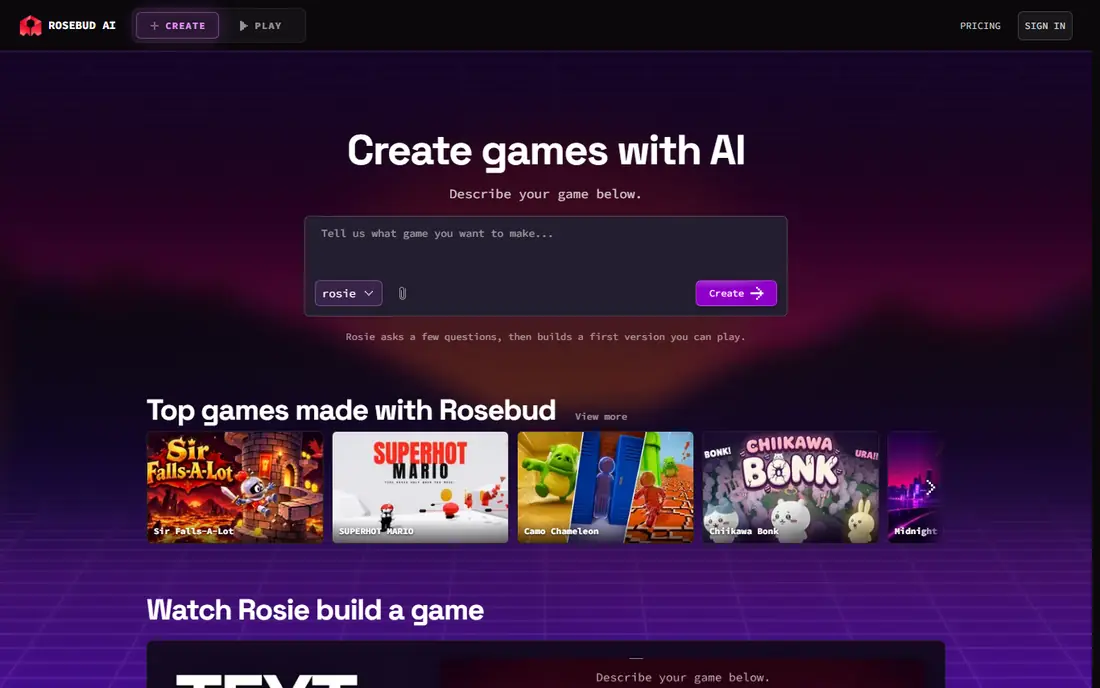
For teams that want a clear starting point, Rosebud AI is built for rapid game prototypes from text. Rosebud AI turns a text description into a playable prototype in the browser, which a builder can then edit and share. It suits a first-time builder testing an idea, since the gap from idea to something playable is short.
The honest catch is prototypes need polish for a full release. Before you pay, test it on your real workload during any trial or free tier and check whether the limits fit what you actually do each week. If the coverage fits your main work, it is worth keeping; if it only covers a narrow set, try a cheaper option first.
- Prompt-to-playable prototypes
- Browser-based building
- Asset and code editing
- Prototypes need polish for a full release
- Complex games outgrow the format fast
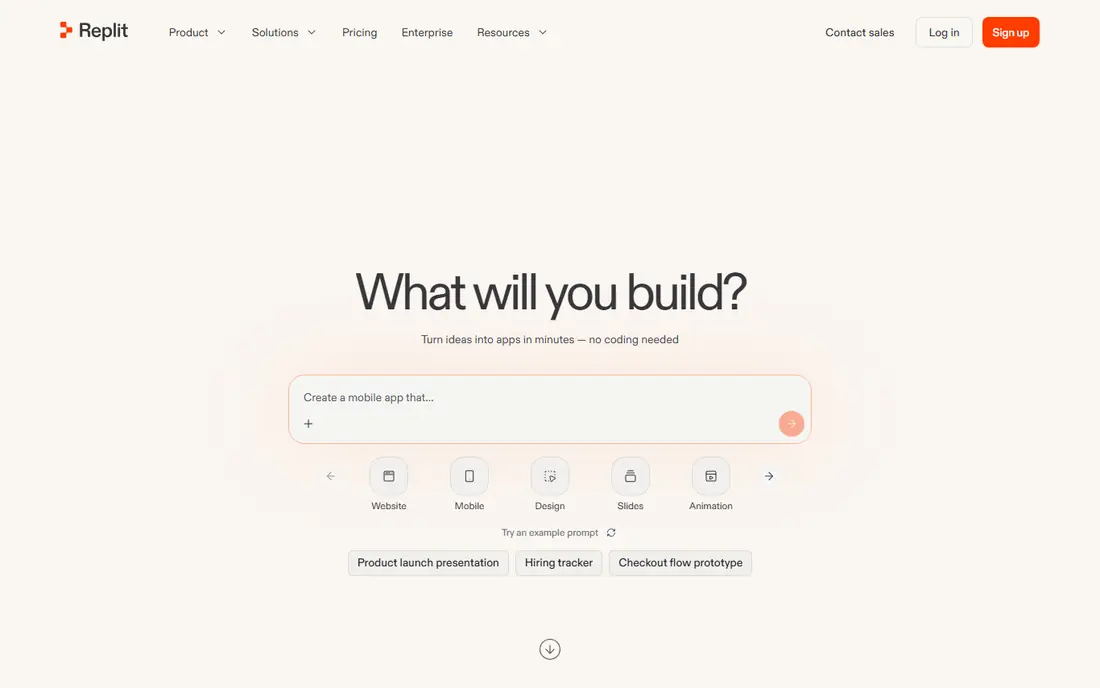
This one suits teams that need steady reporting more than a one-off check, Replit is built for browser games with ai coding help. Replit uses an AI agent to write and edit code for browser games and apps, with deployment in a few clicks. It suits builders who want a playable web game fast, provided they test physics, collisions and saves rather than trusting the first draft.
The honest catch is agent output needs testing and fixes. Before you pay, test it on your real workload during any trial or free tier and check whether the limits fit what you actually do each week. If the coverage fits your main work, it is worth keeping; if it only covers a narrow set, try a cheaper option first.
- AI agent builds and edits code
- Browser deployment
- Collaboration features
- Agent output needs testing and fixes
- Larger games need real engineering

If your main problem is missed mentions, Buildbox is built for no-code game building with ai help. Buildbox lets builders create games with drag-and-drop tools and AI-assisted features, without writing code for every mechanic. It suits solo builders and first games, especially simple mobile titles, though complex systems will test its limits.
The honest catch is no-code limits grow with game complexity. Before you pay, test it on your real workload during any trial or free tier and check whether the limits fit what you actually do each week. If the coverage fits your main work, it is worth keeping; if it only covers a narrow set, try a cheaper option first.
- Drag-and-drop building
- AI-assisted features
- Mobile export options
- No-code limits grow with game complexity
- Advanced logic still needs care
A good fit for larger teams with several brands to watch, Unity is built for real engine games with ai helpers. Unity is a full game engine with AI-assisted tools for assets, behaviours and workflows, plus a large asset store. It suits builders who want a real, shippable game, since the engine handles rendering, physics and platform export once the team learns it.
The honest catch is learning curve is steep for beginners. Before you pay, test it on your real workload during any trial or free tier and check whether the limits fit what you actually do each week. If the coverage fits your main work, it is worth keeping; if it only covers a narrow set, try a cheaper option first.
- Full game engine
- AI-assisted asset and behaviour tools
- Large asset store
- Learning curve is steep for beginners
- AI features sit inside a large engine
For smaller teams working to a tight budget, Meshy is built for text-to-3d assets for games. Meshy turns text or images into 3D models that can be used for greyboxing and props in a game. It suits indie teams that need blockout meshes fast, though hero characters and key assets still benefit from human modelling and cleanup.
The honest catch is generated meshes need cleanup for hero assets. Before you pay, test it on your real workload during any trial or free tier and check whether the limits fit what you actually do each week. If the coverage fits your main work, it is worth keeping; if it only covers a narrow set, try a cheaper option first.
- Text and image to 3D models
- Rigging options
- Engine-friendly exports
- Generated meshes need cleanup for hero assets
- Quality varies by prompt
This option works best when you already use related tools in the same suite, Scenario is built for consistent game art in a chosen style. Scenario trains on a chosen art style, using source art the builder owns or licensed, then generates consistent characters and props in that style. It suits art teams that need many assets without drifting style, provided the training art is properly licensed.
The honest catch is style training needs good source art you own or licensed. Before you pay, test it on your real workload during any trial or free tier and check whether the limits fit what you actually do each week. If the coverage fits your main work, it is worth keeping; if it only covers a narrow set, try a cheaper option first.
- Custom style training
- Consistent characters and props
- Asset generation
- Style training needs good source art you own or licensed
- Credits limit heavy use
If you need depth on a single question, Inworld AI is built for npc dialogue and character ai. Inworld AI builds conversational NPCs with memory and personality controls, so characters can respond beyond fixed dialogue trees. It suits open-world and story games where NPC talk matters, though writers still need to design goals, limits and fallback lines.
The honest catch is usage-based costs can rise with player counts. Before you pay, test it on your real workload during any trial or free tier and check whether the limits fit what you actually do each week. If the coverage fits your main work, it is worth keeping; if it only covers a narrow set, try a cheaper option first.
- Conversational NPCs
- Memory and personality controls
- Engine integrations
- Usage-based costs can rise with player counts
- NPC writing still needs design
For teams that want action steps alongside the charts, Ludo.ai is built for game design research and ideation. Ludo.ai helps with the pre-production side, offering market research, concept ideation and asset ideas before building starts. It suits teams choosing a genre or theme, since a quick market check can stop a team building a game no audience wants.
The honest catch is research tool, not a game builder. Before you pay, test it on your real workload during any trial or free tier and check whether the limits fit what you actually do each week. If the coverage fits your main work, it is worth keeping; if it only covers a narrow set, try a cheaper option first.
- Market research
- Concept and asset ideation
- Design trend views
- Research tool, not a game builder
- Insights need a human design decision
This is the pick to shortlist when reporting matters as much as tracking, GitHub Copilot is built for ai coding help for game code. GitHub Copilot suggests code and helps debug inside the editor, which speeds up scripting for game mechanics, UI and tools. It suits coders who already write game code, since suggestions save typing but still need review for performance and bugs.
The honest catch is suggestions need review. Before you pay, test it on your real workload during any trial or free tier and check whether the limits fit what you actually do each week. If the coverage fits your main work, it is worth keeping; if it only covers a narrow set, try a cheaper option first.
- Code suggestions in the editor
- Multi-language support
- Chat for debugging
- Suggestions need review
- Game-specific logic still needs a human coder
How we picked these
We compared official feature and pricing pages and public product descriptions for tools live in October 2026. We kept legitimate tools for prototyping, engines, assets, dialogue, design research and coding, and we did not list tools for non-consensual imagery or asset theft. We noted where a tool builds a prototype rather than a finished game, and we did not claim hands-on testing.
How to build a game with AI without losing the fun
Start with a small, playable loop
Pick one core mechanic, build it fast and play it early, since a fun loop matters more than a large world. AI tools help most when the loop is already clear, and they help least when the design is still vague.
Use AI for drafts, humans for decisions
Let AI draft code, art and dialogue, then keep, cut or rewrite each piece based on playtests. A game built only from first drafts usually feels generic, while a game with human revision keeps a clear style and challenge.
Check licences before you sell
Only use art, voices and likenesses you own, licensed or have permission to use, and read each tool's terms for commercial use. Keep a record of asset sources, since a store or publisher may ask for it before release.
Frequently asked questions
Can AI build a complete game by itself?
Not a polished, commercially viable game, since AI tools handle parts such as code, art and dialogue, but not overall design, balance and tuning. The best workflow uses AI for drafts and grunt work, with human design and playtesting for the rest.
What is the best tool for a complete beginner?
Rosebud AI or Buildbox suit a beginner testing an idea, since both lower the coding barrier. A beginner who wants a real engine should still learn Unity basics, since that skill carries across many games.
Do I own the art AI tools generate for my game?
Ownership and commercial terms vary by tool, licence and the source art used, so read the terms before release. Use only training and source art you own or licensed, and keep records of what each asset came from.
Can I use AI voices for game characters?
Yes, if the voice licence allows commercial game use and you do not clone a real person without permission. Check the plan terms, since free tiers often limit commercial use.
How much does it cost to start?
A prototype can start free with free tiers for engines, AI coding help trials and asset tools. Costs rise with paid plans, asset credits and store fees, so budget for the tools you actually use each month, not every tool on a list.
Sources
See where you really rank - block by block
ProMapRanker scans Google Maps across a grid of your service area. Simple monthly plans from $19, white-label on every plan.
Start freeKeep reading
 zscaler alternatives
Best Zscaler Alternatives in 2026
Looking for zscaler alternatives? We compare 9 SASE and zero trust platforms on architecture, data protection, pricing, and fit for your network and team.
Read → zapier alternatives free
Best Zapier Alternatives Free in 2026
Nine automation tools for zapier alternatives free in 2026, all with genuinely free tiers, plus free plan limits, starting prices and upgrade paths explained.
Read → which platform is best for online reputation
Which Platform Is Best for Online Reputation in 2026
Wondering which platform is best for online reputation? We compare 8 review, listing, and response tools for small and multi-location businesses and agencies.
Read →