 ProMapRanker
Best Todo List App in 2026: 8 Apps Compared

Key takeaways
- Todoist is the best all-round pick for most people, with a free tier, natural language dates and strong filters.
- TickTick gives the best value for users who also want a calendar, habits and a Pomodoro timer in one app.
- Microsoft To Do and Google Tasks are free and suit users who already live in Microsoft or Google tools.
- Things 3 suits Apple users who want a beautiful one-time purchase, but it does not cover Android or Windows.
- A todo app only helps if you review it daily, so pick the app you will actually open, not the one with the longest feature list.
Quick comparison
| Pick | Great for | Pricing starts at | Free tier | |
|---|---|---|---|---|
 Todoist | Most people | Free | Yes | Visit |
 TickTick | Calendar, habits and timer in one | Free | Yes | Visit |
 Microsoft To Do | Microsoft 365 users | Free | Yes | Visit |
 Google Tasks | Gmail and Calendar users | Free | Yes | Visit |
 Things 3 | Apple users wanting design | $49.99 one-time | Free trial | Visit |
 Any.do | Daily planning ritual | Free | Yes | Visit |
 Apple Reminders | Casual Apple users | Free | Yes | Visit |
 Notion | Tasks inside a larger workspace | Free | Yes | Visit |
The best todo list apps
A good todo app does a few things well: it captures a task fast, shows what is due today, lets you move tasks between days, and syncs across your phone and computer. Extra features help only if they fit how you work. The apps below cover simple lists, power-user systems and team-friendly workspaces, so you can pick by platform and habit, not by hype.
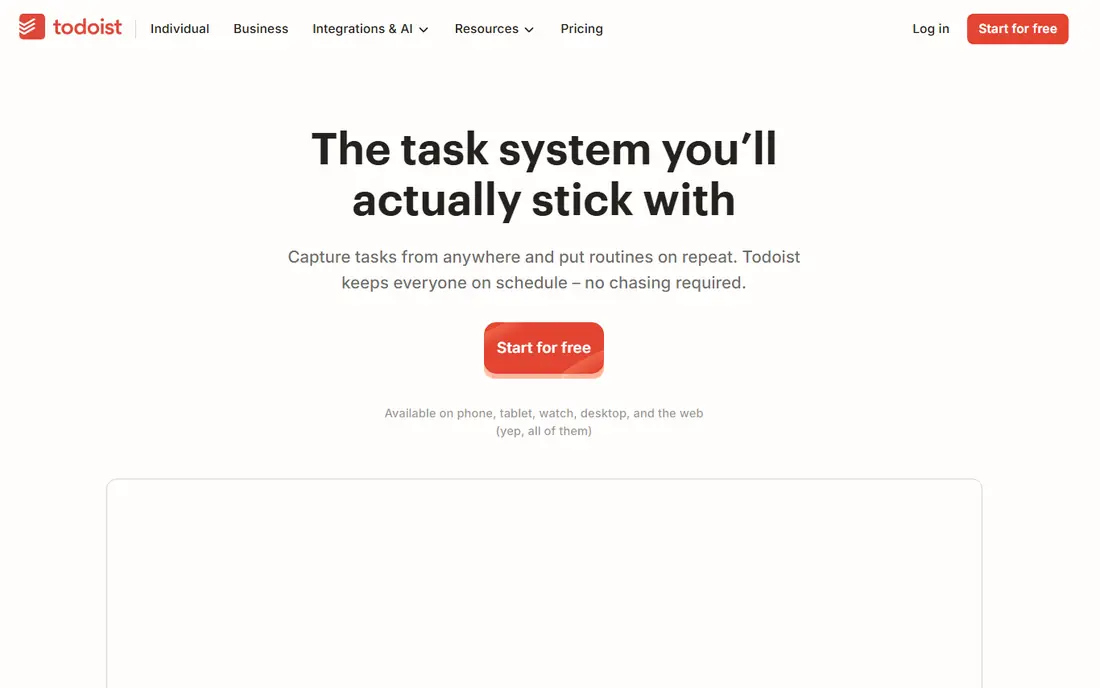
Todoist is our pick for most people, because it balances speed and power. You can type a task like a normal sentence with a date, and Todoist turns it into a scheduled task. Labels, filters and priorities then let you build views for work, home or a single project, without learning a complex system. It works on web, iOS, Android, Windows and Mac, so your list follows you.
The free plan covers basic tasks and a limited number of projects, while Pro is listed around $4 to $5 per month depending on billing, with Business plans for teams. The catch is that heavy users will hit free limits, and some views need the paid plan. For most personal users, though, Todoist offers the best mix of speed, design and cross-platform sync.
- Fast natural language capture
- Strong filters and labels
- Works on all major platforms
- Pro plan costs extra for full features
- Free plan limits projects
- No built-in calendar view on free tier
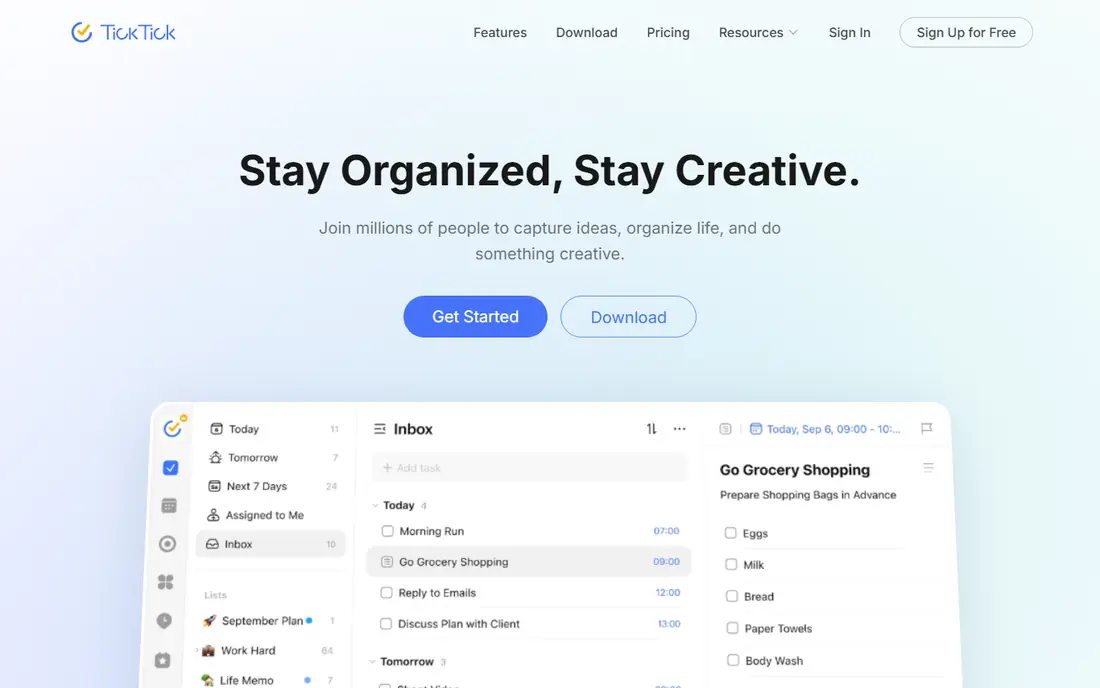
TickTick is the best value pick for users who want more than a list. It combines tasks with a calendar view, habit tracking and a Pomodoro timer, so a freelancer or student can plan a day, track a habit and focus in timed blocks without opening three apps. The free plan covers 9 lists and 99 tasks per list, which is enough to try the system properly.
Premium is listed around $35.99 per year on current discount, with a list price near $49.99 per year, though app store prices can differ. The interface can feel busy at first, because so many features share one screen. If you want one app for tasks, calendar and habits, TickTick is hard to beat on price and breadth.
- Calendar view, habits and Pomodoro timer included
- Good free tier
- Strong value on Premium
- Interface can feel busy
- Free plan limits lists and tasks per list
- Some features need Premium
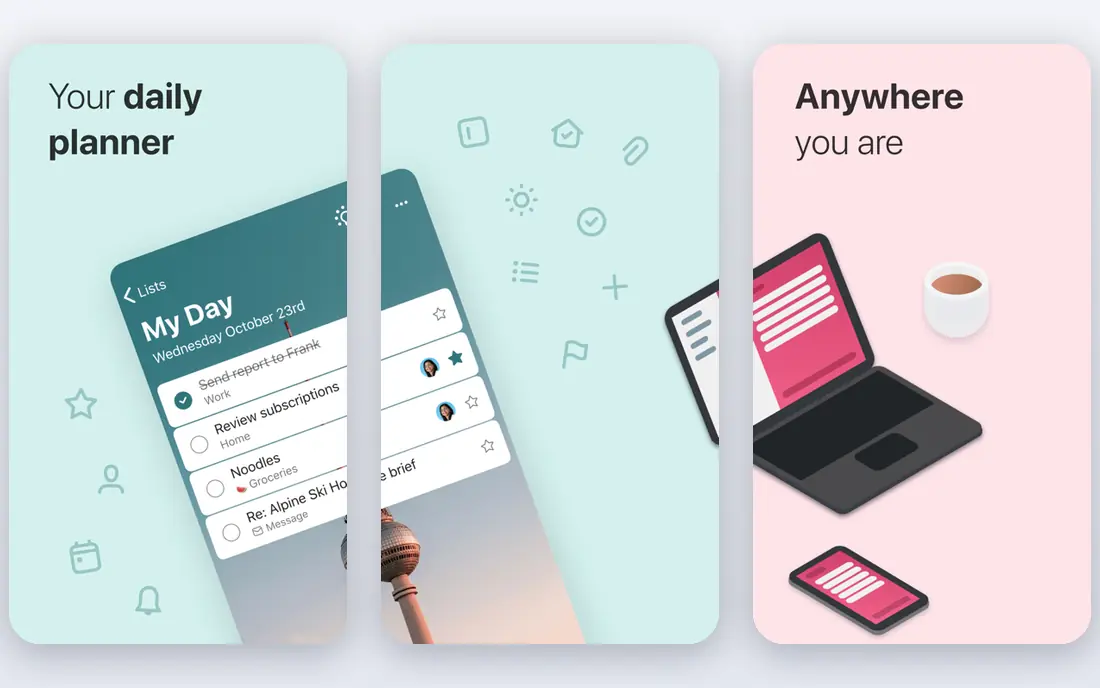
Microsoft To Do is the simplest strong choice for anyone who already uses Outlook, Teams or Microsoft 365. Tasks from Outlook appear in To Do, and the My Day view lets you pick a small set of tasks each morning. Lists, reminders and shared lists cover most personal and small-team needs, and the app is free on web, Windows, iOS and Android.
The limit is depth. Microsoft To Do does not offer the same filters, labels or automation as Todoist, and power users may miss those tools. For a Microsoft household or workplace, though, the free price and Outlook integration outweigh that gap. It is also a good first todo app for users who have never used one before.
- Completely free
- Deep Outlook and Teams integration
- My Day view for daily planning
- Fewer power features than Todoist or TickTick
- No advanced filters
- Tied to a Microsoft account
Google Tasks is the minimalist pick for Google users. It lives inside Gmail and Google Calendar, so a task created from an email appears beside your mail, and a dated task appears on your calendar. There is nothing to learn, nothing to pay and nothing extra to install if you already use Google tools.
The trade-off is simplicity. Google Tasks does not offer rich filters, team views or habit tracking, and list sharing is limited compared with other apps. For users who want a plain list that sits beside email and calendar, that is enough. For users who manage many projects, Todoist or TickTick will fit better.
- Completely free
- Built into Gmail and Google Calendar
- Very simple to learn
- No list sharing in the same way as rivals
- Fewer features
- No advanced views
Things 3 is the design-led pick for Apple users. Its interface is calm, its scheduling feels natural, and its Today, Upcoming and Anytime views help users separate what is due now from what can wait. Unlike most rivals, Things 3 uses a one-time purchase rather than a subscription, with Mac pricing listed at $49.99 and iPhone and iPad versions sold separately.
The limit is platform. Things 3 does not run on Android or Windows, so mixed-device households cannot use it together. There is no free plan, though a trial is available on Mac. For a user who lives entirely on Apple devices and dislikes subscriptions, Things 3 is a strong, long-term choice.
- Beautiful, calm design
- One-time purchase, not a subscription
- Strong Apple integration
- Apple only, with no Android or Windows version
- Mac, iPhone and iPad sold separately
- No free plan
Any.do suits users who forget to check a todo app, because its Plan My Day prompt asks each morning what you will do today. That small ritual helps turn a long list into a short daily plan, which is often the difference between a system that works and one that is ignored. Shared lists also help households split shopping, chores and family tasks.
The free plan covers personal lists, while Premium is listed around $4.99 per month on annual billing, with higher prices on monthly billing. Paid features include a fuller calendar view and more sharing options. Any.do is a good pick for users who want a gentle daily nudge and a simple shared list, rather than a complex power-user system.
- Plan My Day prompt each morning
- Shared lists for households
- Calendar view on paid plans
- Premium costs extra for full features
- Free plan is basic
- Some features feel aimed at teams
Apple Reminders is the no-cost pick for iPhone, iPad and Mac users who want a simple list without a new app. It supports lists, due dates, location reminders and Siri capture, so you can add a task by voice while doing something else. Shared lists work well for families and small groups who all use Apple devices.
The limits are platform and depth. Apple Reminders does not run on Android or Windows, and it lacks the filters and automation of Todoist or TickTick. For casual users, that is fine, because the app is already installed and easy to open. For power users, it will feel thin after a few weeks.
- Free and built into Apple devices
- Siri and location reminders
- Simple shared lists
- Apple only
- Fewer power features
- No Android or Windows version
Notion is not a pure todo app, but it fits users who want tasks inside a larger workspace. A task can sit beside meeting notes, project docs and a database, with board, list and calendar views for the same data. The free plan covers personal use, with paid plans from around $10 per user per month for teams.
The catch is weight. Notion needs setup before it feels like a todo app, and users who only want a quick list may find it slow. For students, freelancers and small teams who already use Notion for notes and projects, though, keeping tasks in the same place saves switching and keeps context close. If you already live in Notion, use it for tasks too.
- Tasks sit beside notes, docs and databases
- Flexible views
- Free for personal use
- Can feel heavy for a simple list
- Paid plans cost per member
- Needs setup to work well as a todo app
How we picked these
We compared official pricing pages, app store listings and public feature descriptions, and we focused on apps that still work in 2026, sync across devices and fit a clear use case. We checked free plans, starting prices and platform coverage, and we included both free and paid options. We did not claim hands-on testing, and we did not invent ratings or user counts.
How to pick a todo app that sticks
Start with your devices. If you use Apple only, Things 3 or Apple Reminders may fit. If you use Microsoft tools, Microsoft To Do is free and close at hand. If you use Google tools, Google Tasks is the simplest match. If you mix platforms, Todoist or TickTick will sync everywhere, which matters more than any single feature.
Next, test capture speed. Add ten real tasks in each app you try, including a task due tomorrow and a task with a project and a label. The app that lets you do that fastest, without thinking, is the one you will keep using. Finally, set a daily review time, such as five minutes each morning, and pick three to five tasks for the day. No app can replace that habit, but the right app makes it easier to keep.
Frequently asked questions
What is the best todo list app?
Todoist is the best all-round pick for most people, because it is fast, works everywhere and offers strong filters. TickTick is best for calendar, habits and a timer in one app, while Microsoft To Do and Google Tasks are best if you already use those ecosystems.
What are the best todo apps for Apple users?
Things 3 suits Apple users who want design and a one-time purchase, while Apple Reminders suits casual users who want a free, built-in list. Todoist and TickTick also work well on Apple devices and add cross-platform sync.
What is the best checklist app for simple lists?
Google Tasks and Apple Reminders are best for simple checklists, because both are free, simple and built into tools you already use. Microsoft To Do is also free and simple, with Outlook integration for Microsoft users.
Is there a free todo app that is actually good?
Yes. Microsoft To Do, Google Tasks and Apple Reminders are free, and Todoist, TickTick, Any.do and Notion all offer free plans. Free plans cover personal lists well, though power features and higher limits often need a paid plan.
Should I pay for a todo app?
Pay only if you use the paid features often, such as filters, calendar views, habits or team sharing. Try the free plan for two weeks first, and check whether the paid features save you real time each day. If not, a free app is enough.
Sources
See where you really rank - block by block
ProMapRanker scans Google Maps across a grid of your service area. Simple monthly plans from $19, white-label on every plan.
Start freeKeep reading
 zoho inventory alternatives
6 Alternatives to Zoho Inventory, Compared on Price and Fit
Zoho Inventory alternatives: 6 tools compared on price, free plans and fit. Katana leads the list for manufacturers. Fit and flaws are laid out for each entry.
Read → zoho crm alternatives
Best Zoho CRM Alternatives (2026)
Need Zoho CRM alternatives? We compare 7 tools on cost, free access and who each suits. Every pick gets a straight assessment. Built for quick decisions.
Read → zelle alternatives
Best Zelle Alternatives in 2026
Compare the best Zelle alternatives for sending money to friends, paying sellers and moving funds abroad, with honest notes on fees, speed and safety in 2026.
Read →