 ProMapRanker
Best Timesheet App in 2026: 9 Apps Compared


Free tracking for small teams · Pricing starts at: $3.99 per user per month
Key takeaways
- Clockify is our pick for most teams that want a free timesheet app, because its free plan covers core tracking, projects and reports for up to five users.
- Toggl Track suits freelancers who want the simplest timer, while Harvest suits agencies that bill hours and need invoicing in the same tool.
- QuickBooks Time is the natural choice for teams already using QuickBooks for payroll, and Hubstaff suits remote teams that need location and activity records.
- Timely and Everhour suit people who hate manual entry, with automatic capture and tracking inside project tools respectively.
Quick comparison
| Pick | Great for | Pricing starts at | Free tier | |
|---|---|---|---|---|
| Clockify | Free tracking for small teams | $3.99 per user per month | Yes | Visit |
 Toggl Track | Simple timer for freelancers | $10 per user per month | Yes | Visit |
 Harvest | Billing hours with invoicing | $12 per user per month | Yes | Visit |
 Hubstaff | Remote teams and field staff | $7 per user per month | Free trial | Visit |
 QuickBooks Time | QuickBooks payroll users | $20 per month plus $10 per user | Free trial | Visit |
 TimeCamp | Low-cost tracking with invoicing | See website | Yes | Visit |
 Everhour | Tracking inside Asana, Trello and Jira | See website | Free trial | Visit |
 Timely | Automatic timesheets from activity | $9 per user per month | Free trial | Visit |
 Paymo | Projects, time and invoicing together | See website | Yes | Visit |
The best timesheet apps
A good timesheet app should make logging time so easy that staff actually do it. These nine apps cover free tracking, agency billing, payroll integration and automatic capture, and we compared their official pricing pages, free plan limits and approval features.
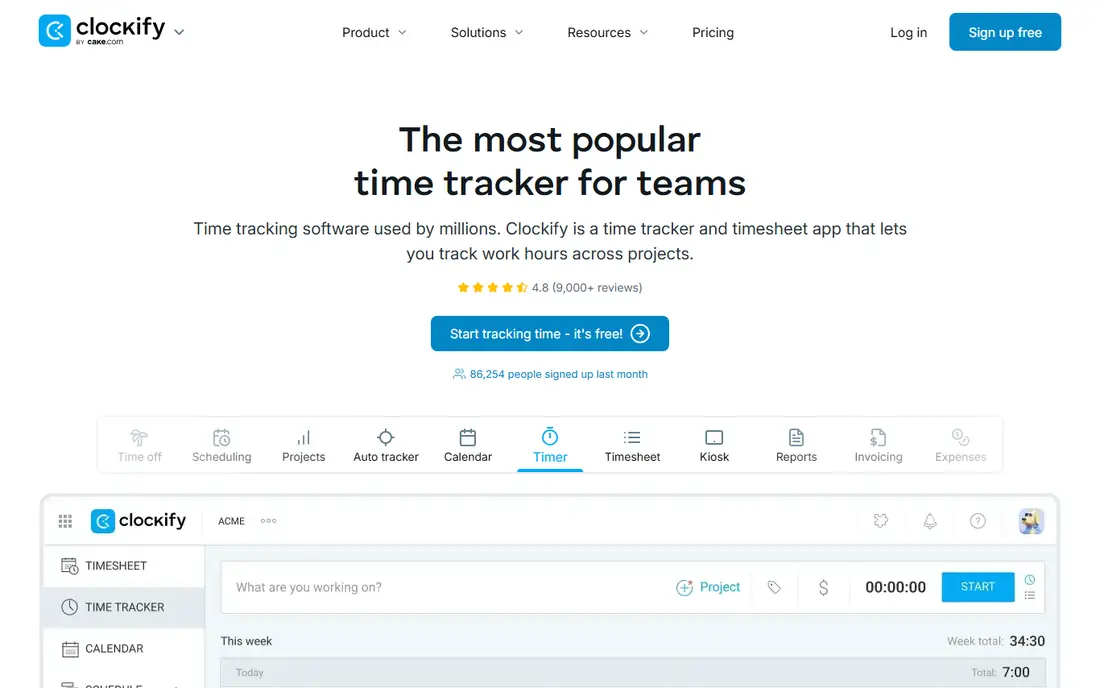
Clockify is the first app most budget-conscious teams should try. The free plan covers timers, manual timesheets, projects, clients and reports, which is enough for many small teams to run payroll or client billing records. A kiosk mode also lets staff clock in from a shared tablet, which suits offices and workshops without a device per person.
The limit is the five-user cap on the free plan, which is tighter than older versions of the product. Larger teams will need a paid plan, starting at $3.99 per user per month billed annually for Basic, with invoicing and approvals on higher tiers. Even then, Clockify stays among the cheapest credible options, and its simple design means new staff need little training.
- Free plan covers core tracking for up to five users
- Unlimited projects and clients
- Kiosk mode for shared devices
- Free plan is capped at five users
- Invoicing and approvals need paid plans
- Per-user costs grow with larger teams

Toggl Track wins on ease of use. One button starts the timer, you add a short description and a project, and you are done. The browser extension adds that button inside tools such as Asana, Trello and GitHub, so freelancers can track time without leaving the work they are doing. That small friction saving is why many solo workers stick with Toggl for years.
The catch is billing. Toggl has no native invoicing on its Free, Starter or Premium plans in the usual sense, so you export hours and bill elsewhere. Approvals also sit on Premium, which costs more than the Starter plan. If you bill through QuickBooks or a separate invoicing tool, that may not matter. If you want invoices from tracked time, Harvest or Paymo fit better.
- Very clean one-click timer
- Browser extension for many project tools
- Useful reports by project, client and tag
- No native invoicing on lower plans
- Approvals need Premium
- Free plan limits detailed reporting history

Harvest is built for agencies and consultants who turn hours into invoices. Track time against a client and project, add expenses, then generate an invoice from the same records. That direct link reduces the end-of-month scramble to rebuild billable hours from notes and calendars. Reporting by client, project and team member is clear enough for client reviews.
The free plan is narrow, with one seat and two projects, so it works as a trial for a solo freelancer rather than a team solution. Paid plans start at $12 per user per month, and approvals require the higher Enterprise tier. For a billing-focused agency, the invoicing saving often justifies the price. For a team that only needs internal time records, Clockify costs less.
- Invoicing and expenses tied to tracked time
- Clear client and project reporting
- Simple interface for agencies
- Free plan covers one seat and two projects
- Timesheet approvals need Enterprise
- Per-seat price is higher than Clockify
Hubstaff suits managers who need proof of work from remote or field staff, not just a self-reported timesheet. GPS tracking, optional screenshots and activity levels give a fuller record, and its payroll features can turn approved time into payments. Field service teams and agencies with contractors often value that combination.
Monitoring is also its risk. Staff should know exactly what is recorded, when, and why, and a written policy should come before rollout. Without that trust, a monitoring tool can damage morale faster than it improves records. If your team only needs honest timesheets, a simpler tool such as Clockify or Toggl will feel less intrusive.
- GPS tracking for field teams
- Screenshots and activity levels on some plans
- Payroll and invoicing links
- Monitoring features need clear staff consent and policies
- No permanent free plan
- Setup takes care for larger teams
QuickBooks Time, formerly TSheets, is the obvious timesheet choice for businesses already running QuickBooks. Time flows into payroll and invoicing without manual re-entry, which cuts errors at month end. Mobile clock-in, GPS location and scheduling help managers run shift-based teams, and approvals keep records clean before payroll runs.
The pricing model needs attention. It is a base monthly fee plus a per-user fee, so a small team pays more than a flat per-user tool might suggest. Outside the QuickBooks world, that integration value disappears, and a lighter tracker may suit better. Inside QuickBooks, though, the time saved on payroll alone often pays for it.
- Direct link to QuickBooks payroll and invoicing
- Mobile clock-in with GPS
- Scheduling and approvals
- Price is per base fee plus per user
- Weak fit outside QuickBooks
- Interface feels business focused rather than light
TimeCamp is a strong budget alternative to Clockify, because its free plan covers unlimited users and projects for core tracking. Automatic tracking can record computer activity and turn it into timesheet entries, which helps staff who forget to start a timer. Paid plans add invoicing, billing rates and approvals for teams that need them.
The interface is functional rather than beautiful, and the cheapest paid tiers do not include every feature, so check the plan table before buying. For a cost-sensitive team that wants a free start and a low paid step up, TimeCamp is worth a trial beside Clockify. Compare both free plans with your real team size, since caps differ.
- Free plan covers unlimited users
- Automatic time tracking options
- Invoicing on paid plans
- Pricing varies by plan and billing period
- Interface is less polished than Toggl
- Some features need higher tiers
Everhour is different from most apps here, because it is designed to live inside the project tool you already use. If your team works in Asana, Trello, Jira or similar tools, the timer appears on each task, and time rolls up to project budgets and reports. That keeps tracking close to the work and avoids a second system staff must remember to open.
The limit is dependence on that host tool. If your team changes project software, your time tracking setup changes too. Pricing is also per seat, with minimums on some plans, so a very small team should confirm the total cost. For project-led teams, however, Everhour removes much of the usual tracking friction.
- Timer lives inside project tools
- Budgets and billing rates per project
- Clear team reports
- No standalone project tool of its own
- Pricing is per seat with a minimum on some plans
- Free trial is limited
Timely suits people who hate manual timers. It records time spent in apps, documents and calendar events, then drafts a timesheet for review. You correct and approve the draft, rather than building each entry from scratch. That model works well for consultants and knowledge workers whose days jump between clients and tasks.
Automatic capture is not perfect, so a daily review habit matters. A meeting that runs over, or a document left open, can skew an entry if it is not checked. Timely also has no free plan beyond a trial, starting at $9 per user per month on some plans. If manual tracking already works for your team, a cheaper manual tool may be enough.
- Automatic capture from apps and calendar
- Draft timesheets need only review
- Good privacy controls for individuals
- No permanent free plan
- Automatic data needs review to stay accurate
- Higher cost than manual trackers
Paymo is a good fit for small agencies that want one tool for projects, time and invoices, rather than three separate subscriptions. Tasks, timesheets, expenses and invoices connect, so a project budget can be tracked from estimate to final invoice. Its free plan gives small teams a real starting point without an immediate payment.
The trade off is scope. If you only need a timer, Paymo has more screens and settings than Toggl or Clockify. Paid plans open up the fuller billing and resource features, so check which tier covers your invoicing needs. For an agency that wants project and billing work in one place, that breadth is a strength.
- Project management, time tracking and invoicing in one tool
- Free plan for small teams
- Clear project budgets
- Broader scope than a pure timesheet app
- Some features need paid plans
- Smaller user community than Toggl or Clockify
How we picked these
We compared official pricing and feature pages, free plan limits and public review material for timesheet and time tracking apps that are live in October 2026. We kept apps that offer manual timesheets or timers, team reporting and a US-facing product, and we favoured tools with a clear free plan or trial, approvals or invoicing where relevant. Prices that we could not verify from a vendor page are shown as See website rather than guessed.
How to choose the best timesheet software for your team
Start with how time will be used. Internal payroll records need approvals and clean exports. Client billing needs invoicing, rates and project budgets. Field work needs mobile clock-in and location. Pick the use first, then shortlist two apps and trial them with real projects for two weeks, because a tool that looks good on a pricing page can still fail on daily habit.
Free versus paid timesheet tools
Free plans from Clockify, Toggl Track, Harvest, TimeCamp and Paymo cover solo workers and very small teams well, but caps, invoicing limits and approval limits appear as teams grow. Paid plans usually add approvals, invoicing, budgets and longer reporting history. Model the cost at your team size in twelve months, not today, so a free start does not turn into a surprise bill.
Approvals, overtime and payroll
If timesheets feed payroll, approvals and overtime rules matter more than a pretty timer. Check who approves, whether entries can be locked after approval, and how time exports to payroll or accounting software. A clean export to QuickBooks, Xero or a CSV file saves more time each month than any timer design feature.
Frequently asked questions
What is the best free timesheet software?
Clockify is the best free timesheet software for most small teams, with core tracking, unlimited projects and reports for up to five users on its free plan. Toggl Track also offers a useful free plan for up to five users, while TimeCamp offers a free plan with unlimited users. Compare the caps and invoicing limits, since the best free option depends on your team size.
What is the best timesheet app free for freelancers?
Toggl Track and Clockify both suit freelancers, with simple timers and free plans for small teams. Toggl is the simpler timer, while Clockify adds a kiosk mode and broader reporting. Harvest suits freelancers who invoice from tracked time, though its free plan covers only one seat and two projects.
What is the best timesheet software for billing clients?
Harvest is a strong billing choice, because invoicing and expenses are built around tracked time. Paymo also combines projects, time and invoicing in one tool. If you already invoice elsewhere, Toggl Track or Clockify may be cheaper, since you only need accurate time records to export.
Which top rated timesheet software includes approvals?
Clockify includes approvals on paid plans, Toggl Track reserves approvals for Premium, and Harvest reserves approvals for Enterprise. QuickBooks Time includes approvals as part of its payroll-focused plans. Check the exact tier before buying, since approvals are often the feature that forces a plan upgrade.
Do timesheet apps work for remote teams?
Yes, and Hubstaff and QuickBooks Time add GPS and mobile clock-in for field and remote staff, while Clockify, Toggl Track and Timely work well for desk-based remote teams. For remote work, choose a tool with mobile apps, offline entry and clear privacy rules, especially when activity or location tracking is switched on.
What is the best timesheet app tool for automatic tracking?
Timely is the best automatic option here, because it drafts timesheets from app and calendar activity for review. TimeCamp also offers automatic tracking features. Automatic tools save manual entry time, but they still need a daily review, so they suit people who will check a draft timesheet each day.
Sources
See where you really rank - block by block
ProMapRanker scans Google Maps across a grid of your service area. Simple monthly plans from $19, white-label on every plan.
Start freeKeep reading
 zscaler alternatives
Best Zscaler Alternatives in 2026
Looking for zscaler alternatives? We compare 9 SASE and zero trust platforms on architecture, data protection, pricing, and fit for your network and team.
Read → zapier alternatives free
Best Zapier Alternatives Free in 2026
Nine automation tools for zapier alternatives free in 2026, all with genuinely free tiers, plus free plan limits, starting prices and upgrade paths explained.
Read → which platform is best for online reputation
Which Platform Is Best for Online Reputation in 2026
Wondering which platform is best for online reputation? We compare 8 review, listing, and response tools for small and multi-location businesses and agencies.
Read →