 ProMapRanker
Best Time Tracking Software in 2026

simple tracking for freelancers and teams · Pricing starts at: $9 per user per month
Key takeaways
- Toggl Track is our pick for most freelancers and small teams because the timer is simple and reports are clean.
- Clockify gives the best free deal for unlimited users, while Harvest is the better pick when invoicing sits at the center of the work.
- Automatic trackers such as Timely and RescueTime suit people who forget to start timers, but they need more care around privacy settings.
- Hubstaff and TimeCamp suit remote and field teams that need scheduling, payroll links, or GPS features, with a clear trade-off on monitoring.
Quick comparison
| Pick | Great for | Pricing starts at | Free tier | |
|---|---|---|---|---|
| Toggl Track | simple tracking for freelancers and teams | $9 per user per month | Yes | Visit |
 Clockify Clockify | free tracking for unlimited users | $3.99 per user per month | Yes | Visit |
 Harvest Harvest | tracking with built-in invoicing | $10.80 per seat per month | Yes | Visit |
 Everhour Everhour | tracking inside project tools | $10 per user per month | Yes | Visit |
 Timely Timely | automatic AI time tracking | $9 per user per month | Free trial | Visit |
 Hubstaff Hubstaff | remote team monitoring and payroll | $4.99 per user per month | Free trial | Visit |
 RescueTime RescueTime | automatic productivity tracking | $6.50 per month | Yes | Visit |
 TimeCamp TimeCamp | free AI-assisted tracking for teams | $3.99 per user per month | Yes | Visit |
The best time tracking software
We compared official pricing pages, published feature lists, and app store listings for tools that track billable hours, project time, and personal productivity. The list covers manual timers, automatic capture, and monitoring tools, so you can pick the approach your team will actually keep using.
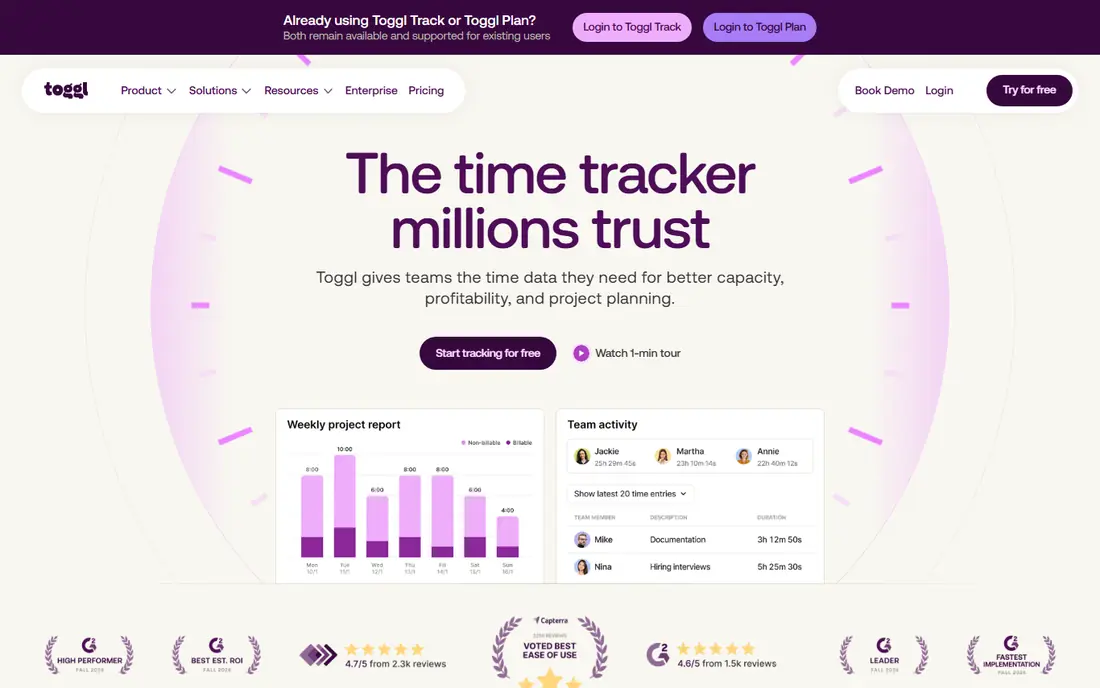
Toggl Track is the tracker people recommend when someone wants the simplest option that still works. The timer starts with one click, syncs across devices, and reports filter cleanly by client, project, tag, or team member. That combination matters for freelancers who bill by the hour and for small teams that need clean exports without a long setup.
The free plan covers up to 5 users, which is enough for a solo freelancer or a tiny team. Starter, at $9 per user per month billed annually, adds billable rates, project time estimates, and more reporting depth. The catch is growth: once you pass 5 users, you pay for the whole team, so check the math before you scale.
- One-click timer on web, desktop, and mobile
- Clean reports by client, project, and tag
- No screenshots or surveillance
- Free plan caps at 5 users
- Billable rates and estimates need the paid plan
- Teams past 5 users pay for everyone
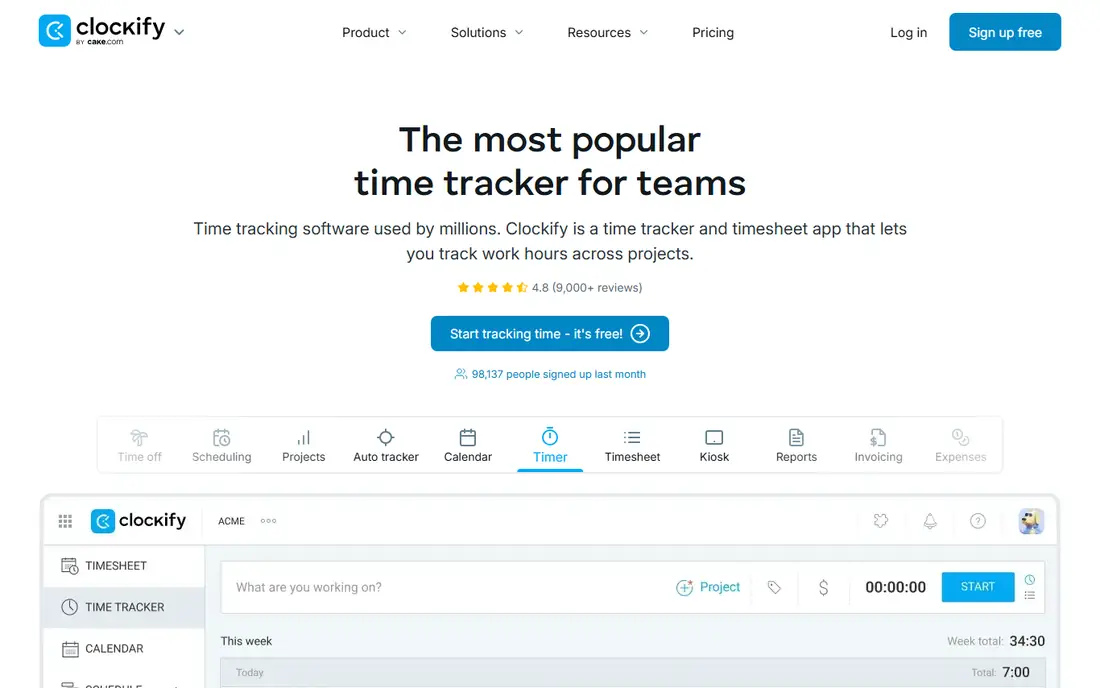
Clockify is the best answer when budget comes first. The free plan covers unlimited users with timers, timesheets, and basic reports, which is rare in this category. Small teams, nonprofits, and startups can track real project time without paying, then upgrade only when they need invoicing, scheduling, or deeper controls.
Basic, at $3.99 per user per month billed annually, adds more features, and higher tiers add invoicing, GPS, and kiosk options for field teams. The trade-off is polish. Clockify feels more functional than elegant, and some reporting depth sits behind paid plans. For the price, though, it is hard to beat for teams that just need reliable hours.
- Free plan for unlimited users
- Timers, timesheets, and reports
- Invoicing and scheduling on paid plans
- Interface is plainer than Toggl
- Advanced features need paid tiers
- Some reports need a paid plan for full depth
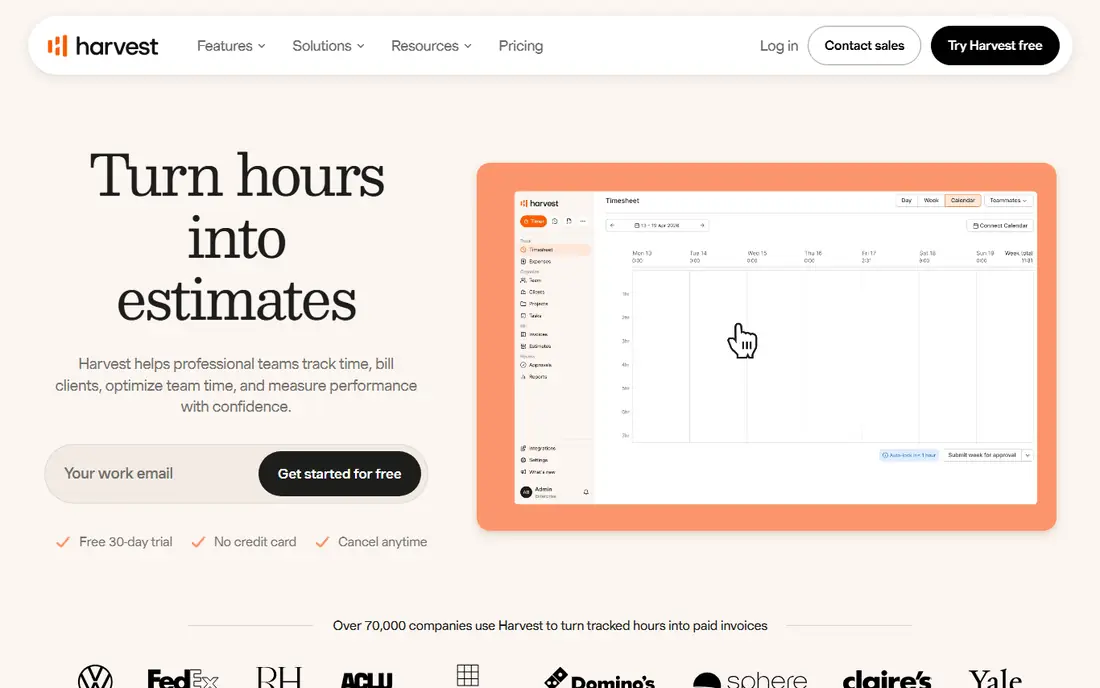
Harvest fits service teams that bill clients by the hour. You track time against a project, turn those hours into an invoice inside the same app, and send it with a payment link. That short path from timer to payment saves the copy-and-paste work that causes billing errors at month end.
The free plan covers 1 seat and 2 projects, so it works for a solo trial but not for a team. Paid plans start at $10.80 per seat per month billed annually. The honest catch is price and automation. Harvest costs more than Clockify, and it relies on manual timers rather than automatic capture, so disciplined timer habits still matter.
- Clean timer-to-invoice workflow
- Stripe and PayPal payment links
- Team reports and budgets
- Free plan covers 1 seat and 2 projects
- Higher price than Clockify
- No automatic capture as a core feature
Everhour is different because it lives inside the project tool you already use. If your team plans in Asana or Trello, Everhour adds timers, budgets, and cost tracking right on those tasks, so people do not need to open a second app to log time. That embedded approach tends to get better adoption than a separate tracker.
Paid plans start at $10 per user per month billed annually, with a free plan for small teams. The limit is clear: if you do not use a supported project tool, Everhour loses much of its appeal. Pick it when your project tool is already fixed, and pick Toggl or Clockify when you want a standalone timer.
- Embeds in Asana, ClickUp, Monday, and Trello
- Budgets, costs, and invoices
- Clean project reports
- Needs a project tool to shine
- Free plan is limited to small teams
- Less useful as a standalone tracker
Timely suits teams that forget timers. It captures app and document activity in the background, then helps you turn that activity into timesheets with AI suggestions. For agencies and consultants, that can recover hours that manual timers miss, especially on days full of short tasks and calls.
Plans start at $9 per user per month billed annually, with a 14-day free trial and no permanent free plan. The trade-off is privacy and control. Automatic capture needs clear team policies, consent, and settings review, because staff should know what is recorded and what is not. If your team accepts that setup, Timely saves real admin time.
- Automatic activity capture
- AI-assisted timesheets
- No manual timer habit needed
- No free plan, only a trial
- Automatic capture needs privacy setup
- Higher tiers needed for full team features
Hubstaff is built for remote and field teams that need more than a timer. You get scheduling, time tracking, GPS tracking for field work, and payroll links, plus optional screenshots and activity levels. For a distributed team with shifts and hourly pay, that bundle covers several tools in one subscription.
Starter starts at $4.99 per user per month billed annually, with a 14-day free trial. The honest catch is trust. Screenshot and activity monitoring can damage morale if it is rolled out without a clear policy. Use Hubstaff when you need scheduling and payroll, be open about what is tracked, and keep monitoring settings as light as the job allows.
- Time tracking plus scheduling and payroll
- GPS for field teams
- Screenshots and activity options
- Monitoring features can feel intrusive
- No permanent free plan
- Setup and policies need care
RescueTime is a personal productivity tool, not a billing tool. It runs in the background, sorts your app and website time into productive and distracting categories, and shows where the day actually went. Focus sessions can block distracting sites for a set period, which helps people who want better habits rather than better invoices.
The Lite plan is free, and Premium starts at $6.50 per month billed annually. The limit is billing: RescueTime does not replace Harvest or Toggl for client work, because it tracks activity, not billable project hours with rates. Choose it for self-improvement, and choose a billing tracker for client work.
- Automatic background tracking
- Focus sessions and distraction blocking
- Productivity scores and goals
- Not built for client billing
- Team features are limited
- Reports focus on personal habits, not invoices
TimeCamp gives teams a low-cost path to tracked time with a free plan for unlimited users. You get timers, timesheets, and reports for free, and paid plans add invoicing, budgeting, and more automation. Starter starts at $3.99 per user per month billed annually.
The catch is polish and setup. TimeCamp works well once configured, but the interface feels less modern than Toggl, and automatic tracking needs a careful setup to avoid noisy data. If budget matters and you want a free team plan with room to grow, TimeCamp is a solid pick.
- Free plan for unlimited users
- Automatic tracking options
- Invoicing and reporting on paid plans
- Interface can feel dated
- Automatic features need setup
- Some integrations sit on higher tiers
How we picked these
We compared official pricing pages, published feature lists, and app store listings for tools that track time for billing, project reporting, or personal productivity. We required a working product in October 2026, a clear timer or automatic capture method, and reports that a manager or freelancer can actually use. We did not claim hands-on testing. We weighed ease of use, free plan limits, invoicing depth, integrations, privacy approach, and price per seat, and we left out tools that were discontinued or priced only on request.
What to check before you choose
Start with the reason you track time. Billing needs rates, invoices, and client reports. Project management needs budgets and team reports. Personal productivity needs automatic capture and focus tools. A tool built for one purpose will disappoint when used for another, so name your purpose first and test that exact workflow.
Check the free plan limits next. User caps, project caps, and report limits decide the real cost faster than the headline price. Then check integrations with your project tool, accounting tool, and payroll tool, because manual exports waste the time you hoped to save. Finally, agree on a privacy policy before you roll out any automatic or screenshot tool, and keep settings as light as the job allows.
Manual or automatic tracking
Manual timers give cleaner project data and clearer consent, but they depend on habit. Automatic capture recovers forgotten hours and shows real patterns, but it needs privacy settings and review time. Many teams use both: automatic capture for personal insight, and manual timers for billable project hours.
Employee time tracking and timesheets
If you track employee time, check labor rules, overtime handling, and approval flows before you buy. A timesheet tool should make approvals easy, show who has submitted, and export cleanly to payroll. For hourly staff, a kiosk or GPS option may matter more than a pretty dashboard, so test the exact check-in flow your staff will use.
Frequently asked questions
What is the best time tracking software for freelancers?
Toggl Track is our pick for most freelancers because the timer is simple, reports are clean, and the free plan covers up to 5 users. Harvest is better if invoicing is central, because it turns tracked hours into invoices in the same app. Clockify is the best free option for unlimited users.
What is the best time tracking app for teams?
Clockify and Toggl Track lead for most teams. Clockify wins on free unlimited users, while Toggl wins on simplicity and clean reports. Hubstaff wins for remote teams that also need scheduling and payroll, and Everhour wins when your team already plans in Asana, Trello, or ClickUp.
What is the best free time tracking app?
Clockify and TimeCamp both offer free plans for unlimited users, which makes them the strongest free picks for teams. Toggl Track offers a free plan for up to 5 users, and RescueTime offers a free Lite plan for personal use. Check project caps and report limits before you rely on a free plan for billing.
What is the best employee time tracking software?
Hubstaff suits remote and field teams that need scheduling, GPS, and payroll links, while TimeCamp suits budget teams that want a free start. Clockify suits teams that want simple timesheets without monitoring. If you use screenshots or activity tracking, set a clear written policy first and keep monitoring as light as possible.
What is the best app for time tracking work hours?
Toggl Track and Clockify are the simplest answers for logging work hours, with one-click timers and weekly reports. RescueTime helps if you want to see where hours actually went, but it is not a billing tool. For hourly billing, Harvest adds rates and invoices on top of tracked time.
How do timesheet apps handle billing?
Timesheet apps record hours against a client or project, apply a billable rate, and export or invoice those hours. Harvest does this inside the app, while Toggl Track and Clockify pair tracking with exports and integrations to invoicing tools. Check rate handling, rounding, and approval flows before you bill from a new tool.
Sources
See where you really rank - block by block
ProMapRanker scans Google Maps across a grid of your service area. Simple monthly plans from $19, white-label on every plan.
Start freeKeep reading
 youtube alternatives
Best YouTube Alternatives in 2026
Looking for youtube alternatives in 2026? We compare Vimeo, Dailymotion, Twitch, Rumble, and more on price, audience, monetization, control and privacy.
Read → what's the best ai tool for photo editing
What Is the Best AI Tool for Photo Editing in 2026
What is the best AI tool for photo editing? We compare ten tools for 2026, from Photoshop and Lightroom to Luminar, Topaz, Canva and mobile editors today.
Read → twitter alternatives
Best Twitter Alternatives in 2026
Compare the best twitter alternatives for 2026, from Bluesky, Threads, and Mastodon to Reddit, Tumblr, and Micro.blog, with free plans and audience notes.
Read →