 ProMapRanker
Best Time Tracking App for Contractors in 2026


GPS verified multi site crews · Pricing starts at: $6 per user per month
Key takeaways
- Workyard is our pick for multi site construction crews that need GPS verified hours tied to jobs and cost codes.
- ClockShark suits foreman led crews that want crew clocking and scheduling in one app, while QuickBooks Time suits firms already on QuickBooks.
- Jibble and Connecteam offer the lowest cost entry points, with free plans that work for small crews.
- Always trial the app on a real job site first, since GPS accuracy, offline handling and ease of use in gloves matter more than a feature list.
Quick comparison
| Pick | Great for | Pricing starts at | Free tier | |
|---|---|---|---|---|
| Workyard | GPS verified multi site crews | $6 per user per month | Free trial | Visit |
 ClockShark | Foreman led construction crews | $9 per user per month plus $40 base fee | Free trial | Visit |
 QuickBooks Time | Contractors on QuickBooks | $8 per user per month plus $20 base fee | Free trial | Visit |
 busybusy | Labor and equipment tracking | $11.99 per user per month plus $40 base fee | Yes | Visit |
 ExakTime | Rugged site time clocks | $9 per user per month plus base fee | Free trial | Visit |
 Connecteam | All in one field team app | $29 per month for up to 30 users | Yes | Visit |
 Jibble | Budget crews | Free | Yes | Visit |
 Hubstaff | GPS tracking with payroll links | $4.99 per user per month | Free trial | Visit |
The best time tracking apps for contractors
We compared official pricing pages, GPS and geofencing features, offline handling, payroll integrations and job costing tools for apps used by construction and field service crews in October 2026. The best construction time clock app is not always the cheapest one. It is the one your crew will actually use on site, every day, without slowing the job down.
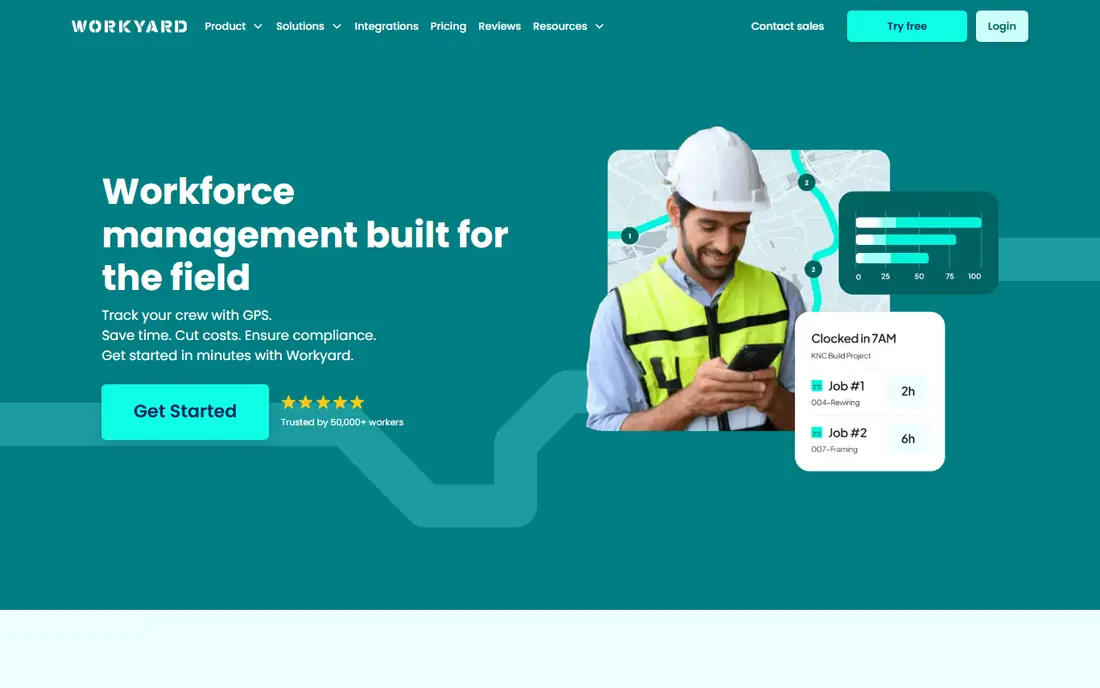
Workyard is built for contractors who move crews between sites and need proof of where hours were worked. It records GPS trails while workers are clocked in, supports polygon geofences that can block off site punches, and stores punches offline until signal returns. Hours then flow into projects and cost codes, which gives office staff a clearer view of labor spend.
The main trade off is trust. Continuous location tracking can feel intrusive to workers using personal phones, so set clear policies about when tracking runs and when it stops. Pricing also rises once you add the Pro tier for full job costing. For firms that face audits, disputes or prevailing wage work, that verified record is often worth the cost.
- Continuous GPS trails and geofencing
- Strong job costing
- Wide payroll integrations
- Location tracking may concern some workers
- Job cost depth sits on higher plans
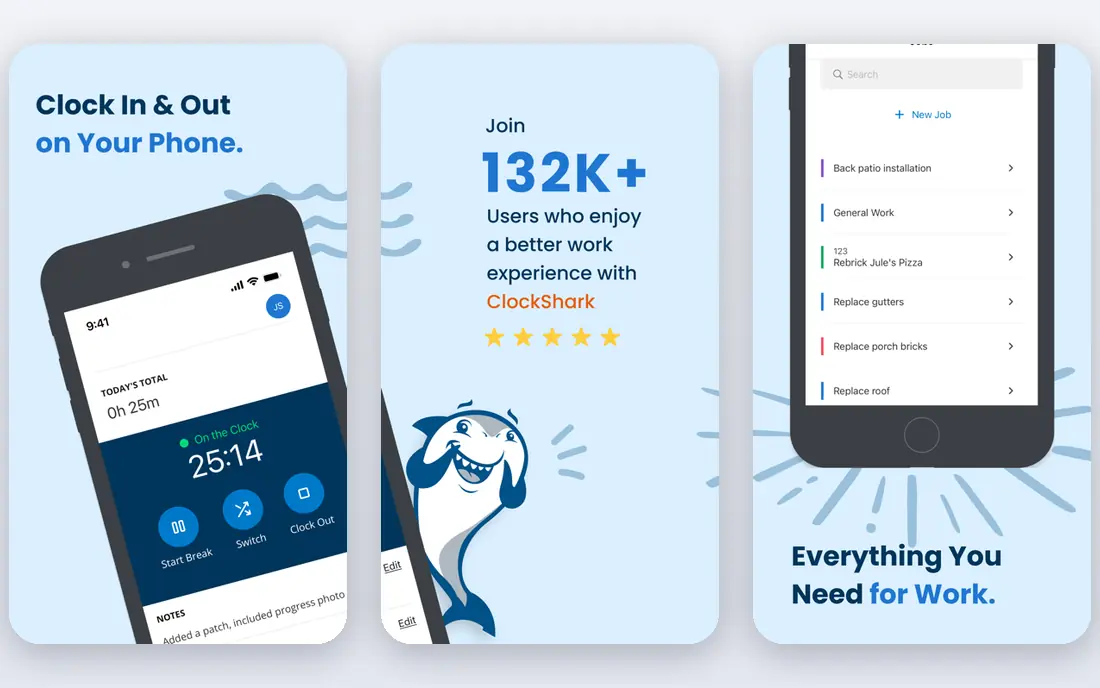
ClockShark fits crews where the foreman clocks everyone in, rather than each worker using a phone. Its Crew Clock lets a supervisor record clock ins, breaks and clock outs for the whole team, which helps on sites where not everyone carries a smartphone. Scheduling, job tracking and labor cost reporting sit in the same app.
Cost is the watch point. A base fee plus per user pricing means a small crew pays more per person than the headline rate suggests. Confirm contract terms before you sign, since plan terms have changed over time. For mid sized trades that want scheduling and time tracking together, ClockShark remains a practical choice.
- Crew clocking by a supervisor
- Scheduling included
- QuickBooks integration
- Base fee raises cost for small crews
- Time off needs the Pro plan
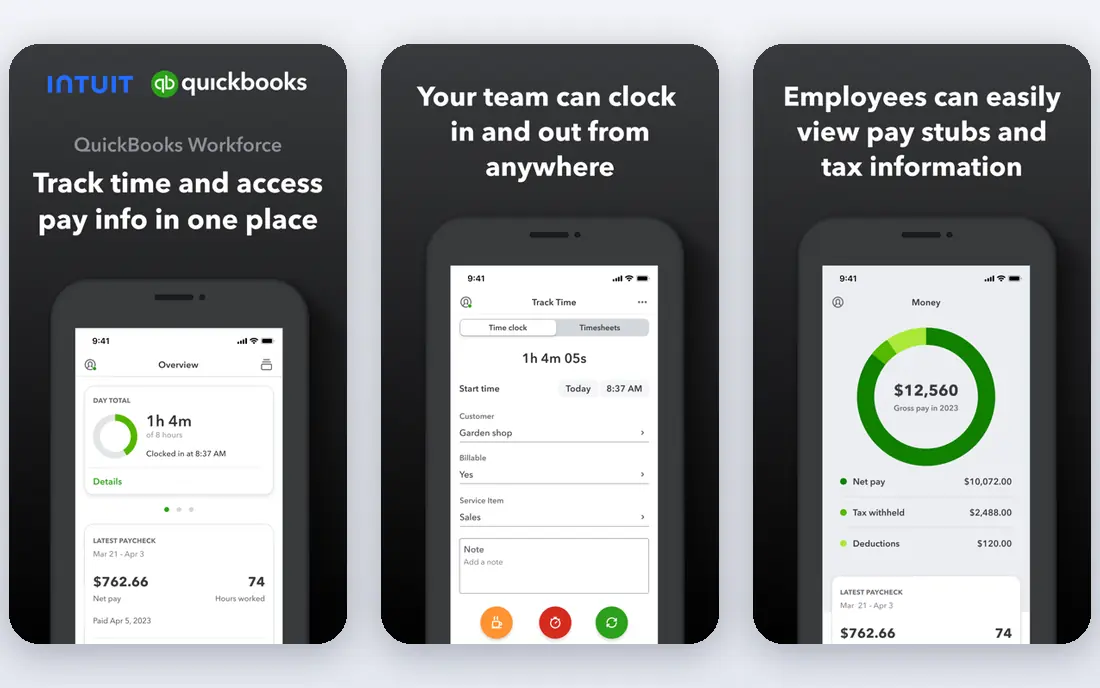
QuickBooks Time, formerly TSheets, is the natural pick if your payroll and accounting already run on QuickBooks. Timesheets sync directly, which cuts manual entry and reduces payroll errors at the end of the week. The interface is simple enough for crews that do not want to learn a complex system.
Outside QuickBooks, the case is weaker. GPS tracking and geofencing sit on higher plans, so the entry price does not buy the full field tracking set. If you plan to switch accounting tools later, check export options first. For QuickBooks firms, though, the time saved on payroll alone often justifies the price.
- Native QuickBooks payroll sync
- Simple timesheets
- GPS on higher plans
- Best value only inside QuickBooks
- GPS and geofencing need higher tiers
busybusy suits heavy civil and equipment heavy contractors who need to track machines beside people. You can log equipment hours, attach photos for supervisor review and tie both labor and equipment time to jobs. That combined view helps firms that bill equipment time or need to know true job cost.
Pricing is higher than simpler time clocks, and some payroll links rely on exports or third party connectors rather than native sync. Photo review also happens after clock in, rather than blocking a punch in real time. If equipment tracking is core to your work, busybusy earns its price. If you only need people hours, a cheaper app will do.
- Tracks labor and equipment together
- Photo verification
- Construction focused reports
- Higher per user price
- Some integrations need third party tools
ExakTime has served construction firms for many years, and it shows in features built for union, government and prevailing wage work. Rugged on site clocks, photo ID checks and detailed labor records suit large operations with strict compliance needs and multilingual crews. It also handles equipment tracking for firms that need it.
Newer apps feel faster and more modern, and ExakTime pricing is less transparent at a glance, so expect a sales conversation for a full quote. For a large contractor with compliance risk, that depth matters more than a slick interface. Smaller crews may find simpler apps easier to roll out.
- Long construction track record
- Photo ID and rugged clock options
- Prevailing wage support
- Interface feels older than newer apps
- Pricing needs a quote for full detail
Connecteam is a broader workforce app that includes a time clock, so it suits firms that also need team chat, forms, checklists and scheduling in one place. The free plan covers up to 10 users, which makes it a low risk trial for a small crew. Workers get one app for communication and clocking, which can improve adoption.
Purpose built time tools go deeper on GPS trails, job costing and payroll sync. If verified location or detailed cost codes are your main need, Workyard or ClockShark will serve you better. If you want one app for most daily field operations and acceptable time tracking, Connecteam is a strong value pick.
- Time clock plus chat, forms and scheduling
- Free plan for up to 10 users
- Easy rollout
- Time tracking depth is thinner than purpose built tools
- GPS limits on lower plans
Jibble stands out for price. Its free plan covers unlimited users with time tracking, which makes it useful for larger crews on a tight budget or for firms testing digital timesheets for the first time. Facial recognition on clock in helps reduce buddy punching, and paid plans add geofencing and deeper reports.
GPS coverage is more limited than Workyard or busybusy, since it records location at punch time rather than continuous trails. That may not satisfy firms that need full site verification. For small crews that mainly need honest timesheets, approvals and exports without a large bill, Jibble is hard to beat.
- Free plan for unlimited users
- Facial recognition
- Geofencing on paid plans
- GPS is a punch stamp, not continuous trails
- Support is lighter than enterprise tools
Hubstaff started as a remote team tool, but its field features now cover GPS tracking, geofencing, timesheets and payroll integrations with tools like Gusto and QuickBooks. The low entry price makes it attractive for contractors who also manage office or remote staff in the same system.
Construction specific depth, such as prevailing wage handling and rugged clock hardware, is thinner than at ExakTime or Workyard. Some activity tracking features designed for desk work are not relevant on site and should be switched off for field crews. For mixed teams that want one affordable system, Hubstaff is worth a trial.
- Low entry price
- GPS and geofencing
- Payroll and accounting integrations
- Built for broader field teams, not only construction
- Activity features may not suit site work
How we picked these
We compared official pricing pages, GPS and geofencing behaviour, offline handling, payroll integrations, job costing and public reviews for contractor time tracking tools in October 2026. We kept only tools with live mobile apps and current pricing, and we favoured tools with construction or field service use in mind. We did not run live payroll trials, so confirm payroll sync with your own accounting setup before you commit.
How to choose the right time clock for your crew
Start with how your crew actually works. If a foreman manages the team, crew clocking matters more than individual apps. If workers move between sites all day, GPS trails and geofencing matter more. If most of your crew uses personal phones, offline punches and low battery use matter more than advanced reports. Write down your top three needs before you look at pricing, or you will end up paying for features you never use.
Next, test payroll flow end to end. A timesheet that looks good in the app but needs manual retyping into payroll has not saved you time. Run one real pay period through the trial, check cost code mapping, overtime rules and approvals, and ask your bookkeeper what breaks. Also check how the app handles missed punches, edits and audit trails, since those edge cases cause most payroll disputes.
Finally, agree location rules with your crew in writing. Explain when tracking starts and stops, who can see location data, and how long it is kept. Clear rules build trust and reduce pushback, especially when workers use personal phones. A tool that crews resist will produce worse records than a simpler tool they use every day.
Frequently asked questions
What is the best time tracking app for contractors?
Workyard is our pick for most construction crews because it combines GPS trails, geofencing and job costing in one system. ClockShark suits foreman led crews, and QuickBooks Time suits firms already on QuickBooks. The best pick depends on crew size, site count and payroll setup.
What is the best construction time clock app for small crews?
Jibble and Connecteam both offer free plans that work for small crews, with Jibble covering unlimited users for free. For a small crew that needs GPS verification, Workyard Starter at 6 dollars per user per month is a low cost paid option worth testing.
What is the best free time tracking app for contractors?
Jibble offers the most generous free plan on this list, with unlimited users and facial recognition. Connecteam offers a free plan for up to 10 users with chat and forms included. Free plans usually limit GPS, reports or integrations, so check those limits before you rely on them.
Do these apps work offline on job sites?
Most apps on this list capture punches offline and sync when signal returns, but GPS behaviour offline varies. Workyard and ClockShark handle offline punches well, while some tools only sync location once signal returns. Test offline use on your own sites, especially in basements or rural areas.
How does GPS time tracking help with payroll?
GPS stamps and trails tie each punch to a job site, which reduces off site clock ins and disputes over hours. When hours are linked to jobs and cost codes, payroll staff spend less time fixing timesheets and job costing becomes more accurate. Location data should still be reviewed with timesheet approvals, not treated as proof on its own.
Can these apps integrate with QuickBooks and payroll?
Yes, QuickBooks Time syncs natively with QuickBooks, and Workyard, ClockShark and Hubstaff offer QuickBooks, ADP, Gusto or Sage links or exports. Confirm whether the link is native or export based, and test it during the trial, since integration depth varies by plan.
Sources
- https://www.workyard.com
- https://www.clockshark.com
- https://quickbooks.intuit.com
- https://busybusy.com
- https://www.exaktime.com
- https://www.connecteam.com
- https://www.jibble.io
- https://hubstaff.com
- https://www.workyard.com/compare/best-field-crew-time-tracking-apps-with-location-verification
- https://truein.com/blogs/best-time-tracking-apps-for-contractors
See where you really rank - block by block
ProMapRanker scans Google Maps across a grid of your service area. Simple monthly plans from $19, white-label on every plan.
Start freeKeep reading
 outreach alternatives
Outreach Alternatives in 2026
Compare outreach alternatives for 2026, from Salesloft and Apollo to HubSpot and Lemlist, with pricing, channels, features, limits, and honest trade-offs.
Read → best web conference tools
Best Web Conference Tools in 2026
Compare the best web conference tools for meetings, webinars and team calls, with current pricing, free plans and honest limits for each option here today.
Read → best voice cloning tools
Best Voice Cloning Tools in 2026
Compare the best voice cloning tools in 2026, from ElevenLabs and Descript to Resemble and Cartesia, with consent rules, pricing, licenses, and limits.
Read →