 ProMapRanker
Best Time Keeping App in 2026


Simple manual tracking for freelancers · Pricing starts at: $9 per user per month
Key takeaways
- Clockify gives small teams the lowest paid starting price in this list, with a free plan for up to five users.
- Toggl Track stays the easiest manual timer to adopt, while Harvest ties tracked hours most directly to invoices.
- Timely and RescueTime suit people who forget to start a timer, because they record activity in the background.
- Hubstaff and Everhour add more team oversight and project context, at a higher cost and with more setup.
Quick comparison
| Pick | Great for | Pricing starts at | Free tier | |
|---|---|---|---|---|
| Toggl Track | Simple manual tracking for freelancers | $9 per user per month | Yes | Visit |
 Clockify | Budget teams and generous free tracking | $3.99 per user per month | Yes | Visit |
 Harvest | Agencies that bill hours and invoice clients | $9 per seat per month | Yes | Visit |
 Timely | Automatic tracking for busy professionals | $9 per user per month | Free trial (14 days) | Visit |
 TimeCamp | Low-cost automatic tracking for teams | $3.99 per user per month | Yes | Visit |
 Everhour | Teams already working in Asana, Jira or Trello | $8.50 per user per month | Yes | Visit |
 Hubstaff | Remote and field teams needing oversight | $4.99 per user per month | Free trial (14 days) | Visit |
 RescueTime | Personal focus and habit tracking | $7 per month | Yes | Visit |
The best time keeping apps
We compared timers, reports, free plans and billing tools, so you can pick one that fits how you actually work each day.
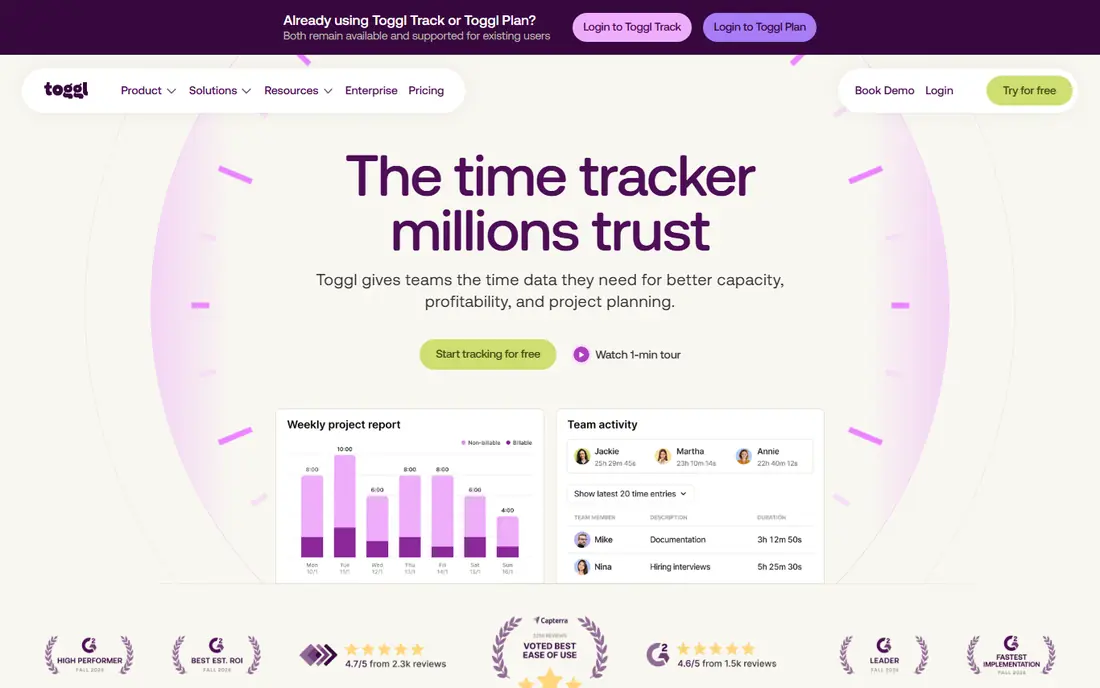
Toggl Track is the timer we would hand to someone who wants tracking to feel light. Reports break hours down by project and client, which helps when you need to explain time to a manager or a client. Mobile and desktop apps keep the timer close, so you can log time without returning to a browser tab.
Its one-click timer starts fast and syncs across web, desktop and mobile, and its reports stay readable by project, client and tag. Reports break hours down by project and client, which helps when you need to explain time to a manager or a client. Mobile and desktop apps keep the timer close, so you can log time without returning to a browser tab. This strength is the reason it stands out in this list, even when other tools offer a lower price or a simpler screen.
The catch is that billable rates and approvals sit behind paid plans, so billing teams need Starter or higher. Our pick for this need is clear when the feature above matches your daily work.
- One-click timer on web, desktop and mobile
- Clear reports by project, client and team member
- No screenshots or monitoring
- Billable rates need a paid plan
- Free plan has a user limit
- Premium costs more than some rivals

Clockify earns its place as the budget pick for teams that need solid tracking without a high monthly bill. Reports break hours down by project and client, which helps when you need to explain time to a manager or a client. Mobile and desktop apps keep the timer close, so you can log time without returning to a browser tab.
The free plan covers unlimited tracking for up to five users, and the paid tiers stay low compared with most rivals in this list. Mobile and desktop apps keep the timer close, so you can log time without returning to a browser tab. Exports and integrations matter when time must move into invoices, payroll or project reports. This strength is the reason it stands out in this list, even when other tools offer a lower price or a simpler screen.
The trade-off is that invoicing, approvals and attendance sit on Standard, so teams that bill clients will need to pay for that tier. We would trial this one with real work before paying, to confirm the fit.
- Free plan for up to five users
- Unlimited tracking and projects on the free plan
- Low paid starting price
- Invoicing and approvals need Standard
- Free exports are limited
- Costs rise with each seat
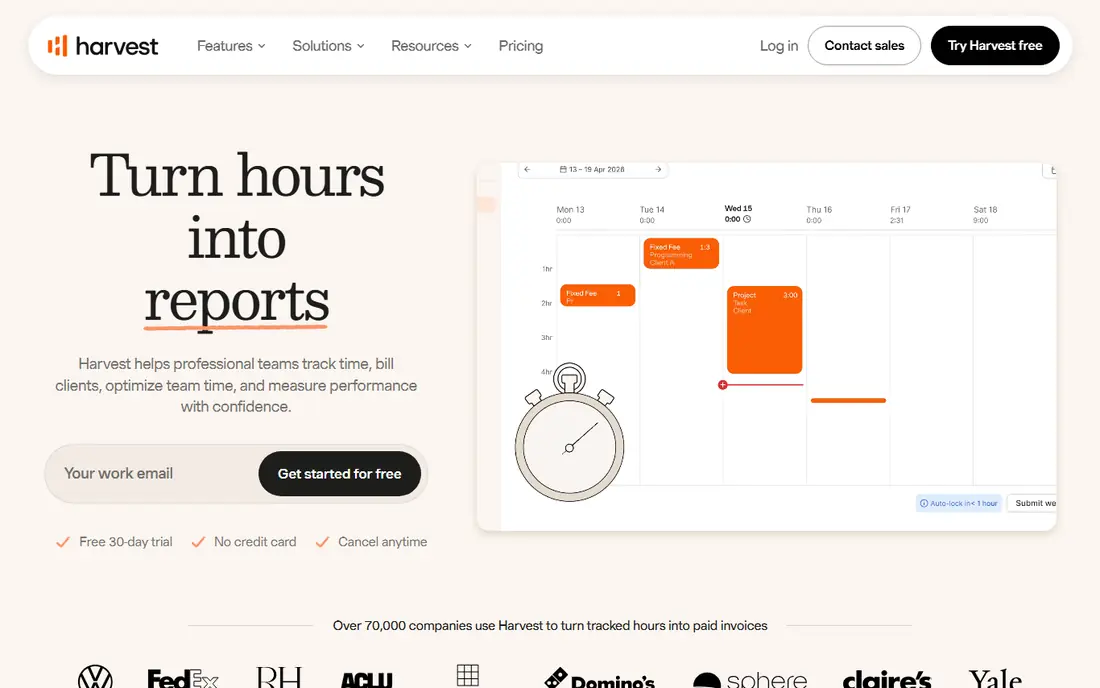
Harvest fits service teams that turn hours into money, because invoicing sits close to the timer. Reports break hours down by project and client, which helps when you need to explain time to a manager or a client. Mobile and desktop apps keep the timer close, so you can log time without returning to a browser tab.
You can track time, add expenses and send invoices from the same account, which cuts down on copying figures between tools. Exports and integrations matter when time must move into invoices, payroll or project reports. Reports break hours down by project and client, which helps when you need to explain time to a manager or a client. This strength is the reason it stands out in this list, even when other tools offer a lower price or a simpler screen.
The free plan is narrow, with one seat and two projects, so it works as a trial for solo users rather than a team plan. This one earns a place when its strength outweighs its weakness for your use case.
- Tracked time flows into invoices
- Simple timer and manual entry
- Expense tracking on paid plans
- Free plan covers one seat and two projects
- Teams pay per seat plus possible usage charges
- No activity monitoring
Timely suits people who hate manual timesheets and want the day drafted for them. Reports break hours down by project and client, which helps when you need to explain time to a manager or a client. Mobile and desktop apps keep the timer close, so you can log time without returning to a browser tab.
It records activity in the background and builds a timeline you can review, approve and assign to projects. Reports break hours down by project and client, which helps when you need to explain time to a manager or a client. Mobile and desktop apps keep the timer close, so you can log time without returning to a browser tab. This strength is the reason it stands out in this list, even when other tools offer a lower price or a simpler screen.
The work is not finished when the day ends, because the timeline still needs a careful review, and there is no free plan to test it long term. Keep this one on the shortlist when its main strength matches your biggest gap.
- Automatic capture of work activity
- AI-assisted timesheet drafting
- Privacy-focused design with no screenshots
- No free plan, only a trial
- Needs daily review to sort entries
- Higher cost for larger teams
TimeCamp is a strong low-cost route into automatic tracking, especially for teams that want a free starting point. Reports break hours down by project and client, which helps when you need to explain time to a manager or a client. Mobile and desktop apps keep the timer close, so you can log time without returning to a browser tab.
Its free plan allows unlimited users, and automatic tracking helps catch work that manual timers miss. Mobile and desktop apps keep the timer close, so you can log time without returning to a browser tab. Exports and integrations matter when time must move into invoices, payroll or project reports. This strength is the reason it stands out in this list, even when other tools offer a lower price or a simpler screen.
Billing rates and approvals are not on the cheapest paid plan, so check the tier map before you assume a feature is included. Our pick for this need is clear when the feature above matches your daily work.
- Free plan for unlimited users
- Automatic activity tracking
- Invoicing from Starter
- Approvals and billing rates need higher plans
- Interface feels busier than Toggl Track
- Some features need setup time
Everhour makes most sense when your work already lives in a project tool. Reports break hours down by project and client, which helps when you need to explain time to a manager or a client. Mobile and desktop apps keep the timer close, so you can log time without returning to a browser tab.
Its timer sits inside Asana, Jira, Trello and similar tools, so time stays linked to the task it belongs to. Exports and integrations matter when time must move into invoices, payroll or project reports. Reports break hours down by project and client, which helps when you need to explain time to a manager or a client. This strength is the reason it stands out in this list, even when other tools offer a lower price or a simpler screen.
If your team does not use those project tools, much of the appeal fades, and you may get a cleaner deal from a standalone timer. We would trial this one with real work before paying, to confirm the fit.
- Timer inside popular project tools
- Budgets, estimates and reporting
- Clear time and cost views
- Best value appears inside supported project tools
- Minimum seat rules can raise cost
- Some reports need a paid plan
Hubstaff is built for managers who need proof of hours, location data and payroll links in one place. Reports break hours down by project and client, which helps when you need to explain time to a manager or a client. Mobile and desktop apps keep the timer close, so you can log time without returning to a browser tab.
It adds activity tracking, optional screenshots, GPS for field teams and payroll support, which simple timers do not offer. Reports break hours down by project and client, which helps when you need to explain time to a manager or a client. Mobile and desktop apps keep the timer close, so you can log time without returning to a browser tab. This strength is the reason it stands out in this list, even when other tools offer a lower price or a simpler screen.
Those monitoring tools can feel heavy for creative teams, so agree the rules in advance and use only the level of oversight the work truly needs. This one earns a place when its strength outweighs its weakness for your use case.
- Activity levels, screenshots and GPS options
- Payroll and invoicing links
- Scheduling and time off tools
- Monitoring features need clear team agreement
- No free plan, only a trial
- Setup takes more care than a simple timer
RescueTime is less about billing and more about seeing where your attention actually goes. Reports break hours down by project and client, which helps when you need to explain time to a manager or a client. Mobile and desktop apps keep the timer close, so you can log time without returning to a browser tab.
It runs in the background, sorts apps and sites into productive and distracting groups, and shows a clear daily picture. Mobile and desktop apps keep the timer close, so you can log time without returning to a browser tab. Exports and integrations matter when time must move into invoices, payroll or project reports. This strength is the reason it stands out in this list, even when other tools offer a lower price or a simpler screen.
It is not a billing tool, so freelancers who need invoices will still need a second tool for rates and client reports. Keep this one on the shortlist when its main strength matches your biggest gap.
- Automatic tracking of apps and websites
- Focus sessions and distraction blocking
- Personal productivity reports
- Team features are limited
- Premium is needed for full history
- Less suited to client billing
How we picked these
We compared official pricing pages, free plan limits, timer methods, reporting options and integrations for each app. We kept only tools that still offer a working timer and reporting in October 2026. We checked how each one handles billing, team use and mobile tracking, and we noted where a useful feature sits behind a paid plan.
How to choose a time keeping app
How to choose a time keeping app
Start with the tracking habit, not the feature list. A manual timer works well when you remember to start and stop it, and it gives you clean control over each entry. An automatic tracker works better when your day moves between many small tasks and you often forget the timer. Try the free plan for a full work week before you pay, and check that reports are easy to read for the person who will use them.
What to check before you pay
Check billing and team limits before you commit. Some free plans cap users or projects, and some paid plans charge per seat, so a small price can grow fast as a team grows. If you bill clients, look for billable rates, invoicing or a direct link to your accounting tool. If you manage staff, check approvals, time off and privacy controls, and agree the rules with the team first.
Getting the most from your choice
Keep the setup simple at first. Use a small set of projects and tags, review entries each day, and fix mistakes while the work is still fresh. Add integrations only after the basic habit is steady, because a timer that adds friction will be abandoned. Review the monthly report, compare planned time with actual time, and change the tool only when a clear gap remains.
Frequently asked questions
What is the best time keeping app for freelancers?
For most freelancers, a simple timer with clear reports and a free plan is enough to start. Toggl Track and Clockify both cover that need, and Harvest adds invoicing when billing is a regular task. Pick the one whose reports you can send to a client without extra cleanup.
Is there a free time keeping app that works for a small team?
Yes, Clockify offers a free plan for up to five users, and Toggl Track also offers a free plan for small teams. TimeCamp offers a free plan as well, with paid plans for invoicing and approvals. Check the user cap before you invite the whole team.
Should I choose manual or automatic time tracking?
Manual tracking gives you more control and cleaner entries, but it depends on habit. Automatic tracking captures more of the day and helps when you forget to start a timer, but it needs a daily review to sort entries. Many people start manual and move to automatic only when missed time becomes a pattern.
Do these apps work on mobile?
Yes, the apps in this list offer mobile apps alongside web and desktop tools, so you can start a timer away from your desk. Mobile tracking is most useful for field work, meetings and travel, but reporting is still easier on a larger screen. Check offline support if you work in areas with weak signal.
Can a time keeping app help with client billing?
Yes, when it supports billable rates and exports or invoices. Harvest is built around that link, while Toggl Track and Clockify add rates and invoicing on paid plans. Keep rates and project names consistent, so invoices match the time entries without manual rework.
Sources
See where you really rank - block by block
ProMapRanker scans Google Maps across a grid of your service area. Simple monthly plans from $19, white-label on every plan.
Start freeKeep reading
 zyte alternatives
Best Zyte Alternatives in 2026
These zyte alternatives cover managed scraping APIs, proxy networks and no code tools for lawful collection from your own or consented sources only in 2026.
Read → zerto alternatives
Best Zerto Alternatives in 2026
Compare the best zerto alternatives for disaster recovery and replication, with recovery targets, cloud options and honest trade-offs for teams in 2026.
Read → zerofox alternatives
Best ZeroFox Alternatives in 2026
We compared 9 zerofox alternatives for brand protection, phishing takedowns, dark web monitoring, and social impersonation, with clear coverage notes.
Read →