 ProMapRanker
Best TikTok Analytics Tools in 2026

Key takeaways
- TikTok native analytics is the free baseline for your own account, but it does not cover competitors or long-term history well.
- Exolyt, Pentos, and Socialinsider add competitor, hashtag, and trend views that native reports lack.
- Sprout Social, Hootsuite, and Iconosquare suit teams that report TikTok alongside other social platforms.
- HypeAuditor and Brandwatch suit brands that need audience quality checks or large-scale listening and benchmarking.
- The best TikTok analytics tool is the one whose reports match a weekly decision, such as what to post next or which creator to keep.
Quick comparison
| Pick | Great for | Pricing starts at | Free tier | |
|---|---|---|---|---|
 TikTok Analytics | Your own account, free | Free | Yes | Visit |
 Exolyt | Organic TikTok analytics | See website | Yes | Visit |
 Sprout Social | Cross-platform reporting | See website | Free trial | Visit |
 Hootsuite | Social teams at scale | $99 per month | Free trial | Visit |
 Socialinsider | Benchmarks and competitor reports | See website | Free trial | Visit |
 Iconosquare | Multi-platform team reporting | See website | Free trial | Visit |
 Pentos | Hashtag, sound, and trend tracking | See website | Free trial | Visit |
 HypeAuditor | Audience quality and creator checks | $299 per month | Yes | Visit |
 Brandwatch | Enterprise listening and benchmarks | See website | No | Visit |
The best TikTok analytics tools
TikTok analytics tools answer different questions. Some track your own videos, some track competitors, and some track trends across the platform. We compared official feature and pricing pages and public product descriptions for tools live in October 2026, and we included native, specialist, and cross-platform options so readers can match a tool to their actual reporting job.

TikTok Analytics, reached through TikTok Studio and Creator Tools, is where most creators should start. It shows views, likes, comments, shares, follower growth, traffic sources, and audience breakdowns for your own account. Because the data comes straight from TikTok, it is the baseline every third-party tool is judged against.
The limit is scope. You cannot see a competitor's full performance in the same detail, and the rolling window means older trends fade unless you export data regularly. Pair native analytics with a specialist tool if you need competitor or trend research, but do not pay for a tool before you have learned what your own reports already show.
- Free and built into TikTok
- Direct data on views, engagement, and followers
- No extra setup for your own account
- Limited competitor data
- Rolling history makes long-term tracking harder without exports

Exolyt stays focused on TikTok, which is its main strength. You can monitor creators side by side, compare performance, and pull hashtag or sound data without logging into each account. For agencies and brands focused on organic TikTok, that depth is more useful than a broad tool that treats TikTok as one channel among many.
The trade-off is breadth. If your team also needs Instagram, YouTube, and X reporting in one dashboard, Exolyt alone will not cover it. Use Exolyt when TikTok is the main channel and competitor comparison is a weekly job, and pair it with a cross-platform tool only if other channels need the same depth.
- TikTok-focused analytics and competitor views
- Hashtag and sound data
- Quick public-account lookups
- Pricing is not published as a simple starting plan in all sources
- Less useful for multi-platform reporting
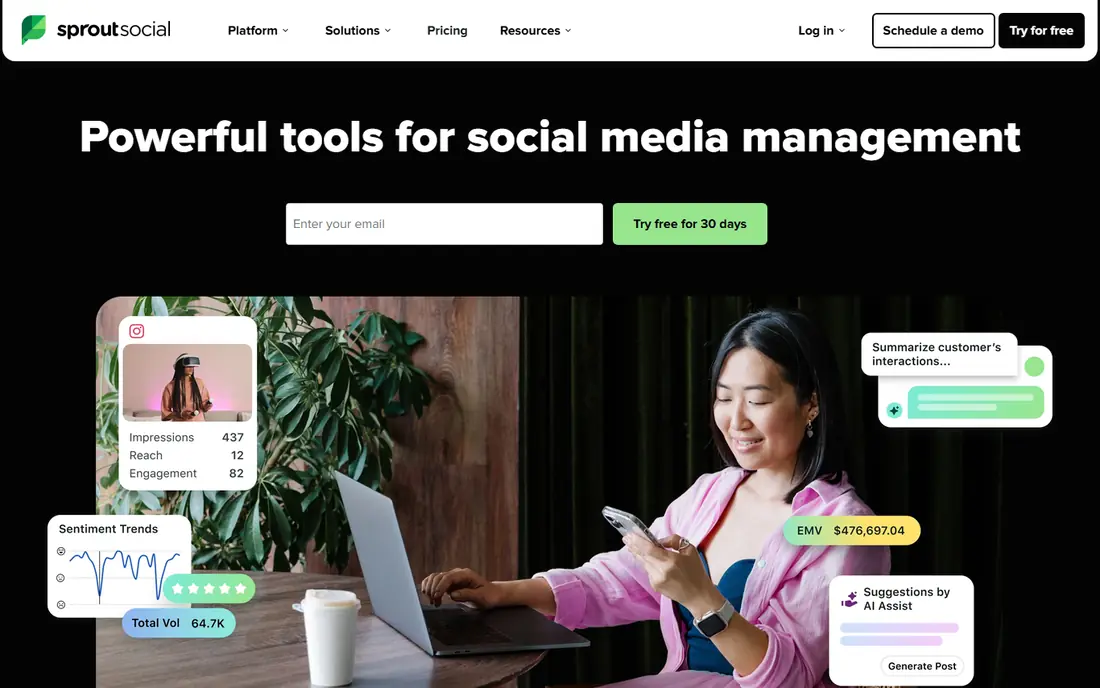
Sprout Social suits a social team that manages TikTok with Instagram, Facebook, and other channels. Reports can be combined, scheduled, and shared, which helps a manager show TikTok results in the same format as other platforms. Scheduling and inbox features also reduce the need to switch tools during a campaign.
A generalist suite will not always match a TikTok specialist on trend or competitor detail. Choose Sprout when consistent cross-platform reporting and team workflow matter more than deep TikTok-only research. Check the trial with your own accounts, not only with sample data, before committing.
- TikTok reports alongside other social channels
- Scheduling and inbox tools in the same suite
- Team workflows and approvals
- Pricing is not published as a simple starting figure in all sources
- TikTok depth is less specialist than Exolyt
Hootsuite is a long-standing choice for teams that publish and report across many networks. Its TikTok analytics sit inside a wider system for scheduling, monitoring, and team management. For a brand with several social managers, that shared workflow can matter more than a small edge in TikTok-only metrics.
The $99 per month starting figure reflects recent public pricing for its entry paid plan, with higher tiers for larger teams. Small creators will likely find native analytics plus a free specialist tool enough. Hootsuite fits when the team, not just the TikTok account, is the unit that needs managing.
- Broad social management plus analytics
- Team roles and approvals
- Reporting across many networks
- Starting price is higher than specialist free tools
- TikTok reports are part of a larger suite, not the sole focus
Iconosquare is a reporting tool for teams that need clean, shareable reports across platforms. TikTok metrics can sit alongside Instagram and other channels, with scheduled reports that save manual work each week. That is useful for agencies that report to clients on a fixed cycle.
If your main need is TikTok trend discovery or creator vetting, Iconosquare is not the first pick. Its strength is presentation and routine reporting. Test whether its TikTok metrics cover the specific numbers you report, such as saves, shares, and follower growth, before replacing a specialist tool.
- Reports across TikTok and other social platforms
- Scheduled reports for clients and managers
- Content performance views
- Pricing is not published as a simple starting plan in all sources
- TikTok-only research is less deep than specialist tools
Pentos suits creators and brands that plan content around trends. Hashtag and sound tracking shows what is gaining attention, and creator tracking shows which formats are working in a niche. That research can shape a content calendar better than guessing from a single viral video.
Trend tools also carry a risk: chasing every trend can dilute a brand voice. Use Pentos to find trends that fit your existing content, not to copy formats that clash with your audience. Check whether the free trial covers the hashtags and creators you actually need, since trial limits vary.
- Hashtag and sound trend research
- Creator and video tracking for TikTok
- Useful for content planning
- Pricing is not published as a simple starting plan in all sources
- Not a full social management suite
HypeAuditor is the vetting tool in this list. It helps brands check whether a creator's audience is real, well matched, and engaged, before a paid deal. Campaign reports then track whether that creator delivered, which helps a team decide who to work with again. That audit layer matters when budgets go to larger creators.
The $299 per month figure reflects recent public pricing for annual billing, so solo creators should weigh it against free checks such as median views and comment quality. For brands paying for creator deals, the cost of one bad partnership can exceed the tool price, which is the case for buying it.
- Audience authenticity and demographic data
- Campaign and competitor reporting
- Strong vetting for paid creators
- Starting price is high for solo creators
- Discovery is less broad than some search-first tools
Brandwatch suits large brands and agencies that need to track TikTok as part of a wider conversation. Listening, benchmarking, and consumer intelligence can show how a brand, product, or topic is discussed across platforms, not only on one account. That breadth helps strategy teams, not just social managers.
A single creator or small brand will likely find Brandwatch too broad and too costly. Its value appears when TikTok data must be combined with other social, search, and market data for senior decisions. Smaller teams should start with native analytics and a specialist tool instead.
- Large-scale social listening and consumer intelligence
- Benchmarking across brands and markets
- Enterprise reporting
- Pricing is not published and is enterprise-level
- More system than a single creator needs
How we picked these
We compared official feature pages, pricing pages, and public product descriptions for tools live in October 2026. We included native TikTok analytics, TikTok specialists, and cross-platform suites, because readers range from solo creators to enterprise teams. Prices are shown where vendors publish them, and listed as See website where pricing is quote-based. We did not claim hands-on testing, and we did not invent engagement rates, audience sizes, or accuracy figures.
What to check before you pay
Start with the report you will actually use each week. Write down the five numbers that decide your next post or your next creator deal, such as median views, save rate, follower growth, top formats, and competitor gaps. Then check whether a tool reports those numbers clearly, without forcing you through unrelated dashboards. A tool with a long feature list but no clear weekly report will sit unused.
Next, check data limits. Some tools cap tracked accounts, historical months, or exported reports, and those caps matter more than the headline price. Ask how far back data goes, how many competitors you can track, and whether exports include the metrics you need. A trial that only shows sample data will not answer those questions, so test with your real accounts.
Finally, avoid judging a tool by a single viral post. Compare median performance over at least a month, separate paid and organic results, and note posting frequency. A creator or account with one viral video and weak median views is a different bet from one with steady, repeatable performance. Good analytics makes that distinction visible.
Frequently asked questions
What is the best TikTok analytics tool?
TikTok native analytics is best for free reporting on your own account. Exolyt is best for TikTok-only competitor and trend work, while Sprout Social and Hootsuite are best for cross-platform teams. The right pick depends on whether you need your own data, competitor data, or client reports.
Is there a free TikTok analytics tool?
Yes. TikTok native analytics is free for your own account, and Exolyt and HypeAuditor offer free starting options with limits. Free tools cover basic views, engagement, and follower growth, while paid tools add competitor tracking, benchmarks, and longer history.
How much do TikTok analytics tools cost?
Hootsuite starts at $99 per month and HypeAuditor starts at $299 per month on annual billing, based on recent public pricing. Many other tools use custom quotes or plan tiers, so check the vendor pricing page for current rates and caps before budgeting.
How do I check a competitor on TikTok?
Use a specialist tool such as Exolyt, Socialinsider, or Pentos to track public competitor accounts, hashtags, and sounds. Compare median views and engagement over time, not only the best post. Native TikTok analytics does not provide the same competitor detail.
What metrics matter most on TikTok?
Median views, saves, shares, comments, watch time signals, and follower growth matter more than a single view count. Saves and shares often signal content worth repeating, while follower growth shows whether a format brings in a lasting audience. Track those together, not in isolation.
Can one tool replace TikTok native analytics?
No, in most cases, because native data remains the direct source for your own account. Third-party tools add competitor, trend, and cross-platform views, but they should complement native reports rather than replace them. Export native data regularly if you need long-term history.
Sources
See where you really rank - block by block
ProMapRanker scans Google Maps across a grid of your service area. Simple monthly plans from $19, white-label on every plan.
Start freeKeep reading
 zscaler alternatives
Best Zscaler Alternatives in 2026
Looking for zscaler alternatives? We compare 9 SASE and zero trust platforms on architecture, data protection, pricing, and fit for your network and team.
Read → zapier alternatives free
Best Zapier Alternatives Free in 2026
Nine automation tools for zapier alternatives free in 2026, all with genuinely free tiers, plus free plan limits, starting prices and upgrade paths explained.
Read → which platform is best for online reputation
Which Platform Is Best for Online Reputation in 2026
Wondering which platform is best for online reputation? We compare 8 review, listing, and response tools for small and multi-location businesses and agencies.
Read →
Socialinsider
Great for: Benchmarks and competitor reports
Socialinsider helps a team answer a question native analytics cannot: how does our TikTok performance compare with similar accounts. Benchmarks, content breakdowns, and competitor reports show whether a dip is specific to your account or part of a wider pattern. Agencies use that context to set realistic goals for clients.
Benchmarks need care. A comparison is only useful if the accounts are truly similar in size, niche, and posting style. Use Socialinsider to guide questions, such as why a competitor's save rate is higher, rather than treating a benchmark gap as a verdict on its own.