 ProMapRanker
Best Texting App for Business in 2026


Small-team campaigns and replies · Pricing starts at: $29 per month
Key takeaways
- SimpleTexting, EZ Texting, Textedly, and SlickText suit campaign-led teams, with entry plans from $25 to $29 per month before fees.
- Salesmsg and Sakari suit conversation-led teams that need a shared inbox and CRM history.
- Podium suits local firms that also want reviews and payments, but its $399 per month entry price is far above campaign tools.
- TextMagic suits occasional senders, because pay-as-you-go avoids a monthly fee in quiet months.
Quick comparison
| Pick | Great for | Pricing starts at | Free tier | |
|---|---|---|---|---|
| SimpleTexting | Small-team campaigns and replies | $29 per month | Free trial | Visit |
 EZ Texting | Fast first SMS campaigns | $25 per month | Free trial | Visit |
 Podium | Local firms combining texting and reviews | $399 per month | No | Visit |
 Textedly | Budget high-volume texting | $29 per month | Free trial | Visit |
 Sakari | International and CRM-linked texting | $25 per month | Free trial | Visit |
 Salesmsg | Two-way sales and support texting | $25 per month | Free trial | Visit |
 SlickText | Compliance-focused campaigns | $29 per month | Free trial | Visit |
 TextMagic | Pay-as-you-go occasional texting | See website | Free trial | Visit |
The best texting app for business
Business texting has two jobs: sending campaigns to a list, and holding two-way conversations with customers. Campaign tools charge by credits, while inbox tools charge by seats, so the right app depends on if you mostly broadcast, mostly reply, or need both. All US application-to-person texting needs 10DLC registration, so factor that step into setup.
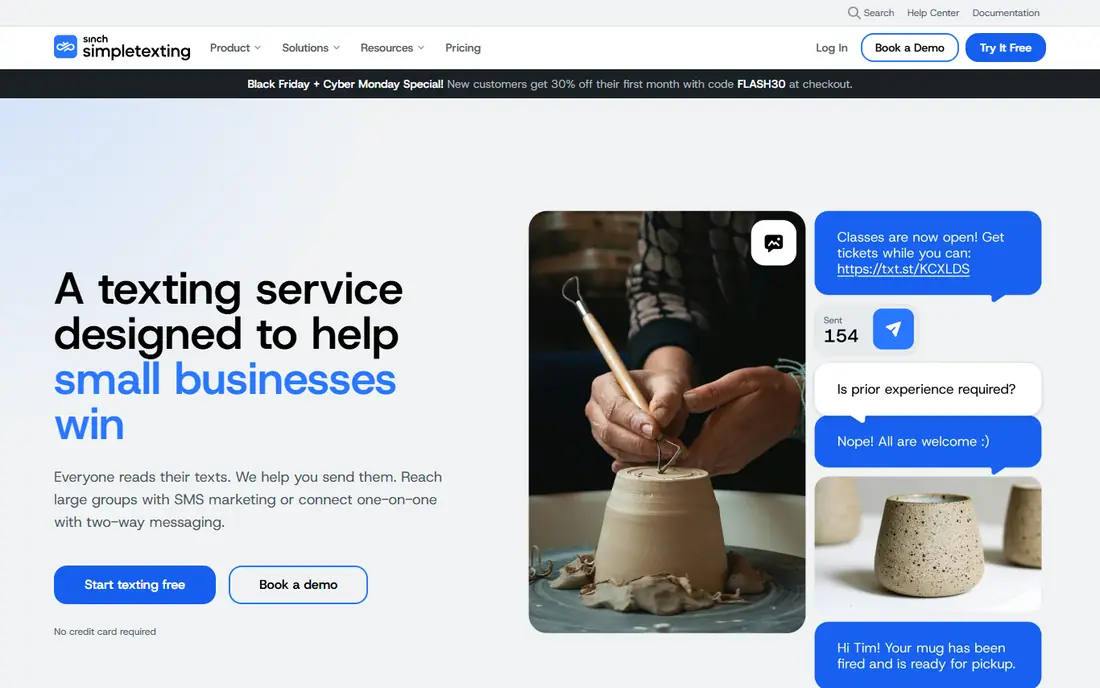
SimpleTexting suits small teams that want campaigns and replies from one number without a complex platform. Plans include unlimited contacts and free incoming texts, with segmentation by signup method, link clicks, and custom fields. Three users on every plan also help a small team share replies without paying per seat at the start.
The headline $29 per month for 500 credits is not the full entry cost, because a local number adds $10 per month plus a $4 one-time carrier fee, and picture texts cost three credits each. Teams should also note the US and Canada focus, and confirm 10DLC registration steps before sending campaigns.
For a team weighing SimpleTexting, the practical test is simple. Run one real campaign or workflow end to end, check how clean the data looks in the reports, and confirm the total price at your actual contact, user, or volume level before signing a longer term. That short trial tells you more than any feature list, because it shows where work slows down and where the tool fits your daily routine.
- Unlimited contacts
- Mass campaigns and two-way inbox
- Three users included
- Number fee and carrier fees on top
- US and Canada only
- Picture texts cost extra credits
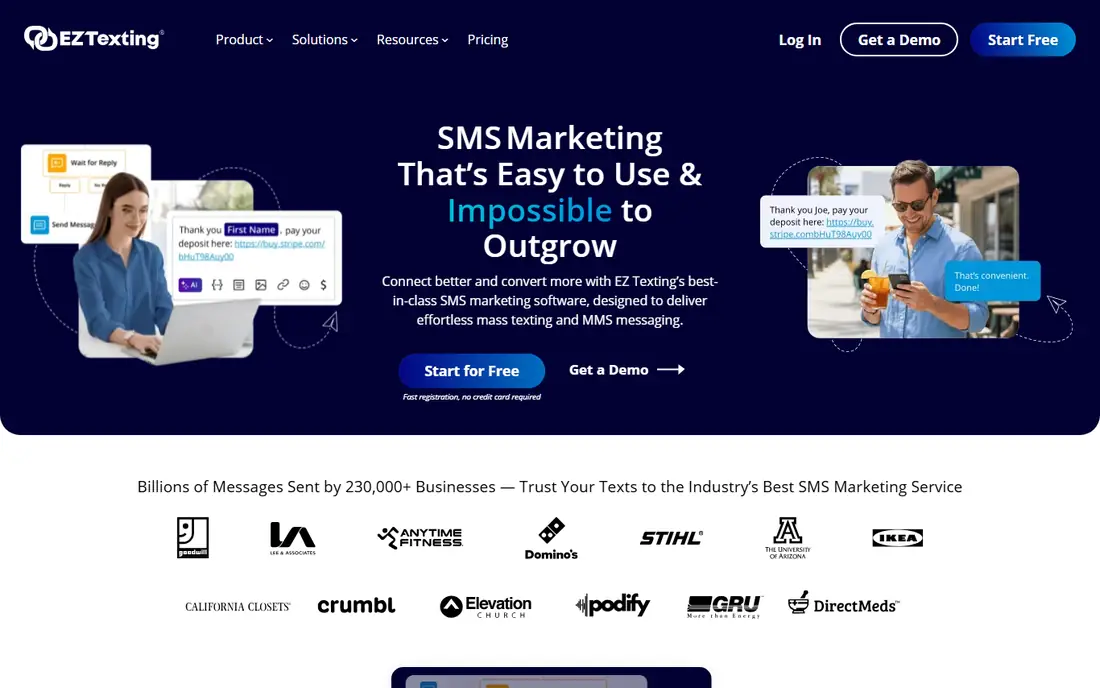
EZ Texting suits teams that want to launch a first text campaign quickly. Setup is guided, carrier registration is included in the workflow, and opt-in and opt-out tools help a team stay compliant from the first send. AI draft tools can also speed up writing a first campaign.
The $25 per month entry plan covers 500 credits, plus a $5 per month telecom fee, and only one user is included, so extra seats add cost. Larger lists move to higher plans, so price the plan at your real contact count. Teams that need a shared inbox for support may prefer a per-seat inbox tool instead.
For a team weighing EZ Texting, the practical test is simple. Run one real campaign or workflow end to end, check how clean the data looks in the reports, and confirm the total price at your actual contact, user, or volume level before signing a longer term. That short trial tells you more than any feature list, because it shows where work slows down and where the tool fits your daily routine.
- Quick setup
- Double opt-in and opt-out tools
- AI draft help
- Telecom fee on top
- One user on entry plan
- Entry plan fits smaller lists
Podium suits local businesses that already want reviews, messaging, and payments in one place. A shared inbox lets a team handle texts alongside review requests and payments, which helps a clinic, shop, or service firm keep customer conversations in one view. That breadth is the reason to consider Podium over a campaign-only tool.
The entry Core plan is $399 per month per location in recent listings, plus a small 10DLC fee, so it is a major step up from campaign tools. Teams that only need text campaigns will overpay here. Choose Podium when reviews and payments are also part of the job, not when texting alone is the need.
For a team weighing Podium, the practical test is simple. Run one real campaign or workflow end to end, check how clean the data looks in the reports, and confirm the total price at your actual contact, user, or volume level before signing a longer term. That short trial tells you more than any feature list, because it shows where work slows down and where the tool fits your daily routine.
- Texting plus reviews and payments in one platform
- Shared inbox
- Local business focus
- High entry price
- Pricing is per location
- Overkill for campaigns alone
Textedly suits teams that want a budget-friendly way to send a high volume of texts without paying by contact count. Pricing scales by messages, which helps a team with a large list that sends often. Campaign setup is simple, and a generous trial lets a team test sending before committing.
The platform is more campaign-focused than a full shared inbox for support, so teams that need assignment, notes, and CRM routing should check those features carefully. As with other texting tools, carrier fees and 10DLC registration apply, so confirm the total entry cost before comparing headline prices.
For a team weighing Textedly, the practical test is simple. Run one real campaign or workflow end to end, check how clean the data looks in the reports, and confirm the total price at your actual contact, user, or volume level before signing a longer term. That short trial tells you more than any feature list, because it shows where work slows down and where the tool fits your daily routine.
- Scales by messages, not contacts
- Simple campaign tools
- Generous trial
- Feature depth is thinner than inbox platforms
- Support and inbox features vary by plan
Sakari suits teams that need texting linked to a CRM or across more countries than a US-only tool covers. It supports two-way messaging and links to HubSpot and Salesforce, which helps sales and support teams keep text history against contact records. For a team already using one of those CRMs, that link is useful.
Pricing starts at $25 per month in recent listings, but credits, numbers, and carrier fees vary by use, so the total depends on volume and destinations. Teams should test the CRM sync on a small group first, because a text history that does not match contact records can create confusion in follow-up.
For a team weighing Sakari, the practical test is simple. Run one real campaign or workflow end to end, check how clean the data looks in the reports, and confirm the total price at your actual contact, user, or volume level before signing a longer term. That short trial tells you more than any feature list, because it shows where work slows down and where the tool fits your daily routine.
- Global SMS reach
- HubSpot and Salesforce links
- Two-way messaging
- Credit and number costs vary
- Smaller template range
- Setup needs CRM care
Salesmsg suits sales and support teams that treat texting as a conversation, not just a blast. A shared inbox, assignment, and CRM links help a team reply fast, track history, and follow up without losing context. Calling and AI drafting features on higher plans add to that conversation workflow.
The entry plan starts at $25 per month in recent listings, but credits, numbers, and carrier costs sit on top, so model the total at real volume. Teams that only need one-way campaigns may find a campaign tool cheaper. Use Salesmsg when replies, assignment, and CRM history are the core job.
For a team weighing Salesmsg, the practical test is simple. Run one real campaign or workflow end to end, check how clean the data looks in the reports, and confirm the total price at your actual contact, user, or volume level before signing a longer term. That short trial tells you more than any feature list, because it shows where work slows down and where the tool fits your daily routine.
- Shared inbox for sales and support
- CRM integrations
- Calling and AI features
- Entry plan limits apply
- Credits and numbers add cost
- Best with a CRM workflow
SlickText suits teams that want every feature on every plan, including drip campaigns and loyalty workflows, without tier-gating core tools. The entry plan starts at $29 per month for 500 credits, and compliance tools for opt-in and opt-out are a clear focus. For a marketing team that runs repeat campaigns, that consistency helps planning.
Carrier fees are passed through, and picture texts cost three credits each, so a media-heavy campaign costs more than the headline credit count suggests. Teams should also check RCS options and costs separately, because rich messaging setup is not part of the basic plan. Overall, SlickText is a solid campaign choice with clear limits.
For a team weighing SlickText, the practical test is simple. Run one real campaign or workflow end to end, check how clean the data looks in the reports, and confirm the total price at your actual contact, user, or volume level before signing a longer term. That short trial tells you more than any feature list, because it shows where work slows down and where the tool fits your daily routine.
- All features on every plan
- Drip campaigns and loyalty tools
- Compliance focus
- Carrier fees passed through
- Picture texts cost extra
- RCS setup can add cost
TextMagic suits firms that text occasionally and do not want a monthly plan for a quiet month. Pay-as-you-go pricing, at around 4.9 cents per text in recent listings, plus number and campaign fees, lets a team pay for what it sends. Global reach also helps firms with customers outside the US.
Occasional use is the sweet spot. At high volume, a monthly campaign plan from SimpleTexting, EZ Texting, or SlickText is usually cheaper per text. Automation and workflow depth are moderate, so teams that need complex journeys should shortlist a campaign or inbox platform instead.
For a team weighing TextMagic, the practical test is simple. Run one real campaign or workflow end to end, check how clean the data looks in the reports, and confirm the total price at your actual contact, user, or volume level before signing a longer term. That short trial tells you more than any feature list, because it shows where work slows down and where the tool fits your daily routine.
- No monthly minimum on pay-as-you-go
- Global reach
- Simple sending and inbox
- Per-text cost adds up at volume
- Number and 10DLC fees apply
- Automation depth is moderate
How we picked these
We compared official pricing pages, feature pages, and public documentation, and we judged each app on campaign tools, two-way inbox, user model, CRM links, compliance handling, and total entry cost including number and carrier fees where published. We kept only business texting apps with a current product and a live vendor site, and we marked unclear entry pricing as See website. Prices are starting prices at small volumes unless noted, and carrier fees are noted where they change the total.
How to pick a business texting app without surprise fees
Start by counting the real cost per month: plan fee, number fee, carrier or telecom fee, extra seats, and overage credits for picture texts, which often cost three credits each. Next, decide the main job. Campaign teams should weight list size, segmentation, scheduling, and opt-out handling. Conversation teams should weight shared inbox, assignment, templates, and CRM history. Finally, test consent and opt-out flows before a first campaign, because a text sent without proper consent can damage trust and breach carrier and legal rules. Keep records of consent for each number you message.
Frequently asked questions
What is the best texting app for business?
SimpleTexting suits all-round small-team use, EZ Texting suits a fast first campaign, and Salesmsg suits conversation-led sales and support. The best app depends on if campaigns, replies, or both drive your texting.
What are the best business texting apps for small businesses?
SimpleTexting, EZ Texting, Textedly, and SlickText all start at $25 to $29 per month before fees, which suits small campaign budgets. TextMagic suits firms that text only occasionally and prefer pay-as-you-go.
What is the best business texting software for a shared inbox?
Salesmsg and Podium offer shared inboxes, with Salesmsg focused on sales and support conversations and Podium focused on local firms that also want reviews and payments. Check seat pricing and CRM links before choosing.
What is the best app for business texting with CRM integration?
Sakari and Salesmsg both link texting to HubSpot and Salesforce, which keeps text history against contact records. SimpleTexting and EZ Texting also offer integrations, but their strength is campaigns rather than CRM-led conversations.
Do I need 10DLC registration for business texting?
Yes, for US local numbers sending application-to-person texts. Most vendors in this list register the number for you or guide you through it, and carrier fees are usually passed through. Allow time for registration before your first campaign.
Sources
See where you really rank - block by block
ProMapRanker scans Google Maps across a grid of your service area. Simple monthly plans from $19, white-label on every plan.
Start freeKeep reading
 zoho inventory alternatives
6 Alternatives to Zoho Inventory, Compared on Price and Fit
Zoho Inventory alternatives: 6 tools compared on price, free plans and fit. Katana leads the list for manufacturers. Fit and flaws are laid out for each entry.
Read → zoho crm alternatives
Best Zoho CRM Alternatives (2026)
Need Zoho CRM alternatives? We compare 7 tools on cost, free access and who each suits. Every pick gets a straight assessment. Built for quick decisions.
Read → zelle alternatives
Best Zelle Alternatives in 2026
Compare the best Zelle alternatives for sending money to friends, paying sellers and moving funds abroad, with honest notes on fees, speed and safety in 2026.
Read →