 ProMapRanker
Best Text to Video AI Tools in 2026


Original cinematic clips and creative control · Pricing starts at: $12 per month
Key takeaways
- Runway and Kling lead for original, cinematic clips, while Synthesia and HeyGen lead for presenter-led training and marketing videos.
- Pictory and InVideo AI are better for turning a script, blog post, or long recording into a finished video without filming.
- Free plans are useful for testing style and quality, but exports are usually watermarked, short, or limited by credits.
- Credit and minute limits matter more than the monthly price, so check how many finished minutes each plan actually allows.
Quick comparison
| Pick | Great for | Pricing starts at | Free tier | |
|---|---|---|---|---|
| Runway | Original cinematic clips and creative control | $12 per month | Yes, limited credits | Visit |
 Synthesia | Corporate training and presenter videos | $18 per month | Yes | Visit |
 HeyGen | Multilingual avatar marketing | $24 per month | Yes | Visit |
 Pictory | Repurposing scripts and long videos | $25 per month | No, free trial | Visit |
 InVideo AI | Prompt-to-finished marketing videos | $17 per month | Yes, watermarked | Visit |
 Fliki | Faceless narration and voiceover videos | $21 per month | Yes | Visit |
 Kling | Realistic motion at a low price | $8.80 per month | Yes | Visit |
 CapCut | Short-form and social video editing | Free, paid from $19.99 per month | Yes | Visit |
The best text to video AI tools
Text to video covers two different jobs. One job is generating new footage from a prompt, and the other is turning a written script into a presenter, stock-footage, or narrated video. The tools below cover both jobs, so a buyer can match the tool to the video they actually need to make.
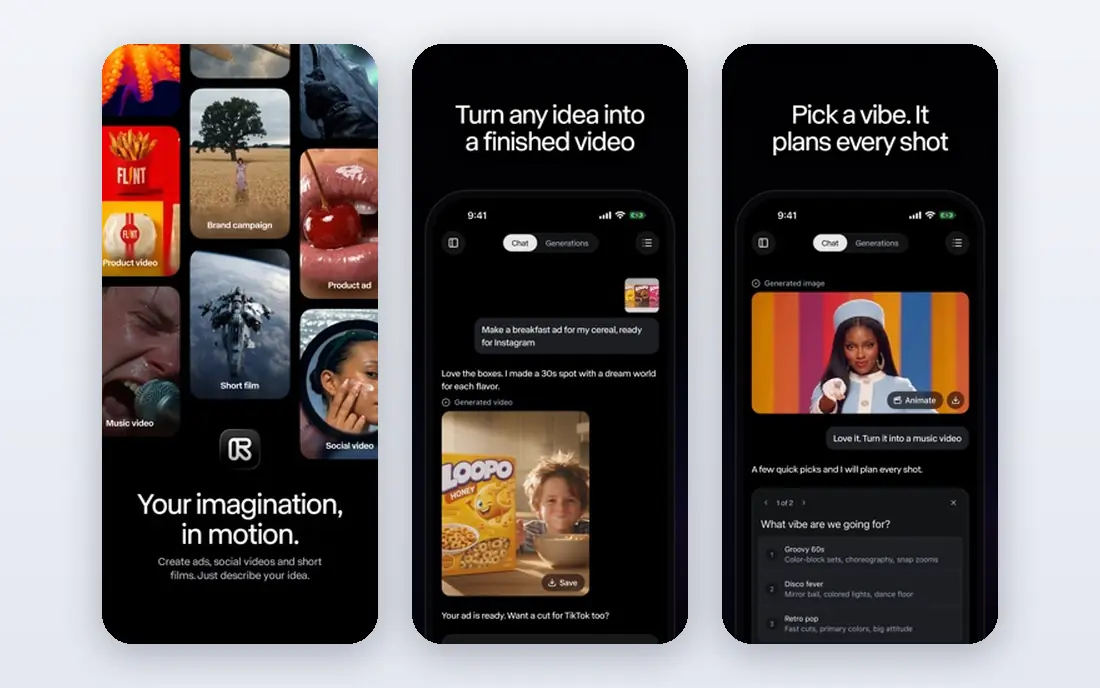
Runway is the tool to pick when the goal is new footage, not a presenter reading a script. A short prompt, or a prompt plus a reference image, can produce a cinematic clip for an ad, a title sequence, or B-roll. Camera controls and editing tools give creators more say over movement and style than most prompt-only tools.
The limits are practical. Generated clips run for seconds, not minutes, so a full video still needs assembly in an editor. Credits also run out faster on higher-quality models. Runway suits creators who want original visuals and are happy to edit, rather than marketers who want a finished video in one click.
- Strong generative video quality, image-to-video and editing tools, creative control over shots
- Clips are short, credit use varies by model, finished long videos need editing elsewhere
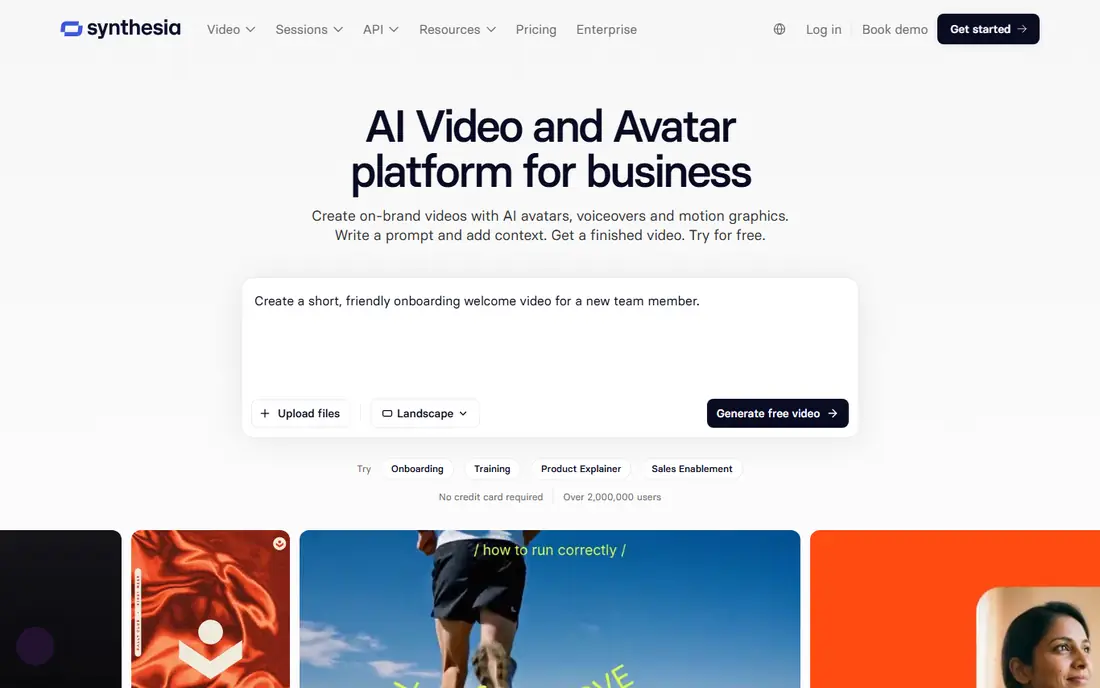
Synthesia turns a written script into a presenter video, which makes it a strong fit for training, onboarding, and internal updates. Changing a policy line means editing text, not rebooking a shoot. Multiple languages and voices help teams that serve staff or customers in more than one country.
Avatar delivery is the trade-off. A Synthesia presenter works well for clear explanations, but it will not replace a charismatic host for a brand campaign. Buyers should also check monthly video minutes, because a team producing weekly training will use minutes faster than a team making one video a month.
- Realistic avatars in many languages, easy script updates, no filming or studio needed
- Avatar videos can feel formal, minute limits apply, expressive acting is limited
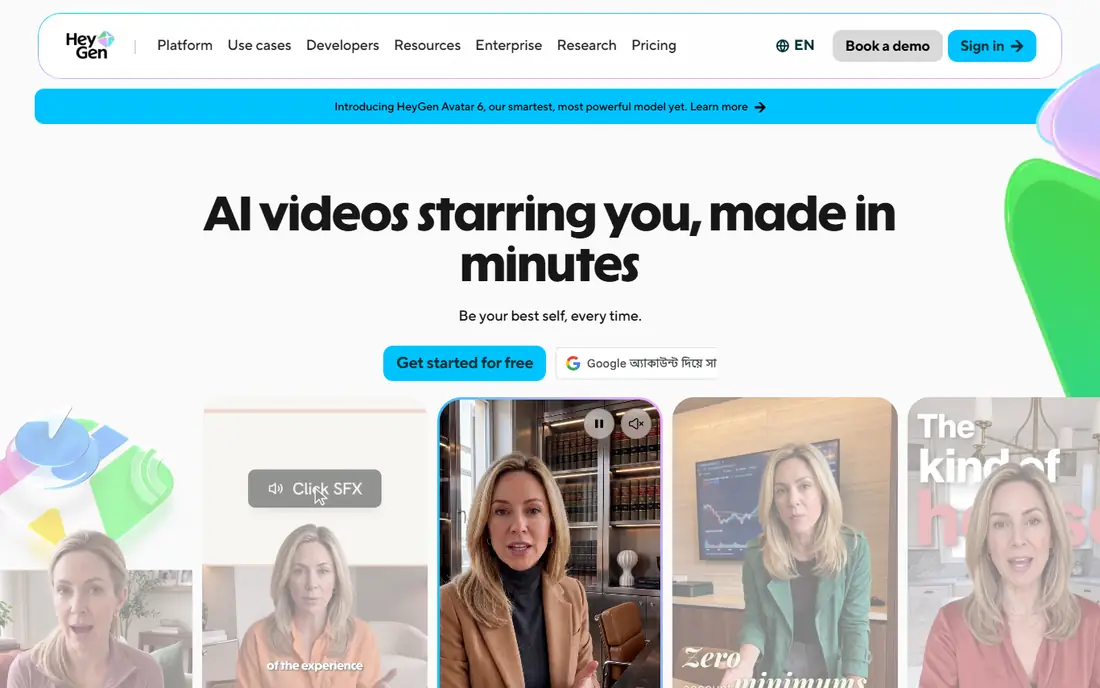
HeyGen sits close to Synthesia, with a stronger lean toward marketing and localisation. A single spokesperson video can be translated into other languages with lip sync, which helps brands that run the same campaign in several markets. Avatar creation from a photo or video also gives marketers more presenter options.
Price is the main question. The entry paid plan costs more than Synthesia, and the best avatar quality sits on higher tiers. A team that only needs English training videos may not need HeyGen. A team that localises marketing content regularly will get more value from its translation workflow.
- Avatar marketing videos, video translation and lip sync, wide language support
- Higher starting price than Synthesia, avatar realism varies by model and voice
Pictory is built for people who write more than they film. Paste a script or a blog post, and Pictory builds a captioned video from stock footage, with voiceover and scene breaks. It also cuts long webinars and podcasts into short clips, which saves hours for social teams.
Stock footage is both the strength and the limit. It makes a video fast, but the result can look familiar unless the editor swaps scenes, adds branding, and tightens the script. Pictory also offers a trial rather than a permanent free plan, so buyers should use the trial to make a real video, not just watch a demo.
- Script-to-video with stock footage, blog-to-video conversion, long video to short clips
- No permanent free plan, stock footage can feel generic without custom edits
InVideo AI aims for a finished video from a single prompt, including script, scenes, voiceover, and music. That all-in-one flow suits marketers and small creators who need a social video or ad draft quickly. Templates and a stock library help when the prompt alone does not produce the right visuals.
Output quality varies by topic. A straightforward product or explainer prompt usually works well, while a niche or technical topic may need scene swaps and script edits. The free plan is useful for learning the workflow, but watermarked exports mean paid plans are needed for publishing.
- Prompt-to-video workflow, templates and stock library, quick social video output
- Free exports carry a watermark, AI choices sometimes need manual fixes
Fliki suits creators who want narration-led videos without appearing on camera. A script becomes a voiced video with stock visuals, subtitles, and scene timing. The voice range is wide, which helps channels that publish in several tones or languages.
The free tier gives only a few minutes per month, so it works as a test rather than a publishing plan. Visuals also depend on the stock library, so a channel that needs unique footage will need to add its own clips. For faceless explainers, news summaries, and educational shorts, Fliki is a practical choice.
- Many realistic voices, script-to-video with stock media, good for faceless channels
- Free minutes are small, visual variety depends on stock library
Kling has gained attention for realistic movement at a lower entry price than many generative rivals. Human motion, camera moves, and scene changes look convincing in short clips, and higher plans offer higher resolution output. For creators who generate many test clips, the lower price helps.
The experience is less refined than Runway in places, and credit use depends on model, length, and quality settings. A buyer should test the same prompt at different settings to see the real cost per usable clip. For pure generation value, Kling is hard to ignore.
- Strong motion quality for the price, up to 4K output on higher plans, text and image inputs
- Interface and support can feel less polished, credit costs vary by quality and length
CapCut is not a pure text-to-video generator, but it belongs here because many creators finish AI video inside it. Its AI tools help with scripts, captions, and short-form edits, and its templates speed up TikTok, Reels, and Shorts production. The free tier is generous for basic editing.
Buyers who want original AI footage should pair CapCut with Runway or Kling, rather than expecting CapCut alone to generate cinematic clips. Buyers who want fast, polished short-form video from a script and stock or filmed clips will find CapCut the most practical tool in this list.
- Generous free tier, mobile and desktop editing, templates and AI tools for shorts
- Text-to-video generation is lighter than specialist tools, some AI features need Pro
How we picked these
We compared official feature pages, pricing pages, app store listings, privacy policies, and public reviews for tools live in October 2026. We kept only tools that accept text or script input and produce video, and we included generative tools, avatar tools, and repurposing tools. We did not claim paid hands-on testing for every tool, and we based prices and limits on published pages and recent comparisons.
What to check before you buy
Match the tool to the video type
A training video, a product ad, and a faceless explainer need different tools. Avatar tools suit training, generative tools suit original visuals, and repurposing tools suit scripts and long recordings. Buying the wrong type wastes more time than learning the right tool well.
Count finished minutes, not just credits
Credits, minutes, and generations are not the same thing. A plan that offers many credits can still allow only a few finished minutes at high quality. Ask how many publishable minutes or clips the plan allows, and test one full video before paying for a year.
Check rights, watermarks, and brand control
Confirm commercial use rights, whether exports carry a watermark, and whether brand colours, logos, and fonts can be applied. A tool that is fine for internal drafts may not be fine for paid ads. Keep a copy of the licence terms for any video used in advertising.
Review AI disclosure and likeness rules
Avatar tools and generative tools raise disclosure questions, especially for ads and training. Check the vendor policy on likeness use, consent for custom avatars, and labelling of AI-generated content. Where a platform requires disclosure, follow that rule rather than hiding the AI origin.
Frequently asked questions
What is the best AI text to video tool for beginners?
InVideo AI and CapCut are the easiest starting points for beginners, because they guide a user from prompt or script to a finished video. Pictory is also beginner-friendly for script-to-video work. Runway and Kling offer more creative control, but they need more editing skill to turn clips into a finished video.
What is the best text to video AI tool for business training?
Synthesia is the strongest fit for most business training, thanks to its avatars, languages, and easy script updates. HeyGen is a good alternative for teams that need translation and marketing presenters. A team that needs screen recordings alongside a presenter may need to combine an avatar tool with a screen recorder.
Is there a best text to video AI app with a free plan?
Yes, Runway, Synthesia, HeyGen, InVideo AI, Fliki, Kling, and CapCut all offer free tiers or free credits. Free plans usually limit minutes, credits, or export quality, and some add watermarks. They are best for testing style and workflow before paying, rather than for regular publishing.
How long can AI-generated videos be?
It depends on the tool type. Generative tools like Runway and Kling produce clips of a few seconds, which are then edited into longer videos. Avatar and script tools like Synthesia, HeyGen, Pictory, and Fliki can produce videos of several minutes or longer, subject to monthly minute limits. Check the plan limit for the video length you need.
Do AI video tools own the videos I create?
Ownership and commercial use rights vary by vendor and plan, so read the terms before using a video in paid advertising. Most tools allow commercial use of paid exports, but free exports may carry different terms or watermarks. Keep the vendor terms on file, especially for client work or ads.
Sources
See where you really rank - block by block
ProMapRanker scans Google Maps across a grid of your service area. Simple monthly plans from $19, white-label on every plan.
Start freeKeep reading
 zoho inventory alternatives
6 Alternatives to Zoho Inventory, Compared on Price and Fit
Zoho Inventory alternatives: 6 tools compared on price, free plans and fit. Katana leads the list for manufacturers. Fit and flaws are laid out for each entry.
Read → zoho crm alternatives
Best Zoho CRM Alternatives (2026)
Need Zoho CRM alternatives? We compare 7 tools on cost, free access and who each suits. Every pick gets a straight assessment. Built for quick decisions.
Read → zelle alternatives
Best Zelle Alternatives in 2026
Compare the best Zelle alternatives for sending money to friends, paying sellers and moving funds abroad, with honest notes on fees, speed and safety in 2026.
Read →