 ProMapRanker
Best Text to Speech Apps for Students in 2026

All round cross-device listening · Pricing starts at: $29 per month
Key takeaways
- Speechify is our pick for most students because it reads PDFs, web pages and documents across phones, browsers and desktop with natural voices.
- NaturalReader is the better value for PDF-heavy coursework, with broad file support and a lower annual price in recent comparisons.
- Microsoft Edge Read Aloud is the best free starting point, since it is built into a browser many students already use.
- Voice quality, highlighting and offline listening matter more than voice count, so test a real chapter before paying.
Quick comparison
| Pick | Great for | Pricing starts at | Free tier | |
|---|---|---|---|---|
| Speechify | All round cross-device listening | $29 per month | Yes | Visit |
 NaturalReader | PDF-heavy coursework | See website | Yes | Visit |
 ElevenReader | Most natural narration voices | $11 per month | Yes | Visit |
 Voice Dream Reader | Accessibility and offline reading | See website | Free trial | Visit |
 Microsoft Edge Read Aloud | Free browser listening | Free | Yes | Visit |
 Google Text-to-Speech | Free Android listening | Free | Yes | Visit |
 Balabolka | Free desktop reading | Free | Yes | Visit |
 Speech Central | One-time purchase reading | $9.99 one-time | Yes | Visit |
The best text to speech apps for students
We compared official feature pages, pricing pages, app store listings and public reviews, with a focus on coursework: PDFs, scanned pages, web articles, highlighting and listening speed.
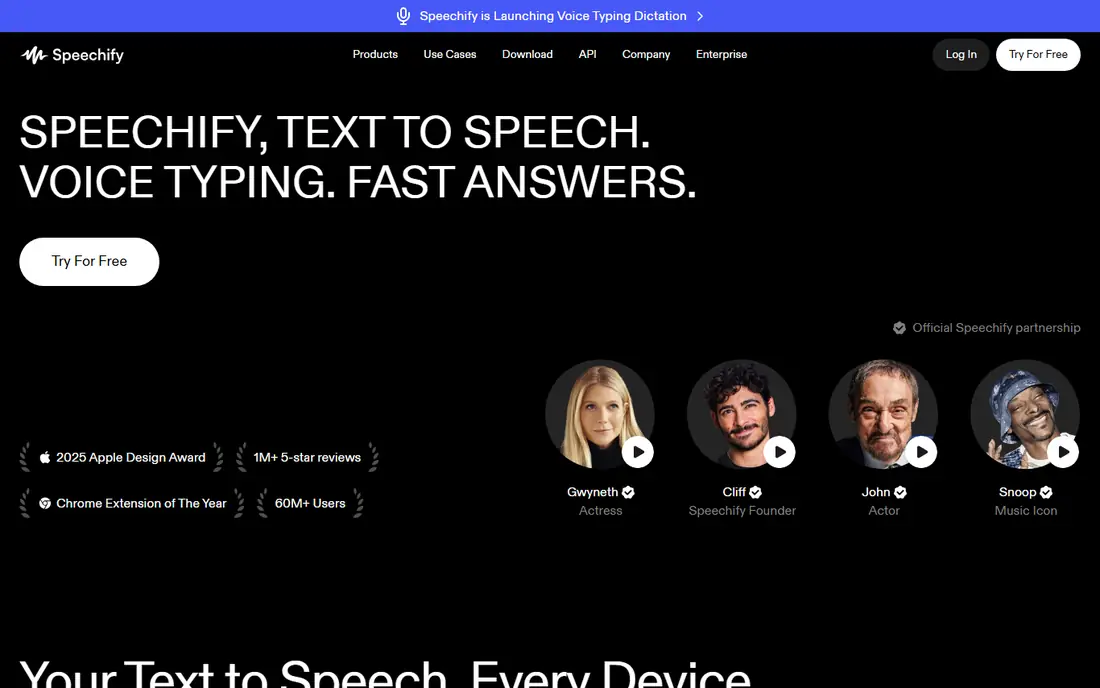
Speechify is the most polished all round reader for students who move between devices. You can start a chapter on a laptop, continue on a phone, and keep highlighted text in step with the audio. Speed control up to 5x on Premium, offline MP3 downloads and scan and listen tools help when a reading list is long and time is short.
The free tier is a useful trial of the workflow, with a small set of basic voices and speeds up to 1.5x, but the natural voices that make long listening pleasant sit behind Premium. Premium is $29 per month, or $139 per year, which works out cheaper on annual billing. If you read for hours each week, that annual price is the fair comparison. If you read occasionally, start free and upgrade only when the voice limit actually annoys you.
- Natural voices and text highlighting
- Reads PDFs, documents and web pages
- Syncs across phone, web and desktop
- Best voices need Premium
- Premium is pricey at monthly billing
- Large PDF imports can feel slow on weaker devices
NaturalReader suits students whose reading list is mostly PDFs, scanned handouts and documents. It handles text, PDFs, images with OCR, web pages and physical books through scanning, and it offers pronunciation controls and reading filters that help with dense material. Language coverage is broad, which matters for language students and international coursework.
Recent comparisons list a Lite tier around $79 per year and higher tiers for fuller voice and feature access, so check the current plans page before buying, since prices and names change. The free tier covers basic voices without MP3 export, which is enough to test PDF handling. Choose NaturalReader over Speechify when PDF volume and price matter more than the slickest mobile experience.
- Broad file support including PDFs and images
- Many languages
- School and education plan options
- Best voices need a paid plan
- MP3 export is limited on free
- Pricing tiers can be confusing at first
ElevenReader, from ElevenLabs, is the pick when voice realism is the priority. Its narration sounds closer to a human audiobook than most reading apps, which helps during long chapters and revision listening. The app handles books and documents, includes a sleep timer, and works on web, iOS and Android.
The free tier includes a monthly listening allowance, reported as 10 hours per month in recent comparisons, with Ultra at $11 per month or $99 per year for fuller access. That allowance suits many students, but heavy readers may hit the limit. There is also no full desktop app to match Speechify or NaturalReader, so check your main study device before committing.
- Very natural AI voices
- Good for fiction and long form listening
- Mobile and web apps
- No desktop app in most plans
- Offline use is limited except on higher tiers
- Student discount terms vary
Voice Dream Reader has long been a favourite for students who need reading support rather than just audio playback. Synchronised word highlighting, adjustable speed, bookmarks, notes and dictionary lookups make it a study tool, not only a player. It handles PDFs, Word documents, ePub files, web pages and accessible book formats, and it works offline, which helps on a commute or in a library with weak signal.
The main limit is platform. Voice Dream Reader centres on iOS and Mac, so Android and Windows students should look at Speechify or NaturalReader instead. Recent listings show a subscription model with a free trial, while older guides cite a one-time purchase, so check the current App Store listing and the vendor site before buying. For Apple students with accessibility needs, it remains a strong pick.
- Strong accessibility features for dyslexia and low vision
- Offline reading
- Notes, bookmarks and dictionary tools
- Apple focused, with iOS and Mac support
- Premium voices and features add cost
- Pricing has changed over time
Edge Read Aloud is the best free option for students who already study in a browser. Open a web article or a PDF in Edge, start Read Aloud, and the browser reads with word highlighting at a speed you choose. There is no subscription, no account trick and no voice limit to manage, which makes it ideal for a quick chapter check.
The limits are about workflow. You do not get an MP3 to listen to later, a synced library across devices, or study tools like notes and bookmarks in the same way a dedicated reader offers. Edge Read Aloud is also available on mobile Edge, but the desktop experience is the strongest. Use it as your free baseline, then pay only if you need offline files or cross-device sync.
- Fully free
- Natural neural voices
- Reads web pages and PDFs in Edge with word highlighting
- No audio file to keep
- Limited library and study tools
- Best on desktop rather than as a standalone app
Google Text-to-Speech is the quiet default on many Android phones, and it deserves a place for students who want free listening without another app. It powers read aloud in supported Android apps, reads in many languages, and needs no subscription. For short articles, emails and web pages on an Android phone, it is often enough.
It is not a coursework reader in the same sense as Speechify or NaturalReader. There is no PDF library, no highlighting study workflow and no offline MP3 export for a chapter list. Use it for casual listening and for accessibility on Android, and move to a dedicated reader when your reading list grows into long PDFs and textbooks.
- Free and built into Android
- Many languages and dialects
- Works across Android apps that support it
- Voice quality varies by language
- Limited study features
- Not a dedicated document reader
Balabolka is a free Windows program that turns documents into speech using voices installed on your computer. It handles text, Word documents, PDFs and other formats, lets you save audio, and works offline once voices are set up. For a Windows student on a tight budget, that combination is hard to beat.
The experience is plain. The interface looks dated, and voice quality depends on which voices your system has, so results vary more than with a cloud voice service. It also has no mobile app or cloud sync, so it suits a desktop study setup rather than listening on the move. If you study mainly on a Windows laptop and want free audio files, Balabolka is worth installing.
- Free for Windows
- Reads many document types
- Offline use with installed voices
- Windows only
- Interface feels dated
- Voice quality depends on installed system voices
Speech Central suits students who dislike subscriptions and study mainly on Apple devices. It reads PDFs, documents, web pages and RSS feeds, supports bookmarks and audio export in some plans, and works offline with Apple voices. The one-time price, listed at $9.99 in recent comparisons, makes it easy to budget.
The trade is voice realism. Apple system voices are clear and usable, but they do not match the newest AI narration from ElevenReader or Speechify Premium. Optional cloud voices can close that gap at extra cost. Pick Speech Central when a single payment and offline Apple reading matter more than the most natural voice on the market.
- One-time purchase, no subscription
- Many document formats
- Offline reading with Apple voices
- Voice quality is tied to system voices
- Cloud AI voices are optional extras
- Smaller feature set than Speechify
How we picked these
We compared official feature pages, pricing pages, app store listings and public reviews for apps live in October 2026. We favoured apps that handle real coursework formats, offer highlighting or speed control, and state a free tier or trial clearly. We did not claim hands-on testing, and we treated vendor pricing pages as the final authority, since student discounts and plan names change.
How to study with text to speech without losing comprehension
Start at normal speed for new material. Listening at 1.0x to 1.25x gives your brain time to follow an argument, while very fast playback suits only a second pass over familiar notes. If a chapter feels dense, read the headings and summary first, then listen, then return to the text for formulas, diagrams and definitions.
Use highlighting and notes as you listen. A reader that highlights each word helps you stay on the page, and bookmarks let you return to a hard passage without replaying a whole chapter. For proofreading your own essay, listening is especially useful, since your ears catch missing words and awkward sentences that your eyes skip.
Finally, respect copyright and course rules. Listening to your own course materials and purchased books for study is a normal use, but sharing audio files or uploaded textbooks may break licence terms. Check your institution library guidance if you are unsure, and use library audiobook services where they are available.
Frequently asked questions
What is the best text to speech app for students?
Speechify is our pick for most students because it works across devices, reads PDFs and web pages, and offers natural voices with highlighting. NaturalReader is better for PDF-heavy work at a lower annual price, and Edge Read Aloud is the best free starting point. Test a real chapter in each before paying.
Is there a free text to speech app for students?
Yes. Microsoft Edge Read Aloud is fully free in the Edge browser, Google Text-to-Speech is free on Android, and Balabolka is free on Windows. Speechify, NaturalReader and ElevenReader also offer free tiers, with limits on voices, speed or monthly listening time.
Can text to speech read PDFs and scanned books?
Yes, with limits. Speechify, NaturalReader and Voice Dream Reader all handle PDFs, and NaturalReader and Speechify offer OCR for scanned pages. Results depend on scan quality, so a clean, straight scan works far better than a tilted phone photo of a textbook page.
Does listening count as studying?
For most prose, listening comprehension is close to reading comprehension, especially when you combine both. Dense technical material still benefits from eyes on the text, diagrams and formulas. Use listening for review, revision and long reading lists, and read directly when precision matters.
Do students get a discount on Speechify or NaturalReader?
Discounts and education plans change, so check the vendor site and your institution store before buying. NaturalReader lists education options, and Speechify has run student and annual pricing offers. Do not rely on a discount cited in an old guide, since terms and eligibility vary.
Sources
See where you really rank - block by block
ProMapRanker scans Google Maps across a grid of your service area. Simple monthly plans from $19, white-label on every plan.
Start freeKeep reading
 worlds best local seo company
8 Worlds Best Local SEO Companies for Map Pack Growth in 2026
Compare the worlds best local seo company options for Google Business Profile work, citations, reviews, and multi-location rankings and reporting in 2026.
Read → world's best web hosting company
World's Best Web Hosting Company in 2026
Searching for the world's best web hosting company? We compared 10 hosts on price, renewal rates, speed, and support to help you choose well today in 2026.
Read → who's got the best nanny tax services
Who's Got the Best Nanny Tax Services in 2026
We answer who's got the best nanny tax services, comparing full filing, back taxes, software, and pricing so families can handle nanny taxes correctly.
Read →