 ProMapRanker
Best Text to Speech App for PDF in 2026


Everyday PDF listening with many voices · Pricing starts at: See website
Key takeaways
- Speechify and NaturalReader offer the widest voice libraries for daily PDF listening, while free built-in tools cover basic reading at no cost.
- Scanned PDFs need OCR support, so check that feature before you pay if your documents come from a scanner or a photo.
- Voice Dream Reader stands out for study tools such as bookmarks, notes, and full-text search inside long documents.
- Balabolka and Microsoft Edge cost nothing and handle plain text-based PDFs well, which makes them strong first tries.
Quick comparison
| Pick | Great for | Pricing starts at | Free tier | |
|---|---|---|---|---|
| NaturalReader | Everyday PDF listening with many voices | See website | Yes | Visit |
 Speechify | Natural voices and mobile listening | $29 per month | Yes | Visit |
 Voice Dream Reader | Studying long documents | $9.99 per month | Free trial | Visit |
 Adobe Acrobat Reader | Reading PDFs you already open | Free | Yes | Visit |
 Microsoft Edge | Quick free PDF reading in a browser | Free | Yes | Visit |
 Capti Voice | Cross-device reading with playlists | See website | Yes | Visit |
 Balabolka | Free Windows reading and audio export | Free | Yes | Visit |
 Speech Central | One-time purchase on Apple devices | $9.99 one-time | No | Visit |
 TTSReader | Simple browser reading without an install | Free | Yes | Visit |
The best text to speech apps for PDF
PDF files come in many forms, from clean reports to scanned handouts, and the right reader depends on which kind you handle most. We compared official feature pages, pricing pages, and app store listings for the tools below.
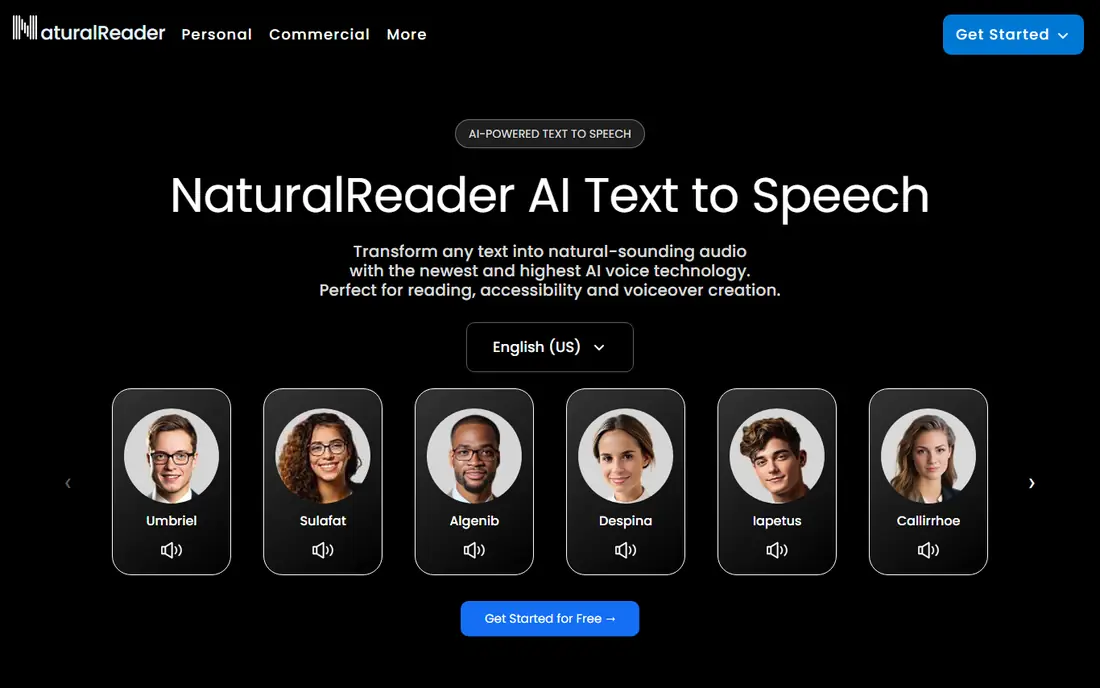
NaturalReader is our pick for most people who want a dedicated PDF reader rather than a built-in browser feature. You can upload a PDF, a Word file, or an ebook, pick a voice, and listen from the web reader or a mobile app. Paid plans add OCR, pronunciation controls, and more voice options, which matter if your PDFs include scanned pages or unusual names and terms.
The catch is the free plan, which works for short daily reading but runs into daily limits on better voices. If you only need a few pages a day, start there and see if the voices suit you. Heavy readers should compare the paid tiers on the pricing page before committing, since listening allowances and export limits differ by plan.
- Wide voice library
- Web reader, mobile apps, and Chrome extension
- OCR for scanned pages on paid plans
- Free plan has daily character limits
- MP3 export is not included on the free plan
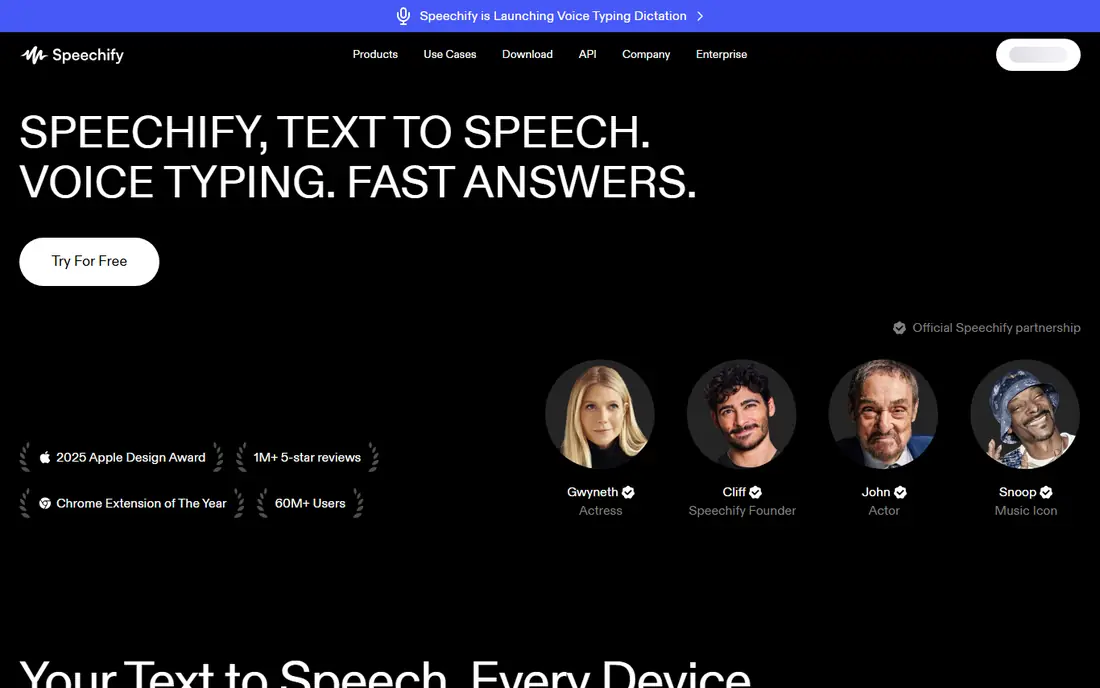
Speechify feels built for people who listen on the move. Its mobile apps and Chrome extension let you carry a PDF library in your pocket, and the paid plan adds more than 1,000 natural voices, faster playback, and a scan feature for printed pages. If you commute or walk while catching up on reports, that combination is hard to beat.
The free plan gives you basic voices at speeds up to 1.5x, which is enough to test the workflow. The jump to natural voices is the jump to Premium, and the yearly plan costs much less per month than paying month to month. Check the pricing page for the current yearly total before you subscribe.
- Large library of natural voices
- Strong mobile apps and browser extension
- Scan and listen for printed pages
- Natural voices require the paid plan
- Monthly price is high compared with simpler readers

Voice Dream Reader has long been a favorite among students and readers who work through long documents closely. You can highlight text, add notes and bookmarks, search the full text, and pick from reading modes that suit study sessions. It reads PDFs alongside ebooks and web articles, so one app can hold most of your reading list.
The move to subscription pricing will bother readers who prefer to pay once. A free trial lets you test the voices and study tools first, which we suggest doing with a real document from your own library. If you mainly listen to short articles, a cheaper or free reader may serve you just as well.
- Strong study tools with bookmarks, notes, and search
- Handles PDFs, ebooks, and web articles
- Works well with accessibility tools
- Subscription pricing replaced the old one-time purchase
- Mac app updates arrive less often than mobile updates
Adobe Acrobat Reader is the simplest answer if you already open PDFs in it every day. Its Read Out Loud feature sits under the View menu and reads the document from the current page to the end, or reads a selected passage. There is nothing new to install and no account needed for basic listening.
The limit shows up with scanned PDFs, which contain images of text rather than real text. The free reader cannot run OCR on those pages, so it will have nothing to read aloud. For clean, text-based PDFs, though, it is a solid no-cost starting point, and it pairs well with a paid app for harder files.
- Free Read Out Loud feature
- Already installed on many computers
- Reliable PDF handling
- No OCR for scanned pages in the free reader
- Voice choices depend on your device
Microsoft Edge deserves a place here because many people already have it, and its Read Aloud feature works directly on PDFs opened in the browser. Open a PDF, start Read Aloud from the toolbar, and Edge highlights each word as it reads. You can change the voice and speed from the same toolbar, and you can jump back or forward by paragraph.
Edge is not a document manager, so it will not organize a large library or remember your place across many files the way a dedicated reader does. For a single report, a form, or an article you found online, it is fast and free. It is also a good fallback when a scanned file fails elsewhere, since you can test it in seconds.
- Built into the browser at no cost
- Word highlighting while reading
- Voice and speed controls
- No dedicated PDF library or study tools
- Natural voices may need a download first
Capti Voice takes a playlist approach to reading, which suits people who queue up articles and documents for later listening. You can add PDFs and web articles, organize them into lists, and pick up on another device. That structure helps when your reading list grows faster than your free time.
The trade-off is polish. Capti looks and feels more dated than Speechify or NaturalReader, and its pricing page is harder to parse than most. If you value cross-device sync and a simple queue over modern voices, give the free tier a try. If voice quality matters most, compare it side by side with a paid rival first.
- Works across Mac, Windows, iOS, and Android
- Playlists organize reading
- Syncs documents across devices
- Interface feels older than newer rivals
- Pricing details are less clear on the public site
Balabolka is the best free option for Windows users who want control without a subscription. It opens PDFs and other documents, reads them aloud with system voices, and saves the narration as an audio file you can play anywhere. Bookmarks help with long documents, and pronunciation settings let you fix words the voice keeps getting wrong.
The interface looks old, and there is no Mac, iOS, or Android version. Voice quality also depends on the voices installed on your computer, so results vary. If you use Windows and want a free reader that can also make audio files, Balabolka is hard to argue against.
- Completely free on Windows
- Saves narration as MP3 or WAV
- Pronunciation controls and bookmarks
- Windows only
- Dated interface
- Voices depend on your system
Speech Central appeals to readers who dislike subscriptions. A one-time purchase on the Mac App Store gives you a reader that opens PDFs, including scanned ones, plus EPUB, Word, and web articles. It uses Apple voices offline by default, and it can connect to cloud voice services if you want newer voices and are willing to pay those providers separately.
The honest catch is setup. Speech Central has many settings, and getting cloud voices working takes more effort than opening a web reader. The iPhone and Mac apps are also separate purchases. For Apple users who want to pay once and keep their documents local, it is still a strong choice.
- One-time purchase with no subscription
- Wide format support including scanned PDFs
- Works offline with system voices
- Power-user interface takes time to learn
- IPhone and Mac versions are separate purchases
TTSReader is the lightest option on this list, and sometimes lightest is right. Open the site, paste text or upload a file, and press play. There is no app to install and no account hurdle for basic use, which makes it handy on a shared computer or a device you do not control.
It is not a library manager, and it lacks the bookmarks, notes, and syncing of the dedicated readers above. Treat it as a quick tool for a single document rather than a home for your whole reading list. For short PDFs and fast checks, it does the job with no cost and no fuss.
- No install needed
- Reads pasted text and uploaded files in the browser
- Simple controls
- Fewer library and study features than dedicated apps
- Needs an internet connection for most voices
How we picked these
We compared official feature pages, pricing pages, and app store listings for readers that open PDF files and read them aloud. We kept only tools that still work in October 2026 and that handle PDFs directly, rather than tools that only read pasted text. We favored a mix of free built-in options, dedicated readers with study tools, and one-time purchase options, and we noted where a price could not be confirmed as See website.
What to check before you pay
Start with the kind of PDF you read most. A clean report from a publisher will play well in almost any reader here, while a scanned handout needs OCR, which rules out the free version of Acrobat Reader and several basic tools. Upload a real file from your own collection during any free trial, and listen to a full page, not just a sample sentence.
Next, test the voice at your normal listening speed. A voice that sounds pleasant at normal speed can turn tiring at 2x, and a voice that handles plain prose well may stumble on tables, footnotes, and technical terms. Check how the reader handles those parts, since PDFs often mix text with charts and captions.
Finally, think about where you listen. Phone listeners should favor apps with offline support and a simple library, while desk readers may prefer a web reader or a Windows tool with audio export. If you plan to keep audio files, confirm that export is included in the plan you buy, since some free plans allow listening only.
Frequently asked questions
What is the best pdf text to speech app for students?
Voice Dream Reader suits students who need bookmarks, notes, and search inside long documents, while NaturalReader suits students who want many voices and a web reader. Students on a tight budget should start with Microsoft Edge or Balabolka, both free, and only pay if those tools fall short on scanned files or voice quality.
Can a free app read a PDF aloud?
Yes. Microsoft Edge, Adobe Acrobat Reader, Balabolka, and TTSReader all read text-based PDFs at no cost. Free plans from paid apps also work, but they often limit voice choice, speed, or daily reading amounts, so read the plan details before you rely on them.
Why will my PDF not read aloud?
The most common cause is a scanned PDF, which holds images of text instead of real text. A reader with OCR can convert those images, while a basic reader cannot. Other causes include a damaged file, a password lock, or a voice that has not finished downloading on your device.
Does text to speech work offline?
It depends on the tool and the voice. Apps that use voices installed on your device, such as Balabolka and Speech Central, can work offline. Web readers and cloud voices usually need an internet connection, though some apps let you download content or voices in advance.
Can I save a PDF as an audio file?
Some tools allow it and some do not. Balabolka saves narration as MP3 or WAV on Windows, and paid plans from several dedicated readers include audio export. Free plans often allow listening only, so check export rights in the plan you choose.
Sources
See where you really rank - block by block
ProMapRanker scans Google Maps across a grid of your service area. Simple monthly plans from $19, white-label on every plan.
Start freeKeep reading
 zscaler alternatives
Best Zscaler Alternatives in 2026
Looking for zscaler alternatives? We compare 9 SASE and zero trust platforms on architecture, data protection, pricing, and fit for your network and team.
Read → zapier alternatives free
Best Zapier Alternatives Free in 2026
Nine automation tools for zapier alternatives free in 2026, all with genuinely free tiers, plus free plan limits, starting prices and upgrade paths explained.
Read → which platform is best for online reputation
Which Platform Is Best for Online Reputation in 2026
Wondering which platform is best for online reputation? We compare 8 review, listing, and response tools for small and multi-location businesses and agencies.
Read →