 ProMapRanker
Best Text to Speech App in 2026

Key takeaways
- Speechify is our top pick for everyday listening, while ElevenLabs leads for natural-sounding voiceovers you plan to publish.
- Free listening is easy to find, but downloads and commercial use almost always sit behind a paid plan, so check the licence before you publish audio.
- NaturalReader and Voice Dream Reader suit readers who want a calm, document-first experience rather than a studio full of controls.
- Murf AI fits video creators best, because its editor is built around scripts, timing, and visuals rather than simple playback.
- If you only need occasional voiceovers, Narakeet and TTSMaker keep costs low, while heavy users should compare credit limits, not just the monthly price.
Quick comparison
| Pick | Great for | Pricing starts at | Free tier | |
|---|---|---|---|---|
 Speechify Speechify | Everyday listening on the go | $29 per month | Yes | Visit |
 NaturalReader NaturalReader | Calm document reading | See website | Yes | Visit |
 Murf AI Murf AI | Video voiceovers | $19 per month | Yes | Visit |
 ElevenLabs ElevenLabs | Natural-sounding voiceovers | $6 per month | Yes | Visit |
 Voice Dream Reader Voice Dream Reader | Accessible, focused reading | See website | No | Visit |
 Narakeet Narakeet | Occasional, affordable voiceovers | See website | Yes | Visit |
 WellSaid Labs WellSaid Labs | Professional English narration | See website | Free trial | Visit |
 TTSMaker TTSMaker | Free, simple voiceovers | Free | Yes | Visit |
The best text to speech apps for reading and voiceovers
Some tools in this guide read text aloud for you, while others turn a script into an audio file you can publish. That difference matters more than any single voice sample, so we grouped both kinds here and labelled what each one is for.
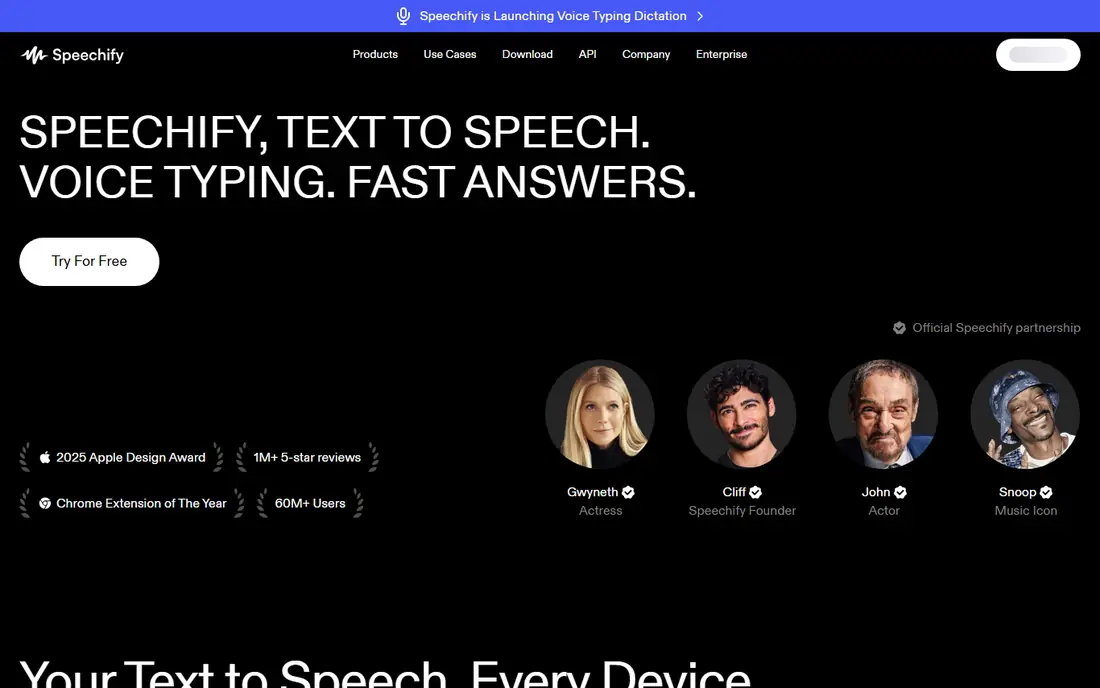
Speechify started as a reading app, and that focus still shows in how simple it is to get going. You can send it an article, a PDF, or a document, press play, and listen while you walk, commute, or do chores. The voice list is broad, and the playback controls suit people who listen for long stretches.
The catch is the split between products. Speechify Reader is for listening, while Speechify Studio is for creating voiceovers and dubbing, and the two are priced separately. That can confuse buyers who expect one subscription to cover both jobs. If you mainly want to listen, start with the Reader plan and test the free tier first. If you want to publish audio, check Studio pricing and credits before you commit.
- Large voice library
- Works with PDFs, web pages, and documents
- Listening speeds and playback controls are easy to adjust
- Reader and Studio pricing are separate
- The free plan is limited in voices and speed
NaturalReader takes a quieter approach than most names on this list. The interface puts the document first, with clear playback controls and a reading view that is easy to follow for long PDFs and study material. For students, researchers, and people who read for work, that restraint is a strength rather than a gap.
It is less convincing if your goal is polished video narration. NaturalReader can read text aloud well, but it does not offer the same script timing, mixing, and export workflow as Murf AI or ElevenLabs. Pick it when listening and comprehension are the main jobs. Pick a studio tool instead when you need to publish audio regularly.
- Clean reading interface
- Supports common document formats
- Good option for students and heavy readers
- Voiceover and studio features are thinner than creator-focused rivals
- Pricing varies by plan and platform
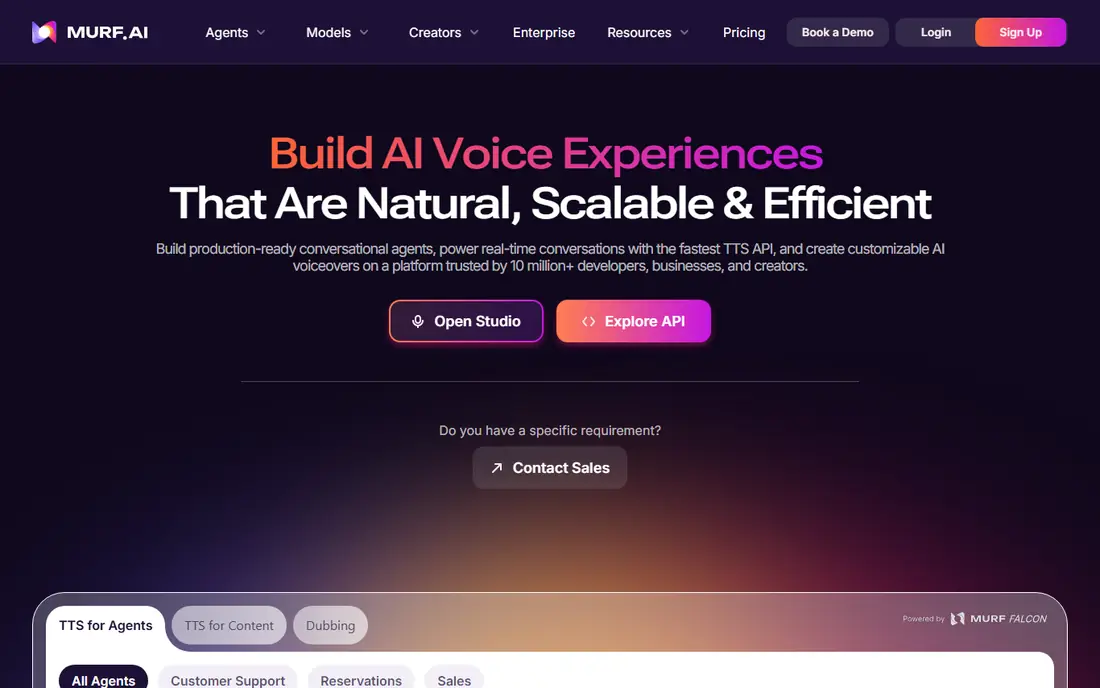
Murf AI feels like an editing desk rather than a simple player. You work from a script, place voice blocks against visuals, and adjust timing until the narration fits the scene. That structure helps video creators, course makers, and marketing teams who need narration to land at the right moment.
The free plan is best treated as a trial of the editor, not as a way to produce finished audio, because downloads are restricted. Paid plans add downloads and commercial use, so read the licence terms for your plan before using audio in client work or ads. If you publish video often, the time saved in the editor can matter more than a slightly lower price elsewhere.
- Visual script editor
- Wide voice and language selection
- Integrations suit video and presentation workflows
- Free plan does not include downloads
- Voice cloning is gated on higher tiers
ElevenLabs earns its place near the top on voice quality alone. Its voices handle pauses, emphasis, and longer passages with fewer of the flat, robotic edges that give synthetic speech away. The multilingual library also helps teams that publish in more than one language without hiring separate narrators for every version.
Pricing needs care, because credits cover several products and can run down faster than expected on long scripts. The free plan gives you room to test voices, but it is not a licence for published work. For creators who publish often, compare the monthly credit allowance with your real script length before choosing a tier.
- Very natural voices
- Large multilingual library
- Voice cloning and API options for larger projects
- Credits are shared across products
- The free plan is for non-commercial use
- Advanced cloning sits on higher plans
Voice Dream Reader has long been a favourite among readers who rely on text-to-speech every day. It handles books, PDFs, and web content in one place, and its reading controls make it easy to move through long material without losing your place. For people with dyslexia, low vision, or a heavy reading load, that consistency matters.
The main drawback is the buying model. There is no full free plan, and some voices are bought separately, so the total cost depends on the voices you choose. Check the current app store listing for your device before you buy, and try the built-in voices first to see if they suit your ears.
- Strong accessibility features
- Works well with books and documents
- Reading controls suit long-form listening
- No free plan to test fully first
- Voice purchases can add cost on top of the app
Narakeet suits people who need voiceovers a few times a month rather than every day. You paste a script, pick a voice, and download audio without learning a full studio. That simplicity is welcome for explainer videos, training clips, and slide narration where speed matters more than fine control.
Voice quality is uneven, so shortlist two or three voices and listen to a full paragraph, not just a sample sentence. Longer or technical scripts can expose weaker voices quickly. When you find voices you trust, Narakeet becomes a low-friction backup for projects that do not justify a monthly studio subscription.
- Large voice catalogue
- Pay-as-you-go options suit irregular use
- Simple script-to-audio workflow
- Editing features are basic compared with studio tools
- Voice quality varies by voice and language
WellSaid Labs focuses on doing one thing well: clean, professional English narration. Its studio is less busy than video-first tools, which helps when you are producing training material, product walkthroughs, or corporate narration on a deadline. The voices sound steady and controlled, which suits formal content.
The trade-off is breadth. If you need many languages or highly expressive character voices, ElevenLabs or Murf AI will give you more choice. WellSaid Labs also meters downloads on some plans, so check how many finished minutes your plan includes before you promise a client a large batch of audio.
- Clear, professional English voices
- Straightforward studio for narration projects
- Consented voice library
- Language range is narrower than global rivals
- Download limits apply on lower tiers
TTSMaker is the no-fuss entry point on this list. It turns text into speech quickly, without an account-heavy setup or a studio learning curve. For short social clips, draft narration, or testing whether synthetic voice fits a project at all, that speed is genuinely useful.
It is not a replacement for a paid studio when quality and control matter. Pronunciation controls, pacing options, and voice consistency are thinner here, and you should confirm the commercial terms for your use before publishing. Treat TTSMaker as a starting point, then move up when your output volume or quality bar rises.
- Free tier for basic use
- Simple interface
- Useful for short clips and tests
- Fewer advanced controls
- Voice quality varies
- Commercial terms need checking before published use
How we picked these
We compared official feature pages, pricing pages, and app store listings, along with public reviews and privacy information where it was relevant. We looked for tools that still work today, that clearly state what the free plan allows, and that fit either listening or published voiceover work. We did not claim hands-on testing, and we left out tools whose public sites no longer resolve or whose pricing could not be confirmed from a vendor or store page.
We also weighed the licence question heavily. A tool can sound excellent and still be the wrong pick if its free tier forbids commercial use or its downloads are capped. That is why the product notes above call out downloads, commercial use, and credit limits wherever those terms change the real cost.
What to check before you pay
Listening or publishing
Start by naming the job. Readers need good playback, document support, and comfortable voices for long sessions. Publishers need downloads, a clear commercial licence, and enough credits or minutes for their script volume. A great reader can be a poor publishing tool, and the reverse is also true.
Voice quality on your own script
Sample voices are chosen to sound good. Test each shortlisted tool with a paragraph from your own material, including names, numbers, and technical terms you actually use. Listen for mispronounced words, odd pauses, and flat delivery on longer sentences, since those flaws grow more obvious over a full video or chapter.
Credits, minutes, and licences
Monthly prices can hide the real cost. Check how credits convert into finished audio minutes, whether unused credits roll over, and whether your plan allows commercial use. For teams, also check seat limits and whether voice cloning is included or gated behind a higher tier.
Privacy and voice cloning
If you clone a voice, use only voices you own or have clear permission to use, and keep consent records for client work. For reading tools, check what happens to documents you upload, since study notes and work files can contain private material. Prefer vendors that state their data handling plainly in a privacy policy.
Frequently asked questions
What is the best text to speech app for everyday listening?
Speechify is our pick for most everyday listeners, with NaturalReader and Voice Dream Reader close behind for document-heavy reading. The best speech to text software question often gets confused with this one, but dictation tools turn your voice into text, while these apps turn text into speech. If you want both jobs covered, you may need two tools rather than one compromise.
What is the best free speech to text software option?
For listening, free tiers from Speechify, NaturalReader, and TTSMaker cover basic use without payment, though voices and speeds are limited. For dictation, the built-in tools on phones and computers are often enough for notes and short drafts. The best free speech to text software choice depends on whether you need reading aloud, dictation, or both, so test the free tier on your own material first.
Which tool is the best text to speech software for videos?
Murf AI is the strongest video-first pick here, because its editor ties narration to visuals and timing. ElevenLabs is a strong second when voice realism matters more than timeline editing, and you can pair it with your video editor. Check download limits and commercial rights on your plan before using either tool for client videos or ads.
What is the best voice recognition software for dictation?
Voice recognition and text-to-speech solve opposite problems, so the best voice recognition software for dictation is usually a dedicated dictation tool or your device built-in speech input. The best dictation software options focus on accuracy, punctuation commands, and editing, while the apps in this guide focus on playback and narration. If dictation is your main need, shortlist dictation tools separately rather than judging these apps on a job they were not built for.
Are the best text to speech apps good for studying?
Yes, for many students they help with long readings, revision, and catching errors in written work by hearing it read back. NaturalReader and Voice Dream Reader suit long documents, while Speechify suits articles and PDFs on the move. Listening speed matters here, so test whether the free tier allows the speed you prefer before you pay.
Can I use free text-to-speech audio in commercial projects?
Usually not on a free tier. Several free plans in this guide allow personal testing only, and commercial use requires a paid plan with the right licence. Always read the licence for your exact plan, keep a copy of the terms, and check whether attribution or a seat limit applies to team projects.
Sources
See where you really rank - block by block
ProMapRanker scans Google Maps across a grid of your service area. Simple monthly plans from $19, white-label on every plan.
Start freeKeep reading
 youtube alternatives
Best YouTube Alternatives in 2026
Looking for youtube alternatives in 2026? We compare Vimeo, Dailymotion, Twitch, Rumble, and more on price, audience, monetization, control and privacy.
Read → what's the best ai tool for photo editing
What Is the Best AI Tool for Photo Editing in 2026
What is the best AI tool for photo editing? We compare ten tools for 2026, from Photoshop and Lightroom to Luminar, Topaz, Canva and mobile editors today.
Read → twitter alternatives
Best Twitter Alternatives in 2026
Compare the best twitter alternatives for 2026, from Bluesky, Threads, and Mastodon to Reddit, Tumblr, and Micro.blog, with free plans and audience notes.
Read →