 ProMapRanker
Best Teleprompter App in 2026

Key takeaways
- Teleprompter.com is the strongest all-round pick across devices, while PromptSmart Pro suits speakers who want scrolling that follows their voice.
- BIGVU suits business video with recording, captions and branding in one app, while Speakflow and FlowPrompter suit browser and meeting workflows.
- Elegant Teleprompter and Nano Teleprompter suit simple mobile prompting, especially with floating windows over other apps.
- Test scrolling on a real take before paying. Voice tracking, fixed speed and remote control feel very different in practice.
Quick comparison
| Pick | Great for | Pricing starts at | Free tier | |
|---|---|---|---|---|
 Teleprompter.com | All-round prompting | Free | Yes | Visit |
 PromptSmart Pro | Voice-following scrolling | Free | Yes | Visit |
 BIGVU | Business video | Free | Yes | Visit |
 Elegant Teleprompter | Simple mobile use | Free | Yes | Visit |
 Speakflow | Browser prompting | Free | Yes | Visit |
 FlowPrompter | Meetings and talks | Free | Yes | Visit |
 Nano Teleprompter | Floating window | Free | Yes | Visit |
 Captions | AI video recording | Free | Yes | Visit |
The best teleprompter apps
We compared official app descriptions, pricing pages and store listings for teleprompters that scroll scripts for video, meetings and speeches. Here are eight tools that cover mobile, desktop and browser use.
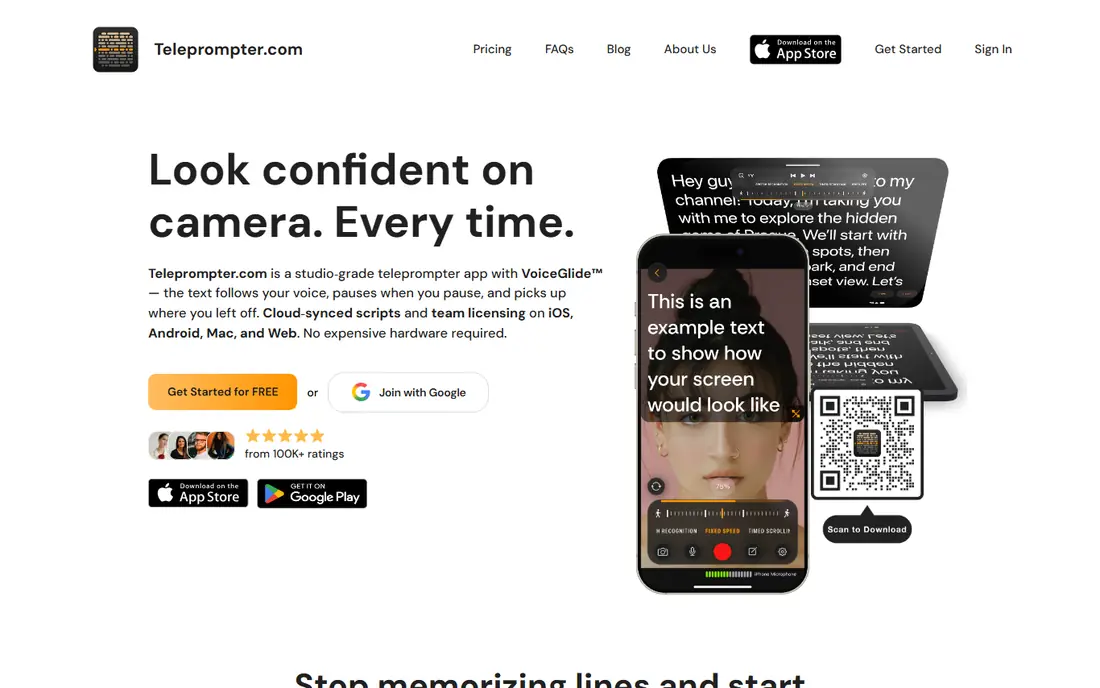
Teleprompter.com is our pick for most users because it covers the core job well on phone, tablet and desktop. Import a script, adjust speed, font size and mirror mode for a prompter rig, and record video while reading. That flexibility suits creators, trainers and business users who switch devices.
Free use covers basic prompting, while paid plans add longer scripts, team features and higher-quality workflows. Start free, test a real recording, and upgrade only if script length or collaboration becomes a limit.
- Works across devices
- Script import and recording
- Adjustable speed and text size
- Advanced features need a paid plan
- Recording quality depends on device camera
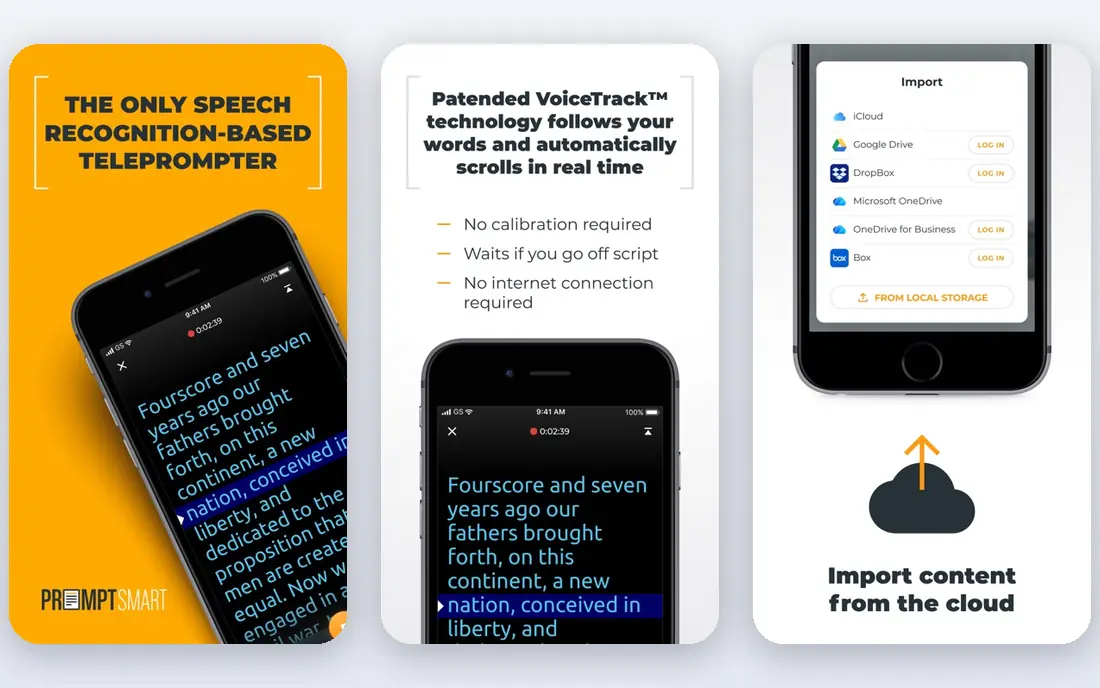
PromptSmart Pro stands out for voice-following scrolling. Instead of moving at a fixed speed, it listens and advances as you speak, pauses when you pause, and can move back if you repeat a line. That makes it easier to sound natural, especially for longer talks where pace changes.
Voice tracking works best in a quiet room with clear speech and a good microphone. Background noise, heavy accents or improvised sections can confuse tracking, so keep manual speed control as a backup for live events.
- Voice tracking follows your spoken words
- Works offline in many cases
- Remote control support
- Voice tracking needs clear speech and a quiet room
- Premium features need payment
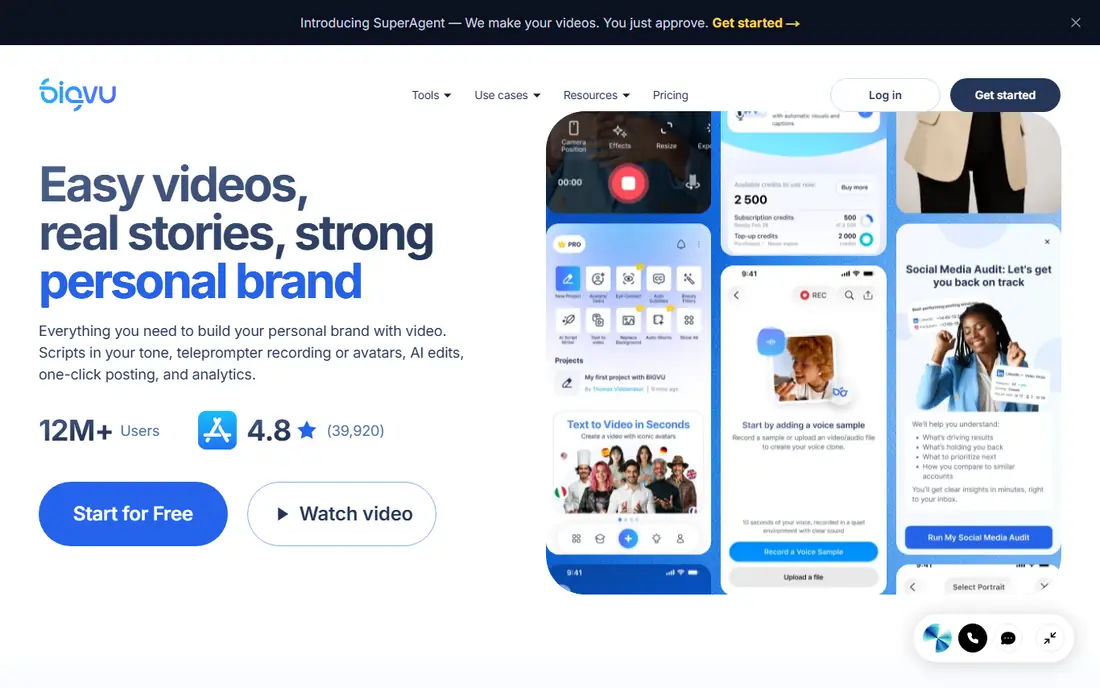
BIGVU suits teams that record regular business videos, such as updates, sales messages and training clips. The teleprompter sits inside a recording app with captions, branding, editing and sharing, so a finished video needs fewer extra tools. That all-in-one flow saves time for non-editors.
Casual users who only need a script scroller may find BIGVU heavier than Teleprompter.com or Elegant Teleprompter. For business video at scale, though, captions and branding justify the paid plans.
- Teleprompter plus video recording
- Automatic captions
- Branding and team tools
- Business features need paid plans
- Free exports may carry limits
Elegant Teleprompter is a straightforward Android pick for speakers, streamers and musicians who need lyrics or a script on screen. The floating window lets the script sit over a camera app or live stream, and the window can be resized and moved. Bluetooth remotes help control speed hands-free.
Scrolling is fixed-speed rather than voice-following, so you must match the pace or adjust it during a take. For simple, reliable prompting without a complex setup, that trade-off is acceptable, and the free tier covers core use.
- Simple mobile interface
- Floating window over other apps
- Bluetooth remote support
- Fixed-speed scrolling, not voice tracking
- Design is basic
Speakflow suits presenters who work in a browser and join Zoom, Meet or Teams calls. Open the prompter in a window, keep eye contact near the camera, and read while presenting or recording. That browser workflow avoids installing software on a work computer.
A stable connection matters, and offline use is limited compared with mobile apps. For meetings, webinars and recorded demos from a laptop, Speakflow is a clean and practical pick.
- Browser-based, no install needed
- Works with meeting tools
- Flow mode for natural delivery
- Needs a stable internet connection
- Advanced features need payment
FlowPrompter focuses on a specific pain point: reading a script during an online meeting without looking away from the camera. Adjustable transparency, window size and text position help place the script close to the webcam, so delivery looks more natural. Controls for speed, pause and resume are simple to reach mid-talk.
It is not a full video editor or recording studio, so creators who need captions and branding should pair it with BIGVU or a separate editor. For live talks and client calls, its focused design is a strength.
- Designed for online meetings
- Adjustable transparency and window size
- Simple controls
- Smaller feature set than BIGVU
- Paid plans for full use
Nano Teleprompter suits mobile creators who record in TikTok, Instagram or a camera app and want a small script window on top. Move and resize the widget, set text size and speed, and read while filming without switching apps. That overlay approach is more flexible than a full-screen prompter for short-form video.
The feature set is basic, with fixed-speed scrolling and limited script management. For short clips and social videos, that simplicity works well. For long speeches, a voice-tracking app such as PromptSmart Pro will feel easier.
- Movable floating widget
- Works over other apps
- Customizable text and speed
- Basic feature set
- Fixed-speed scrolling only
Captions suits short-form creators who want prompting and editing in one mobile app. Record with the teleprompter, then add captions, cuts and effects without exporting to another editor. That flow suits social video teams that publish often.
Users who only need a prompter may prefer a simpler, cheaper app, since many AI features sit behind a subscription. For creators already editing in Captions, the built-in prompter is a useful bonus, not a reason alone to subscribe.
- Teleprompter plus AI editing
- Captions and clip tools
- Mobile-first workflow
- AI features need paid plans
- Teleprompter is part of a larger editing app
How we picked these
We compared official app pages, pricing pages and store listings, favoring teleprompters that work in 2026, offer a free way to test scrolling, and cover mobile, desktop or browser use. We kept a mix of voice-tracking, fixed-speed, floating-window and meeting tools, and we noted where premium features need payment. We did not claim hands-on testing, and prices are listed as free where apps offer a free tier with in-app purchases.
Choosing the right teleprompter app
Choose your scrolling style first
Voice tracking suits long, natural talks, fixed speed suits short, scripted clips, and remote control suits stage or rig setups. Test each style on a real take, since a feature that sounds good in a listing can feel awkward in practice. Keep a manual override ready for live talks.
Match the app to the camera setup
Phone creators need floating windows or in-app recording, laptop presenters need a browser window near the webcam, and studio users need mirror mode for a prompter rig. Check device support before paying, since some apps are mobile-only and others are browser-only.
Check script handling and exports
Confirm how scripts import, whether text size, speed and mirror mode adjust easily, and what happens to recorded video quality. For business use, check captions, branding and team sharing. A free test with your real script will reveal limits faster than a feature list.
Rehearse with the exact setup you will use on the day. Place the script at the same distance from the camera, use the same microphone and lighting, and record a full take. Listen back for pace, pauses and places where you rush or lose your place, then adjust speed, font size or script breaks. That one rehearsal often matters more than switching to a different app.
Keep a short checklist for your next use so the tool keeps working for you. Note the settings that worked, the limits you hit and the cost of the next tier, and review that note before renewing or upgrading. Small notes like these prevent repeat mistakes, save money on unused plans and make it easier to switch tools later without losing the workflow you already built.
Frequently asked questions
What is the best teleprompter app?
Teleprompter.com is best for most users across devices, PromptSmart Pro is best for voice-following scrolling, and BIGVU is best for business video with captions. Elegant Teleprompter and Nano Teleprompter suit simple mobile prompting.
What are the best teleprompter apps for free?
Teleprompter.com, PromptSmart Pro, BIGVU, Elegant Teleprompter, Speakflow and Nano Teleprompter all offer free tiers. Free plans usually limit script length, exports or advanced features, so test your real script before a paid upgrade.
What is the best free teleprompter app for Android?
Elegant Teleprompter and Nano Teleprompter are strong free Android picks with floating windows, while PromptSmart Pro adds voice tracking. Test floating-window support with your camera app, since behavior varies by device.
Does a teleprompter app help with eye contact?
Yes, when the script sits close to the camera. Browser prompters such as Speakflow and FlowPrompter help laptop presenters, while mirror mode helps studio rigs. Practice placement before a live talk, since a script far from the lens still looks like reading.
Can I use a teleprompter app for Zoom meetings?
Yes. Speakflow and FlowPrompter are designed for meeting workflows, and floating-window mobile apps can work for phone calls. Test transparency, window size and audio before an important meeting to avoid distractions.
Sources
See where you really rank - block by block
ProMapRanker scans Google Maps across a grid of your service area. Simple monthly plans from $19, white-label on every plan.
Start freeKeep reading
 vercel alternatives
Vercel Alternatives in 2026
Compare the best Vercel alternatives for static sites, full-stack apps and backends, with free tiers, current pricing and honest trade-offs for developers.
Read → best veterinary software
Best Veterinary Software in 2026
We compared the best veterinary software for clinics of every size, from cloud practice tools to desktop systems, with detailed pricing and trade-offs.
Read → best truck gps app
Best Truck GPS App in 2026: 8 Apps Compared
Best truck GPS app picks for truckers, with truck routing, low bridge warnings, parking and fuel tools, plus current prices and free options for US drivers.
Read →