 ProMapRanker
Best Technical Writing Tools for Software Manuals in 2026


Enterprise single-sourcing · Pricing starts at: $182 per user per month
Key takeaways
- Structured tools such as MadCap Flare, Paligo, and FrameMaker suit long manuals with reuse, variants, and translation, while GitBook suits collaborative web docs.
- Docs-as-code tools such as Docusaurus and Sphinx suit developer-led teams that already work in Git and Markdown.
- Single-sourcing matters most when one manual must become web help, PDF, and in-app help without rewriting each version.
- Price ranges from free open-source tools to several hundred dollars per month, so judge total cost by team size and output formats, not by entry price alone.
Quick comparison
| Pick | Great for | Pricing starts at | Free tier | |
|---|---|---|---|---|
| MadCap Flare | Enterprise single-sourcing | $182 per user per month | No | Visit |
 Paligo | Cloud structured authoring | $490 per month | No | Visit |
 Adobe FrameMaker | Long structured documents | $39.99 per month | No | Visit |
 GitBook | Collaborative web documentation | $65 per site per month | Yes | Visit |
 Document360 | Knowledge bases and manuals | See website | No | Visit |
 ClickHelp | Hosted manuals with analytics | $194 per month | No | Visit |
 HelpNDoc | Small Windows help projects | Free | Yes | Visit |
 Oxygen XML Editor | XML and DITA precision | See website | Free trial | Visit |
 Docusaurus | Developer-led docs sites | Free | Yes | Visit |
 Sphinx | Python and docs-as-code manuals | Free | Yes | Visit |
The best technical writing tools for software manuals
A software manual needs structure, reuse, and clean output, not just a blank page. The tools below cover structured authoring, hosted help centres, and docs-as-code, so a solo writer and an enterprise team can both find a fit.

MadCap Flare is the workhorse for teams that publish the same manual as web help, PDF, and mobile help from one source. Topics, snippets, and variables can be reused across manuals, so a corrected procedure updates everywhere at once. Import from Word, HTML, and DITA helps teams move existing manuals without retyping them.
The price and learning curve are the main barriers. At $182 per user per month on published terms, Flare suits firms with dedicated technical writers rather than occasional contributors. Teams that need deep single-sourcing and multi-format output will find the investment justified, while smaller teams may prefer a hosted tool.
- Strong single-sourcing and reuse
- Many output formats
- Built-in review and translation workflows
- High per-user price
- Learning curve
- Desktop-first workflow for some teams
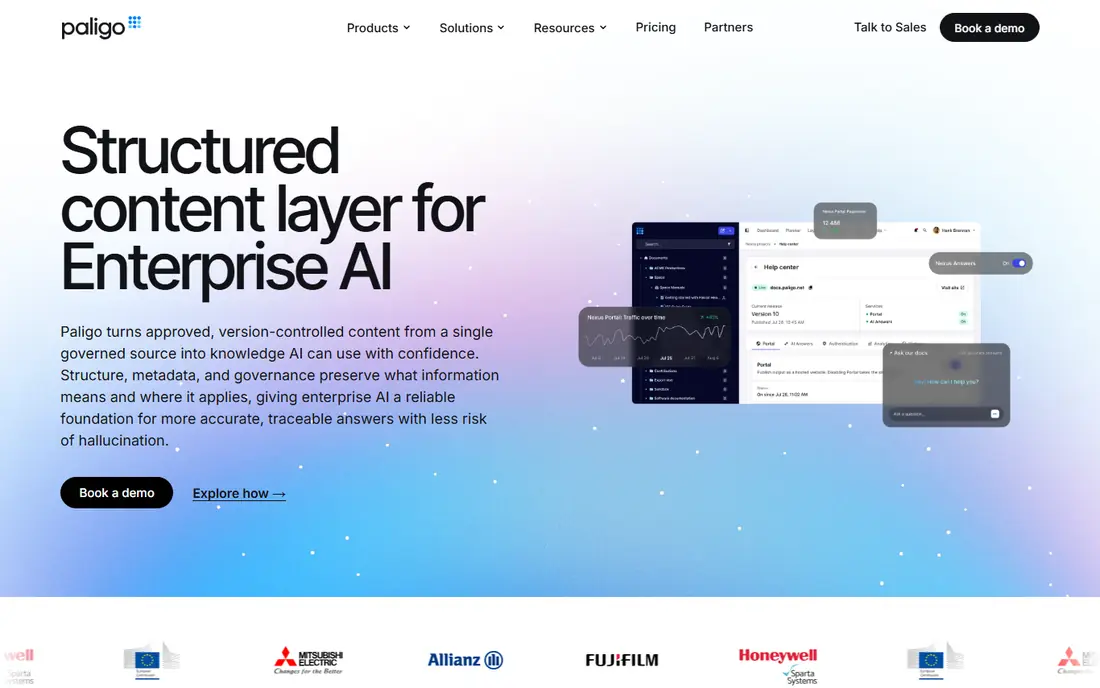
Paligo is a cloud component content management system built for topic-based authoring. Writers build manuals from reusable topics, branch content for variants, and publish to web, PDF, and EPUB from the same source. Translation management and version control are built in, which helps teams shipping manuals in several languages.
The $490 monthly entry price puts Paligo in enterprise territory, and structured authoring takes training for writers used to Word. For a team managing long manuals, many variants, and localisation, Paligo offers control that simpler tools cannot match. For a single short manual, a lighter tool will be cheaper and faster.
- Cloud component content management
- Strong reuse and branching
- Translation management built in
- High monthly entry price
- Structured authoring needs training
- Overkill for short manuals

Adobe FrameMaker excels at long, structured manuals where pagination, cross-references, and print output matter. It supports DITA and XML authoring, handles documents running to hundreds of pages, and produces polished PDF output. Industries such as aerospace, medical devices, and manufacturing have used it for regulated manuals for years.
The interface feels traditional next to cloud tools, and real-time collaboration is weaker. The monthly subscription also adds up over a year. For teams already in the Adobe ecosystem, or for print-led manuals, FrameMaker remains a reliable choice.
- Handles very long documents well
- DITA and XML support
- Strong PDF output
- Subscription cost adds up
- Interface feels traditional
- Collaboration is weaker than cloud tools
GitBook suits product teams that want a clean, searchable manual on the web without managing a docs site themselves. Non-technical writers can edit in a block editor, developers can sync with GitHub, and published docs look polished with little styling work. A free plan for a single user helps small teams start.
Costs rise with sites and users, since the $65 site price sits alongside per-user charges on paid plans. Advanced access controls and AI search need higher tiers. For a software manual that lives mainly on the web and is updated often, GitBook balances ease of use with a professional result.
- Easy collaborative editing
- GitHub sync
- Clean published docs sites
- Per-user costs add up
- Advanced access controls need higher tiers
- Print output is lighter
Document360 is an AI-powered knowledge base platform that also works well for user manuals. Teams can author in Markdown, manage versions, organise content by category, and publish a branded portal with search and analytics. AI tools help with drafting, tagging, and search, which can speed up large manuals.
Pricing is quoted rather than published as a single rate, so budget time for a sales conversation. The platform is broader than a pure manual tool, covering internal knowledge and customer self-service too. For a software company that wants manuals and support docs in one portal, Document360 is a strong option.
- AI search and content tools
- Version control
- Customisable knowledge base portals
- Pricing is quoted
- Aimed at knowledge bases as much as manuals
- Enterprise features need higher tiers
ClickHelp is a hosted documentation tool for software companies that publish user manuals, knowledge bases, and tutorials online. Writers edit in a visual editor or HTML source mode, reuse topics across manuals, and publish instantly to a branded portal. Analytics show which topics readers use, and readability scores help writers simplify dense procedures.
The $194 monthly starting price is high for a solo writer, though it suits a small team sharing one portal. Custom design and multi-language workflows need planning. For a team that wants a hosted manual with analytics and no server to maintain, ClickHelp is a practical pick.
- Hosted portal with no install
- Single-sourcing and reuse
- Readability and usage analytics
- Monthly price is high for small teams
- Design customisation takes work
- Translation workflow needs planning
HelpNDoc is a Windows help authoring tool that suits small teams and solo writers building manuals, CHM help, and web help. The free version covers core authoring, and paid editions add more output and features. Writers can build a table of contents, add images and videos, and export to several formats from one project.
Windows-only use and limited team collaboration are the main limits. Structured reuse and translation depth are thinner than Flare or Paligo. For a small Windows-based team that needs a straightforward manual tool at low cost, HelpNDoc is a sensible choice.
- Free version available
- Multi-format output
- Simple Windows workflow
- Windows only
- Team collaboration is limited
- Advanced structured features are thinner
Oxygen XML Editor is the precision tool for teams that author manuals in XML or DITA. It offers strong validation, transformation, and publishing support, with editors for DITA maps, topics, schemas, and stylesheets. Technical writers in regulated industries value its accuracy when a manual must meet strict structure rules.
The trade-off is expertise. Non-technical writers may find XML authoring slow, and pricing varies by edition. Oxygen suits teams that already commit to DITA or XML, or that need exact control over structured output. For a Markdown-first team, a docs-as-code tool will be faster.
- Precise XML and DITA editing
- Strong validation and transformation
- Supports many XML standards
- Pricing is quoted by edition
- XML expertise needed
- Less friendly for non-technical writers
Docusaurus, from Meta, builds documentation sites from Markdown and MDX files, with versioning, search, and theming built in. Developer-led teams can keep manuals in the same Git repository as code, review changes by pull request, and deploy docs alongside releases. That workflow keeps manuals close to the software they describe.
Setup and hosting need developer time, and non-technical writers may struggle with Git and Markdown at first. Styling beyond the default theme also needs code. For a software team that already works in Git, Docusaurus offers a free, durable way to publish versioned manuals.
- Free and open source
- Markdown and MDX support
- Versioning and search built in
- Needs developer setup and hosting
- Non-technical writers face a learning curve
- Styling needs code
Sphinx is a docs-as-code generator widely used for Python documentation and large technical manuals. It supports cross-references, indexes, tables of contents, and multiple output formats from text source files. Large projects have used it for years, which means themes, extensions, and guides are well established.
The main barrier is reStructuredText, which feels less familiar than Markdown to many writers, though Markdown support exists through extensions. Setup also needs developer help. For a Python-led team, or a manual that needs deep cross-referencing and indexing, Sphinx is a proven free choice.
- Free and open source
- Strong cross-references and indexing
- Proven for large Python docs
- ReStructuredText learning curve
- Setup needs developer help
- Design needs theming work
How we picked these
We compared official pricing and feature pages, technical writing guides, and help authoring reviews, and we favoured tools that are live in October 2026 and can produce a complete software manual. We weighed single-sourcing, output formats, collaboration, translation, and price, and we mixed structured, hosted, and docs-as-code tools. We did not run hands-on authoring trials, and prices marked as quoted reflect vendors that do not publish a single rate.
What to check before you buy
Start with output, not editing. List every format your manual must become: web help, PDF, in-app help, EPUB, or print, and test each one with a sample chapter. A tool that edits beautifully but exports poorly will create rework at every release.
Next, test reuse and variants. Create one procedure, reuse it in two manuals, and change it once to see whether both update. Also test conditional content for different editions, roles, or platforms, since that is where structured tools earn their price. Check translation workflow early if you ship in more than one language, including how changed topics are flagged for translators.
Finally, match the tool to the writers. A structured tool only works if writers accept topic-based authoring, while a docs-as-code tool only works if writers accept Git. Pilot with one real chapter and the writers who will maintain it, and measure time to publish, review, and update. The tool your team will actually use beats the tool with the longest feature list.
Frequently asked questions
What is the best tool for a long software manual?
For long manuals with reuse and translation, MadCap Flare, Paligo, or Adobe FrameMaker are the strongest picks. For a web-first manual updated often, GitBook or Document360 may be better. For a developer-led manual in Git, Docusaurus or Sphinx are strong free options. Choose by output and team skills, not by popularity alone.
Do I need DITA or XML for a software manual?
Not always. DITA and XML help when manuals are long, heavily reused, translated, or regulated. Shorter manuals, web help, and developer docs often work well in Markdown. Move to structured authoring when reuse and variants become painful, not before.
Can non-technical writers use these tools?
Yes, especially GitBook, Document360, ClickHelp, and HelpNDoc, which offer visual editors and hosted portals. Structured tools such as Paligo and Oxygen need more training, while docs-as-code tools need Git skills. Match the editor to the writers who will maintain the manual daily.
How much do technical writing tools cost?
Free tools such as Docusaurus and Sphinx cost only hosting and setup time, while hosted tools start at $65 to $194 per month. Structured tools are pricier: FrameMaker from $39.99 per month, Flare from $182 per user per month, and Paligo from $490 per month. Add writers, sites, and translation to the entry price.
Should manuals live with code or in a separate tool?
Keeping manuals with code suits developer docs that change with each release, since review and versioning follow the code. A separate authoring tool suits user manuals owned by technical writers, with reuse, translation, and multi-format output. Many firms use both: code docs in Git, and user manuals in a structured or hosted tool.
How do I handle manual updates for each software release?
Version your manual with each release, keep a changelog, and flag changed topics for review. Docs-as-code tools version naturally with Git, while structured and hosted tools offer version control and branching. Agree who approves changes before release, so updates do not slip past launch.
Sources
See where you really rank - block by block
ProMapRanker scans Google Maps across a grid of your service area. Simple monthly plans from $19, white-label on every plan.
Start freeKeep reading
 worlds best local seo company
8 Worlds Best Local SEO Companies for Map Pack Growth in 2026
Compare the worlds best local seo company options for Google Business Profile work, citations, reviews, and multi-location rankings and reporting in 2026.
Read → world's best web hosting company
World's Best Web Hosting Company in 2026
Searching for the world's best web hosting company? We compared 10 hosts on price, renewal rates, speed, and support to help you choose well today in 2026.
Read → who's got the best nanny tax services
Who's Got the Best Nanny Tax Services in 2026
We answer who's got the best nanny tax services, comparing full filing, back taxes, software, and pricing so families can handle nanny taxes correctly.
Read →