 ProMapRanker
Best Tax Software for Small CPA Firms in 2026


Cloud-first firms in the Intuit ecosystem · Pricing starts at: See website
Key takeaways
- Drake Tax gives small firms the lowest clear entry point we found, with a cloud option from 299 dollars for the first user and a pay-per-return desktop path.
- ProConnect Tax Online suits cloud-first firms that already use QuickBooks, while Lacerte and UltraTax CS suit firms with complex, multi-state returns.
- TaxSlayer Pro and TaxAct Professional offer flat published bundles that make budgeting easier than quote-only enterprise suites.
- For a small CPA firm, fit matters more than raw form count, so test e-filing, state coverage, and client workflow before tax season starts.
Quick comparison
| Pick | Great for | Pricing starts at | Free tier | |
|---|---|---|---|---|
| ProConnect Tax Online | Cloud-first firms in the Intuit ecosystem | See website | Free trial | Visit |
 Lacerte | Complex individual and business returns | See website | No | Visit |
 UltraTax CS | Deep multi-state and multi-entity work | See website | No | Visit |
 Drake Tax | Small firms that want value and flexibility | $299 per year | Free trial | Visit |
 ProSeries | Growing firms that want Intuit depth at a lower step | See website | No | Visit |
 CCH Axcess Tax | Firms that want a full cloud practice platform | See website | No | Visit |
 TaxAct Professional | Flat-bundle pricing for individuals and business | See website | Free trial | Visit |
 TaxSlayer Pro | Unlimited individual filing at a published price | $1,395 per year | Free trial | Visit |
The best tax software for small CPA firms
A small CPA firm needs software that handles real client complexity without charging like an enterprise suite. The tools below range from true cloud products to long-standing desktop engines, and the right pick depends on return volume, state mix, and how the firm works day to day. This is not financial advice for any single firm, and pricing should be confirmed with each vendor before a contract is signed.
ProConnect Tax Online
Great for: Cloud-first firms in the Intuit ecosystem
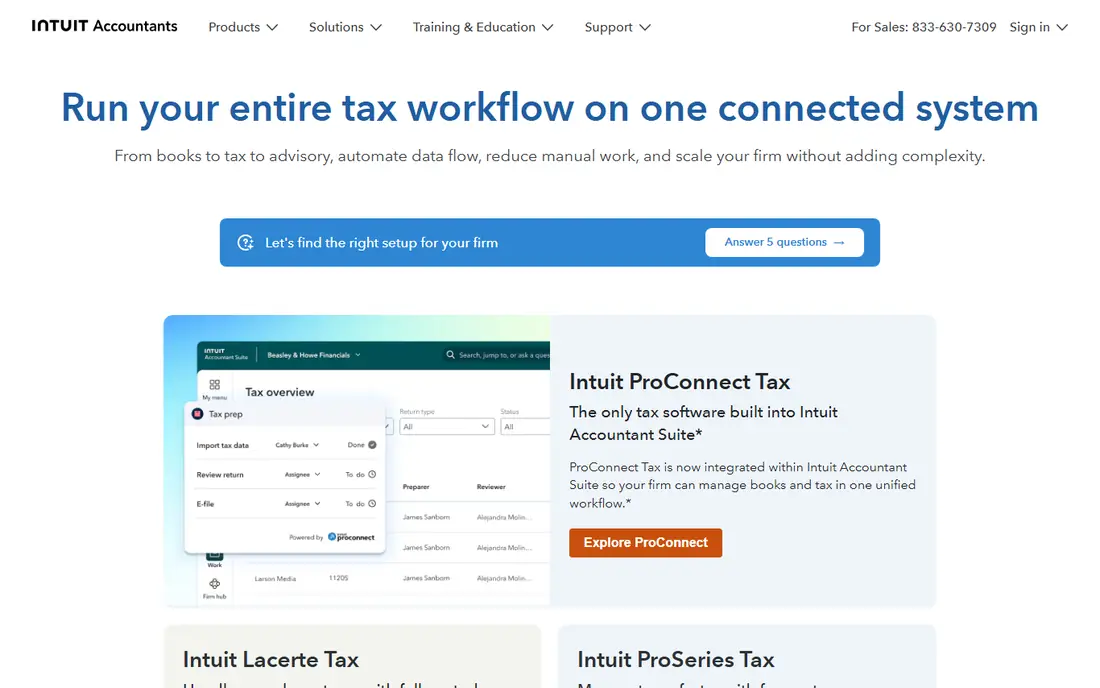
ProConnect Tax Online is Intuit's cloud-native professional tax product, and it fits a small firm that wants staff to work from anywhere without managing a server. Returns, e-filing, and client data live in the browser, which helps a distributed team or a firm with a seasonal office setup. The QuickBooks connection also helps when client bookkeeping already sits in Intuit products, since it reduces retyping and reconciliation work.
The honest limit is depth. Firms that handle many complex partnerships, multi-state allocations, or unusual entities may find Lacerte or UltraTax CS more complete, and ProConnect pricing should be modeled on the firm's actual return mix rather than a headline rate. For a small firm with mostly individual and straightforward business returns, though, the cloud workflow and pay-per-return flexibility are a strong combination.
- Runs in a browser with no server to maintain
- Pay-per-return options suit seasonal volume
- Works well alongside QuickBooks Online
- Less depth than Lacerte for very complex returns
- Pricing varies by return type and can add up at volume

Lacerte is the top tier of Intuit's professional tax line, and it remains a common choice for firms that cannot afford a missed form or a weak diagnostic. It handles a wide range of individual, business, trust, and estate returns, with review tools that help a preparer catch errors before filing. For a small firm that punches above its size on complexity, that depth can justify the higher step up from ProSeries or ProConnect.
The catch is deployment and cost. Lacerte is traditionally a desktop product, so a firm that wants true cloud access usually adds a hosting service, which is a second bill on top of the license. A small firm should price the full setup, including hosting and training, before assuming Lacerte is the cheapest path to depth. When complexity is the binding constraint, it still earns its place.
- Very deep form library and diagnostics
- Strong handling of complex scenarios
- Long track record with CPA firms
- Desktop heritage means hosting adds cost for remote teams
- Learning curve is steeper than newer cloud tools
UltraTax CS from Thomson Reuters is a workhorse for firms that file across many states and entities. Its form coverage, data sharing between related returns, and integration with practice management tools in the CS suite help a firm keep a complex client base consistent. Firms already using other Thomson Reuters products gain the most, because shared client data and workflow reduce duplicate entry.
Small firms should weigh that power against price structure. UltraTax CS is quote-based, and the final bill depends on users, modules, and states, so a firm must get a written quote on its real return mix. The learning curve is also real, and a firm that switches mid-season will feel it. For a firm with steady multi-state volume, the depth is worth that effort.
- Deep forms and multi-state support
- Integrates with the wider CS Professional Suite
- Strong research and workflow options
- Quote-only pricing makes budgeting harder
- Modules and states add cost
- Onboarding takes time
Drake Tax stands out on value, and that is why so many small and solo practices use it. The online version starts at 299 dollars for the first user, and the desktop pay-per-return path suits a firm that files a modest number of returns and does not want an unlimited bundle it will not fill. All 50 states, e-filing, bank products, and client tools are part of the package, which keeps the comparison honest.
The interface is the main compromise. It does not look as modern as a born-in-the-cloud product, and a new preparer will need time to learn its workflows. Support and training resources help, but a firm should trial the product with real returns before committing a full season to it. On price per return for a small firm, Drake is hard to beat.
- Low published entry point for the online version
- Pay-per-return desktop option for seasonal firms
- E-filing for all states
- Interface feels older than newer cloud tools
- Onboarding and training still take effort
ProSeries sits between ProConnect and Lacerte in the Intuit line, and it suits a growing firm that wants more depth than a basic cloud tool without jumping to the top tier. It covers individual and business returns, with diagnostics and e-filing that small firms rely on during peak season. Firms that already know Intuit products will find the learning curve shorter than a move to a wholly different vendor.
The limit is the same as Lacerte in miniature: it is a desktop product at heart, so a remote or multi-office firm should budget for hosting. A firm that plans to stay mostly in one office, or that already hosts its desktop tools, will feel that less. For a firm outgrowing a consumer-grade tool, ProSeries is a sensible middle step.
- Familiar Intuit workflows
- Good step between ProConnect and Lacerte
- Handles individual and business returns
- Desktop-based, so remote access needs hosting
- Higher tiers add cost as volume grows
CCH Axcess Tax, from Wolters Kluwer, is best judged as a platform rather than a single tax engine. Tax sits alongside workflow, document management, and client collaboration, which helps a firm that also does audit, advisory, or bookkeeping and wants one client record. For a small CPA firm that plans to grow into a multi-service practice, that shared platform can save rework later.
For a tax-only firm with a handful of staff, Axcess can feel large and expensive, and pricing requires a consultation rather than a published list. A firm should ask for a quote that matches its actual headcount and return volume, and should trial the workflow tools, not just the tax forms. When the wider platform fits the firm's plan, Axcess is a strong long-term pick.
- Cloud-native tax within a wider practice suite
- Strong workflow, document, and client collaboration tools
- Good for multi-service firms
- Quote-only pricing
- Can be more than a small tax-only firm needs
- Implementation takes planning
TaxAct Professional appeals to a small firm that wants a predictable annual bill. Its bundles cover individual and business filing, with e-filing included, and the firm can pick a bundle that matches its client mix rather than paying per return. That clarity helps a firm price its own services, because the software cost for the season is known in advance.
The trade-off is depth at the top end. Very complex multi-entity or multi-state work may still push a firm toward Lacerte, UltraTax CS, or Axcess, and TaxAct should be trialed on the firm's hardest returns, not just its simplest ones. For a firm with a broad but not extreme client base, the bundle model and the familiar TaxAct workflow are a practical combination.
- Published bundles make budgeting clear
- Covers individual and business returns
- Cloud and desktop options
- Less deep than Lacerte or UltraTax CS for the most complex cases
- Bundle choice needs care to avoid paying for unused forms
TaxSlayer Pro is a good fit for a small firm whose season is dominated by individual returns. The Classic tier starts at 1,395 dollars per year with unlimited individual filing, and the web version suits firms that want browser access without a server. State filing is included, which avoids a surprise line item as the season fills up.
Firms with a large business return practice should check the business forms and workflow against their actual clients before switching, because TaxSlayer Pro's strength is individual volume rather than enterprise complexity. For a seasonal practice, a side practice, or a firm building its individual base, the flat price and simple structure are easy to justify.
- Published pricing with unlimited individual returns on the main tiers
- Desktop and web versions
- All states included
- Business return depth is narrower than enterprise suites
- Interface is functional rather than polished
How we picked these
We compared official vendor pages, pricing pages, and product documentation, plus public roundups that had checked vendor pricing in 2026, and we kept only professional products that support preparer e-filing for clients. We weighted return coverage, state coverage, deployment model, and published or quotable pricing, and we favored products with a clear path for a firm of fewer than ten people. Where a vendor publishes no list price, we wrote See website rather than repeating a third-party estimate as if it were a vendor price.
What a small firm should decide before buying
Start with the return mix, not the feature list. Count last season's returns by type, by state, and by complexity, then ask each vendor to price that exact mix, including states, users, hosting, and e-filing. A product that looks cheap on a headline rate can become expensive once states and seats are added, and a quote-only product can become reasonable once the firm sees the full bundle. A short trial with real client files, including one difficult return, will reveal more than a demo with clean sample data.
Also decide how the firm will work in February and March. A cloud product suits a distributed team and a firm with no server room, while a desktop product with hosting can work well if the firm already manages hosted tools. Check client portal, e-signature, and document collection early, because those steps often cause more season friction than the tax calculation itself. Finally, confirm support hours during peak season and the renewal terms in writing, so a first-year price does not become a surprise in year two.
Frequently asked questions
What is the best tax software for a small CPA firm?
There is no one answer, because the best pick follows return mix and working style. Drake Tax leads on value for many small firms, ProConnect Tax Online leads for cloud-first Intuit firms, and Lacerte or UltraTax CS lead for complex multi-state work.
What is the best tax software for small CPA firms that want cloud access?
ProConnect Tax Online, Drake Tax Online, TaxSlayer ProWeb, and CCH Axcess Tax are the clearest cloud paths on this list. ProConnect and Drake Online need no server, while Axcess adds wider practice tools for firms that want more than tax alone.
Is Drake Tax good for a small CPA firm?
Yes, for many small firms it is, because the entry price is low, pay-per-return options exist, and all states and e-filing are included. The main compromise is an older interface, so a trial with real returns is worth doing before the season starts.
How much does professional tax software cost for a small firm?
Costs range from a few hundred dollars for a low-volume or pay-per-return start to several thousand dollars a year for unlimited bundles or quote-based suites. The firm should price its actual return count, states, and users, plus any hosting, because those items change the total more than the headline rate.
Do small CPA firms need Lacerte or UltraTax CS?
Only if their clients need that depth, such as complex partnerships, multi-state allocations, or large trust and estate work. A firm with mostly individual and straightforward business returns can often do well with Drake Tax, TaxAct Professional, TaxSlayer Pro, or ProConnect Tax Online at a lower cost.
Can a small firm switch tax software mid-year?
It can, but switching is safest outside peak season, with data conversion tested on real clients and staff trained before the first live return. Keep the old system available for prior-year amendments until the new system has handled a full filing cycle.
Sources
See where you really rank - block by block
ProMapRanker scans Google Maps across a grid of your service area. Simple monthly plans from $19, white-label on every plan.
Start freeKeep reading
 zscaler alternatives
Best Zscaler Alternatives in 2026
Looking for zscaler alternatives? We compare 9 SASE and zero trust platforms on architecture, data protection, pricing, and fit for your network and team.
Read → zapier alternatives free
Best Zapier Alternatives Free in 2026
Nine automation tools for zapier alternatives free in 2026, all with genuinely free tiers, plus free plan limits, starting prices and upgrade paths explained.
Read → which platform is best for online reputation
Which Platform Is Best for Online Reputation in 2026
Wondering which platform is best for online reputation? We compare 8 review, listing, and response tools for small and multi-location businesses and agencies.
Read →