 ProMapRanker
Best Tax Software for Accountants in 2026


Cloud-first firms · Pricing starts at: See website
Key takeaways
- Pay-per-return pricing suits small firms, while flat annual licences suit high-volume practices.
- Intuit, Thomson Reuters, and Wolters Kluwer dominate the professional market, so ecosystem fit matters as much as price.
- Cloud tools remove server work, but desktop tools still appeal to firms with long-established workflows.
- This is general information only, not tax or legal advice, and final returns still need professional review.
Quick comparison
| Pick | Great for | Pricing starts at | Free tier | |
|---|---|---|---|---|
| Intuit ProConnect Tax | Cloud-first firms | See website | No | Visit |
 Lacerte | Complex, high-volume firms | See website | No | Visit |
 ProSeries | Growing Intuit firms | $539 per year | No | Visit |
 Drake Tax | Value and support | $299 per year | Free trial | Visit |
 UltraTax CS | Thomson Reuters suite firms | See website | No | Visit |
 CCH Axcess Tax | Multi-office cloud firms | See website | No | Visit |
 TaxAct Professional | Flexible bundles | See website | No | Visit |
 TaxSlayer Pro | High-volume retail preparers | $1,395 per year | Free trial | Visit |
 ATX | Small firms wanting a wide forms library | $597 per year | No | Visit |
 GoSystem Tax RS | Large, multi-entity firms | See website | No | Visit |
The best tax software for accountants
Professional tax tools differ from consumer filing apps in depth, review controls, and client management. The ten below all prepare and e-file professional returns, but they suit different firm sizes and budgets.
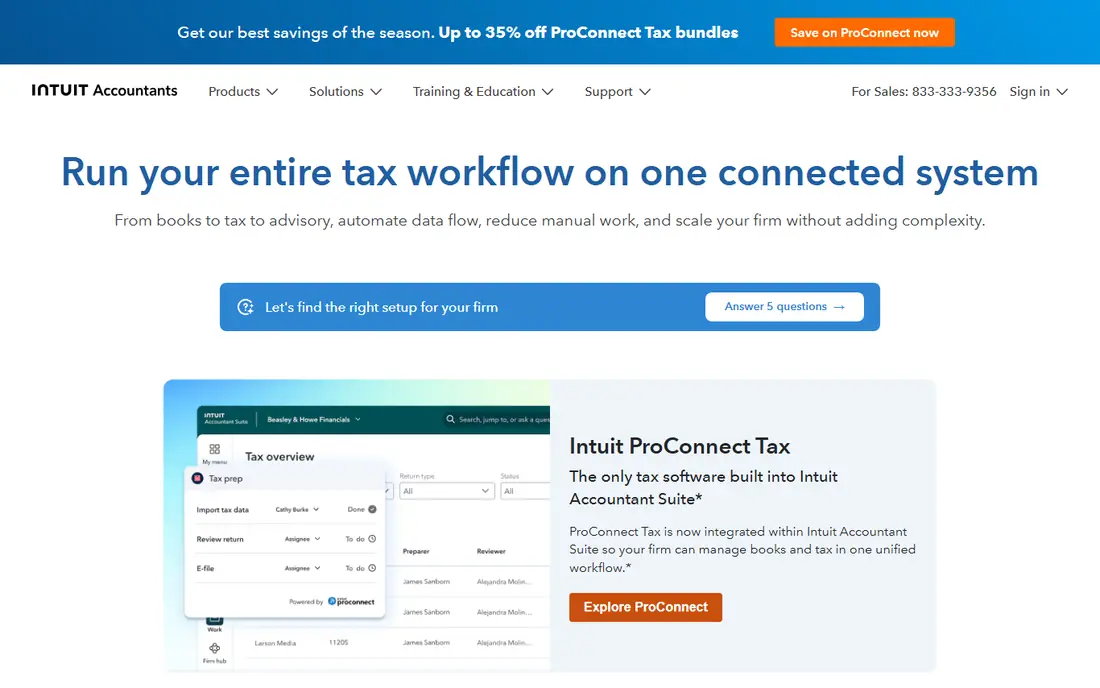
ProConnect Tax is the natural starting point for a firm that wants to work from anywhere without managing desktop installs. Returns, client data, and e-filing live in the browser, which helps seasonal staff and remote preparers. Its pay-per-return model also keeps early costs tied to actual work rather than a large annual licence.
The catch is scale. A firm that files hundreds of returns may find a flat licence cheaper, and firms with very complex returns may still prefer Lacerte. Check the per-return fee for each return type before you commit, and confirm which states are included.
- Runs in a browser with no server
- Pay-per-return option
- Links with QuickBooks Online
- Quote and per-return costs can rise with volume
- Fewer deep customisation options than Lacerte
Lacerte sits at the top of the Intuit professional range, and it shows in the way it handles layered returns, multi-state work, and detailed review steps. Firms that already know Intuit tools will find the logic familiar, even if the interface feels dense at first. It is built for volume, not for a first-year solo practice.
That depth comes with cost and setup time. Pricing is not published as a single list price, so you need a quote based on return types and users. Firms that need remote access often add hosted delivery, which adds another monthly cost to budget for.
- Deep forms coverage for complex returns
- Strong diagnostics
- Long track record with large firms
- Pricing is quote-based
- Learning curve is steeper for new staff

ProSeries gives a growing firm much of the Intuit professional experience without the Lacerte price tag or complexity. The pay-per-return entry point, listed from $539 per year in recent comparisons, suits firms that are still building volume. Interview-style entry and forms views help staff switch between guided input and direct form work.
The limit appears at the top end. Very large or highly complex practices may outgrow it and move to Lacerte or an enterprise platform. Price the bundle you will actually use, including states and business returns, rather than the headline entry figure.
- Lower entry price than Lacerte
- Pay-per-return options
- Familiar Intuit workflow
- Costs rise as bundles grow
- Less suited to the most complex corporate work
Drake Tax has earned its following the unglamorous way, through dependable filing and support that preparers praise in survey after survey. The online version, starting at $299 for the first user, makes it one of the cheapest credible routes into professional preparation. Form-based entry rewards preparers who know the forms and want speed.
New staff may need more training time because the interface prioritises function over polish. Drake also sells practice tools separately, so compare the full package, not just the preparation licence, if you need client portals and workflow management in one place.
- Low entry price for the online version
- Strong support reputation
- Fast form-based entry
- Interface looks dated next to newer cloud tools
- Firm management tools cost extra
UltraTax CS is the choice for firms already running Thomson Reuters tools for accounting, practice management, and document handling. Data flows between suite products with less re-keying, and the return coverage suits firms with varied entity types. Its review and diagnostic tools are built for a formal sign-off process.
Pricing is quote-based, so small firms cannot judge it from a web page alone. Remote access usually means hosted delivery through Virtual Office CS or a third-party host, which adds cost. If you are not already in the Thomson Reuters world, the switching cost deserves honest attention.
- Deep multi-state and entity coverage
- Integrates with CS Professional Suite
- Strong review tools
- Quote-only pricing
- Desktop roots mean hosting adds cost for remote teams
CCH Axcess Tax is Wolters Kluwer's cloud platform for firms that want preparation, workflow, and research tied together. Staff in different offices work from the same data, and managers can track return status without chasing spreadsheets. For a firm standardising on CCH tools, that single platform is the main selling point.
The trade-off is price transparency. Published list prices are absent for the main platform, though a small-firm Essentials package has been listed from $4,039 in vendor store material, so get a written quote. Smaller firms should test whether the full suite earns its cost against a cheaper preparation-only tool.
- Fully cloud-based suite
- Tax, workflow, and research in one place
- Suits multi-office firms
- Quote-only pricing
- Smaller firms may pay for capacity they do not use
TaxAct Professional suits firms that want to pick a bundle and grow into more return types over time. The ability to switch between guided questions and direct forms helps mixed teams, where senior staff want forms and newer staff want prompts. Client data import and e-signature support cut down on paper chasing.
Pricing needs care because bundles, user counts, and annual changes all move the total. Confirm the price for the exact bundle, the number of preparers, and the states you file. Firms with heavy business-return volume should compare the complete bundle against Drake and TaxSlayer Pro on total annual cost.
- Bundle choices for individuals and businesses
- Toggle between question and forms views
- Bank products available
- Pricing varies by bundle and year
- Support depth varies by plan
TaxSlayer Pro appeals to preparers who value predictable costs. Classic starts at $1,395 per year with unlimited individual filing, and the web version adds browser access for remote teams. The Premium tier adds a client mobile app for sending documents and business entity forms, which matters for firms serving both individuals and small companies.
The flat price is only a bargain if your volume is high enough to use it. Low-volume firms may pay less on a pay-per-return tool. Also check which business forms sit in each tier, since the entry tier is individual-focused.
- Flat annual price with unlimited 1040 filing
- Cloud and desktop options
- Client mobile app on Premium
- Business returns need higher tiers
- Interface is practical rather than polished
ATX, part of Wolters Kluwer, is known for its forms library, which covers a wide range of federal, state, and local returns. Experienced preparers who think in forms will feel at home, and the check-return tools help catch errors before filing. The entry price, listed from $597 per year in comparisons, is accessible for a small firm.
Costs climb as you move to larger bundles, with higher packages listed in the thousands per year, so map your return mix first. ATX is a desktop product at heart, so firms wanting pure browser access should budget for hosting or choose a cloud-native rival.
- Very large forms library
- Forms-based interface that experienced preparers like
- E-filing diagnostics
- Higher tiers rise sharply in price
- Cloud access needs hosting
GoSystem Tax RS is Thomson Reuters' enterprise tax platform, aimed at large firms filing consolidated corporate, partnership, and multi-entity returns. Its controls suit firms with formal review chains, multiple offices, and heavy compliance workloads. If your firm already runs Thomson Reuters research and workflow tools, the fit is strong.
For anyone else, it is overkill. Pricing is quote-based and implementation takes planning, so small and mid-size firms should start with UltraTax CS or a mid-market rival. Treat GoSystem as a shortlist item only when return complexity genuinely demands it.
- Built for consolidated and complex entity work
- Strong multi-office controls
- Deep Thomson Reuters integration
- Quote-only pricing
- Far more than a small firm needs
How we picked these
We compared vendor product and pricing pages, professional tax software comparisons, and public user feedback, and we favoured tools that prepare and e-file professional returns in the United States. We checked whether pricing was published or quote-only, whether the tool runs in a browser or on desktop, and how each one handles individual, business, and multi-state returns. Tools that serve only consumers were left out, and prices are shown only where a vendor or a recent comparison published them.
What to check before you choose
Start with your return mix, not the brand name. Count individual, partnership, corporate, trust, and estate returns, then count states, because those two lists drive most of the price difference. A pay-per-return tool can look cheap until a busy season of business returns arrives, and a flat licence can look expensive until you divide it by return count.
Next, test the review workflow with real staff. Ask who prepares, who reviews, and who signs, then walk a complex return through each tool during a trial. Check e-filing status tracking, diagnostic messages, and how easily a reviewer can see changes. A tool that saves ten minutes of entry but costs thirty minutes of review is not saving time.
Finally, confirm data handling and support hours during filing season. Ask where client data is stored, how backups work, and what support is available on deadline weekends. General information in a roundup cannot replace a trial, a written quote, and advice from your own tax counsel on firm procedures.
Frequently asked questions
What is the cheapest professional tax software for a new firm?
Drake Tax Online, starting at $299 for the first user, and ProSeries pay-per-return, from $539 per year, are the lowest published entry points in this list. Both suit firms building volume, though total cost depends on return types, states, and users.
Is cloud tax software safe for client data?
Cloud vendors use encryption, access controls, and backups, but safety also depends on your own practices, including strong passwords, multi-factor sign-in, and staff training. Ask each vendor for its security documentation and confirm how data is handled before you move client files.
Do these tools file state returns too?
Yes, all ten support federal and state e-filing, but state coverage and pricing vary by bundle. Confirm that every state you file is included in the quoted price, and check whether local returns carry extra fees.
Can I switch tax software mid-year?
You can, but it takes planning, since prior-year data, client records, and templates need to move cleanly. Most firms switch after filing season ends, run both tools in parallel for a short period, and test converted returns before relying on the new tool.
Does tax software replace a CPA review?
No. Software prepares, calculates, and checks returns, but a qualified professional still needs to review positions, elections, and disclosures. This article is general information only and is not tax or legal advice.
Sources
See where you really rank - block by block
ProMapRanker scans Google Maps across a grid of your service area. Simple monthly plans from $19, white-label on every plan.
Start freeKeep reading
 worlds best local seo company
8 Worlds Best Local SEO Companies for Map Pack Growth in 2026
Compare the worlds best local seo company options for Google Business Profile work, citations, reviews, and multi-location rankings and reporting in 2026.
Read → world's best web hosting company
World's Best Web Hosting Company in 2026
Searching for the world's best web hosting company? We compared 10 hosts on price, renewal rates, speed, and support to help you choose well today in 2026.
Read → who's got the best nanny tax services
Who's Got the Best Nanny Tax Services in 2026
We answer who's got the best nanny tax services, comparing full filing, back taxes, software, and pricing so families can handle nanny taxes correctly.
Read →