 ProMapRanker
Best Task Management Software for Individuals in 2026

Key takeaways
- Todoist is the best all-round pick for most individuals, because fast capture, projects and reminders work on every platform.
- TickTick suits people who want tasks, calendar, habits and a focus timer in one app, at a lower annual price than Todoist Pro.
- Things suits Apple-only users who want calm design and one-time pricing, while Microsoft To Do and Google Tasks suit people who want a free, simple list.
- Free plans are generous here, so start free and pay only when a limit, such as projects, filters or lists, actually blocks your routine.
Quick comparison
| Pick | Great for | Pricing starts at | Free tier | |
|---|---|---|---|---|
 Todoist | Fast capture on any device | $5 per user per month | Yes | Visit |
 TickTick | Tasks, calendar, habits and timer | $3.99 per month | Yes | Visit |
 Things 3 | Apple users wanting calm design | $49.99 one-time | No | Visit |
 Microsoft To Do | Free simple lists for Microsoft users | Free | Yes | Visit |
 Google Tasks | Free lists inside Gmail and Calendar | Free | Yes | Visit |
 Any.do | Simple daily planning on mobile | See website | Yes | Visit |
 Remember The Milk | Smart lists and flexible reminders | See website | Yes | Visit |
 Trello | Visual boards for personal projects | $5 per user per month | Yes | Visit |
 Notion | Tasks beside notes and databases | Free | Yes | Visit |
The best task management software for individuals
We compared capture speed, projects, reminders, calendar views, habits and price for one person, not for a team. A good individual tool is one you will open daily, so simplicity counts as much as features.
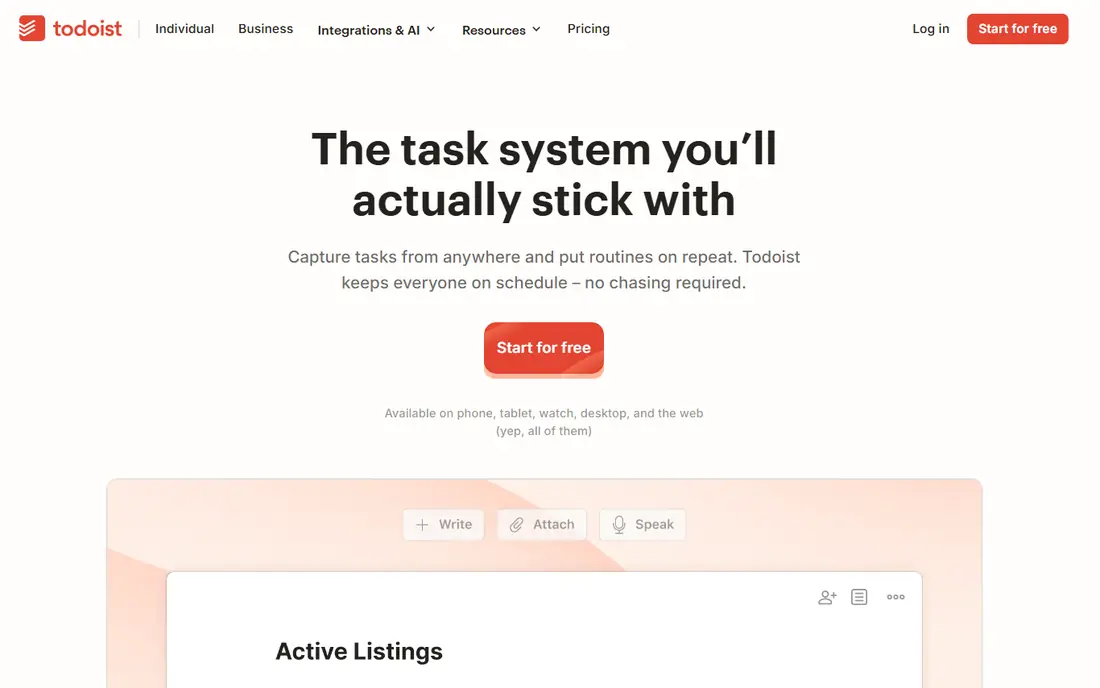
Todoist is our pick for most people because capture is so fast. Type a task in plain language with a date and time, and it lands in the right project with the right schedule. That speed matters, because a system you do not feed will fail, no matter how many features it has.
The free plan covers genuine daily use, with projects, due dates, priorities and recurring tasks. Pro, listed at $5 per month billed annually, adds reminders, custom filters, calendar layout and AI task breakdowns. If you live in lists all day, Pro is worth it, but most individuals can start free and upgrade only when limits bite.
- Natural language input for dates and recurrence
- Projects, labels and priorities
- Apps on web, desktop and mobile
- Free plan limits projects and filters
- Advanced filters and reminders need the paid plan
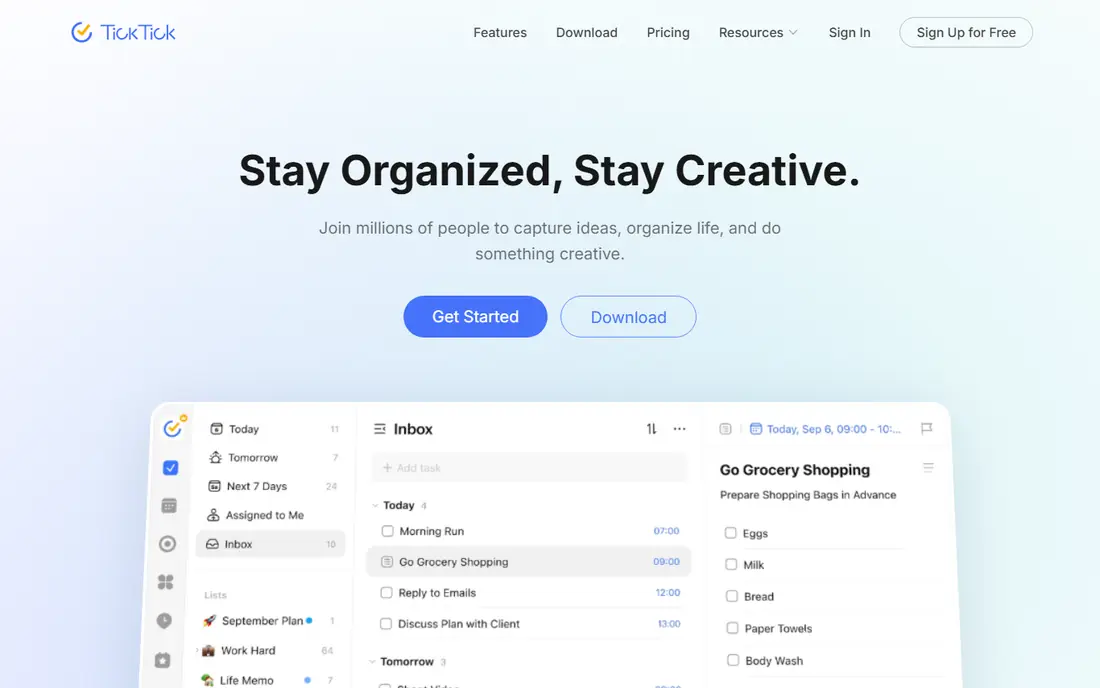
TickTick suits people who think in a weekly calendar rather than a plain list. Tasks sit beside a calendar, habits track streaks, and a focus timer helps you work in timed blocks without a second app. That all-in-one design cuts app switching, which is a real benefit for a solo routine.
Premium is listed at $35.99 per year on a discounted basis, with a $49.99 list price, and at $3.99 per month on a monthly basis. The free plan covers lists, habits and calendar views, so try it free first. If you want habits and focus tools without paying for a separate habit app, TickTick is the best value here.
- Built-in calendar, habit tracker and Pomodoro timer
- Generous free plan
- Lower annual price than Todoist Pro
- Fewer third-party integrations than Todoist
- Team features are lighter than personal features
Things 3 suits Apple users who want a beautiful, focused list and hate subscription pricing. The Today view, Upcoming view and project structure keep a day clear without clutter, and the design makes review feel pleasant rather than like admin. For a solo Apple user, that calm is a real advantage.
The limits are platform and price structure. There is no free plan, and each Apple platform app is a separate purchase, with the Mac app listed at $49.99. If you use Windows or Android at all, pick a cross-platform app instead, but Apple-only users will find Things hard to beat for focus.
- Calm, clear design on Apple devices
- One-time purchase with no subscription
- Strong Today and Upcoming views
- Apple only, with no Windows or Android app
- Mac, iPhone and iPad apps are sold separately
Microsoft To Do suits people who want a free, simple list inside the Microsoft world. The My Day view helps you pick a short daily list, reminders keep due tasks visible, and shared lists cover household or small shared jobs. For a person who already uses Outlook or Microsoft 365, it fits with no new cost or learning curve.
It is not a power tool. Natural language dates, smart filters and habit tracking are weaker or missing, and people outside Microsoft may prefer Google Tasks or Todoist. For a free, tidy list, though, Microsoft To Do is a solid, honest choice.
- Completely free
- Simple lists, My Day view and reminders
- Works with Microsoft 365 and Outlook tasks
- Weaker natural language input than Todoist
- Recurring task handling is more basic
Google Tasks suits people who live in Gmail and Google Calendar and want tasks in the same place. Create a task from an email, set a date, and see it beside calendar events without opening another app. That closeness to mail and calendar is its main strength, and the price is free.
The trade-off is depth. There are no habits, no Pomodoro timer, no kanban board and only basic organisation, so people with complex projects will outgrow it. For a simple daily list tied to email, Google Tasks is the lowest-friction free option.
- Completely free
- Sits inside Gmail and Google Calendar
- Simple lists with subtasks and due dates
- No habit tracking or focus timer
- Views and filters are basic compared with Todoist
Any.do suits people who want a calm daily plan on a phone. Its daily planning moment prompts you to review tasks, set priorities and clear the day, which helps people who collect tasks but rarely review them. Calendar integration and reminders keep due work visible without a complex setup.
It is a planning app first and a project tool second, so large, multi-step projects with many subtasks may feel cramped. For a solo user who wants a simple, pleasant daily list with reminders, Any.do is a good free starting point.
- Clean daily planning with a focus moment
- Calendar and reminders
- Mobile-first design
- Paid features vary by plan, so check the pricing page
- Less depth for large project work
Remember The Milk suits people who love smart lists and precise reminders. Save a search for overdue work, for tasks due this week or for a location, and that list updates itself as tasks change. Reminders can arrive by app, email or text, which helps people who miss in-app alerts.
The interface is less modern than Todoist or TickTick, and that matters if design motivates you to open the app. If smart lists and reminder flexibility matter more than looks, Remember The Milk remains a dependable, long-lived choice for individuals.
- Smart lists based on saved searches
- Flexible reminders by email, text and app
- Long-running, stable service
- Design feels older than newer rivals
- Some advanced features need the paid plan
Trello suits individuals who think in boards, not lists. A personal project, such as a move, a trip or a study plan, maps well to columns for to do, doing and done, and cards can hold checklists, dates and attachments. Dragging a card across a board gives a satisfying sense of progress that a list can lack.
For a fast daily inbox, Trello is slower than Todoist, because capture and triage take more clicks. Use Trello for visual projects and keep a simple list app for daily tasks, or use Trello alone if boards are how your brain already works.
- Visual kanban boards for personal projects
- Simple drag-and-drop
- Free plan covers many personal boards
- Less suited to a fast daily task inbox
- Advanced automation sits on paid plans
Notion suits individuals whose tasks are tied to notes, research or documents. A task can sit inside a project page, link to notes and files, and appear in a database view filtered by status or date. That closeness to reference material is hard to match in a pure task app.
The cost is setup time. Notion does not give you a finished task system, so reminders, recurrence and quick capture need building and habit. If your work is document-heavy and you already use Notion, it is a strong choice, but if you only need a fast list, Todoist or TickTick will serve you better.
- Tasks live beside notes, docs and databases
- Flexible views including boards and calendars
- Free personal plan
- You must build your own task system
- Reminders and recurring tasks are weaker than dedicated task apps
How we picked these
We compared official pricing pages, app listings and feature pages, and we kept only tools that work well for one person in October 2026, not only as team software. We favoured fast capture, reliable reminders, cross-platform apps and clear free plans, and we noted where a tool needs building, such as Notion, or only works on one platform, such as Things. Prices are from vendor pages; where a price differs by billing period, we say so.
How to pick the right one for you
Start with capture, not features. The best task manager for individuals is the one you will feed every day, so test capture on your phone first. Add ten real tasks, set dates and reminders, and see which app makes that feel fast. If capture feels slow, you will stop using the app, no matter how good its other features look.
Match the app to how you think next. List thinkers suit Todoist, Microsoft To Do or Google Tasks, calendar thinkers suit TickTick, visual thinkers suit Trello, and document thinkers suit Notion. Apple-only users who value calm design should try Things, while habit builders should try TickTick first.
Keep the system small
Use three to five projects for life areas, one inbox for new tasks, and a daily review at the same time each day. Clear the inbox, pick the day list, and move the rest to a later date. A small system you review daily beats a large system you avoid, and it works in any app in this list.
Review once a week
Once a week, clear overdue tasks, reschedule what still matters, and delete what no longer matters. That weekly review matters more than any premium feature, because it stops a task list turning into a guilt list. Set a recurring reminder for the review itself, in the app you choose.
Frequently asked questions
What is the best task management app for individuals?
Todoist is the best all-round pick for most individuals, because capture is fast and it works on every platform. TickTick is close behind for people who want calendar, habits and a focus timer in one app, while Things suits Apple-only users.
What is the best free task manager app?
Microsoft To Do and Google Tasks are completely free and cover simple daily lists well. Todoist and TickTick also offer generous free plans, with paid tiers for reminders, filters, unlimited lists and other advanced features.
Is Todoist or TickTick better for individuals?
Todoist wins on capture speed and integrations, while TickTick wins on built-in calendar, habits and focus timer at a lower annual price. Try both free for a week with real tasks, and keep the one whose daily flow feels faster.
Can one person use Trello or Notion as a task manager?
Yes, both work for individuals, but they suit different minds. Trello suits visual board thinkers with project cards, while Notion suits people whose tasks live beside notes and databases. Both need more setup than a dedicated list app.
How do I stop a task list from growing out of control?
Keep projects to a few life areas, use one inbox, review daily and reschedule or delete tasks weekly. If a task stays overdue for weeks, break it into a smaller next step, move it to a someday list, or drop it, because a list you trust is more useful than a list you avoid.
Sources
See where you really rank - block by block
ProMapRanker scans Google Maps across a grid of your service area. Simple monthly plans from $19, white-label on every plan.
Start freeKeep reading
 zoro.to alternatives
Best Zoro.to Alternatives in 2026
We compare the best zoro.to alternatives in 2026, listing only legal licensed anime streaming services, from Crunchyroll to free options for fans today.
Read → zip alternatives
Best Zip Alternatives in 2026
We compare the best zip alternatives for buy now, pay later in 2026, covering pay-in-4 plans, fees, spending limits, and credit reporting options today.
Read → yesware alternatives
Best Yesware Alternatives in 2026
Compare the best yesware alternatives for sales email tracking, templates, and sequences, with current pricing and honest tradeoffs for small sales teams.
Read →