 ProMapRanker
Best T Shirt Design Software in 2026

Key takeaways
- Canva and Adobe Express are the easiest starting points for template-based shirt designs, with free plans that cover most simple merch.
- Adobe Illustrator remains the professional standard for vector art that a screen printer can use at any size.
- Affinity is now free and gives serious vector tools at no cost, which makes it the best no-cost pick for committed designers.
- Inkscape also covers professional vector work free, but its interface takes more learning than Affinity or Canva.
- Kittl and Placeit suit print-on-demand sellers who want fast text effects, templates, and mockups without learning a full design suite.
Quick comparison
| Pick | Great for | Pricing starts at | Free tier | |
|---|---|---|---|---|
 Canva | Beginners and template designs | Free | Yes | Visit |
 Adobe Illustrator | Professional vector artwork | $22.99 per month | Free trial | Visit |
 Adobe Express | Quick designs with AI help | Free | Yes | Visit |
 CorelDRAW | Print shops that want owned software | See website | Free trial | Visit |
 Inkscape | Free professional vector editing | Free | Yes | Visit |
 Affinity | Free pro-grade vector design | Free | Yes | Visit |
 Kittl | Print-on-demand text effects | $10 per month | Yes | Visit |
 Placeit | Templates and mockups | See website | Yes | Visit |
The best t shirt design software
The right tool depends on how you print. A direct-to-garment printer often accepts a high-resolution transparent PNG, while a screen printer usually wants vector files. We weighed ease of use, vector output, template choice, mockups, and price, and we kept only tools that are live and maintained in 2026.
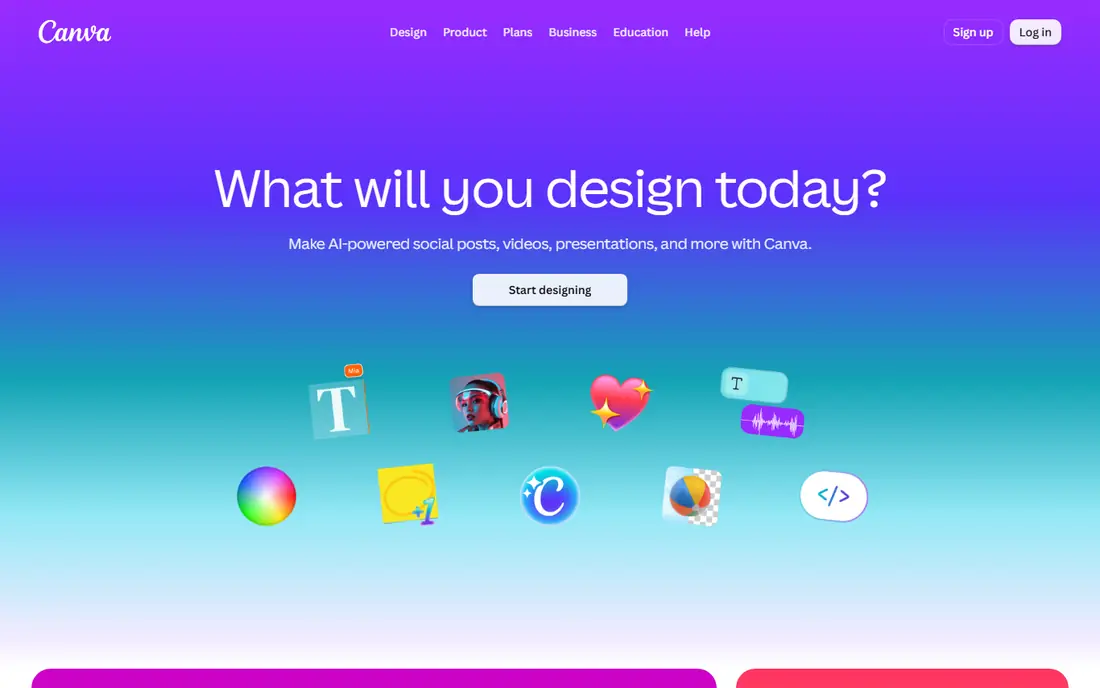
Canva is our pick for most people making their first shirt designs. Templates cover typography, vintage looks, band merch, team shirts, and simple logos, and the editor works in a browser without a steep learning curve. You can change text, colours, and graphics in minutes, then export a high-resolution PNG for printing.
The limit is control. Canva is not a true vector editor, so a design that needs precise paths, colour separation, or scalable print files will hit a ceiling. Check your printer file guide before you order, and export at the highest resolution with a transparent background where the printer asks for it. For simple merch and fast ideas, Canva is hard to beat.
- Huge template library
- Very easy drag-and-drop editor
- Brand kit and mockup options on paid plans
- Not a full vector editor
- Some fonts and graphics need a paid plan
- Print files need careful export settings
Adobe Illustrator remains the standard for original shirt artwork that must scale cleanly. Vector paths stay sharp at any size, type controls are precise, and colour separation for screen printing is built into a professional workflow. If you work with print shops regularly, Illustrator files cause the fewest questions.
The cost is real, both in money and learning time. A beginner can feel lost in the tool panels, and the monthly subscription is a commitment for a casual seller. If you design shirts often, sell through print shops, or plan to build a design business, Illustrator earns its place. If you design once a month, start with Canva or Affinity first.
- Industry-standard vector tools
- Precise type and path control
- Files print shops accept readily
- Subscription cost adds up
- Steep learning curve for beginners
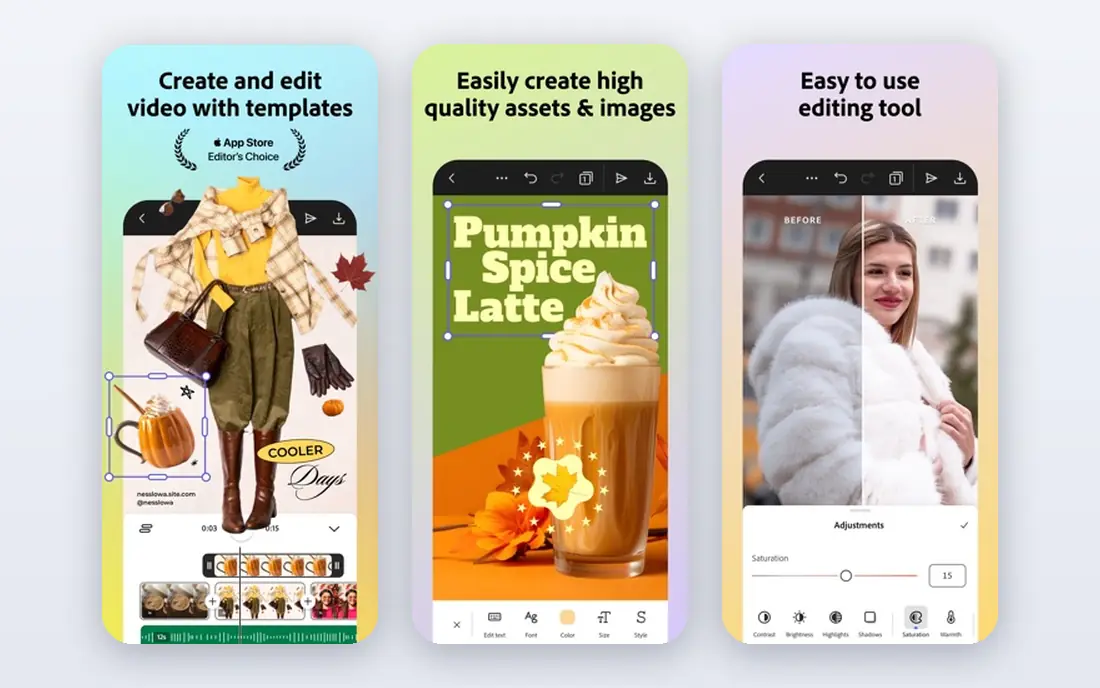
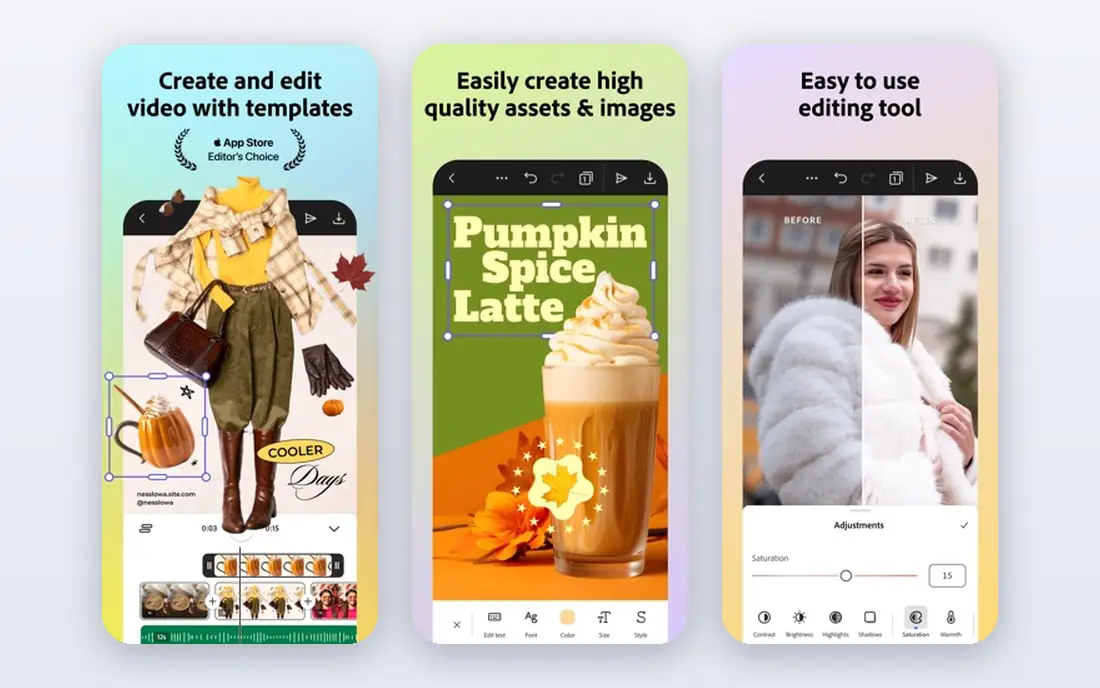
Adobe Express sits between Canva and Illustrator. It is easy enough for a beginner, yet it carries Adobe templates, fonts, and AI image tools that help a non-designer produce a clean shirt graphic. You can start from a template, adjust text and layout, and export a file for print or for a store listing.
Depth is the trade-off. Express does not match Illustrator for vector editing, path work, or print preparation, so complex artwork still belongs in a full editor. For quick merch, event shirts, and social posts that share the same design, Express is fast and tidy. Check export resolution and background settings before you send a file to print.
- Simple editor with Adobe templates
- AI image tools
- Easy resizing for merch and social posts
- Less depth than Illustrator
- Some premium assets need a paid plan
CorelDRAW suits print shops and illustrators who want a full vector suite with an ownership option. It handles vector art, layout, and print preparation well, and many shops have used it for years. The one-time purchase option appeals to buyers who dislike an endless subscription, though subscription pricing is also offered.
The interface is dense, and a beginner will need tutorials to get comfortable. Mac users should also check the current version and feature parity before buying, since CorelDRAW history is Windows-led. For a shop that prints shirts daily and wants a permanent licence, CorelDRAW is a serious alternative to Illustrator.
- Strong vector and layout tools
- One-time purchase option
- Long history in print shops
- Windows-focused history can limit Mac workflows
- Interface feels dense to new users
Inkscape is the best free route to true vector shirt art. It offers path editing, text on paths, node control, and SVG output, which covers most of what a screen printer needs. It runs on all major desktop systems, and the community provides tutorials and extensions.
The catch is polish. The interface is less refined than Affinity or Illustrator, and some tasks take extra clicks. Print preparation also needs attention: confirm colour mode, file format, and resolution with your printer. If cost is the barrier and you are willing to learn, Inkscape removes the price excuse for professional vector work.
- Full vector editing at no cost
- Works on Windows, Mac, and Linux
- Strong path and text tools
- Interface takes learning
- Some workflows feel slower than paid tools
- Print prep needs care
Affinity is now our top free pick for serious shirt designers. After Canva acquisition, Affinity design tools became free, which gives beginners and pros alike a modern vector editor without a subscription. The interface feels cleaner than Inkscape, and vector, pixel, and layout work sit in one family of apps.
The limit is ecosystem, not tools. Template libraries and stock assets are thinner than Canva, and some print shops still ask for Illustrator files by habit, even when Affinity exports work fine. Ask your printer which formats it accepts, and export SVG, PDF, or PNG as needed. For original art on a zero budget, Affinity is the strongest choice here.
- Professional vector tools at no cost
- Clean modern interface
- Good performance on large files
- Smaller template and stock library than Canva
- Some print-shop workflows still favour Illustrator files
Kittl is built for print-on-demand sellers who want fast, good-looking text designs. Vintage effects, distressed textures, and retro type styles that take hours in Illustrator are quick here, and templates are made for shirts rather than adapted from general design. Mockups help you list a product without a photo shoot.
The trade-off is range. Kittl is not a full illustration tool, so hand-drawn art or complex vector work still belongs elsewhere. Paid plans open the best textures and commercial use terms, so read the licence before you sell. For a seller who lives on text-based merch, Kittl saves hours each week.
- Vintage text effects and textures built in
- Templates made for merch
- Mockups for store listings
- Less suited to complex illustration
- Best features need a paid plan
Placeit suits sellers who need designs and mockups together. Templates cover many niches, and mockups place your design on real-looking shirts, hoodies, and models for store listings. Customisation is quick: change text, colours, and graphics, then download a listing image.
Placeit is not a replacement for Illustrator or Affinity when you need original vector art. It is a speed tool for template-based merch and presentation. If you publish new listings often, the subscription can pay for itself in saved design time. If you design rarely, use the free templates first and check export quality before you pay.
- Large template and mockup library
- Easy customisation
- Realistic shirt mockups for listings
- Not a full vector editor
- Subscription value depends on how often you use templates
How we picked these
We compared official pricing pages, feature pages, and app store listings for October 2026. We kept only tools that are live, maintained, and able to produce files a printer or print-on-demand store can use. We weighed vector capability, template choice, mockup quality, ease of use, and price. We did not claim hands-on testing, and we did not invent ratings, template counts, or feature claims. Prices that conflicted across sources are shown as See website.
How to choose t shirt design software and prepare a print file
Start with your printing method. Ask your printer whether it wants a vector file or a high-resolution PNG, which colour mode it prefers, and what print area size it uses. A direct-to-garment printer often wants a transparent PNG at 300 DPI, while a screen printer usually wants vector art with separated colours. Getting that answer first saves rework.
Next, match the tool to your skill and volume. Beginners and occasional sellers should start with Canva, Adobe Express, or Placeit. Committed designers on a budget should learn Affinity or Inkscape. Print shops and frequent sellers should use Illustrator or CorelDRAW for full control. Always check font licences for commercial use, keep text away from seams and edges, and order a sample shirt before a large run.
Frequently asked questions
What is the best software for t shirt design?
For beginners, Canva is the easiest pick, thanks to templates and a free plan. For professional vector work, Adobe Illustrator remains the standard, while Affinity is the best free pro-grade option. Print-on-demand sellers should also look at Kittl and Placeit for fast templates and mockups.
What is the best app for t shirt design on a phone?
Canva and Adobe Express both work well on phones for template-based designs, with simple editing and export options. Placeit also works in a browser for quick mockups. For detailed vector work, a desktop app such as Illustrator, Affinity, or Inkscape will always give you more control.
What is the best t-shirt design software free?
Affinity and Inkscape are the strongest free picks for serious vector work, with Affinity offering the cleaner interface. Canva and Adobe Express offer free plans that cover most simple template designs. Check commercial licence terms on free plans before you sell shirts made with stock graphics.
What is the best app to design t shirts for print on demand?
Kittl and Placeit are built for print-on-demand work, with merch templates, text effects, and mockups for listings. Canva also works well for simple designs that you upload to a print-on-demand store. Always export at the resolution your store asks for, and check the print area before you publish.
Do I need vector software to design t shirts?
Not always. A high-resolution transparent PNG works for many direct-to-garment orders. Vector software matters more for screen printing, large prints, and designs that must scale without losing sharpness. If you plan to work with local screen printers, learn a vector tool such as Illustrator, Affinity, or Inkscape.
What file should I send to a t shirt printer?
Ask the printer first, since requirements vary. Many printers want a transparent PNG at 300 DPI for direct-to-garment work, or SVG, AI, or PDF vector files for screen printing. Confirm colour mode, print size, and background settings, and order a sample before a full run.
Sources
See where you really rank - block by block
ProMapRanker scans Google Maps across a grid of your service area. Simple monthly plans from $19, white-label on every plan.
Start freeKeep reading
 zoho inventory alternatives
6 Alternatives to Zoho Inventory, Compared on Price and Fit
Zoho Inventory alternatives: 6 tools compared on price, free plans and fit. Katana leads the list for manufacturers. Fit and flaws are laid out for each entry.
Read → zoho crm alternatives
Best Zoho CRM Alternatives (2026)
Need Zoho CRM alternatives? We compare 7 tools on cost, free access and who each suits. Every pick gets a straight assessment. Built for quick decisions.
Read → zelle alternatives
Best Zelle Alternatives in 2026
Compare the best Zelle alternatives for sending money to friends, paying sellers and moving funds abroad, with honest notes on fees, speed and safety in 2026.
Read →