 ProMapRanker
Best Survey Apps in 2026: 10 Apps Compared

Key takeaways
- Google Forms is our pick for most free surveys, because it offers unlimited surveys and responses at no cost.
- SurveyMonkey suits formal research and larger teams, while Typeform suits short, conversational surveys that need high completion rates.
- Tally is a strong low-cost option for creators and small teams who want unlimited forms without a heavy price tag.
- Response limits matter more than the monthly price, so check how many responses each plan allows before you send a survey widely.
- For sensitive topics, LimeSurvey and tools with anonymous response settings give you more control over respondent privacy.
Quick comparison
| Pick | Great for | Pricing starts at | Free tier | |
|---|---|---|---|---|
 Google Forms Google Forms | Free surveys for anyone | Free | Yes | Visit |
 SurveyMonkey SurveyMonkey | Formal research and teams | $39 per month | Yes | Visit |
 Typeform Typeform | Conversational surveys | $28 per month | Yes | Visit |
 Jotform Jotform | Forms plus surveys with workflows | $34 per month | Yes | Visit |
 Tally Tally | Low-cost unlimited forms | Free | Yes | Visit |
 Microsoft Forms Microsoft Forms | Microsoft 365 users | Free | Yes | Visit |
 SurveySparrow SurveySparrow | Conversational customer feedback | $19 per month | Free trial | Visit |
 LimeSurvey LimeSurvey | Anonymous and research surveys | $39 per month | Yes | Visit |
 QuestionPro QuestionPro | Academic and market research | $99 per month | Yes | Visit |
 Alchemer Alchemer | Advanced logic and workflows | $55 per month | No | Visit |
The best survey apps
A good survey app does three things well: it makes a survey easy to build, easy to answer on a phone, and easy to analyse. The apps below differ mainly in response limits, design, and depth of logic, so the best pick depends on how many people you will ask and how complex your questions are.
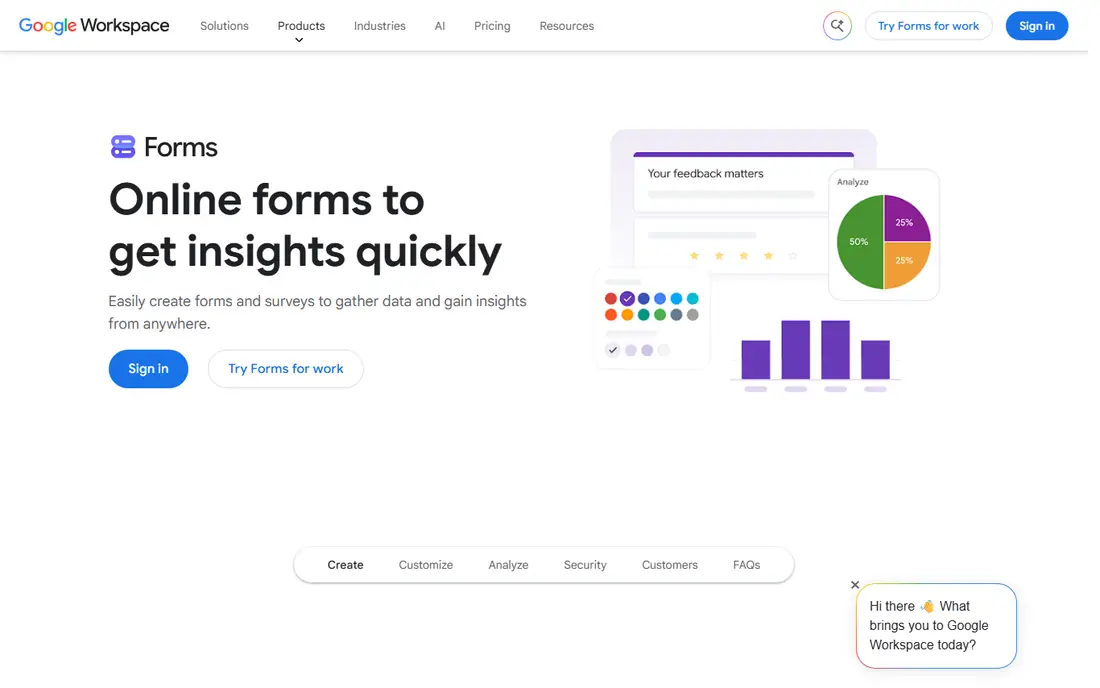
Google Forms is the default we recommend when budget is the main constraint. You can build a survey in minutes, share a link, and watch responses land in a spreadsheet without paying anything. For teachers, clubs, small businesses, and internal team polls, that simplicity is hard to beat.
The limits show up when you need polished branding, advanced branching, or deep cross-tab reports. If your survey is short and your audience is broad, those limits rarely matter. If you need a research-grade survey, pair Google Forms with a paid tool later, or start with one of the paid options below.
- Unlimited surveys and responses
- Results flow into Google Sheets automatically
- Very fast to build and share
- Limited design and branding options
- Basic logic and reporting compared with paid research tools
SurveyMonkey remains the safe choice for formal surveys. Its templates cover customer satisfaction, employee feedback, and market research, and its analysis tools let you filter, compare groups, and export results without a spreadsheet workaround. Teams also benefit from shared workspaces and permissions.
The free plan is limited, with caps on questions and responses that make it unsuitable for a large launch. The paid Individual plan at $39 per month covers many small teams, but check response limits and team pricing before you send to a big list.
- Large template library and question bank
- Strong branching, quotas, and analysis tools
- Audience panel option for buying responses
- Free plan limits questions and responses per survey
- Paid plans get expensive for larger teams
Typeform suits surveys where completion matters more than length. Showing one question at a time, with clean design and friendly wording, helps respondents finish a short feedback form, a lead quiz, or a signup survey. Brands that care about how a form looks will appreciate the customisation options.
It is not the best tool for a 50-question research survey. Respondents may tire of clicking through one question at a time, and response caps mean a viral survey can hit its limit quickly. Use Typeform for short, high-quality surveys, and a research tool for long ones.
- One-question-at-a-time design that feels easy to finish
- Strong branding and visual customisation
- Logic jumps and calculators for guided surveys
- Response limits are tight on lower plans
- Long research surveys can feel slow one question at a time
Jotform is a good pick when a survey is part of a wider process. You might collect feedback, take a payment, request approval, and send results to a CRM, all from one form. Its templates cover events, healthcare, education, and business use, so you rarely start from a blank page.
The trade-off is complexity. Jotform does more than a pure survey tool, and that breadth shows in its settings. If you only need a simple survey, Google Forms or Tally will be faster. If you need workflows, Jotform earns its price.
- Very large template library
- Payments, approvals, and workflow automations
- Strong integrations with spreadsheets and CRMs
- Free plan caps forms and monthly submissions
- Interface has many options, which can overwhelm a first-time user
Tally is our pick for creators, freelancers, and small teams who want a modern survey tool without paying for response caps they will never need. The free plan is generous, and the design feels closer to Typeform than to a plain spreadsheet form. That combination makes it easy to recommend for waitlists, feedback forms, and simple research.
It does not replace a research platform. Advanced quotas, panels, and complex analysis are not its strength. For everyday surveys, though, Tally gives you most of what you need at no cost, which is rare in this category.
- Free plan allows unlimited forms and responses within fair use
- Clean, modern design
- Simple logic and integrations
- Fewer advanced research features than SurveyMonkey or QuestionPro
- Paid features focus on teams and branding rather than deep analysis
Microsoft Forms is the obvious choice if your school or workplace already pays for Microsoft 365. You can build a quiz or survey, share it in Teams, and analyse results in Excel without adding another subscription. For internal polls, training feedback, and classroom quizzes, that integration saves time.
Outside the Microsoft ecosystem, it is less compelling. Design is plain, and the feature set sits closer to Google Forms than to SurveyMonkey. If you already use Microsoft tools daily, use it. If not, Google Forms or Tally will feel more natural.
- Included with many Microsoft 365 plans
- Results open in Excel
- Easy sharing inside Teams and Outlook
- Design options are basic
- Advanced logic and branding are limited compared with paid rivals
SurveySparrow suits teams that collect feedback continuously, not just once. Its chat-style format feels like a conversation, which can lift completion on customer satisfaction and employee pulse surveys. Recurring surveys and multi-channel sharing help you track how sentiment changes over time.
The entry plan is affordable, but response allowances need checking. A team that sends to thousands of customers should confirm the plan covers that volume, or budget for a higher tier. For ongoing feedback programmes, the recurring and automation features justify the cost.
- Chat-style surveys for web, email, and messaging
- Recurring surveys for ongoing feedback
- NPS and customer satisfaction templates
- Free options are limited compared with Google Forms or Tally
- Pricing and response allowances vary by plan, so check before launch
LimeSurvey is our pick for sensitive or academic surveys where anonymity and control matter. You can run anonymised responses, host the Community Edition on your own server, and build complex logic, quotas, and multilingual surveys. Universities and research teams value that control, especially when data privacy rules apply.
The downside is effort. Setting up LimeSurvey, especially self-hosted, takes more technical skill than a cloud survey tool. The cloud plans remove much of that work, but the interface still feels more technical than Typeform or SurveySparrow. Use it when privacy and research depth are the priority.
- Strong anonymised response options
- Open-source Community Edition for self-hosting
- Many question types and advanced logic
- Learning curve is steeper than Google Forms or Typeform
- Design needs more work to look polished
QuestionPro suits researchers who need more than a feedback form. It supports complex logic, audience panels, conjoint-style research, and detailed analysis that smaller tools do not offer. Field teams also benefit from offline collection, which matters when internet access is unreliable.
For a small business, the price and depth may be more than needed. SurveyMonkey or LimeSurvey will cover most research at a lower cost. For a university, agency, or market research team, QuestionPro is a serious tool worth the higher plan.
- Advanced logic, panels, and sentiment analysis
- Offline survey option for field research
- Strong reporting for research teams
- Price is high for a small team
- Interface can feel dense for a simple survey
Alchemer, formerly SurveyGizmo, is for teams that build surveys as part of a feedback programme, not as a one-off form. Its logic, custom scripting options, and integrations let you route responses, trigger actions, and connect feedback to other systems. Experienced researchers will appreciate the control.
New users should expect a learning curve and a paid plan from the start. If you need a quick survey this week, start with Google Forms or Tally. If you run ongoing voice-of-customer work, Alchemer is worth a trial.
- Many question types and deep customisation
- Workflow and integration options for customer feedback programmes
- Strong reporting for experienced users
- No free plan
- Interface takes time to learn
How we picked these
We compared official feature pages, pricing pages, and recent vendor-checked roundups for each product, and kept apps that are live in October 2026 and that truly collect survey responses. We covered free, low-cost, and research-grade options, and we paid special attention to response limits, anonymous response settings, and logic depth. Prices are starting monthly prices from vendor pages or recent roundups, and we wrote See website in the table only where pricing varies too much to state simply. In product blocks, we used the starting price we could verify.
How to choose a survey app
Start with volume. Estimate how many responses you need, then check the plan that allows that number, not just the cheapest plan on the pricing page. A tool that looks cheap at $19 per month can become expensive if you must upgrade mid-survey to allow more responses.
Next, test the respondent view on a phone. Most people will answer on mobile, so a survey that looks good on a desktop but cramped on a phone will lose completions. Send a test to yourself and two colleagues, and watch where they pause or drop out.
Finally, think about privacy from the start. If a survey asks about health, workplace issues, or personal views, use anonymous response settings, avoid collecting names or emails unless you need them, and tell respondents clearly how their answers will be used. A short privacy note at the start of the survey builds trust and improves honest answers.
Frequently asked questions
What is the best free survey tool?
Google Forms is the best free survey tool for most people, because it offers unlimited surveys and responses at no cost. Tally is a strong second choice if you want a more modern design and unlimited forms, also on a free plan.
What is the best survey app for small businesses?
SurveySparrow and Typeform both suit small businesses, depending on the job. SurveySparrow suits ongoing customer feedback, while Typeform suits short, branded surveys that need high completion. Google Forms remains the best free option for simple feedback.
What is the best survey software for research?
SurveyMonkey, LimeSurvey, and QuestionPro all suit research, with different strengths. SurveyMonkey is easiest for teams, LimeSurvey gives the most control over anonymity and hosting, and QuestionPro offers the deepest research features and offline collection.
What is the best anonymous survey tool?
LimeSurvey is our pick for anonymous surveys, because it offers anonymised response settings and a self-hosted open-source option. SurveyMonkey and other cloud tools also offer anonymous response settings, but you should check their privacy settings and avoid collecting identifying fields in the survey itself.
What is the best survey platform for teams?
SurveyMonkey and Jotform both suit teams, because they offer shared workspaces, permissions, and integrations. Microsoft Forms suits teams already on Microsoft 365, since it shares easily inside Teams and Outlook.
How many responses do I need for a useful survey?
It depends on the decision you are making. A small internal poll can be useful with 20 to 50 responses, while a market survey meant to represent a large audience usually needs several hundred. Focus on getting responses from the right people, not just a large number, and avoid overclaiming from a tiny sample.
Sources
- https://www.google.com/forms/about
- https://www.surveymonkey.com/pricing
- https://www.typeform.com/pricing
- https://www.jotform.com/pricing
- https://tally.so/pricing
- https://www.microsoft.com/microsoft-365/online-surveys
- https://surveysparrow.com/pricing
- https://www.limesurvey.org/pricing
- https://www.questionpro.com/pricing
- https://www.alchemer.com/pricing
See where you really rank - block by block
ProMapRanker scans Google Maps across a grid of your service area. Simple monthly plans from $19, white-label on every plan.
Start freeKeep reading
 youtube alternatives
Best YouTube Alternatives in 2026
Looking for youtube alternatives in 2026? We compare Vimeo, Dailymotion, Twitch, Rumble, and more on price, audience, monetization, control and privacy.
Read → what's the best ai tool for photo editing
What Is the Best AI Tool for Photo Editing in 2026
What is the best AI tool for photo editing? We compare ten tools for 2026, from Photoshop and Lightroom to Luminar, Topaz, Canva and mobile editors today.
Read → twitter alternatives
Best Twitter Alternatives in 2026
Compare the best twitter alternatives for 2026, from Bluesky, Threads, and Mastodon to Reddit, Tumblr, and Micro.blog, with free plans and audience notes.
Read →