 ProMapRanker
Best Subscription Tracker App Free in 2026


Auto-detected subscriptions from linked accounts · Pricing starts at: Free
Key takeaways
- Rocket Money is the strongest free starting point, since its free plan finds recurring charges from linked accounts.
- Bobby and LowerMySubs suit people who do not want to link a bank account at all.
- Auto-detection misses some charges, especially annual bills and app store billing, so manual checks still matter.
- A free tracker only saves money if you act on what it finds and cancel the subscriptions you no longer use.
Quick comparison
| Pick | Great for | Pricing starts at | Free tier | |
|---|---|---|---|---|
| Rocket Money | Auto-detected subscriptions from linked accounts | Free | Yes | Visit |
 Bobby | Simple manual tracking on iPhone | Free | Yes | Visit |
 LowerMySubs | Private tracking with no bank login | Free | Yes | Visit |
 PocketSmith | Long-term cash flow and renewal forecasts | Free | Yes | Visit |
 Monarch Money | Recurring charges inside a full budget | $14.99 per month | Free trial | Visit |
 Quicken Simplifi | Simple budgeting with subscription views | See website | Free trial | Visit |
 PocketGuard | Budget alerts with subscription tracking | Free | Yes | Visit |
 OneMain MyMoney | Free tracking with bill tools | Free | Yes | Visit |
 Empower | Free dashboard with recurring charge views | Free | Yes | Visit |
The best subscription tracker apps
These apps all help you see what you pay each month, but they do it in different ways. Some link to your bank, some rely on manual entry, and some sit inside a wider budget tool. We kept the focus on free use, and we note where the free plan ends.
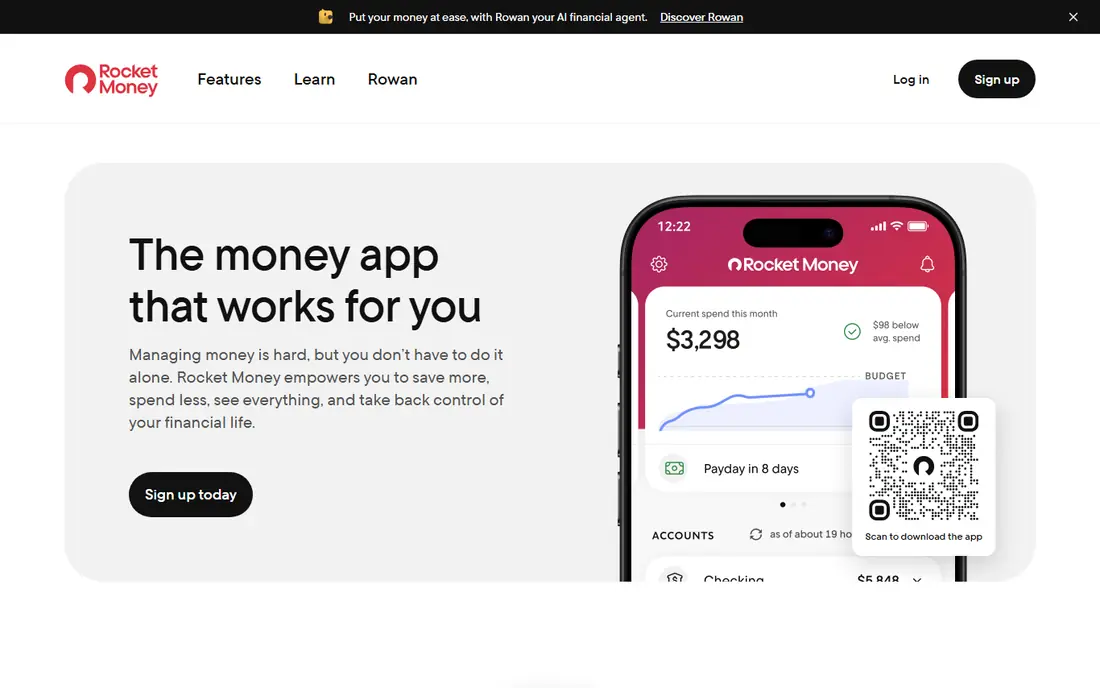
Rocket Money is our first pick for most people because the free plan does the core job well. Link your bank and card accounts once, and it scans for recurring charges, lists upcoming bills, and flags changes in bill amounts. That list alone is often a surprise, since forgotten trials and old streaming services show up next to the services you use every day. The free budget tools help you see the total monthly cost at a glance.
The catch is that the free plan shows you the problem but does not solve it for you. You still need to cancel unwanted services yourself, while paid plans add cancellation help and more budget features. Bill negotiation is also paid by results, with a share of first-year savings when it works. Start free, cancel what you can in a single session, and only pay if you want the done-for-you help.
- Free plan finds recurring charges and tracks upcoming bills
- Budget and balance alerts included free
- Clean list of subscriptions in one place
- Cancellation help for you is a paid feature
- Bill negotiation takes a share of savings when it works
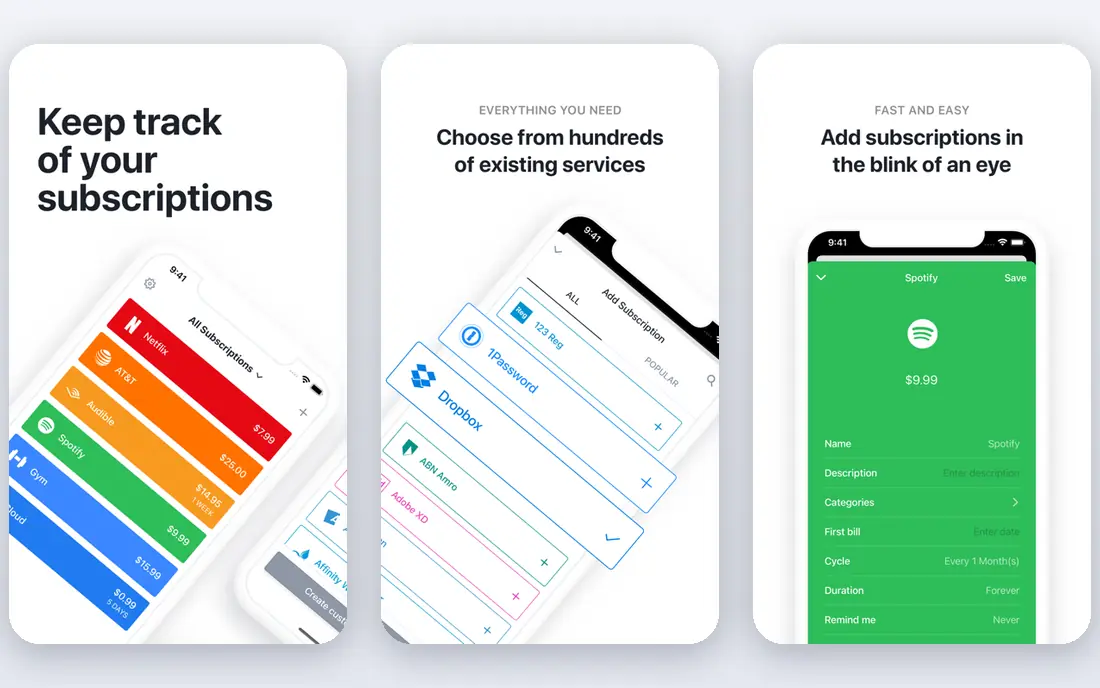
Bobby is the calmest option on this list. You add each subscription by hand, pick its billing cycle, and Bobby shows your monthly total and upcoming payments. There is no bank connection to set up, no feed to review, and no upsell into a full budget system. For people who only have a handful of subscriptions, that simplicity is a strength, and the design makes the total cost easy to read.
The trade-off is manual work. Bobby will not find a subscription you forgot to add, and it will not cancel anything for you. It is iPhone only, so Android users need another pick. If you like privacy, a simple list, and a one-time purchase rather than another monthly bill, Bobby is a good fit, and you should set a monthly reminder to review the list yourself.
- No bank login needed
- Data stays on your device
- One-time purchase option instead of a monthly fee
- IPhone only, with no Android or web version
- Manual entry only, with no bank import
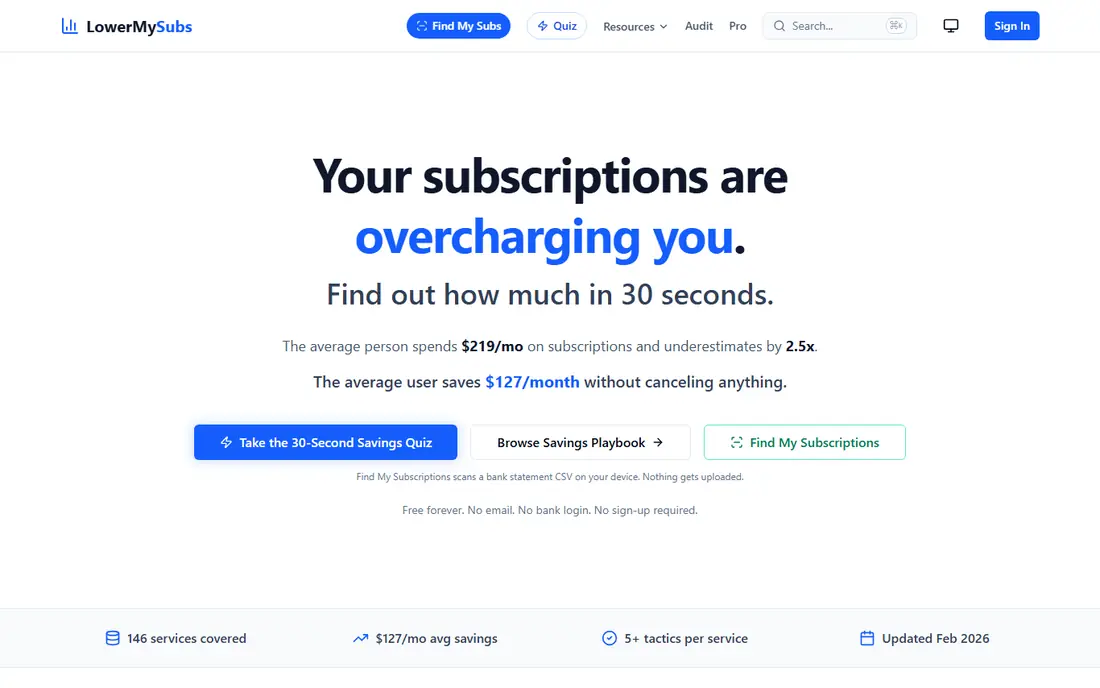
LowerMySubs takes a different path to privacy. Instead of linking your bank, you can scan a bank statement file in your browser to spot recurring charges, or add subscriptions by hand. That approach suits people who want to audit their subscriptions once, without giving a new app ongoing access to their accounts. The site also offers guides for reducing the cost of common services.
The limit is ongoing tracking. Without a bank link, LowerMySubs will not warn you when a new subscription starts or a price rises, unless you run a fresh scan. Think of it as a free audit tool first, and a manual tracker second. Run it every few months, note what you find, and cancel directly with each provider.
- No account or bank login needed for the core tool
- Scan a statement file in your browser to find recurring charges
- Guides for cutting common bills
- Browser-based tool, not a full mobile app
- No auto-sync with your bank over time
PocketSmith is best when you want to see subscriptions in the context of future cash flow. The free plan lets you import transactions by hand, set budgets, and project balances forward, so a yearly renewal does not arrive as a shock. That forecast view helps people who pay for annual plans, since it spreads the cost across the year and shows when several renewals land together.
The drawback for pure subscription tracking is that PocketSmith is not a single-purpose tracker. You need to label recurring transactions yourself on the free plan, and automatic bank feeds sit behind a paid plan. If you already want a forecast tool, the subscription view is a useful bonus. If you only want a simple list, Rocket Money or Bobby will feel faster.
- Free plan with manual imports and budgets
- Forecasts show future balances and renewals
- Multi-currency support
- Subscription tracking is part of a wider finance tool
- Automatic bank feeds need a paid plan
Monarch Money is a full personal finance app with a strong recurring section. It finds recurring transactions from linked accounts, shows them in a list or calendar view, and sends alerts before a payment is due. Couples can share one dashboard, which helps when subscriptions are split across two people. The wider budget, net worth, and investment views make it a good single home for household money.
The cost is the issue for this topic. Monarch has no free plan, only a short trial, and the monthly price is high if subscription tracking is your only need. We include it because many readers want subscription visibility inside a budget they already pay for, not as a separate app. If you do not need the full budget, start with a free tracker instead.
- A dedicated recurring section with due-date alerts
- Shared dashboards for couples and households
- Net worth and investment views in the same app
- No ongoing free plan, only a trial
- Overkill if you only want subscription tracking
Quicken Simplifi is a low-cost budgeting app that also surfaces recurring spending. Once accounts are linked, it categorizes transactions and shows which charges repeat, which helps you spot a subscription that has crept up in price. The interface is simpler than full Quicken, and the focus on cash flow and spending plans suits people who want a weekly check rather than a deep finance system.
The limit is that Simplifi is not free, and its subscription features are not as focused as Rocket Money. You get a budget app that includes subscription views, not a tracker built around cancellations. Check the current price on the Quicken site before you sign up, since pricing has changed over time. It fits best when you already want a simple paid budget app.
- Automatic categorization of spending
- Clear views of recurring bills and subscriptions
- Long record as a personal finance brand
- Paid, with no ongoing free plan
- Subscription views are part of a wider budget, not a dedicated tracker
PocketGuard is a good free middle ground between a simple list and a full budget. Link your accounts and it tracks spending, flags recurring charges, and shows how much is left after bills and goals. That safe-to-spend view helps you see whether a new subscription actually fits, rather than just adding it to a list you never review. The free plan covers the basics well.
The catch is depth. PocketGuard will show recurring charges and help you budget around them, but it is not built to cancel services for you, and some advanced features sit in the paid plan. Use it when you want a free daily money app with subscription awareness, and pair it with a calendar reminder to cancel anything you no longer use.
- Free plan with linked accounts and alerts
- Shows what is safe to spend after bills
- Simple layout for daily money checks
- Subscription cancellation help is limited
- Some features need the paid Plus plan
OneMain MyMoney, formerly known as Trim, is a free option worth knowing about. It tracks subscriptions, sends transaction alerts, and offers budget tools without a monthly fee for the core features. For people who want a free tracker with bill reminders, it covers the basics and does not push a paid plan as hard as some rivals.
The limit is that some of the strongest features, such as done-for-you cancellation and bill negotiation, are only available to certain OneMain or partner customers. Other users get the tracking and the steps to cancel themselves, which is still useful. If you are not a customer of those partners, treat MyMoney as a free tracker, not a cancellation service, and cancel directly with each provider.
- Free subscription tracking and budget tools
- Transaction alerts and bill reminders
- No monthly fee for the core features
- Done-for-you cancellation is limited to certain customers
- The app grew out of Trim, so older guides may use the old name
Empower is a free dashboard best known for net worth and retirement planning, but it also helps with subscription checks. Link your accounts and you can review transactions across banks and cards in one place, which makes it easier to spot a recurring charge you missed. The cash flow views add context, since you can see subscriptions next to income and larger bills.
The drawback is focus. Empower does not offer a dedicated subscription manager with renewal reminders and cancel guides, and its main pitch is investing and planning. We include it because many people already have a free Empower account and can use it for a quick subscription review. If you want alerts and cancellation help, pair it with a dedicated tracker from this list.
- Free dashboard with linked accounts
- Net worth and cash flow views
- Useful for spotting recurring charges across accounts
- Built for wealth and retirement planning, not subscription tracking
- No dedicated cancellation tools
How we picked these
We compared official pricing pages, app store listings, and public feature guides, and we favored tools that are live in October 2026 with a usable free plan or free trial. We looked for a mix of bank-linked detection and manual or private options, since not every reader wants to link accounts. We left out tools that had shut down, tools that only track business subscriptions, and tools with no clear free option. We did not claim hands-on testing, and we based our view on vendor pages and public reviews.
How to get real savings from a free tracker
Start with a full audit. Link accounts where you are comfortable doing so, or scan a statement file, then add any annual, app store, and family-plan charges by hand. Auto-detection often misses those, and they are often the largest forgotten costs. Write down the total monthly and yearly cost before you cancel anything, so you can see the saving clearly.
Next, cancel in one focused session. Open each provider site, cancel what you do not use, and note the end date so you do not lose access you paid for. Set a calendar reminder a few days before each trial ends in future, since trials that roll into paid plans are a common leak. Repeat the audit every three months, because new subscriptions creep in quietly.
Finally, be careful with bank access. Use a strong password, turn on two-factor sign-in where offered, and remove account links if you stop using an app. A free tracker should not need your full banking password stored in plain form, and you should read its privacy note before linking. If that trade feels wrong for you, use Bobby or LowerMySubs and accept the manual work.
Frequently asked questions
What is the best free subscription tracker app?
Rocket Money is the best free starting point for most people, since its free plan finds recurring charges from linked accounts and tracks upcoming bills. If you do not want to link a bank, Bobby is the best simple manual option on iPhone, and LowerMySubs is a good private browser-based audit tool.
Do free subscription trackers really work without paying?
Yes, for the core job of listing subscriptions and showing total cost. Free plans usually show the charges and remind you of due dates, but they rarely cancel services for you. That last step is where paid plans add value, though you can cancel directly with each provider for free.
Can a tracker find every subscription I have?
No tracker finds everything on its own. Bank-linked tools can miss annual charges, app store billing, and family-plan shares. Manual tools miss anything you forget to add. The safest method is to combine auto-detection with a statement check and a manual review of app store subscriptions.
Is it safe to link my bank account to a tracker?
Reputable trackers use encrypted, read-only connections and two-factor sign-in, but any link carries some risk. Read the privacy policy, check what data the app stores, and remove links when you stop using it. If you prefer not to link accounts, use a manual tracker instead.
What is the difference between Rocket Money and Bobby?
Rocket Money links to your accounts and finds subscriptions for you, with paid help to cancel. Bobby relies on manual entry, stores data on your device, and charges a one-time purchase for extra features. Pick Rocket Money for auto-detection, and Bobby for privacy and simplicity.
Sources
See where you really rank - block by block
ProMapRanker scans Google Maps across a grid of your service area. Simple monthly plans from $19, white-label on every plan.
Start freeKeep reading
 zoho inventory alternatives
6 Alternatives to Zoho Inventory, Compared on Price and Fit
Zoho Inventory alternatives: 6 tools compared on price, free plans and fit. Katana leads the list for manufacturers. Fit and flaws are laid out for each entry.
Read → zoho crm alternatives
Best Zoho CRM Alternatives (2026)
Need Zoho CRM alternatives? We compare 7 tools on cost, free access and who each suits. Every pick gets a straight assessment. Built for quick decisions.
Read → zelle alternatives
Best Zelle Alternatives in 2026
Compare the best Zelle alternatives for sending money to friends, paying sellers and moving funds abroad, with honest notes on fees, speed and safety in 2026.
Read →