 ProMapRanker
Best Structural Engineering Software in 2026

Key takeaways
- No single tool covers every structure, so most firms pair an analysis tool with a BIM or detailing tool.
- ETABS leads for building analysis, while SAP2000 covers a wider range of structure types.
- Tekla Structures leads for fabrication-ready steel and concrete detailing, not for general analysis.
- Revit is a BIM and documentation choice first, and an analysis tool only through add-ins and links.
- Always check which design codes and local standards each tool supports before you commit.
Quick comparison
| Pick | Great for | Pricing starts at | Free tier | |
|---|---|---|---|---|
 ETABS | High-rise and building design | See website | No | Visit |
 SAP2000 | General-purpose analysis | See website | No | Visit |
 STAAD.Pro | Frame analysis and design | See website | No | Visit |
 Tekla Structures | Steel and concrete detailing | See website | No | Visit |
 Autodesk Revit | BIM coordination and documentation | $380 per month | No | Visit |
 RFEM | Finite element plate and shell analysis | See website | No | Visit |
 Robot Structural Analysis | Autodesk-based analysis workflows | See website | No | Visit |
 SkyCiv | Cloud-based analysis for smaller teams | See website | No | Visit |
The best structural engineering software
We compared official product pages, documentation and pricing information for tools used by structural engineers in October 2026. The list covers building analysis, general analysis, BIM and detailing, since real projects usually need more than one of those jobs done well.
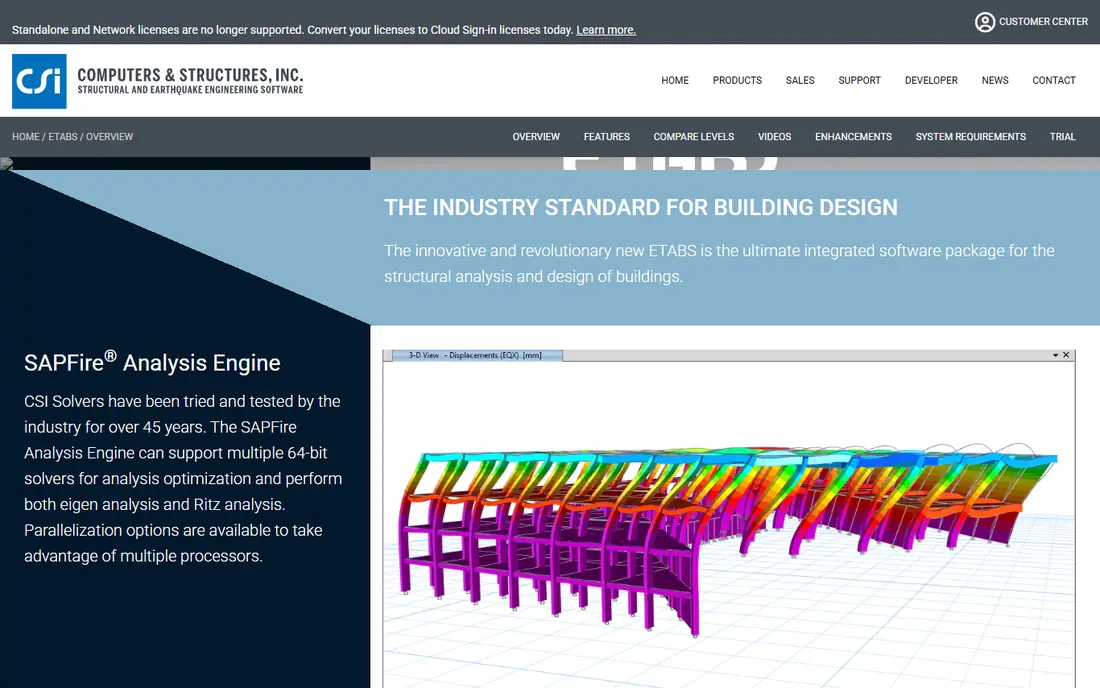
ETABS is built around buildings. Stories, towers, walls, slabs and floor systems are first-class objects, not workarounds, so modeling a multi-story building feels direct. It includes design checks for concrete and steel members and supports seismic, wind and response spectrum analysis. For a firm that designs buildings every day, that focus saves time.
The limit is scope. A bridge, a tank or an industrial frame with unusual geometry may fit better in SAP2000. ETABS also carries a learning curve for engineers new to CSI workflows, and pricing is quote based. If buildings are your core work, ETABS is the natural starting point in the CSI family.
- Building-specific modeling with stories and towers
- Integrated concrete and steel design
- Seismic and wind analysis workflows
- Less suited to non-building structures
- Pricing requires a quote
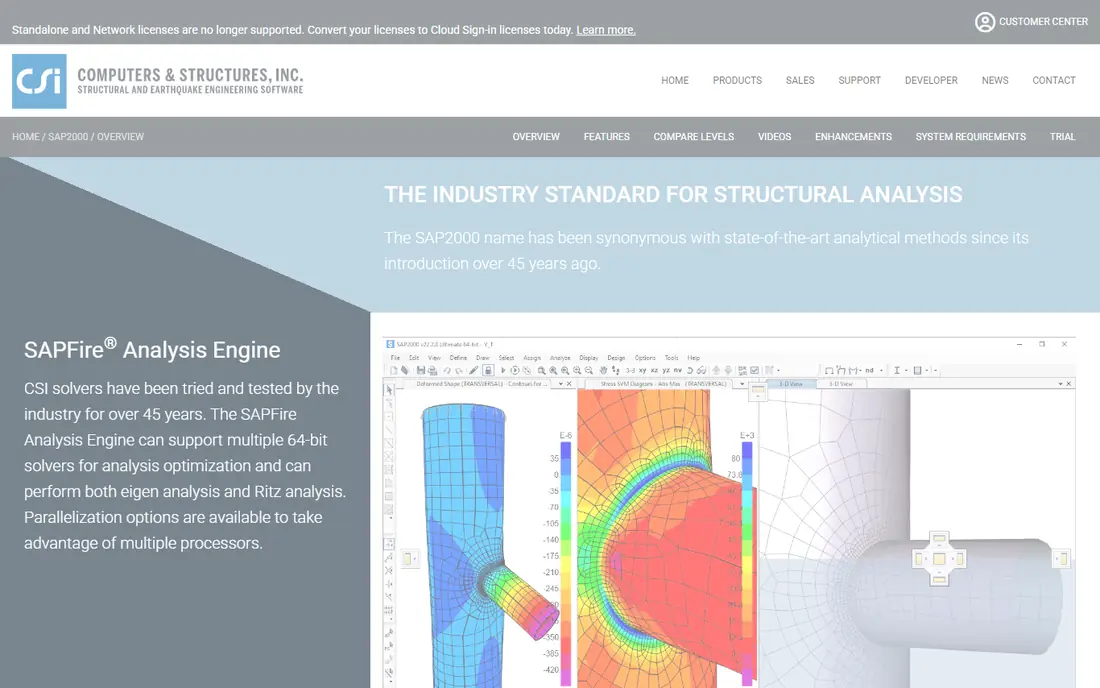
SAP2000 is the general-purpose member of the CSI family. It models buildings, bridges, towers, dams, tanks and industrial structures, with static, dynamic, nonlinear and time history analysis. That breadth makes it the safer single purchase for a firm with mixed project types. Its scripting and API options also help firms automate repeated checks.
The trade is that building-specific tasks take more manual setup than in ETABS. You can model a building well, but you will build story and floor logic yourself. Pricing is quote based and varies by tier. Choose SAP2000 when your work does not fit neatly into a building box.
- Wide structure types, from bridges to towers
- Linear and nonlinear analysis options
- Long track record in practice
- Building workflows are less direct than ETABS
- Interface can feel dense for new users
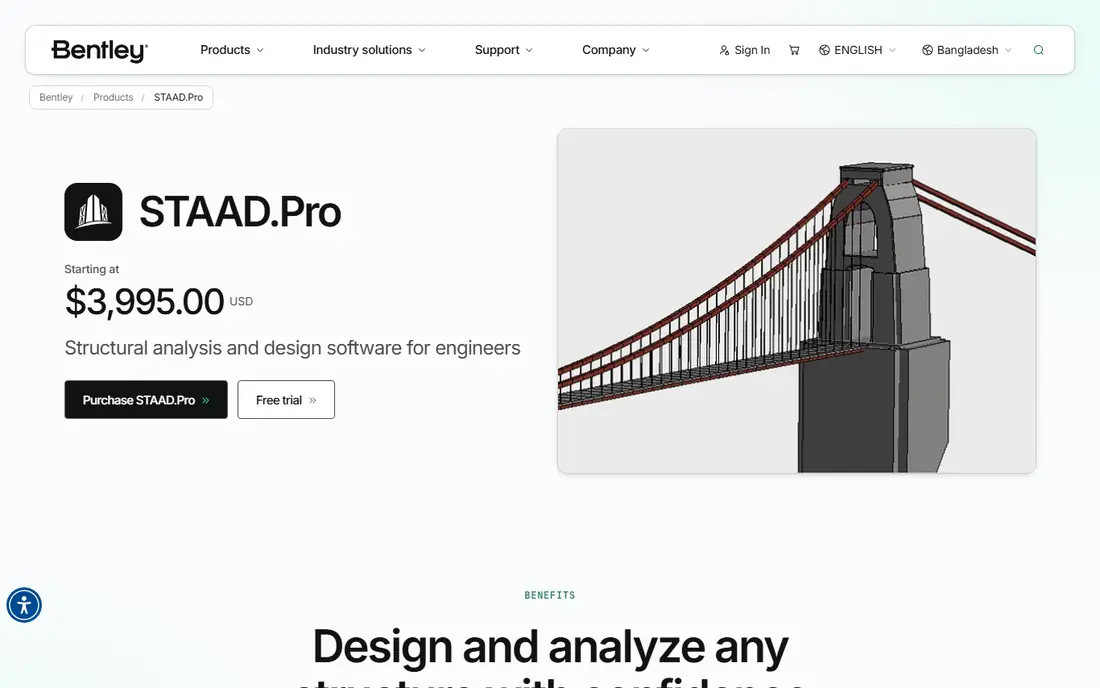
STAAD.Pro, from Bentley, is a long-standing choice for frame analysis and design across materials. It handles static, dynamic, wind, seismic, thermal and moving loads, and it supports many international design codes. Engineers can start from a physical model and move to an analytical model for design, which helps keep drawings and calculations linked.
It is a full professional tool, so expect a quote-based price and a learning curve for advanced features. Teams already in the Bentley ecosystem, or working on infrastructure and industrial frames, will find the code coverage and interoperability useful. For pure building work, compare it directly with ETABS before deciding.
- Broad design code coverage
- Steel, concrete, timber and aluminum design
- Physical to analytical model workflow
- Pricing is quote based
- Large models need careful hardware planning
Tekla Structures is where a design becomes something a fabricator can build. It produces detailed 3D models, shop drawings and fabrication data for steel and concrete structures, with clash and constructability checks built into the workflow. Detailers, fabricators and contractors rely on it when precision at the connection level matters.
Do not buy Tekla as your main analysis tool. Pair it with ETABS, STAAD.Pro or another analysis product, and use Tekla for the detailed model that follows design. Pricing is quote based and can be high for a small firm. For complex steel and concrete projects, that cost is often justified by fewer site errors.
- Fabrication-ready models and shop drawings
- Detailed steel and concrete modeling
- Strong Trimble ecosystem links
- Pricing is quote based
- Analysis is not its main job
Revit is the BIM hub for many architecture, engineering and construction teams. Structural elements live in the same coordinated model as architectural and MEP elements, so plans, sections, schedules and sheets update together. Worksharing lets several offices work in one model, and the tool is widely understood by clients and contractors.
Revit is not a replacement for ETABS or STAAD.Pro. Structural analysis in Revit relies on links to analysis tools or add-ins, and results must be checked in the analysis product. The monthly subscription is $380 per month, with annual terms lower per month, so occasional users should weigh Autodesk Flex or a shorter term. Pick Revit when coordination and documentation drive the project.
- One coordinated BIM model for plans and schedules
- Worksharing for multi-discipline teams
- Wide use across AEC firms
- Monthly price is high for occasional use
- Structural analysis needs links or add-ins
RFEM, from Dlubal, is a finite element tool for structures where plates, shells, membranes and solids matter as much as frames. It suits unusual geometry, shells, facades and detailed local checks that frame tools handle less well. Add-on modules cover steel, concrete, timber, aluminum and glass design, so you can buy the parts you need.
Module pricing means the total depends on your add-on list, so get a full quote. RFEM has a strong European base and growing US use, but local support and code coverage should be checked for your state and project type. For finite element work beyond simple frames, it is a serious option.
- Strong finite element modeling for plates, shells and solids
- Steel, concrete, timber and glass design add-ons
- Clear model and load workflows
- Pricing varies by module
- Smaller US presence than CSI or Bentley tools
Robot Structural Analysis Professional is Autodesk's analysis product, and its main advantage is workflow. Models can move between Revit and Robot for analysis, design and documentation, which suits firms already committed to Autodesk. It covers frame and finite element analysis, with seismic, wind and code checks for common materials.
The interface is less modern than some rivals, and pricing is handled through Autodesk subscription channels, so confirm the current term before budgeting. If your firm already pays for the Autodesk AEC Collection, check whether Robot is included in your bundle. That bundling can change the value case a lot.
- Links with Revit and other Autodesk tools
- Wide analysis types including seismic and wind
- Steel and concrete design checks
- Pricing is through Autodesk channels
- Interface feels dated beside newer tools
SkyCiv takes a different approach by running structural analysis in the cloud. Engineers can model beams, frames, trusses and plates from a browser, share models by link and avoid desktop installs and license servers. That makes it attractive for small firms, students moving into practice, and teams that need a quick check tool alongside a main suite.
It is not a direct replacement for ETABS or SAP2000 on a large, code-heavy project. Advanced nonlinear work, huge models and some local code checks may still need a desktop tool. Pricing is tiered and published on its site, so check the current plan that covers your member and load types. For accessible, cloud-based analysis, SkyCiv is the easiest entry point here.
- Runs in a browser with no desktop install
- Beam, frame and plate analysis tools
- Lower entry cost than desktop suites
- Less depth for very large or complex models
- Internet access is required
How we picked these
We checked official product pages, documentation and pricing sources for tools that structural engineers actually use for analysis, design, BIM or detailing. We kept tools that are live in October 2026 and that support real design codes and professional workflows. Where a vendor quotes rather than publishes a price, we wrote See website instead of repeating an old third-party figure.
What to check before you buy
Start with codes and project types, not features. List the design codes, materials and structure types you must support in the next two years, then check each tool against that list. A tool with a long feature list but missing code support for your region will cost you time on every project. Ask the vendor for a worked example close to your typical job.
Next, test the workflow between tools. Analysis results must reach drawings without retyping, and model changes must flow back to analysis. Run a small real project through the full chain, from model to design to drawing, before you buy seats for the whole office. Also check hardware, licensing and training. Large finite element models need memory and graphics power, floating licenses behave differently from named seats, and training time is part of the true cost.
Finally, confirm support and updates. Ask how code updates are delivered, how long older versions are supported and what happens to your files if you stop subscribing. For detailing tools, confirm file formats your fabricators accept. A good tool should fit your project chain, not force you to rebuild it.
Frequently asked questions
What is the best structural engineering software for buildings?
ETABS is a strong choice for building analysis and design, with story-based modeling and integrated concrete and steel checks. SAP2000 suits buildings with unusual geometry, and Revit handles BIM coordination and documentation. Most building firms use ETABS or SAP2000 for analysis plus Revit or Tekla for documentation and detailing.
Is Revit structural engineering software?
Revit is BIM software with structural modeling and documentation tools, but it is not a full analysis engine on its own. Structural analysis in a Revit workflow usually happens in a linked tool such as Robot Structural Analysis, ETABS or STAAD.Pro. Treat Revit as the coordination model and the analysis tool as the calculation source.
How much does structural engineering software cost?
Prices vary widely and many vendors quote rather than publish a list price. Revit is $380 per month on a monthly subscription, while ETABS, SAP2000, STAAD.Pro and Tekla Structures are quote based. Cloud tools such as SkyCiv tend to cost less per seat, but check member limits and add-ons before comparing.
What is the difference between ETABS and SAP2000?
ETABS is built for buildings, with stories, towers and floor systems as core objects. SAP2000 is a general-purpose analysis tool for buildings, bridges, towers, tanks and industrial structures. Choose ETABS for typical building work and SAP2000 when your projects cover a wider range of structure types.
Do I need Tekla Structures if I already use Revit?
You may, if you need fabrication-level steel or concrete detailing. Revit produces coordinated construction documents, while Tekla produces detailed models and shop drawings for fabricators. Many firms use Revit for design coordination and Tekla for the detailed fabrication model on complex steel projects.
Can I learn structural software for free?
Some vendors offer student versions, trials or free viewers, and SkyCiv and other cloud tools offer lower-cost entry tiers. Check the vendor site for current student and trial terms, since they change. For professional work, budget for a paid license, training and code reference material.
Sources
- https://www.csiamerica.com/products/etabs
- https://www.csiamerica.com/products/sap2000
- https://www.bentley.com/software/staad-pro/
- https://www.tekla.com/products/tekla-structures
- https://www.autodesk.com/products/revit/overview
- https://www.dlubal.com/en/products/rfem
- https://www.autodesk.com/products/robot-structural-analysis/overview
- https://skyciv.com
See where you really rank - block by block
ProMapRanker scans Google Maps across a grid of your service area. Simple monthly plans from $19, white-label on every plan.
Start freeKeep reading
 zscaler alternatives
Best Zscaler Alternatives in 2026
Looking for zscaler alternatives? We compare 9 SASE and zero trust platforms on architecture, data protection, pricing, and fit for your network and team.
Read → zapier alternatives free
Best Zapier Alternatives Free in 2026
Nine automation tools for zapier alternatives free in 2026, all with genuinely free tiers, plus free plan limits, starting prices and upgrade paths explained.
Read → which platform is best for online reputation
Which Platform Is Best for Online Reputation in 2026
Wondering which platform is best for online reputation? We compare 8 review, listing, and response tools for small and multi-location businesses and agencies.
Read →