 ProMapRanker
Best Structural Analysis Software in 2026

Key takeaways
- ETABS leads for multi-story buildings, while SAP2000 covers a wider range of structure types in one general tool.
- STAAD.Pro suits firms that work across many materials and design codes, and it is priced from $3,995 per year for a Virtuoso subscription in search results we checked.
- SkyCiv gives smaller firms and students a cloud route into frame and plate analysis, with a free version and a starting price near $79 per month per user in listings we checked.
-
No single tool covers every job well, so check code coverage, load types and output reports before you commit to a subscription.
Quick comparison
| Pick | Great for | Pricing starts at | Free tier | |
|---|---|---|---|---|
 ETABS | Multi-story building design | See website | No | Visit |
 SAP2000 | General structures and bridges | See website | No | Visit |
 STAAD.Pro | Many materials and codes | $3,995 per year | Free trial | Visit |
 Autodesk Robot Structural Analysis | Revit-based building workflows | See website | No | Visit |
 Tekla Structural Designer | Steel and concrete buildings | See website | No | Visit |
 RFEM | Complex frames and plates | See website | Free trial | Visit |
 SkyCiv Structural 3D | Cloud-based frame analysis | $79 per month | Yes | Visit |
 RISA-3D | Everyday frame design in the US | See website | Free trial | Visit |
 IDEA StatiCa | Steel connection design | See website | Free trial | Visit |
The best structural analysis software
We compared tools that structural engineers actually use for analysis and code-based design, not generic drawing tools. The list below covers buildings, bridges, towers and industrial frames, and it notes where a tool is strong and where it falls short.
ETABS is built around buildings. It treats floors, stories, walls and columns as building parts rather than as abstract lines, so a multi-story model comes together faster than it does in a general frame tool. That focus shows in its load handling too, with wind, seismic and gravity cases set up in terms that building engineers use every day. The catch is scope. If your work shifts to bridges, tanks, towers or long-span roofs, you will feel the building focus as a limit and may need a second tool. CSI does not publish a simple list price on its main ETABS page, so firms should ask for a quote and confirm which tier covers the design codes they need. We still place it first for building work because its workflow matches the job so closely.
- Building-specific modeling tools
- Strong concrete and steel design checks
- Clear story-based results and reports
- Less suited to non-building structures
- Pricing is not published on the main product page
- Needs a capable Windows machine
SAP2000 is the generalist in the CSI family. It handles buildings, bridges, dams, towers, stadiums and industrial frames in one program, with finite element tools for shells, solids and cables alongside ordinary frame members. That breadth makes it a good single purchase for a firm with varied work, and its bridge tools cover moving loads and staged construction in useful depth. The trade-off is that general tools ask more of the user. You define more of the model yourself, and you need to check load combinations, supports and releases with care. Pricing is quote-based on the vendor site, so small firms should confirm the tier they need before they budget. For varied structural work, SAP2000 remains one of the safest choices in this list.
- Very wide range of structure types
- Strong nonlinear and dynamic analysis
- Long track record in practice
- Building workflow is less direct than ETABS
- Pricing needs a quote
- Learning curve for advanced analysis
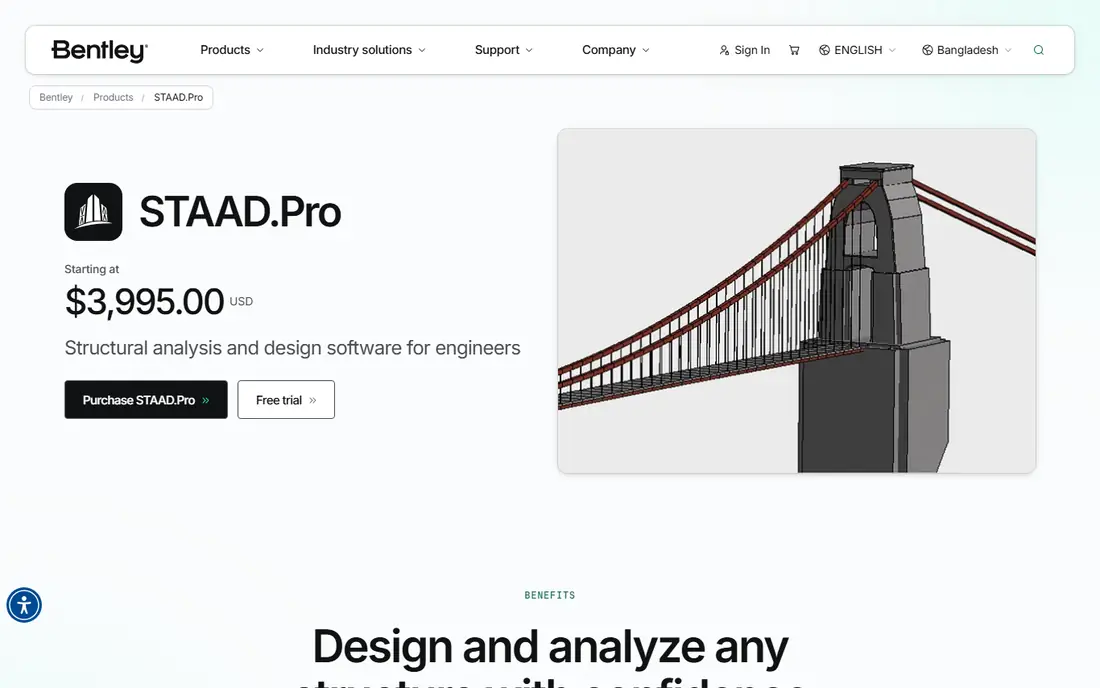
STAAD.Pro is the workhorse many firms reach for when a project does not fit a narrow building template. It covers static, dynamic, wind, seismic, thermal and moving loads, and it checks members against a very wide set of international codes. That code coverage matters for firms with work in several countries, or for industrial clients whose structures mix steel frames, concrete supports and equipment loads. The API also lets larger teams script repeated tasks instead of repeating clicks.
New users should expect a learning period. The interface shows its age, and turning a physical model into a reliable analytical model takes guidance from an experienced engineer. The Virtuoso subscription was listed at $3,995 per year in search results we checked, with higher tiers for nonlinear analysis and concrete detailing, so confirm the current tier with Bentley. For broad, code-heavy work, STAAD.Pro still earns its place.
- Support for more than 90 design codes
- Steel, concrete, timber and aluminum design
- OpenSTAAD API for automation
- Interface feels dated next to newer tools
- Physical modeling takes practice
- Advanced tiers cost more
Robot Structural Analysis makes most sense if Revit already sits at the center of your practice. Models can move between Revit and Robot for analysis, and changes can be carried back for documentation, which cuts down on retyping member sizes and levels. It covers frame and shell analysis, code checks for steel and concrete, and load cases that building and industrial projects need. For Autodesk shops, that link is a real time saver.
Outside that workflow, the case is weaker. Robot is commonly bought through an Autodesk collection rather than as a low-cost single app, so the total cost depends on what else you already license. It also runs on Windows, which can matter for mixed-device offices. If your team lives in Revit, Robot is a natural pick. If it does not, compare it closely with the standalone tools above.
- Close link to Revit models
- Steel and concrete design in one workflow
- Wind and seismic load tools
- Sold mainly as part of a collection
- Windows only
- Less common outside Autodesk workflows
Tekla Structural Designer is aimed squarely at building engineers who want analysis and member design in one model. You build the physical building, apply gravity, wind and seismic loads, and then design steel and concrete members without exporting to a separate checker for every change. That loop helps when a scheme is still moving, since a size change flows through the design checks rather than sitting in a separate file. Its link to Tekla Structures also helps teams that move from design into steel detailing.
The limits follow from that focus. It is not the tool to pick for a bridge, a tank or a complex shell structure, and firms with that mix will need another program. Trimble does not publish a simple list price, so get a quote tied to your team size and region. For building-focused steel and concrete work, it is a strong and practical option.
- Integrated analysis and design for buildings
- Clear wind load modeling
- Good link to Tekla Structures detailing
- Building focus limits non-building work
- Pricing needs a quote
- Smaller user community than STAAD.Pro in some regions
RFEM from Dlubal is a finite element program that handles bars, plates, walls, shells and solids with care. That makes it useful for structures where plate behavior, connections or unusual geometry matter, not just simple frames. Its add-on system lets a firm buy design modules for steel, concrete, timber, aluminum and other materials as needed, rather than paying for everything at once. Results, diagrams and printed reports are laid out clearly, which helps during checking and review.
The add-on model needs care at purchase time. A base licence plus several design modules can cost more than the first quote suggests, so list the codes and materials you need before you ask for a price. RFEM also rewards users who understand finite element modeling, including mesh choices and support conditions. For complex or plate-heavy structures, it is one of the most capable tools here.
- Strong finite element modeling for plates and shells
- Wide range of add-ons
- Clear results and documentation
- Add-on pricing can add up
- Setup rewards experience
- Mainly a Windows desktop tool
SkyCiv takes a different route from the desktop tools above. It runs in a browser, so an engineer can open a model on almost any computer without installing a heavy program or managing licence servers. It covers linear, P-delta, cable, buckling, plate and frequency analysis, with design checks for steel, wood, connections and foundations across many codes. The free version and student options make it a good way to learn frame analysis or to handle small jobs without a large upfront cost.
Large or highly detailed models are where desktop tools still have an edge, and some advanced features sit in higher paid tiers. Listings we checked put the starting paid price near $79 per month per user, with a free version and a free trial available, so confirm the current plan on the vendor site. For small firms, freelancers and students, SkyCiv is the most accessible serious option in this list.
- Runs in a browser with no install
- Free version for small work
- Clear hand-calculation style output for checks
- Less depth than desktop tools for very large models
- Some advanced design needs paid tiers
- Internet access required
RISA-3D is popular with US firms that design ordinary buildings, frames and foundations day after day. It is quick to learn for that work, with member design, load combinations and code checks built into the same model. Engineers can move from a frame sketch to checked member sizes without juggling several programs, and the output is easy to read during a peer review. The focus is also the limit. Firms with heavy international code work, complex plate structures or specialist bridge jobs will need to check coverage carefully or pair RISA-3D with another tool. Pricing is quote-based on the vendor site, with a trial available, so ask for a price tied to the modules you need. For everyday US frame design, RISA-3D is a dependable and efficient pick.
- Fast setup for common US frame work
- Integrated steel and concrete design
- Clear diagrams and reports
- Code coverage is strongest for US practice
- Less suited to complex shells
- Pricing needs a quote
IDEA StatiCa fills a gap that frame tools often leave open: the connection itself. A frame program may say a beam is adequate, but the bolts, welds, plates and stiffeners at its end still need a proper check. IDEA StatiCa models that joint in detail and shows how it behaves, including which part would fail first. It is best used alongside a frame tool, not instead of one. You still need global analysis to get the forces into the connection, and you need to model the joint with care. Pricing is quote-based, with a trial offered on the vendor site. For steel work where connections govern the design, IDEA StatiCa is the specialist pick in this list.
- Detailed steel connection and member checks
- Clear failure-mode results
- Useful alongside frame analysis tools
- Not a full building analysis replacement
- Pricing needs a quote
- Needs accurate input forces from another model
How we picked these
We compared official product pages, pricing pages and public documentation for tools that are sold and supported in October 2026, and we favored tools with a clear structural analysis and design purpose. We looked at structure types covered, materials and codes supported, load types, output quality, and how each tool fits into a wider workflow with modeling or detailing software. Prices shown here come from vendor pages or from recent listings where the vendor does not publish a price, and we wrote See website where a current price could not be verified. We did not claim hands-on testing, and we did not invent feature or price details that we could not check.
What to check before you buy
Start with the codes and materials your projects actually use. A tool with 90 codes sounds impressive, but it only helps if it covers the edition and country your checker will accept. Ask for a written list of supported codes, and test it on one real past project if a trial is offered. That single test often reveals more than a sales demo, because it shows how loads, combinations and reports behave on work you already understand.
Next, look at loads and model types. Buildings need wind and seismic handling, bridges need moving loads and staged construction, and industrial frames may need thermal, dynamic or nonlinear checks. Confirm each one before you buy, and confirm how the tool reports results for peer review. A clear diagram, a traceable load path and a readable report save time during checking and reduce the chance of a missed error.
Finally, price the whole workflow, not just the first licence. Add training time, any add-on design modules, detailing links and the cost of a second tool if your work spans buildings and non-building structures. Cloud tools can lower the entry cost, while desktop suites can be cheaper over several years for a stable team. Pick the tool your team will actually use well, with support and training you can reach when a deadline is close.
Frequently asked questions
What is the best software for structural analysis for beginners?
SkyCiv is a good starting point because it runs in a browser, has a free version and shows calculation-style output that is easy to follow. RISA-3D is also approachable for everyday frame work. Beginners should still learn the underlying theory, since software output is only as good as the model and loads entered.
What is the best software for structural analysis of buildings?
ETABS is our pick for multi-story buildings because its story, wall and floor tools match building work closely. Tekla Structural Designer is a strong alternative for steel and concrete buildings, and SAP2000 suits firms that also handle non-building structures. The best choice depends on whether buildings are your only work or one part of a wider mix.
Is STAAD.Pro still used in 2026?
Yes. STAAD.Pro remains widely used for general structural analysis and design across many materials and codes. Its dated interface is a fair criticism, but its code coverage, load types and automation options keep it in use at firms of many sizes. Check the current subscription tier with Bentley before you buy.
Do I need more than one structural analysis tool?
Many firms do. A building tool may not handle bridges or detailed steel connections well, and a connection specialist such as IDEA StatiCa is designed to sit alongside a frame tool. Start with the tool that covers most of your work, then add a specialist only when a repeated job justifies the extra cost and training.
How much does structural analysis software cost?
Costs range from a free version of a cloud tool to several thousand dollars per year for a professional desktop licence, plus add-on modules in some cases. Most vendors in this list use quote-based pricing, so ask for a price tied to your team size, codes and modules. Budget for training and checking time as well as the licence itself.
Can cloud software handle serious structural work?
Yes, for many frame and plate jobs, and SkyCiv is a good example of a cloud tool used for real design work. Very large models, complex nonlinear studies and some specialist workflows still favor desktop tools with local computing power. Test a cloud tool on a representative project before moving critical work to it.
Sources
- https://www.csiamerica.com/products/etabs
- https://www.csiamerica.com/products/sap2000
- https://www.bentley.com/software/staad-pro/
- https://www.autodesk.com/products/robot-structural-analysis
- https://www.tekla.com/products/tekla-structural-designer
- https://www.dlubal.com/en/products/rfem-fea-software/what-is-rfem
- https://skyciv.com/
- https://risa.com/products/risa-3d
- https://www.ideastatica.com/
See where you really rank - block by block
ProMapRanker scans Google Maps across a grid of your service area. Simple monthly plans from $19, white-label on every plan.
Start freeKeep reading
 zoro.to alternatives
Best Zoro.to Alternatives in 2026
We compare the best zoro.to alternatives in 2026, listing only legal licensed anime streaming services, from Crunchyroll to free options for fans today.
Read → zip alternatives
Best Zip Alternatives in 2026
We compare the best zip alternatives for buy now, pay later in 2026, covering pay-in-4 plans, fees, spending limits, and credit reporting options today.
Read → yesware alternatives
Best Yesware Alternatives in 2026
Compare the best yesware alternatives for sales email tracking, templates, and sequences, with current pricing and honest tradeoffs for small sales teams.
Read →