 ProMapRanker
Best Streaming Service for Families in 2026


Younger kids and franchise families · Pricing starts at: $12.49 per month
Key takeaways
- Disney+ is the strongest single choice for younger kids, while Netflix covers the widest age range in one household.
- Parental controls, separate kids profiles, and PIN locks matter more than library size once children start browsing alone.
- Ad-supported plans cut the monthly bill, but ad-free plans are easier for family movie nights and for younger viewers.
- One paid service plus one free service such as Tubi often covers family viewing without paying for five subscriptions at once.
Quick comparison
| Pick | Great for | Pricing starts at | Free tier | |
|---|---|---|---|---|
| Disney+ | Younger kids and franchise families | $12.49 per month | No | Visit |
 Netflix | Widest family age range | $8.99 per month | No | Visit |
 Hulu | Families with older kids and teens | $12.49 per month | No | Visit |
 Paramount+ | Kids shows plus live sports and CBS | $8.99 per month | No | Visit |
 Peacock | NBC shows, kids content, and sports | $8.99 per month | No | Visit |
 Apple TV | High-quality originals with no ads | $14.99 per month | Free trial | Visit |
 Prime Video | Families already paying for Prime | $8.99 per month | No | Visit |
 Max | Older kids, teens, and prestige family films | $10.99 per month | No | Visit |
 Tubi | Free family movies and shows with ads | Free | Yes | Visit |
The best streaming service for families
A family streaming service has to serve very different viewers at once: a preschooler who wants the same show every day, a teen who wants something new, and parents who want a film after bedtime. We compared official plan pages and content libraries, with attention to kids profiles, parental controls, download options, and price. Prices below are US monthly rates reported for October 2026, and they change often, so check the signup page before you pay.
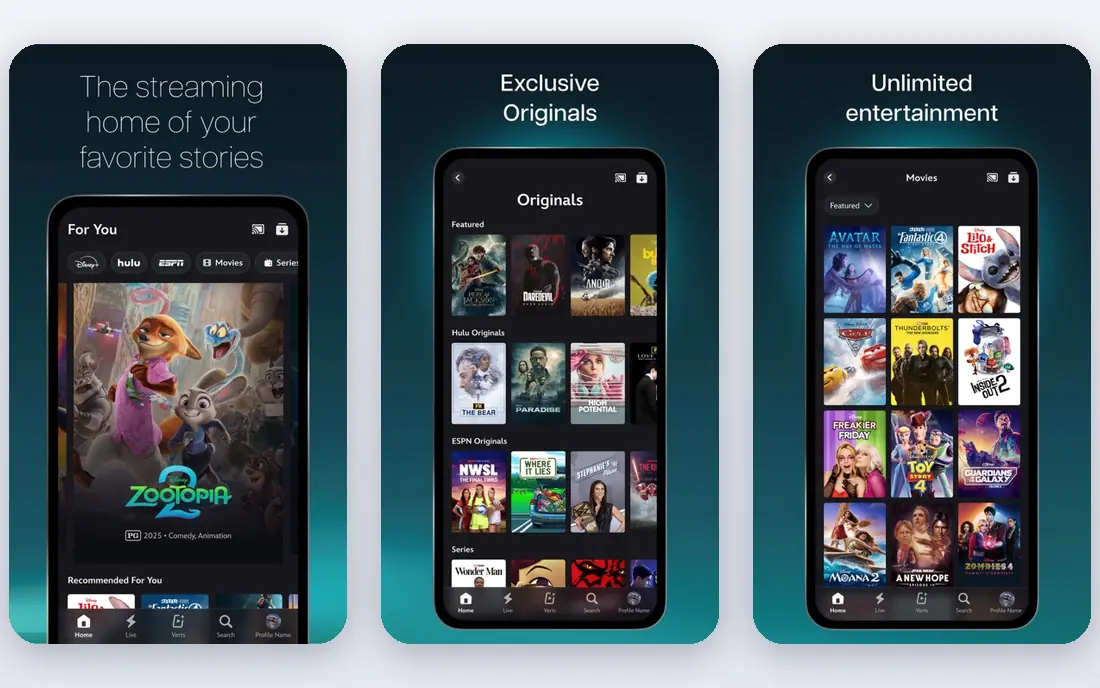
Disney+ is our pick for most families with younger children. The catalog covers animated classics, Pixar films, Disney Channel shows, Marvel, and Star Wars, so parents can find age-appropriate options without searching across many services. Kids profiles, content ratings, and PIN controls help keep browsing within the right age range, and downloads help on trips and flights.
The limit is breadth for older viewers. Teens may finish the franchise content they like and then want broader drama, comedy, or reality options that live on Netflix or Hulu. Disney+ also offers bundles with Hulu, which can solve that gap for households that want both kids content and broader adult viewing in one bill.
- Deep Disney, Pixar, Marvel, and Star Wars catalogs
- Strong kids profiles and parental controls
- 4K available on both main plans
- Less depth for teens who want edgier live-action series
- Price has risen with recent increases
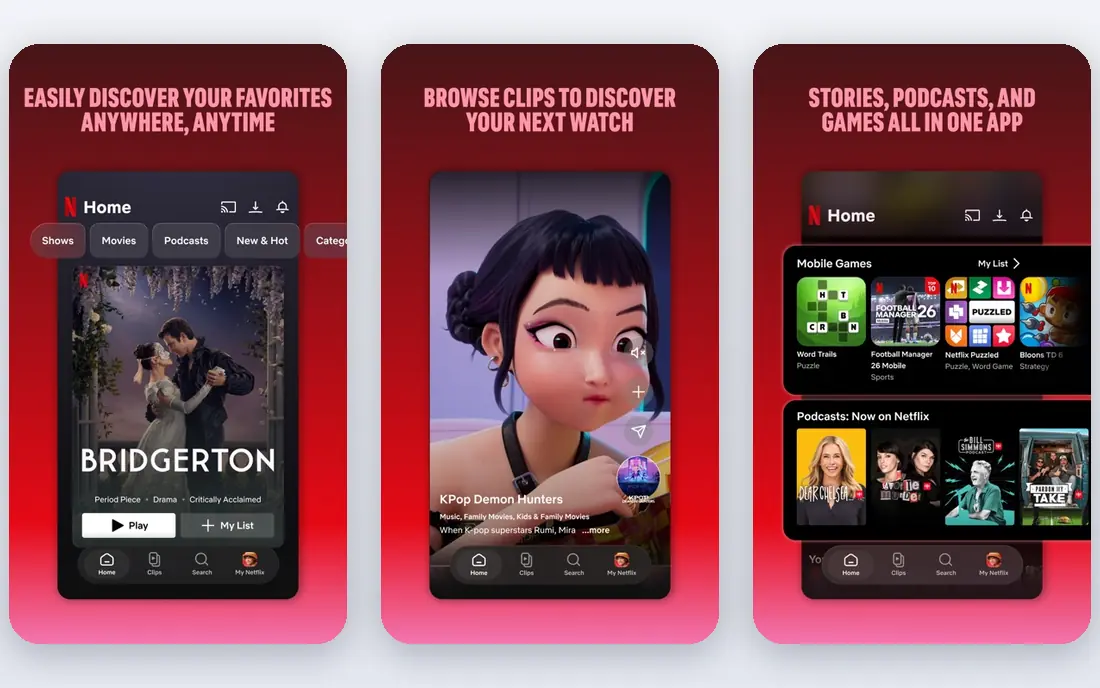
Netflix works for families because it covers every age in one place. Younger kids get animated series and films, older kids get teen shows and documentaries, and parents get drama, comedy, and films for later viewing. The Standard with Ads plan starts at $8.99 per month, Standard is $19.99 per month, and Premium is $26.99 per month, with 4K limited to Premium.
Parental controls include kids profiles, maturity ratings, and title blocking, which help when children share a TV. The main drawback is cost at the top tier, especially if you also pay for other services. A family that mainly watches on one or two screens can often stay on Standard and save the Premium difference.
- Largest mix of kids, teen, and adult originals
- Strong kids profile controls
- Downloads on most plans
- Highest top-tier price in this guide
- 4K requires the Premium plan

Hulu suits families where the youngest viewers are older kids or teens. It offers current TV episodes, FX series, films, and documentaries, plus a kids section, but its strength is not preschool content. The With Ads plan is $12.49 per month and the no-ads plan is $21.49 per month, based on October 2026 pricing.
Hulu is often best bought as part of a Disney+ bundle, because that pairing covers kids, teens, and adults without two separate bills. Parents should still set up a kids profile and check maturity settings, because Hulu carries more mature drama and comedy than Disney+ alone.
- Next-day TV, FX originals, and a broad library
- Bundle options with Disney+
- Strong teen and adult content
- Less dedicated kids depth than Disney+
- Ad-free plan costs more than the entry plan
Paramount+ is a good value choice for families that already watch Nickelodeon, CBS, or sports. Essential starts at $8.99 per month with ads, and Premium is $13.99 per month with fewer ads, Showtime content, and live local CBS. Kids can watch animated series and family films, while parents can follow sports and network shows in the same app.
The library is narrower than the largest services, so it works best as a second service rather than the only family service. If your household watches a lot of Nickelodeon or CBS, however, Paramount+ can replace a more expensive service for several months at a time.
- Nickelodeon kids content
- CBS shows and live local CBS on Premium
- Sports coverage for family viewing
- Smaller originals library than Netflix or Disney+
- No true 4K on many titles
Peacock offers a Select plan at $8.99 per month, Premium at $12.99 per month, and Premium Plus at $19.99 per month. Premium adds the fuller library, while Premium Plus removes most ads and adds download options. Kids content, family films, NBC shows, and sports sit alongside news and reality programming.
Peacock is a sensible pick for families that want a low-cost second service, especially if they follow sports or NBC shows. The Select tier is limited, so check whether the shows your family wants are included before choosing the cheapest plan. For regular family viewing, Premium is usually the better value.
- Low-cost Select tier
- Premium with a broad NBC library
- Sports including major live events
- Select tier has a limited library
- Ad-free Premium Plus costs more
Apple TV, formerly Apple TV+, costs $14.99 per month with no ad tier and 4K included. Its library is smaller than rivals, but it focuses on original series and films, including family-friendly titles, animation, and nature programming. Sharing across up to six family members through Apple Family Sharing also helps households with several viewers.
The trade-off is depth. A family that wants a large back catalog of classic kids shows will need another service alongside Apple TV. A family that prefers a curated set of high-quality originals, with no ads interrupting a film, will find Apple TV easy to use and easy to manage.
- Ad-free viewing
- 4K included
- Strong family originals and films in a smaller, curated library
- Smaller catalog than Netflix or Disney+
- Fewer classic kids titles
Prime Video costs $8.99 per month as a standalone service with ads, or it is included with Prime at $14.99 per month, which also covers shipping and other Prime benefits. An Ultra add-on for ad-free and 4K viewing costs extra. The library includes Amazon originals, licensed films, kids shows, and live sports in some seasons.
For families already paying for Prime shipping, Prime Video is effectively a bonus service, which makes it excellent value. If you do not use Prime shipping, compare the standalone price with Disney+ and Netflix on content alone, because the ad-supported base plan can interrupt family movie nights.
- Included with Prime membership
- Large film and series library
- Kids profiles and downloads
- Ads on the base plan
- Ad-free Ultra add-on costs extra
- Interface can feel crowded
Max starts with Basic with Ads at $10.99 per month, Standard at $18.49 per month, and Premium at $22.99 per month, with 4K on Premium. Its family strength lies in films, animation from Warner Bros. and Cartoon Network, and series that older kids and teens enjoy, alongside HBO programming for parents.
Max is not the best first choice for a household with only preschool children, because its kids catalog is smaller than Disney+. It is a strong second service for families with teens, or for parents who want high-quality films and series after children are asleep, with separate profiles to keep viewing separate.
- HBO series, Warner Bros. films, and strong family films
- Good teen and adult depth
- Clear tier structure
- Less preschool content than Disney+
- 4K requires the Premium tier
Tubi is the best free option for families on a tight budget. It offers thousands of films and series, including family and kids titles, with ads but no monthly fee. That makes it a useful backup service: a family can keep one paid service for new originals and use Tubi for extra movie nights at no cost.
The limits are ads and rotation. A title your family loves may leave the service, and ad breaks can disrupt younger viewers. Parental controls are also less detailed than on Disney+ or Netflix, so parents should check titles before handing over the remote. Used with care, Tubi stretches a family entertainment budget a long way.
- Free with no subscription
- Large library of films and series
- No account required for many titles
- Ads interrupt viewing
- Library rotates, so titles can leave
- Fewer new originals than paid services
How we picked these
We compared official pricing and plan pages for major US streaming services, with a focus on family use: kids profiles, parental controls, content for different ages, downloads, device support, and price. We included one free service and a range of paid services, and we excluded live TV replacements such as YouTube TV, because this guide covers on-demand family viewing rather than cable replacement. Where October 2026 prices differed across sources, we used the most recent consolidated pricing and noted that prices change often.
What to check before you subscribe
Start with ages, not titles. List the age ranges in your household, then check each service for a kids profile, maturity ratings, PIN protection, and download support. A service with a large library but weak controls will cause more arguments than a smaller service with clear profiles. Test the kids profile on your main TV, not just on a phone, because navigation differs by device.
Next, count screens and quality needs. A family that watches on two TVs at once needs a plan that allows simultaneous streams, and a 4K TV needs a plan that includes 4K. Ad tolerance matters too. Some families accept ads on a low-cost plan, while others find ads disruptive for younger children. If ads are a problem, price the ad-free tier, not the entry tier, when you compare.
Finally, rotate rather than stack. Most families do not need five paid services every month. Keep one main service, add a second for a season or a specific show, and use a free service for extra viewing. Canceling and resubscribing is normal, and it keeps the total bill close to the price of one or two services at a time.
Frequently asked questions
What streaming service is best for families?
Disney+ is the best single choice for families with younger kids, because of its kids catalog and controls. Netflix is the best choice for households with a wide age range, because it covers kids, teens, and adults in one app. Many families use Disney+ plus Netflix, or Disney+ plus Hulu, to cover all ages.
What are the best family streaming services for kids?
Disney+, Netflix, and Paramount+ offer the strongest kids sections in this guide, with kids profiles and age-based controls. Peacock and Prime Video also offer kids content, while Tubi offers free family titles with ads. Always check the kids profile settings, because the main profile on most services includes mature titles.
Is there a free streaming service for families?
Yes, Tubi is free and offers family films and series with ads. It does not replace a paid service for new originals, but it is a good backup for extra movie nights. Parents should still preview titles, because Tubi carries a broad library for all ages.
How can families save money on streaming?
Choose an ad-supported plan if ads do not bother your household, use bundles such as Disney+ with Hulu, and rotate services instead of paying for all of them at once. Check whether a service is already included in a membership you pay for, such as Prime Video with Prime.
Do streaming services have parental controls?
Yes, the paid services in this guide offer kids profiles, maturity ratings, and PIN or profile locks, though the exact controls vary. Set up a separate kids profile for each child, lock adult profiles with a PIN, and review viewing history from time to time. No control replaces watching the first episode of a new show together.
Sources
See where you really rank - block by block
ProMapRanker scans Google Maps across a grid of your service area. Simple monthly plans from $19, white-label on every plan.
Start freeKeep reading
 zoro.to alternatives
Best Zoro.to Alternatives in 2026
We compare the best zoro.to alternatives in 2026, listing only legal licensed anime streaming services, from Crunchyroll to free options for fans today.
Read → zip alternatives
Best Zip Alternatives in 2026
We compare the best zip alternatives for buy now, pay later in 2026, covering pay-in-4 plans, fees, spending limits, and credit reporting options today.
Read → yesware alternatives
Best Yesware Alternatives in 2026
Compare the best yesware alternatives for sales email tracking, templates, and sequences, with current pricing and honest tradeoffs for small sales teams.
Read →