 ProMapRanker
Best Strategic Planning Software in 2026


Formal strategy execution with maps · Pricing starts at: $59 per user per month
Key takeaways
- Cascade and ClearPoint suit organizations that need a formal plan with owners, measures, and regular reviews.
- AchieveIt and Envisio fit public-sector and multi-plan organizations that must report progress to boards or councils.
- Smartsheet and WorkBoard work when strategy must sit close to everyday project work, not in a separate system.
- Most purpose-built strategy tools are quote-based, so budget for implementation and training, not just seats.
Quick comparison
| Pick | Great for | Pricing starts at | Free tier | |
|---|---|---|---|---|
| Cascade | Formal strategy execution with maps | $59 per user per month | Free trial | Visit |
 ClearPoint Strategy | Scorecards and board reporting | See website | No | Visit |
 AchieveIt | Multi-plan tracking and reporting | See website | No | Visit |
 OnStrategy | Guided planning for mid-size teams | See website | No | Visit |
 Spider Impact | Scorecards and dashboards | See website | Free trial | Visit |
 WorkBoard | OKRs tied to daily work | See website | Free trial | Visit |
 Envisio | Public-sector plans and transparency | See website | No | Visit |
 Smartsheet | Flexible plans in sheets and dashboards | See website | Free trial | Visit |
 Rhythm Systems | Weekly strategy rhythm and meetings | See website | Free trial | Visit |
The best strategic planning software
These tools help organizations set goals, assign owners, track measures, and review progress. We compared official pricing pages, feature pages, and public documentation for each one.
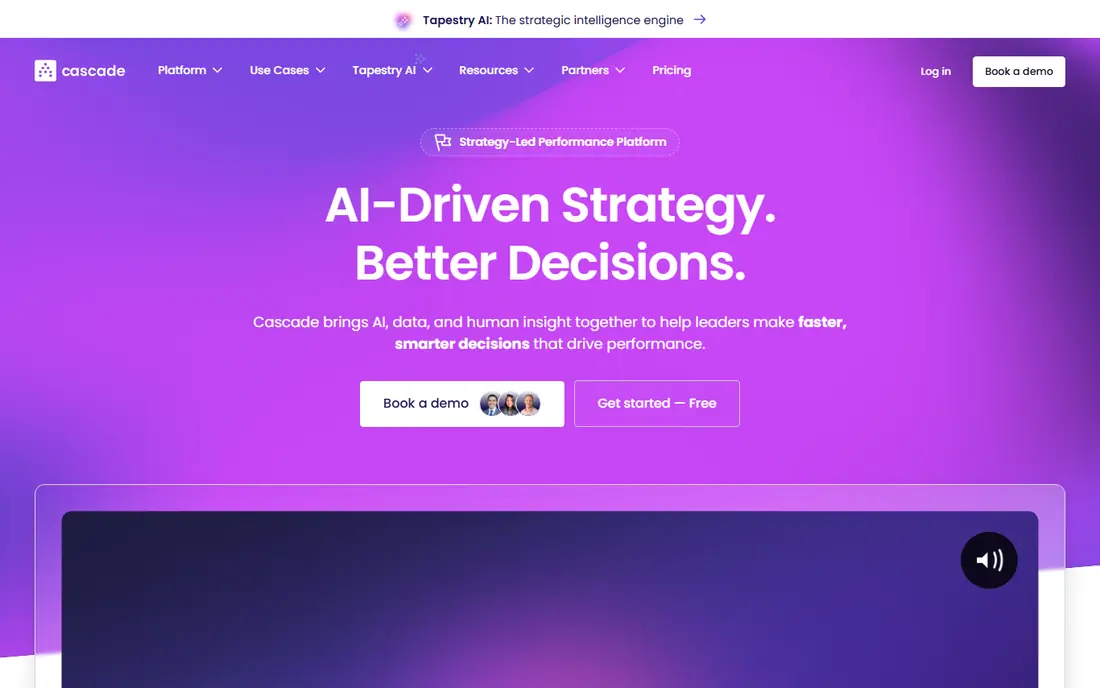
Cascade is our pick for organizations that want a visible plan, not a document that sits in a folder. Goals, objectives, and actions link together, so leaders can see how team work supports the wider plan. Dashboards show progress without rebuilding slides before each review.
The cost and setup need care. Published third-party summaries put entry pricing around $59 per user per month, with larger plans quoted, and complex plans may need implementation help. For a team that will run regular reviews and hold owners to account, that structure is worth it. For a team that only needs a shared task list, Cascade is more than needed.
- Strategy maps that link goals to actions
- Dashboards and reporting
- Templates for common frameworks
- Price rises with users and scope
- Implementation can need guidance for large plans
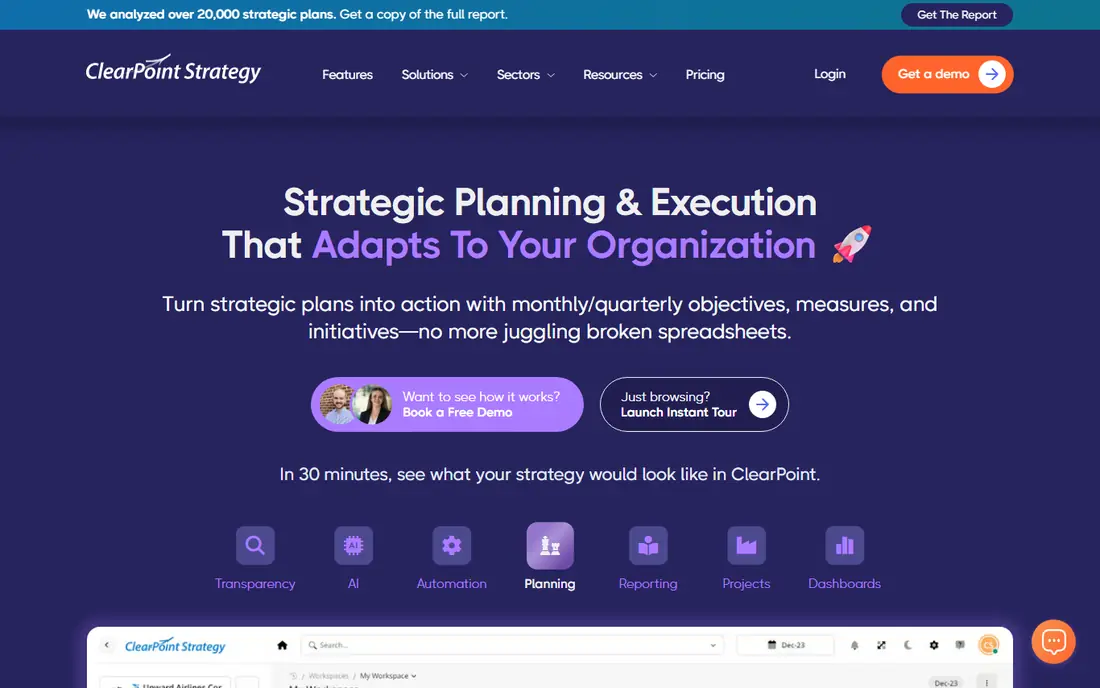
ClearPoint Strategy fits organizations that must report outcomes upward. Every project and measure ladders up to an objective, and every objective ladders up to a goal that a board or council can read. Public, council, and internal views can come from the same plan, which saves the usual pre-meeting rebuild.
It is premium-priced and guided, not a quick self-serve trial for a Friday afternoon. That guidance helps public-sector, healthcare, and education teams that need consistent reporting. Smaller teams with a simple plan may find a lighter tool faster to adopt.
- Scorecards that roll up from projects to goals
- Strong reporting for boards and councils
- Owner accountability tools
- Quote-based pricing
- Guided setup suits larger teams more than tiny ones
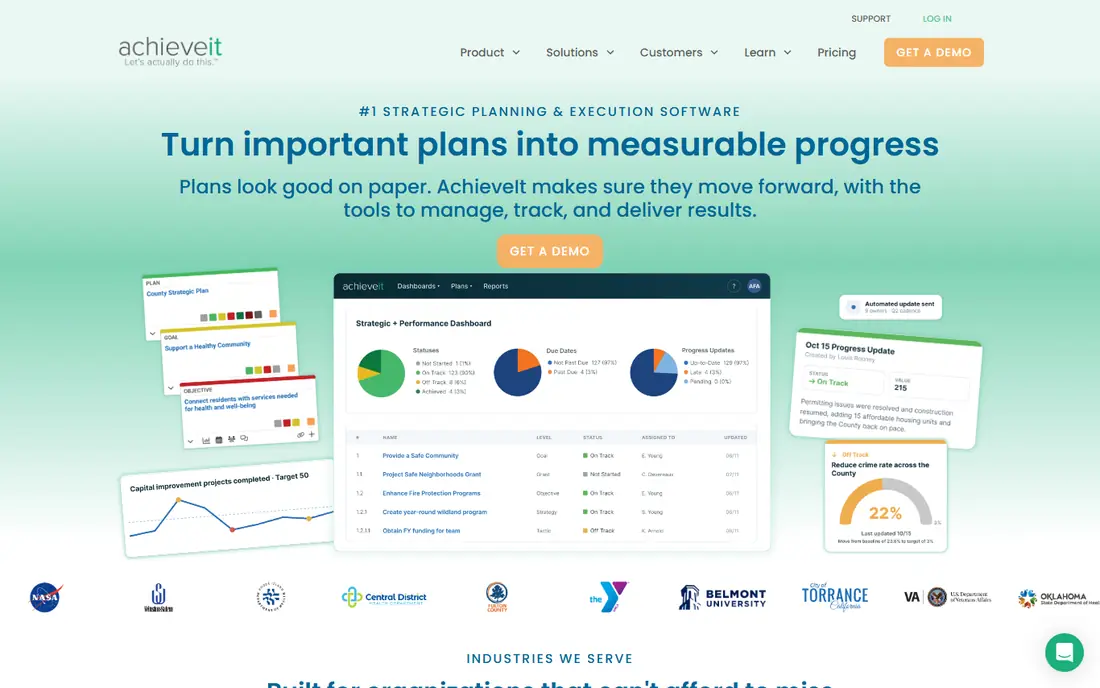
AchieveIt helps organizations that run several plans at once and need one portfolio view. Automated reminders prompt owners for updates, and contributors can reply by email without logging in, which improves update rates in larger organizations. Dashboards show performance across plans in one place.
Pricing is not published, so a quote is needed, and the interface is less modern than Cascade or WorkBoard. For compliance-led organizations, government agencies, and nonprofits with many plans, the portfolio view and low-friction updates outweigh those limits.
- Portfolio view across many plans
- Automated update reminders
- Email updates without a login for contributors
- No published pricing
- Interface feels older than newer rivals
OnStrategy suits mid-size teams that want guidance, not just software. The planning process, templates, and scorecards help a leadership team build a plan that is actually usable, then track actions and measures against it. That coaching element matters when a team is formalizing strategy for the first time.
Very large enterprises with many plans and complex governance may need a deeper portfolio tool. For a mid-size organization that wants a plan plus a process to run it, OnStrategy is a practical choice.
- Guided planning process with templates
- Scorecards and action tracking
- Support for teams new to formal planning
- Quote-based pricing
- Less suited to very large enterprise portfolios
Spider Impact is a focused scorecard tool. It supports Balanced Scorecard-style planning, with KPIs, initiatives, and dashboards that show status at a glance. Owners, targets, and update cadence keep the plan current between reviews.
It is less of a general work platform than Smartsheet or WorkBoard, which is a strength if scorecards are the main need and a limit if teams also want project tracking in the same tool. For organizations that run strategy through scorecards, Spider Impact is clean and direct.
- Balanced Scorecard support
- Clear dashboards and scorecards
- KPI tracking with ownership
- Pricing needs a quote in many cases
- Smaller community than larger rivals
WorkBoard connects objectives and key results to the work teams do every day. Instead of a plan that lives apart from tasks, goals, results, and actions sit together, so progress updates come from real work. That link helps larger organizations keep teams aligned without constant status meetings.
Pricing is largely quoted, and the full platform can feel heavy for a team of five with a simple plan. For mid-size and large organizations running OKRs across departments, WorkBoard gives the structure and reporting that a spreadsheet cannot sustain.
- OKRs linked to work and results
- Dashboards for team alignment
- Wide use in larger organizations
- Quote-based pricing for many plans
- Can feel heavy for a very small team
Envisio is built for local government and public agencies that must show residents how a plan is progressing. Public dashboards, plan tracking, and reporting match the cadence of council plans, with measures and actions visible to staff and, where chosen, to the public.
Private companies with a standard commercial plan will get less from its public-sector focus. For a city, county, or agency that needs transparency as well as tracking, Envisio is a strong specialist choice.
- Public-facing dashboards for transparency
- Plan tracking for councils and agencies
- Reporting built for government cadence
- Quote-based pricing
- Narrower fit outside the public sector
Smartsheet works when a team wants strategy close to project work. Plans can live in sheets, with dashboards, automations, and reports built around them, and most staff already understand the sheet view. That familiarity speeds adoption compared with a formal strategy platform.
The trade is structure. Smartsheet does not impose a strategy framework, so a poorly designed sheet becomes just another tracker. Teams that design clear owners, measures, and review dates, and stick to them, can run a solid plan in Smartsheet at a lower cost than a dedicated tool.
- Familiar sheet view with dashboards and automation
- Flexible for many plan styles
- Wide integrations
- Not a dedicated strategy framework out of the box
- Structure depends on how well you design it
Rhythm Systems is built around a weekly operating rhythm. Priorities, KPIs, and action items feed into regular meetings, so strategy stays visible week to week rather than only at quarterly reviews. Dashboards show what is on track and what needs attention.
The system only works if the team keeps the rhythm. A team that skips weekly reviews will get little from it, and pricing is quoted in many cases. For a leadership team willing to meet weekly and work the plan, Rhythm Systems gives a clear, repeatable cadence.
- Weekly meeting rhythm tied to goals
- Dashboards for priorities and KPIs
- Coaching support for teams
- Quote-based pricing in many cases
- Best value only if teams keep the weekly rhythm
How we picked these
We compared official pricing pages, feature pages, and public documentation for tools that manage strategy itself, not just tasks or charts. We favored tools live in October 2026, with owners, measures, scorecards or OKRs, and a review cadence, and we noted where pricing is quoted. We left out Quantive as a standalone pick, since its pricing now redirects to WorkBoard after the acquisition, and we left out generic spreadsheet apps that lack strategy structure.
How to choose strategic planning software
Start with the review you actually run. If a board or council needs scorecards, pick ClearPoint, AchieveIt, or Envisio. If teams run OKRs, pick Cascade or WorkBoard. If strategy must live with project work, pick Smartsheet. If a weekly rhythm is the missing piece, pick Rhythm Systems.
Assign an owner to every objective and measure before you buy, and agree on a review date. Software cannot fix a plan with no owner and no cadence. In a trial, test how an owner updates a measure, how a dashboard rolls up to a goal, and how a report looks without manual rebuilding. Those three steps decide whether the tool will still be used in six months.
Frequently asked questions
What is the best strategic planning software?
Cascade and ClearPoint are strong for formal plans with scorecards, AchieveIt and Envisio fit multi-plan and public-sector reporting, and WorkBoard fits OKR-led organizations. The best choice depends on your framework, audience, and review cadence. Start from the report your leaders actually need.
What is the best software for strategic planning for small teams?
Smartsheet and Rhythm Systems are often easier for small teams, since they sit close to everyday work and meetings. Cascade also offers a trial for smaller plans. Avoid a heavy enterprise platform if your team only needs a few goals, owners, and measures tracked well.
What are the best strategic planning tools for OKRs?
Cascade and WorkBoard are built around OKR-style alignment, linking objectives to key results and team work. Smartsheet can track OKRs if you design the structure carefully. Pick a tool that shows progress from team work, not just from manual status updates.
How much does strategic planning software cost?
Many purpose-built tools are quote-based, so costs vary by users, modules, and implementation. Cascade is summarized around $59 per user per month at entry level in third-party pricing pages, while other vendors quote by organization size. Always include implementation and training in the budget.
Is strategic planning software different from project management software?
Yes. Project software tracks tasks and deadlines, while strategy software tracks goals, measures, owners, and review cadence, and rolls team work up to organizational goals. Some tools do both, but a task list alone does not show whether the strategy is working.
Can strategic planning software replace spreadsheets?
It can, if the team commits to updating it on the agreed cadence. Software adds owners, reminders, dashboards, and rollups that spreadsheets handle only with manual work. A spreadsheet still works for a very small plan, but it breaks down as plans, owners, and measures grow.
Sources
See where you really rank - block by block
ProMapRanker scans Google Maps across a grid of your service area. Simple monthly plans from $19, white-label on every plan.
Start freeKeep reading
 zscaler alternatives
Best Zscaler Alternatives in 2026
Looking for zscaler alternatives? We compare 9 SASE and zero trust platforms on architecture, data protection, pricing, and fit for your network and team.
Read → zapier alternatives free
Best Zapier Alternatives Free in 2026
Nine automation tools for zapier alternatives free in 2026, all with genuinely free tiers, plus free plan limits, starting prices and upgrade paths explained.
Read → which platform is best for online reputation
Which Platform Is Best for Online Reputation in 2026
Wondering which platform is best for online reputation? We compare 8 review, listing, and response tools for small and multi-location businesses and agencies.
Read →