 ProMapRanker
Best Story Telling Apps in 2026


Teen and adult writers who want readers and feedback · Pricing starts at: Free
Key takeaways
- Storytelling apps do different jobs, so a kids picture book app and a novel planning app are not substitutes.
- Wattpad and Inkitt suit writers who want readers, while Storybird, StoryJumper, and Book Creator suit kids and classrooms.
- Plottr, Scrivener, Campfire, and Novlr suit novelists, with planning, world building, or clean drafting as the focus.
- Most apps here are free to start, but print books, premium libraries, and full novel tools can cost extra.
Quick comparison
| Pick | Great for | Pricing starts at | Free tier | |
|---|---|---|---|---|
| Wattpad | Teen and adult writers who want readers and feedback | Free | Yes | Visit |
 Storybird | Children and classrooms that want illustrated stories | Free | Yes | Visit |
 StoryJumper | Kids and families who want to make a printed book | Free | Yes | Visit |
 Book Creator | Teachers and students who want multimedia books | Free | Yes | Visit |
 Plottr | Novelists who want to plan plots and timelines | See website | Free trial | Visit |
 Scrivener | Serious novelists who want a full writing studio | See website | Free trial | Visit |
 Campfire | World builders who want maps, timelines, and lore | See website | Free trial | Visit |
 Novlr | Novelists who want a clean, focused drafting app | See website | Free trial | Visit |
 Inkitt | New writers who want readers and publishing chances | Free | Yes | Visit |
The best story telling apps
A storytelling app can mean a place to publish, a tool to plan a novel, or a way for a child to make a picture book. Those jobs need different tools, so this list covers all three. We note whether each app is best for readers, for planning, or for making an illustrated book, so you can pick the job first and the app second. For young readers, check age guidance and privacy settings before publishing any story with personal details.
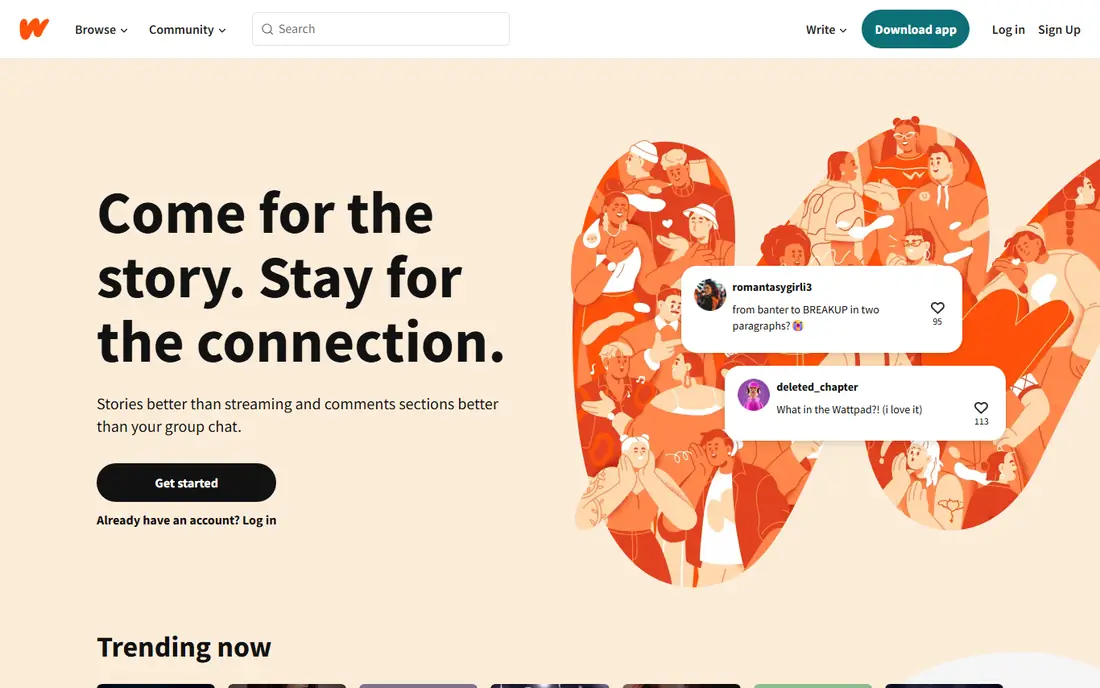
This option earns its place for one practical reason, and that reason shows up in daily use. Wattpad fits writers who want readers while a story is still in progress, not just after a book is finished. It lets writers publish chapter by chapter, gather comments and votes, and build an audience around a serialized story. That feedback loop helps a new writer learn what readers respond to, and revise the next chapter with that response in mind.
The catch is discovery, since popular genres dominate, and a quieter genre can struggle to find readers without promotion. Publish regularly, engage with readers in comments, and use Wattpad alongside a private draft tool for longer planning. If that limitation touches your daily work, keep it on the shortlist but check it in a trial first.
- Large reader community for serialized stories
- Comments and votes on chapters
- Free to read and publish
- Community quality varies widely
- Popular genres dominate discovery
- Some features need a paid plan
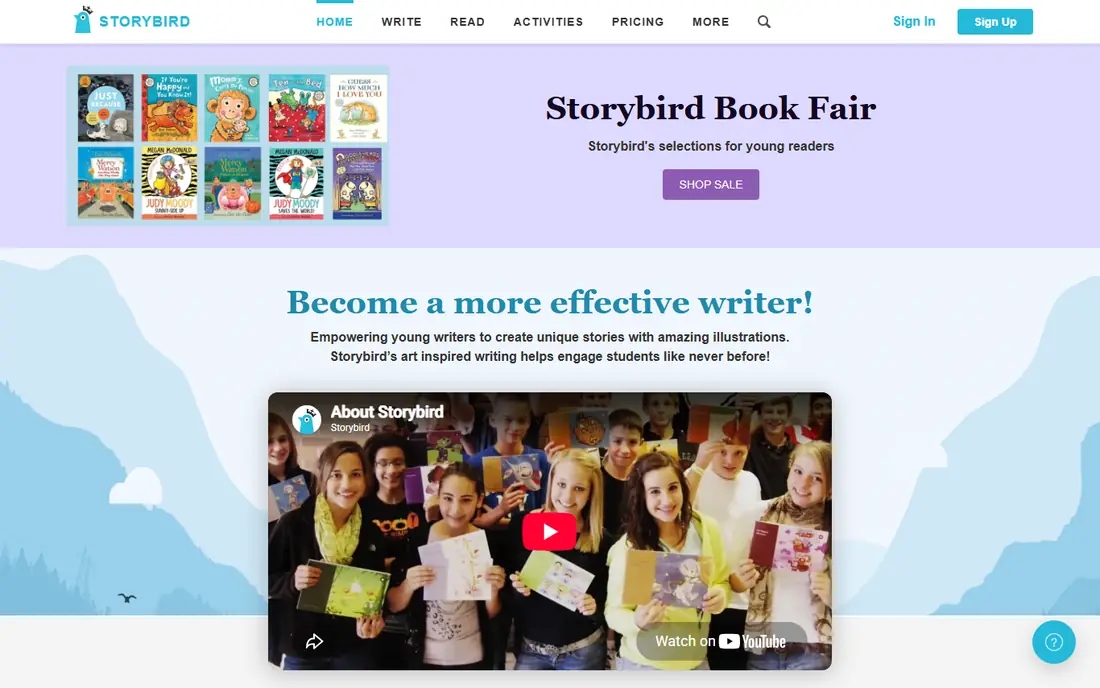
If the first choice on your shortlist feels too narrow, this one widens the picture in a useful way. Storybird fits young writers and classrooms that want an illustrated story, with artwork helping the writing along. It pairs writing with artwork prompts, so a child can build a picture book story page by page, with images guiding the text. Classroom tools help teachers set assignments and share finished stories, which suits school writing projects.
The catch is format, since Storybird suits picture stories and short illustrated work more than a long novel. Use Storybird for illustrated stories and early writing confidence, and move to a novel tool when a story outgrows pictures. For the right buyer, the benefit outweighs the catch, and the catch is easy to spot early.
- Illustrated story creation with artwork prompts
- Classroom friendly tools
- Publishing and sharing options
- Artwork led format suits picture stories more than long novels
- Some features need a paid plan
We put this here because it solves a specific problem well, even if it is not the cheapest route. StoryJumper fits kids and families who want to turn a story into a book they can hold, not just read on a screen. It lets a young writer drag scenes, characters, and props onto pages, add text, and publish the finished book digitally for free. An optional printed hardcover turns a school project or family story into a keepsake, which motivates young writers to finish.
The catch is cost for print, since the digital book is free to create, but a printed copy is a paid purchase. Create and share the digital book first, and order print only for a finished story that a child wants to keep. We would shortlist it, with the catch above as the first question to ask in a demo or trial.
- Drag and drop illustrated book creation
- Free digital creation
- Optional printed hardcover book purchase
- Printed books cost extra
- Interface suits younger writers more than adult novelists
A good test for this option is how it handles the work you do every week, not just setup day. Book Creator fits teachers and students who want a book that includes audio, video, and images, not just text. It lets creators combine text with photos, drawings, audio narration, and video on book pages, which suits many subjects. Collaboration tools let students work together on a book, and teachers can manage libraries and share finished work.
The catch is the free limit, since the starter plan allows 40 books in one library, so larger classes need a premium plan. Start with the free plan for one class project, and upgrade only when book count or collaboration needs grow. That trade is worth it for buyers who value that strength more than a lower starting price.
- Multimedia books with text, images, audio, and video
- Free starter plan for teachers
- Collaboration and classroom tools
- Free starter plan limits libraries to 40 books
- Premium plans are per teacher, not per student
This one stands out when you compare what is included at the starting price with what costs extra. Plottr fits novelists who plan before they draft, and who want to see a whole story timeline at a glance. It lets writers map scenes on a timeline, track characters and places, and plan a series arc across several books. That visual plan helps a writer spot gaps, pacing problems, and character threads before drafting a full manuscript.
The catch is that Plottr is planning first, so most writers will still draft in another app or in its limited editor. Use Plottr for the plan, then draft in a word processor or novel app, and return to Plottr when the timeline changes. If that limitation touches your daily work, keep it on the shortlist but check it in a trial first.
- Visual timeline and plot planning
- Character and place tracking
- Outline and series planning tools
- Planning focused, so drafting happens elsewhere or in a limited editor
- Paid after trial
For teams that want a clear change from what they use now, this is a strong place to start. Scrivener fits serious novelists who want to organize a long manuscript, research, and notes in one project. It lets writers break a novel into chapters and scenes, keep research beside the draft, and rearrange sections on a corkboard. Compile tools export a manuscript to common formats for editing, beta readers, or submission, without rebuilding the document.
The catch is learning time, since Scrivener has many views and settings, and new users can feel lost at first. Start with one project, learn the binder and corkboard first, and add research and compile features as the manuscript grows. For the right buyer, the benefit outweighs the catch, and the catch is easy to spot early.
- Full manuscript organization with chapters, scenes, and research
- Corkboard and outline views
- Compile to many formats
- Learning curve is steeper than simple apps
- Price is per platform, so check desktop and mobile costs
This option earns its place for one practical reason, and that reason shows up in daily use. Campfire fits fantasy and science fiction writers who build a world before, or alongside, a story. It combines maps, timelines, character sheets, and lore entries, so a world stays consistent across a long series. Manuscript tools sit alongside planning, which helps a writer check a detail without leaving the project.
The catch is depth, since world building tools can distract from drafting if a writer builds lore instead of writing chapters. Set a drafting goal alongside world building, and use Campfire to answer questions as they arise in the draft, not before every chapter. We would shortlist it, with the catch above as the first question to ask in a demo or trial.
- World building with maps, timelines, characters, and lore
- Manuscript and planning tools in one place
- Depth can feel heavy for a simple short story
- Some modules need a paid plan
If the first choice on your shortlist feels too narrow, this one widens the picture in a useful way. Novlr fits novelists who want a clean screen, a word goal, and a manuscript that syncs across devices. Its distraction free editor keeps the focus on the next paragraph, while chapter tracking shows progress through a novel. Cloud sync lets a writer start on a laptop and continue on another device without manual file transfers.
The catch is focus, since Novlr is built for novels, so picture book creation and classroom features are not its strength. If you write novels and want a calm drafting space, Novlr is a strong pick, with a trial to test the workflow first. That trade is worth it for buyers who value that strength more than a lower starting price.
- Clean distraction free drafting
- Chapter and goal tracking
- Cloud sync across devices
- Focused on novels, so picture books and classroom tools are not the strength
- Paid after trial
We put this here because it solves a specific problem well, even if it is not the cheapest route. Inkitt fits new writers who want readers for a full story, plus a chance at publishing attention if a story gains traction. It lets writers publish stories for free, gather reader feedback, and enter contests that can lead to publishing opportunities. That model suits writers who have a finished draft and want an audience beyond friends and family.
The catch is competition, since discovery is crowded, and publishing outcomes are selective, not guaranteed for every story. Publish a polished draft, engage with readers, and treat publishing chances as a bonus, not as the only reason to publish. If that limitation touches your daily work, keep it on the shortlist but check it in a trial first.
- Free reading and publishing for stories
- Reader feedback and contests
- Publishing opportunities for popular stories
- Discovery is competitive
- Publishing outcomes are selective, not guaranteed
How we picked these
We checked each vendor's own product pages and app listings, and we kept only apps that exist and work today for writing, planning, or publishing stories. We compared audience, format, collaboration, pricing, and whether an app suits kids, classrooms, or adult novelists.
We did not claim hands-on testing. We compared official feature descriptions and published pricing. Where a price could not be firmly verified, we wrote See website, and readers should confirm plan and print prices before buying.
How to pick a storytelling app by age and goal
Start with the writer's age and goal. A young child needs pictures, simple pages, and a teacher or parent nearby, so Storybird, StoryJumper, or Book Creator fit better than a novel planner. A teen writer who wants readers will get more from Wattpad or Inkitt, where comments and votes create feedback. An adult novelist needs planning, drafting, and manuscript tools, so Plottr, Scrivener, Campfire, or Novlr fit better.
Next, decide whether publishing or drafting matters more. Publishing apps give readers and feedback, but they also expose a story publicly, so check privacy settings and age guidance first. Drafting and planning apps keep a story private until it is ready, which suits a novelist who wants to revise before sharing. Many writers use both, drafting privately, then publishing a polished version.
Finally, test the workflow on a short story before committing to a long project. Write one chapter or one picture book, try exporting or printing it, and check how sharing works. If export, print, or collaboration feels awkward on a short test, it will feel worse on a full novel. Keep a backup copy of every story outside the app, so a plan change or account issue never loses a manuscript.
Frequently asked questions
What is the best storytelling app for kids?
StoryJumper and Storybird suit young writers, with illustrated pages and simple creation tools. Book Creator suits classrooms, with multimedia books and teacher tools. Check age guidance, keep personal details out of published stories, and use a parent or teacher account where required.
What is the best storytelling app for novelists?
Scrivener suits serious novelists who want full manuscript organization. Plottr suits planners who want a visual timeline. Campfire suits world builders, and Novlr suits writers who want a clean drafting space. Pick by whether planning, world building, or drafting matters most.
Can I publish a story for free?
Yes. Wattpad, Inkitt, StoryJumper digital books, and Book Creator starter plans allow free publishing or creation, with limits. Printed books, premium libraries, and full novel tools can cost extra, so check the plan before a long project.
Do I keep rights to my story?
In general, you keep copyright in your own work, but each app has terms about licenses for displaying and sharing published stories. Read the terms for the app you choose, especially before publishing a story you later want to sell or submit elsewhere.
Should I draft in private before publishing?
For most novelists, yes. Drafting in Scrivener, Novlr, or Plottr lets you revise without public pressure. Publishing apps such as Wattpad and Inkitt suit later drafts or serialized stories, where reader feedback helps shape the next chapter.
Sources
See where you really rank - block by block
ProMapRanker scans Google Maps across a grid of your service area. Simple monthly plans from $19, white-label on every plan.
Start freeKeep reading
 zoho inventory alternatives
6 Alternatives to Zoho Inventory, Compared on Price and Fit
Zoho Inventory alternatives: 6 tools compared on price, free plans and fit. Katana leads the list for manufacturers. Fit and flaws are laid out for each entry.
Read → zoho crm alternatives
Best Zoho CRM Alternatives (2026)
Need Zoho CRM alternatives? We compare 7 tools on cost, free access and who each suits. Every pick gets a straight assessment. Built for quick decisions.
Read → zelle alternatives
Best Zelle Alternatives in 2026
Compare the best Zelle alternatives for sending money to friends, paying sellers and moving funds abroad, with honest notes on fees, speed and safety in 2026.
Read →