 ProMapRanker
Best Storage Monitoring Software in 2026


Storage detail in a wider stack · Pricing starts at: See website
Key takeaways
- The best storage monitoring software pairs capacity forecasting with clear health alerts, so teams act before a disk fills or a pool degrades.
- SolarWinds Storage Resource Monitor and Paessler PRTG suit teams that want storage detail inside a wider monitoring view.
- Zabbix and Checkmk give capable open source and self-hosted paths, but they ask more setup time than hosted tools.
- Datadog and LogicMonitor fit mixed estates where storage, servers, cloud services, and apps are watched together.
- Pricing models differ widely, from per-sensor and per-device terms to quote-based enterprise plans, so check the vendor pricing page before you commit.
Quick comparison
| Pick | Great for | Pricing starts at | Free tier | |
|---|---|---|---|---|
| SolarWinds Storage Resource Monitor | Storage detail in a wider stack | See website | Free trial | Visit |
 Paessler PRTG | Sensor-based monitoring for smaller teams | See website | Yes | Visit |
 ManageEngine OpManager | Mid-size teams on a device budget | See website | Free trial | Visit |
 Datadog | Cloud and hybrid estates | See website | Free trial | Visit |
 Nagios XI | Established on-prem monitoring | See website | Free trial | Visit |
 Zabbix | Open source self-hosting | Free | Yes | Visit |
 LogicMonitor | Hybrid infrastructure at scale | See website | Free trial | Visit |
 Site24x7 | All-in-one hosted monitoring | See website | Free trial | Visit |
 Checkmk | Infrastructure monitoring with storage checks | See website | Yes | Visit |
The best storage monitoring software
Storage problems rarely announce themselves politely. A volume fills overnight, a RAID set degrades, or a file share grows until backups fail. The tools below track capacity, health, latency, and use trends, and they differ mainly in how much of the wider estate they cover and how much setup they demand.
SolarWinds Storage Resource Monitor focuses on arrays, volumes, pools, and shares, with views that show where capacity is going and which systems are under strain. For teams that already watch networks and servers in SolarWinds, it keeps storage in the same working picture instead of a separate console. That shared view helps when a slow application turns out to be a storage latency problem rather than a server problem. The trade-off is scope and price clarity. It is a specialist add-on in a larger product family, so a small team that only needs disk alerts may find it more than required. Larger teams with mixed storage vendors get more from its forecasting and reporting, provided they ask for a firm quote and check which arrays are covered in their environment before buying.
- Broad storage vendor coverage
- Capacity forecasting and reporting
- Fits SolarWinds monitoring estates
- Quote-based pricing can slow comparison
- Best value when paired with other SolarWinds tools
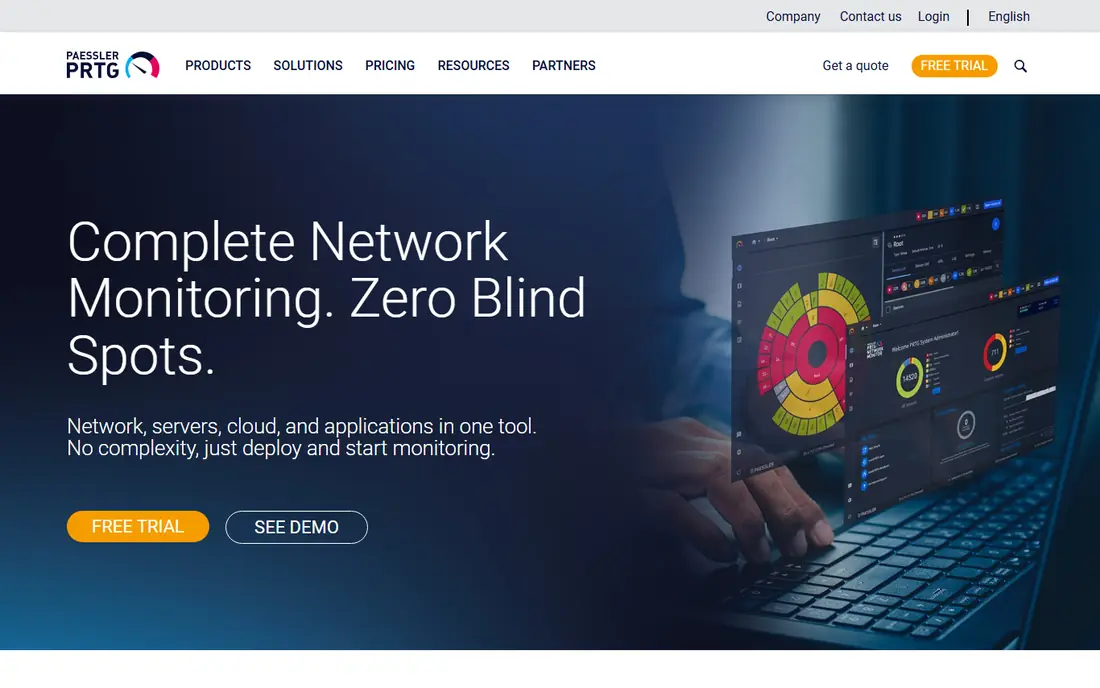
Paessler PRTG uses sensors to watch disks, storage systems, and the servers around them, which makes it easy to start with a handful of checks and add more over time. Its maps and dashboards suit teams that want one screen for status at a glance, and its alerting covers email and common notification routes. For a small or mid-size team, the free tier is a useful way to test whether sensor-based monitoring fits. The catch is licensing by sensor count. Storage checks, network checks, and server checks all draw from the same pool, so a growing estate can push costs up faster than a per-device plan. Plan the sensor list early, keep unused sensors pruned, and confirm the current pricing page before scaling.
- Free tier for small setups
- Many ready sensors
- Maps and alerts in one console
- Sensor counting needs care as estates grow
- Windows-based core server

ManageEngine OpManager watches storage devices alongside networks, servers, and virtual machines, which suits teams that want one tool for the whole data centre floor. Its device-based pricing is easier to model than sensor counting for many buyers, and its workflows can raise tickets or run actions when thresholds are crossed. Storage views cover capacity and health for supported devices. The honest catch is learning time. The console packs a lot into each screen, so new users should expect a short period of tuning views and thresholds. Teams that only need simple disk alerts may prefer a lighter tool, while teams that want storage, network, and server data together will get more lasting value here.
- Device-based pricing
- Storage plus network monitoring
- Workflow automation
- Interface can feel busy at first
- Some advanced reports sit on higher tiers
Datadog treats storage as part of a wider observability picture, tracking disk use, IOPS, latency, and cloud storage alongside applications and infrastructure. That matters when a problem spans a container host, a cloud volume, and an application at the same time. Dashboards and alerts can follow that chain without switching tools, and its integrations cover many cloud services and storage platforms. The catch is billing. Usage-based pricing can grow with hosts, metrics, and log volume, so teams should set budgets and retention limits early. Datadog fits best where cloud and hybrid estates are the norm and where someone owns the monitoring bill. Pure on-prem storage estates may get equal results from a simpler tool at lower cost.
- Strong cloud and container coverage
- Unified metrics, logs, and traces
- Flexible dashboards
- Usage-based billing needs active cost control
- Setup rewards teams with cloud skills
Nagios XI is the commercial edition of a long-running monitoring system, with checks for disks, storage systems, and services, plus alerting, reporting, and capacity views. Its plugin range is a real strength: teams can watch unusual devices and custom checks that newer hosted tools may not cover out of the box. For on-prem estates with strict control needs, self-hosting keeps data inside the organisation. The trade-off is effort. Nagios rewards teams that invest in configuration and upkeep, and its interface will feel plain to buyers used to modern hosted dashboards. If your team wants a tool that works with little tuning, look at hosted options first. If you value control, plugins, and a proven on-prem path, Nagios XI still earns its place.
- Long track record
- Wide plugin range
- Strong alerting and reporting
- Setup and tuning take time
- Interface feels dated next to hosted tools
Zabbix is a free, open source monitoring platform that can watch storage capacity, disk health, and system metrics through agents, SNMP, and templates. It suits teams with Linux skills and a wish to avoid per-device licence fees, and its trigger system supports careful alert thresholds. Templates for common systems shorten the first setup, and its web interface covers maps, graphs, and reports. The honest catch is ownership. There is no vendor-hosted shortcut: your team installs, updates, backs up, and tunes the system. That is a fair deal for skilled teams and a poor deal for teams with no monitoring owner. Paid support and enterprise services exist for teams that want help, so check those terms if you need a support contract behind the free core.
- Free open source core
- Flexible templates and triggers
- No per-device licence fee
- Setup and upkeep fall on your team
- Support costs extra for enterprise help
LogicMonitor is a hosted platform that watches storage, networks, servers, and cloud resources from one console, with automated discovery that maps new devices as they appear. Its storage coverage includes capacity, performance, and health for supported systems, and its alerting aims to cut noise by grouping related events. For hybrid estates that mix on-prem arrays with cloud volumes, that single view saves time during incidents. The catch is price transparency. Enterprise plans are quoted, so small teams cannot compare it quickly against a published starter price. It fits best where the estate is large enough to justify a platform purchase and where the team wants discovery and automation rather than hand-built checks. Smaller estates should trial it against a simpler tool before committing.
- Broad device and cloud coverage
- Automated discovery
- Forecasting and alerting
- Quote-based pricing
- Depth can exceed small team needs
Site24x7 offers hosted monitoring for servers, storage, networks, and applications, with agents and integrations that cover common platforms. Teams that want to avoid running a monitoring server will like its quick start: add monitors, set thresholds, and watch dashboards and alerts from the web console. It also covers website and application checks, which helps small teams that want one vendor for several jobs. The catch is specialist depth. For mainstream servers and cloud storage it is strong, but teams with unusual arrays should confirm coverage for their exact models before relying on it. Pricing scales with monitors, so list what you truly need to watch and avoid monitoring every disk on every host by default.
- Hosted setup with little upkeep
- Storage, server, and app monitoring
- Clear status pages
- Depth on specialist arrays varies
- Costs rise with monitors and users
Checkmk watches hosts, services, disks, and storage-related metrics with a rule-based setup that suits teams who like precise control over checks and thresholds. Its free edition covers many small and mid-size needs, and paid editions add features and support for larger estates. The interface presents host problems, service states, and performance graphs in one place, which helps during fault finding. The catch is the learning curve. Rule-based configuration is powerful once learned, but first-time users should allow time to set up host groups, rules, and notifications well. Teams that prefer a hosted tool with almost no setup may find Checkmk heavier than needed. Teams that want control and a free starting point will find it a solid fit.
- Free edition for smaller use
- Strong host and service checks
- Rule-based configuration
- Learning curve for rule setup
- Hosted ease is lower than pure cloud tools
How we picked these
We compared official feature pages, pricing pages, documentation, and public reviews for storage coverage, alerting, forecasting, and deployment type. We kept only tools that are live in October 2026, that watch storage capacity or health as a named function, and that suit a defined team size or estate type. We excluded general network tools with no storage focus, and we treated unpublished prices as See website rather than guessing a figure.
What to check before you buy
Coverage for your exact storage
List your arrays, NAS units, SAN switches, cloud volumes, and file servers first. A tool that covers mainstream vendors well may still miss your exact model, and that gap only shows up during a real incident. Ask for a trial on your own estate, not only a demo on a sample dashboard.
Alerts that help, not noise
Set thresholds in stages: a warning when a volume passes a sensible level, and a critical alert with time to act before it fills. Check how alerts group related events, how on-call rotations work, and whether alerts reach the team by email, chat, or phone. A tool that pages everyone for every small change will soon be ignored.
Forecasting and reporting
Capacity forecasting is where storage monitoring pays for itself. Look for growth trends by volume and pool, reports that finance and capacity planners can read, and retention of history long enough to spot seasonal growth. If you only need a disk-full alarm, a simpler tool will do.
Cost model and upkeep
Compare per-device, per-sensor, per-host, and usage-based models on your real estate size, not on a sample of ten devices. Also weigh upkeep: hosted tools reduce server work, while self-hosted tools give control but need patching and backups. Pick the model your team can run for years, not only for the trial month.
Frequently asked questions
What is the best storage monitoring software for a small team?
For a small team, Paessler PRTG and Site24x7 are strong starting points because they start quickly and cover disks and common storage without a large project. Zabbix and Checkmk are also strong if the team has self-hosting skills and wants to avoid licence fees. The best storage management software for a small team is the one the team will actually maintain, so favour clear alerts and a trial on your own systems.
What are the best storage monitoring tools for large hybrid estates?
Datadog and LogicMonitor suit large hybrid estates because they watch on-prem storage, cloud volumes, servers, and apps in one place. SolarWinds Storage Resource Monitor also fits large estates with mixed arrays and a need for capacity reporting. The best storage monitoring tools at this scale are judged on discovery, forecasting, and alert grouping, not only on the number of checks they offer.
Is there free storage monitoring software?
Yes. Zabbix is free as open source software, and Checkmk and Paessler PRTG offer free editions or tiers with limits. Free plans work well for small estates and for testing, but they may limit scale, support, or advanced reporting. Check the current free tier limits on the vendor site before planning a larger rollout around a free edition.
How is storage monitoring different from storage management?
Monitoring watches capacity, health, latency, and trends and raises alerts when thresholds are crossed. Management goes further and can provision, tier, or move data. Some tools on this list lean toward monitoring, while others sit inside wider management suites. If you need provisioning and policy control, confirm that function is present rather than assuming monitoring alone covers it.
Do I need an agent on every storage system?
Not always. Many tools use SNMP, APIs, or vendor integrations for arrays and NAS units, while agents suit servers and file hosts. Agentless checks reduce upkeep but may give less detail on some systems. Mix both methods where needed, and confirm the exact method for each device type in your estate during a trial.
Can these tools predict when storage will fill up?
Many can, using growth trends from past use to estimate a fill date for volumes and pools. Forecasts are estimates, not promises, and they work best with steady growth and enough history. Sudden bulk loads, new projects, or backup changes can move a fill date sharply, so pair forecasts with staged alerts and regular capacity reviews.
Sources
See where you really rank - block by block
ProMapRanker scans Google Maps across a grid of your service area. Simple monthly plans from $19, white-label on every plan.
Start freeKeep reading
 zscaler alternatives
Best Zscaler Alternatives in 2026
Looking for zscaler alternatives? We compare 9 SASE and zero trust platforms on architecture, data protection, pricing, and fit for your network and team.
Read → zapier alternatives free
Best Zapier Alternatives Free in 2026
Nine automation tools for zapier alternatives free in 2026, all with genuinely free tiers, plus free plan limits, starting prices and upgrade paths explained.
Read → which platform is best for online reputation
Which Platform Is Best for Online Reputation in 2026
Wondering which platform is best for online reputation? We compare 8 review, listing, and response tools for small and multi-location businesses and agencies.
Read →