 ProMapRanker
Best Stock Charting Software in 2026

Key takeaways
- TradingView suits most chart-first users, with a free tier and broad market coverage.
- TrendSpider and TC2000 suit users who want automation, scanning, and backtesting in one place.
- thinkorswim suits Schwab clients, because its professional charting comes with a brokerage account.
- Free tiers often use delayed data or limited indicators, so check data speed before day trading.
- This is not financial advice, and charting tools do not guarantee returns; prices and features vary by plan.
Quick comparison
| Pick | Great for | Pricing starts at | Free tier | |
|---|---|---|---|---|
 TradingView | Free and global charting | Free | Yes | Visit |
 TrendSpider | Automated chart analysis | $59 per month | No | Visit |
 thinkorswim | Schwab clients | Free | Yes | Visit |
 TC2000 | Scanning plus charting value | $24.99 per month | Yes | Visit |
 StockCharts | Classic technical analysis | $19.95 per month | Yes | Visit |
 Finviz Elite | Quick visual screening | Free | Yes | Visit |
 MetaStock | Long-standing technical analysis | See website | Free trial | Visit |
 NinjaTrader | Futures and advanced charting | Free | Yes | Visit |
The best stock charting software
We compared official pricing pages and recent charting comparisons checked in 2026. This is not financial advice, and trading carries risk. Prices vary by billing term and data add-ons, so confirm the current price on each vendor site before buying.
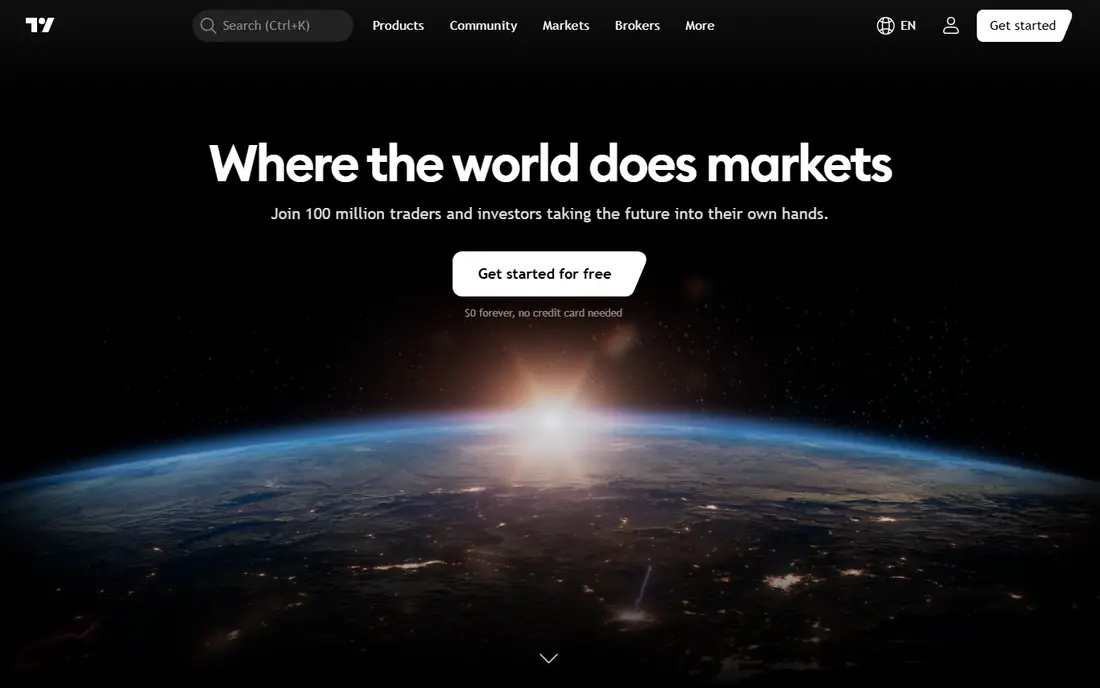
TradingView is our pick for most people, because its free Basic plan covers charting across stocks, futures, crypto, and forex without a brokerage account. Paid plans start at $12.95 per month on annual billing for Essential, with more indicators, alerts, and layouts on higher tiers. Its community library of indicators and Pine Script strategies is a major draw for users who like to customize charts.
The free tier has real limits. It restricts the number of indicators per chart, alerts, and saved layouts, and real-time data for some exchanges needs a paid add-on. For casual chart review, the free tier is enough. For active trading, a paid plan and the right data package are usually needed. Test the free tier on your main markets before paying.
- Free tier
- Broad stocks, futures, crypto, and forex coverage
- Large indicator community
- Free tier limits indicators and alerts
- Real-time data depends on exchange add-ons
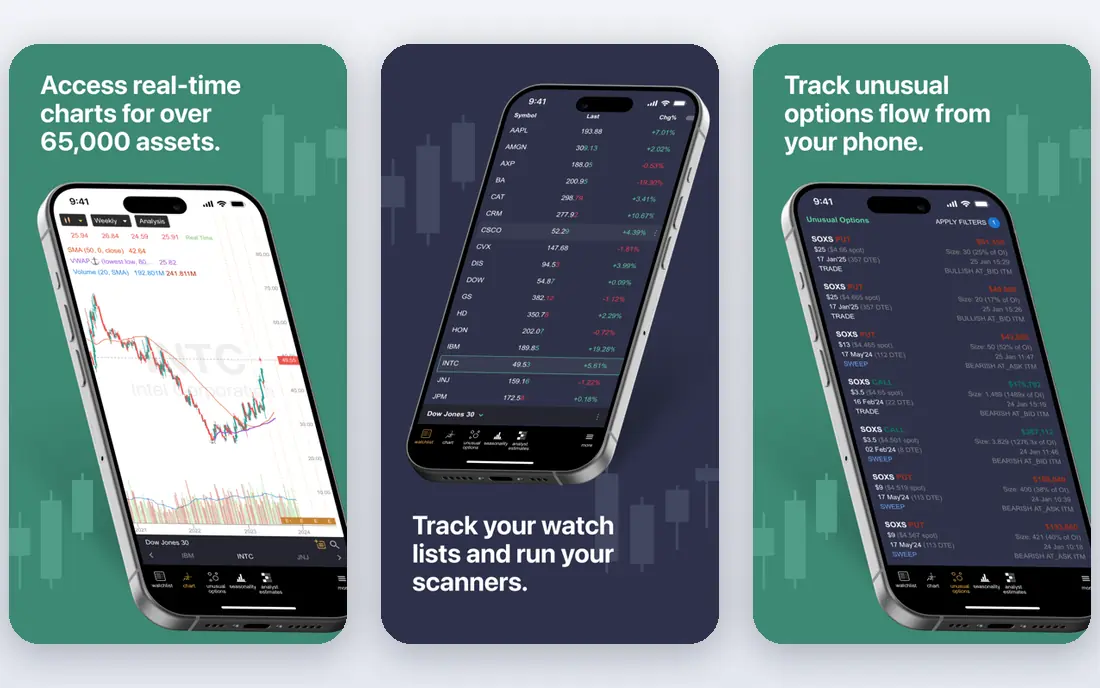
TrendSpider suits traders who want the chart to do more of the work. Its automated trendlines, pattern detection, and multi-timeframe analysis can save time for users who watch many symbols, and its Strategy Tester allows backtesting without code. Recent comparisons cite Standard pricing from $59 to $89 per month depending on billing term, with higher tiers for faster scans and more features.
The price is the main barrier, and automation needs learning. Automated lines are a starting point, not a trading signal, and backtest results depend on settings and data quality. Traders should paper-test any automated idea before risking money. For users who already have a screening tool and only need charts, TradingView may be better value.
- Automated trendlines and pattern detection
- No-code backtesting
- Broad data and scans
- Higher entry price
- Learning curve for automation features
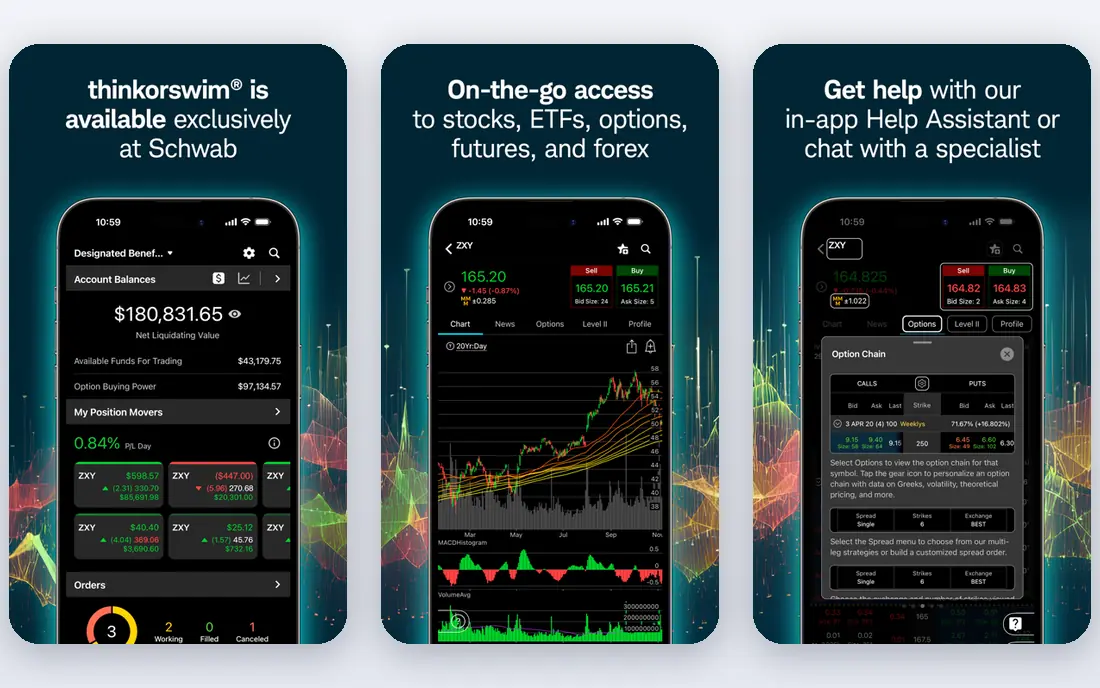
thinkorswim, from Charles Schwab, suits investors and traders who already hold a Schwab account. Its desktop platform offers advanced charting, custom studies through thinkScript, strategy testing, and a paperMoney simulator for practice without real money. There is no extra charge for Schwab clients to use the platform itself, which makes it strong value for that group.
The limit is account fit. Users who do not want a Schwab account will get less from it, and the desktop app can feel heavy compared with a web charting tool. Mobile charting is also more limited than desktop. For Schwab clients, it is hard to beat on value. For non-Schwab users, TradingView or TC2000 may be simpler.
- Professional desktop charting
- ThinkScript testing
- Paper trading simulator
- Requires a Schwab account for full value
- Desktop app can feel heavy
TC2000 suits US stock traders who want screening and charting in one tool at a moderate price. Recent comparisons cite Basic at $24.99 per month, with Premium at $49.99 and Premium Plus at $99.99, and a free tier with delayed data. Its EasyScan feature and custom formula language help users build scans that match their chart setups.
The trade-off is market scope and platform history. TC2000 is strongest for US stocks, while TradingView covers more global markets and asset classes. Some users also find its interface less modern than web-first rivals. For a US-focused trader who scans daily, the combined screener and charting value is the reason to choose it.
- Integrated screener and charting
- EasyScan alerts
- Real-time US stock data on paid plans
- Windows-focused desktop history
- Fewer global markets than TradingView
StockCharts suits investors who prefer classic technical analysis without automation overload. Its charts are clean and readable, and its ChartSchool section explains indicators and chart patterns in plain terms. Recent comparisons cite paid plans from $19.95 per month, with a limited free tier for basic chart review.
The honest limit is pace. StockCharts lacks the automated trendlines, AI assistants, and fast scanning of newer rivals, and its interface feels older than TradingView or TrendSpider. For long-term investors who review charts weekly, that simplicity is a benefit. For active intraday traders who need automation, a different tool will fit better.
- Clean classic charts
- ChartSchool education
- Scanning and alerts on paid plans
- Less automation than TrendSpider
- Interface feels older than rivals
Finviz suits investors who start with a market overview, then drill into a chart. Its heat maps, screeners, and news links make it fast to see which sectors and stocks are moving, and its free tier uses delayed data for basic review. Elite costs $39.50 per month or $299.50 per year in recent comparisons, and adds real-time data during extended hours and faster screens.
Charting is the limit. Finviz charts are useful for a quick look, but they do not match the depth, indicators, or backtesting of TradingView, TrendSpider, or TC2000. Use Finviz as a screening companion, then open the best candidates in a dedicated charting tool. For after-close review, the free tier alone may be enough.
- Fast visual maps and screens
- Free tier for delayed data
- Elite adds real-time data
- Charting is thinner than dedicated chart tools
- Elite is needed for real-time data
MetaStock suits traders who want a long-standing technical analysis platform with testing and expert tools. It offers charting, system testing, and forecasting tools, with real-time data options for active traders. Its history in the field means many older trading books and courses reference its indicators and workflows.
Pricing is less transparent than web rivals, with some plans shown as See website and a free trial for testing. New users may also find the interface and setup more complex than TradingView. Check the current plan that fits your data needs, and trial the platform on your main symbols before committing to a data package.
- Long history in technical analysis
- Expert advisors and testing
- Real-time data options
- Quote-based pricing on some plans
- Learning curve for new users
NinjaTrader suits futures traders and advanced users who want free charting and simulation with professional order tools. Its platform offers advanced charting, strategy development, and market replay, with a free tier for charting and simulation. Live futures data and brokerage services carry separate fees, which is normal for this market.
The limit is focus. Stock-only investors may find TradingView or TC2000 simpler, because NinjaTrader is built around futures workflows. Setup also takes time, especially for custom indicators and automated strategies. For a futures trader who wants a free charting start and a path to live trading, NinjaTrader is a strong, practical choice.
- Free charting and simulation
- Strong futures support
- Advanced order tools
- Futures focus may not suit stock-only investors
- Data fees apply for live trading
How we picked these
We compared official pricing pages and recent charting comparisons checked in October 2026, keeping tools with active charting products for US investors. Prices are shown where recent comparisons support them, and left as See website where vendors use quotes. We did not claim hands-on trading results, and this guide is not financial advice.
How to choose stock charting software
Start with your trading style, not a feature list. A long-term investor needs clean charts and screens, while an active trader needs real-time data, alerts, and fast scanning. Buying an active-trader tool for weekly review wastes money, and buying a basic tool for intraday trading wastes time.
Check data speed and exchange coverage
Confirm whether your plan includes real-time data for the exchanges you trade, or only delayed data. Some free tiers delay quotes by 15 minutes, which is fine for research but not for live decisions. Check extended-hours coverage, futures and crypto coverage, and any exchange add-on fees before paying.
Test alerts, layouts, and backtesting
Set up your real watchlist, save your layouts, and test alerts on a live session before committing. A tool that looks good in a demo may feel slow with 20 charts open. If you use backtesting, test it on a simple rule first, and remember that past results do not predict future returns.
Keep costs and risk in view
Add up the platform fee, data fees, and any brokerage costs before judging value. A free tool with the right data may beat a costly tool with features you never use. Never size trades based on a chart signal alone, and use a simulator, such as thinkorswim paperMoney or NinjaTrader simulation, to practice first.
Frequently asked questions
What is the best stock analysis software?
TradingView is the best all-round pick for most users, because it combines free charting with broad markets and a large indicator library. TC2000 suits US stock screening, while TrendSpider suits automation and backtesting.
What is the best stock analysis app free?
TradingView Basic is the strongest free charting option in this list, with broad coverage and community indicators. Finviz free and thinkorswim for Schwab clients are also strong free options, but each has data or account limits.
What is the best free stock analysis app for beginners?
TradingView free and StockCharts free both suit beginners, with TradingView offering more markets and StockCharts offering clearer education through ChartSchool. Start free, learn one or two indicators well, and only pay when limits block your workflow.
What are the best stock charting platforms for day trading?
TrendSpider, TradingView paid plans, and thinkorswim suit day trading, because they offer real-time data, alerts, and fast charting. Check data speed for your exchanges, and test alerts during a live session before relying on them.
Is TradingView better than TC2000?
TradingView is better for global markets, community indicators, and web access, while TC2000 is better for US stock screening value in one tool. Choose TradingView for breadth, and TC2000 for a US-focused screener plus charting combination.
Is charting software financial advice?
No. Charting software shows price history and indicators, but it does not give personal financial advice and does not guarantee returns. Trading carries risk, including loss of capital, so consider your goals and risk tolerance before trading.
Sources
See where you really rank - block by block
ProMapRanker scans Google Maps across a grid of your service area. Simple monthly plans from $19, white-label on every plan.
Start freeKeep reading
 zoho inventory alternatives
6 Alternatives to Zoho Inventory, Compared on Price and Fit
Zoho Inventory alternatives: 6 tools compared on price, free plans and fit. Katana leads the list for manufacturers. Fit and flaws are laid out for each entry.
Read → zoho crm alternatives
Best Zoho CRM Alternatives (2026)
Need Zoho CRM alternatives? We compare 7 tools on cost, free access and who each suits. Every pick gets a straight assessment. Built for quick decisions.
Read → zelle alternatives
Best Zelle Alternatives in 2026
Compare the best Zelle alternatives for sending money to friends, paying sellers and moving funds abroad, with honest notes on fees, speed and safety in 2026.
Read →