 ProMapRanker
Best Star Map App in 2026: 9 Apps Compared

Key takeaways
- Stellarium and SkySafari 7 give the deepest sky catalogs, while Sky Tonight and Star Walk 2 are easier for a first night outside.
- Free apps cover constellation and planet identification well, so paid upgrades mainly add deep sky objects, offline catalogs, and telescope control.
- Pointing accuracy depends on your phone sensors and calibration, so check a known bright star before trusting any label.
- A red night mode and a downloaded offline catalog matter more than extra visual effects when you are away from home.
- Families often prefer Star Walk 2 or Night Sky, while planned observing sessions suit Stellarium or SkySafari 7.
Quick comparison
| Pick | Great for | Pricing starts at | Free tier | |
|---|---|---|---|---|
 Stellarium | Realistic planetarium views | Free | Yes | Visit |
 Sky Tonight | Tonight's visible sky | Free | Yes | Visit |
 Star Walk 2 | Beautiful AR stargazing | Free | Yes | Visit |
 SkySafari 7 | Serious observing plans | Free | Yes | Visit |
 Night Sky | Apple devices and AR | Free | Yes | Visit |
 SkyView | Quick point and identify | See website | Free trial | Visit |
 Heavens-Above | Satellites and passes | Free | Yes | Visit |
 Cartes du Ciel | Desktop sky charts | Free | Yes | Visit |
 Solar System Scope | Solar system views | Free | Yes | Visit |
The best star map apps
We compared official feature pages, app store listings, and pricing pages for these apps, with a focus on identification accuracy, offline use, and planning tools.
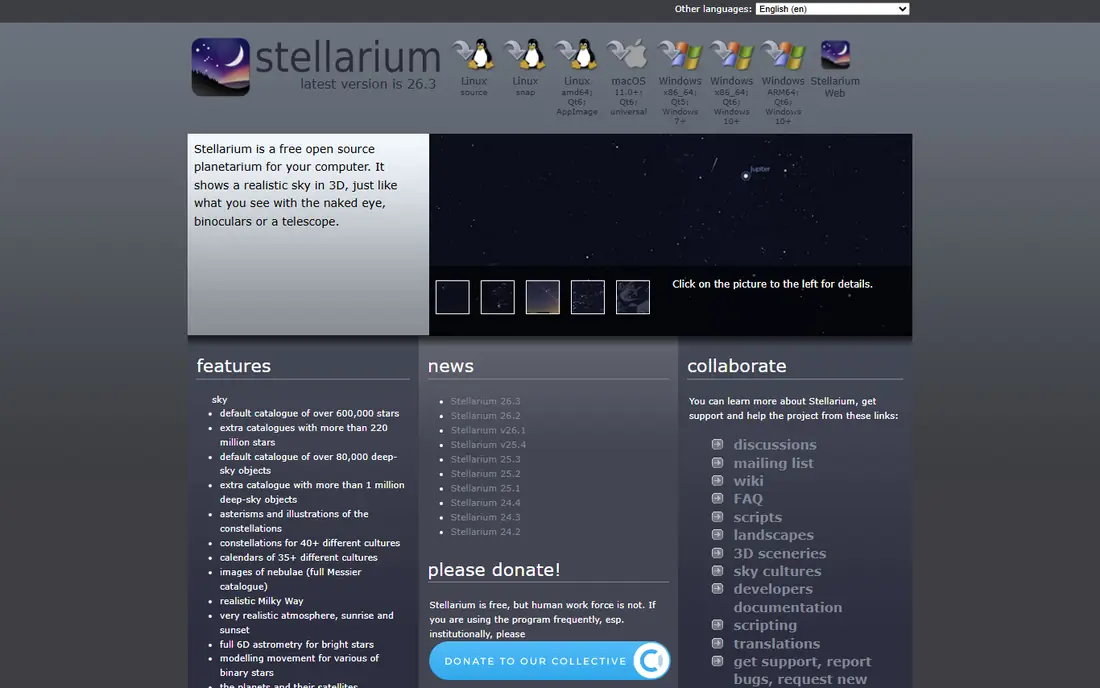
Stellarium opens with a horizon view that looks close to what you see outside, including terrain, atmosphere, and the Milky Way. That realism helps a beginner connect a bright point in the sky with a named planet or constellation, rather than staring at a flat chart. Time controls let you move forward or backward, so you can check what will be visible later tonight or what was overhead last week.
The free mobile app and the free desktop version already cover a wide range of observing needs. Stellarium Plus adds a deeper catalog and telescope control, which makes more sense once you own a telescope and want faint targets. Our pick for most people is the free version first, with the paid upgrade only after you know you need deeper objects.
- Realistic sky rendering
- Large object catalog
- Desktop, web, and mobile versions
- Paid Plus features can confuse new buyers
- The full catalog takes time to learn
Sky Tonight answers the most common question first: what can I see tonight, from where I am standing. Its main view lists visible planets, the Moon, and notable events, which removes much of the guesswork for a short evening walk. Search makes it easy to find a named object and get directions to it in the sky.
The app stays friendly for people who do not want to study charts before going outside. That focus is also its limit. Observers who plan multi-target sessions, build lists, or control a telescope will likely want a deeper tool alongside it. For casual stargazing, though, Sky Tonight is a strong and low friction starting point.
- Clear tonight view
- Simple search for planets and events
- AR sky view
- Fewer deep planning tools than SkySafari 7
- Some features sit behind a paid tier
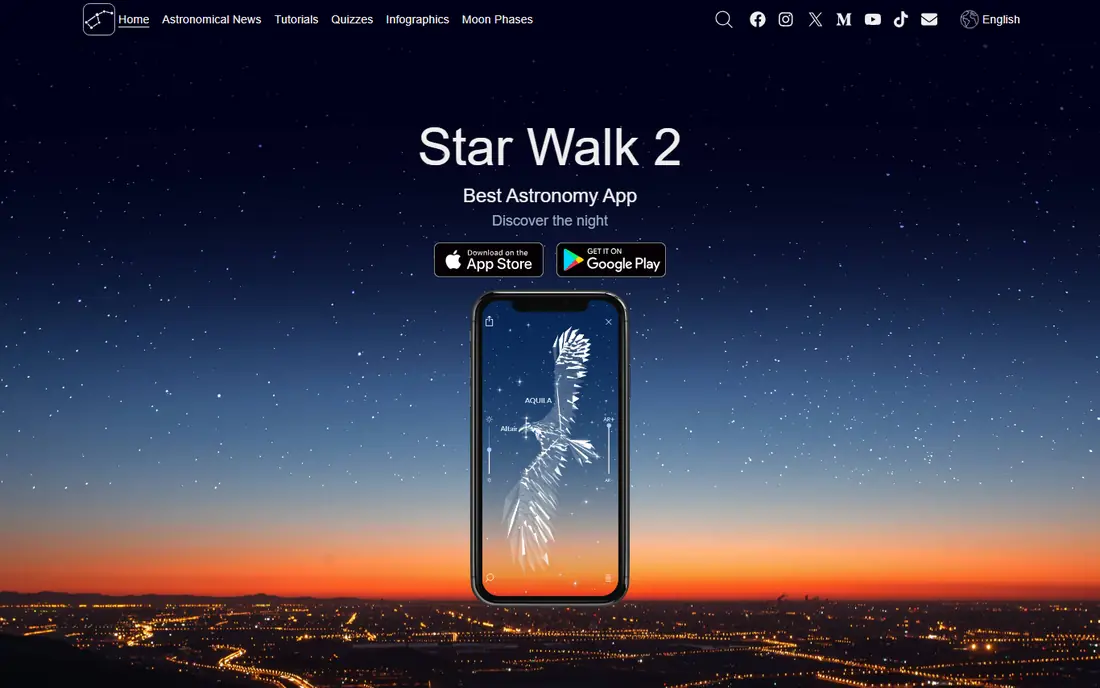
Star Walk 2 turns a phone into a window on the sky, with constellation artwork layered over the live view. Children and first time stargazers often find this presentation easier to follow than a dense star chart. Tapping an object brings up basic facts, so a short session can still teach names and positions.
The trade off is depth. Star Walk 2 is not the first choice for logging observations or planning faint deep sky targets. It also shows ads in the free version, which can break the mood on a dark night. Buy the ad free version if you plan to use it often, and keep a deeper app for serious sessions.
- Attractive AR presentation
- Clear constellation art
- Good for showing friends and children
- Free version includes ads
- Deeper observing tools are limited
SkySafari 7 is built for observers who plan before they go outside and want a long list of targets when they get there. Its observing planner, object lists, and search filters help you sort by what is visible, how bright an object is, and what equipment suits it. Telescope control in the higher tiers lets some owners point a compatible scope from the app.
Beginners can start with the free Basic version and learn the layout without paying. The paid tiers add millions of objects and deeper catalogs, which only matter if you chase faint galaxies, nebulae, and double stars. If your goal is a quick look at the Moon and planets, a simpler app will feel faster.
- Very large object database in paid tiers
- Observing lists and planner
- Telescope control
- Pro tier can feel costly for casual use
- The interface takes time to master
Night Sky has long been a favorite on iPhone and iPad because its AR view feels smooth and its tours give structure to a session. Guided tours walk you through constellations, planets, and events, which helps when you know little about the sky but want to learn a few names each night. Event alerts can also prompt you to step outside for a pass or a visible planet grouping.
The catch is platform fit. Android users should look elsewhere, since Night Sky is centered on Apple devices. Some tours and extras sit behind a subscription, so check what is included free before you rely on a specific tour. For an Apple household, it remains a pleasant and easy option.
- Polished AR view on Apple devices
- Tours and sky events
- Apple Watch support on supported models
- Best experience is tied to Apple hardware
- Some content needs a subscription
SkyView keeps the interaction simple: point the phone at the sky, read the label, and move on. That direct approach suits a backyard question such as what that bright star near the Moon is called. Labels stay readable, and the app does not ask you to learn chart controls first.
Short sessions are where SkyView shines, and that is also where its limits show. It is not designed as a full planning desk for a night of deep sky observing. Use it as a fast identifier, and pair it with Stellarium or SkySafari 7 if you start planning sessions in advance. Check the current store listing for the exact price in your region, since it can vary.
- Simple point at the sky identification
- Clean labels
- Useful for short sessions
- Pricing varies by store and version
- Fewer planning tools than dedicated planetarium apps
Heavens-Above does one job unusually well: it tells you when satellites, including the International Space Station, will cross your sky. Enter a location, pick a satellite, and you get pass times, directions, and brightness estimates. That precision makes it a useful companion app, even if you use a different app for constellations.
Do not judge it as a replacement for a full star map. Its charts and lists serve pass planning first, and its look is more functional than pretty. For families waiting for a bright ISS pass, or for observers who track satellites, it is still one of the most practical free tools available.
- Detailed satellite pass predictions
- ISS and bright satellite alerts
- Star charts for passes
- Not a general AR star map
- The interface feels dated next to newer apps
Cartes du Ciel, also known as SkyChart, is a free desktop program for people who plan at a computer before observing. Its charts can show stars, planets, and deep sky objects with labels and field views matched to telescopes and eyepieces. That control helps an observer decide what fits in view and what to target first.
The setup is heavier than opening a phone app. You may need to choose catalogs and set your location and equipment details before the charts feel useful. Once set up, though, it gives a level of planning detail that most mobile apps do not match for free. Keep a mobile app for use outside, and use Cartes du Ciel at your desk.
- Free desktop planetarium
- Detailed charts
- Wide catalog options
- Desktop focus, not a phone first app
- Setup takes more effort than mobile apps
Solar System Scope presents the Sun, planets, and moons as a model you can rotate and explore, which helps learners grasp orbits and relative positions. It also offers sky views and planet information, so it can answer questions about where Mars is tonight or how the Moon looks at a given date. The visual style suits classrooms and curious beginners.
Its scope is narrower than Stellarium or SkySafari 7. If you want faint galaxies and long observing lists, look to those apps instead. For solar system learning, and for a visual way to explain why planets move as they do, Solar System Scope earns its place on this list.
- Clear solar system model
- Planet and Moon views
- Good for learning orbits
- Not a full deep sky atlas
- Some views need a paid upgrade
How we picked these
We compared official feature pages, pricing pages, and app store listings for widely used star map and planetarium apps. We kept only apps that still work in October 2026 and that clearly identify stars, planets, or satellites. We favored a mix of free tools, AR identifiers, desktop planners, and deeper paid catalogs, so readers at different levels can find a fit. We did not claim hands-on testing, and we treated store prices as variable by region where the vendor did not publish one fixed price.
How to choose a star map app
Start with your setting. A backyard beginner needs fast identification and a tonight view, while a telescope owner needs planning, lists, and control. A family needs readable labels and tours, while a satellite watcher needs pass times above all else.
Check three practical points before you pay. First, confirm the app works offline or lets you download catalogs, since dark sky sites often lack a signal. Second, turn on red night mode, which protects your night vision better than a bright white screen. Third, calibrate your compass and test the app on a known object, such as the Moon or a bright planet, before you trust faint labels.
Match the app to your device
Apple users get the fullest Night Sky experience, while Android users get strong options in Stellarium, Sky Tonight, and SkySafari 7. Desktop planners such as Cartes du Ciel suit a home setup, but you will still want a phone app outside. Check current store compatibility for your phone model and operating system version before buying a paid tier.
When a paid upgrade is worth it
Pay when you have a clear need: a deeper catalog for faint objects, telescope control, or an ad free experience you will use weekly. Do not pay for a larger object count alone if you have not yet learned the bright constellations and planets. Start free, note what feels missing after a few sessions, and then compare only the tiers that fill that gap.
Frequently asked questions
What is the best star map app for beginners?
Sky Tonight and Star Walk 2 are strong first choices because they show what is visible tonight and label objects with a simple point and view interaction. Stellarium is also free and realistic, but its deeper options take longer to learn. Start with one simple app, then add a planner if you begin observing regularly.
Do star map apps work without internet?
Many do, once you have downloaded the app and any offered offline catalogs. Stellarium, SkySafari 7, and Cartes du Ciel support offline use for their built-in catalogs, while some satellite predictions need fresh data. Download catalogs at home and test the app in airplane mode before a remote trip.
Are free star map apps accurate?
Free apps from established developers are generally accurate for bright stars, planets, and constellations, since they use your location, time, and sensor data. Accuracy drops when a compass is uncalibrated or when nearby metal and magnets interfere. Check a known object first, and recalibrate if labels look shifted.
Which star map app is best for a telescope?
SkySafari 7 and Stellarium Plus are the strongest options here, since they offer observing lists, planning tools, and telescope control for compatible models. Cartes du Ciel is a strong free desktop planner for the same purpose. Confirm your telescope mount and connection type are supported before paying for control features.
Can a star map app identify satellites?
Heavens-Above is built for satellite passes and gives times, paths, and brightness for the International Space Station and other bright satellites. Stellarium and SkySafari 7 also show satellites in their sky views. For reliable pass alerts, a dedicated pass tool usually beats a general star map.
What is the best star map app for kids?
Star Walk 2 and Night Sky suit children because their visuals and tours keep sessions short and guided. Solar System Scope also helps children learn orbits and planet order. Keep sessions brief, use red night mode, and let the child point the phone while you read out names and facts together.
Sources
See where you really rank - block by block
ProMapRanker scans Google Maps across a grid of your service area. Simple monthly plans from $19, white-label on every plan.
Start freeKeep reading
 zoro.to alternatives
Best Zoro.to Alternatives in 2026
We compare the best zoro.to alternatives in 2026, listing only legal licensed anime streaming services, from Crunchyroll to free options for fans today.
Read → zip alternatives
Best Zip Alternatives in 2026
We compare the best zip alternatives for buy now, pay later in 2026, covering pay-in-4 plans, fees, spending limits, and credit reporting options today.
Read → yesware alternatives
Best Yesware Alternatives in 2026
Compare the best yesware alternatives for sales email tracking, templates, and sequences, with current pricing and honest tradeoffs for small sales teams.
Read →