 ProMapRanker
Best Sprint Planning Tool in 2026


Software teams running scrum · Pricing starts at: $8.15 per user per month
Key takeaways
- Jira is our pick for most software teams because its scrum boards, backlogs, and reporting are built for sprints from the start.
- Linear suits fast product teams that want speed and a clean issue workflow without heavy setup.
- ClickUp and monday.com suit teams that also plan marketing or operations work beside software sprints.
- Free plans work for small teams, but sprint reports, capacity planning, and automation often sit on paid tiers.
- The best tool is the one your team will update daily, so trial two options with a real sprint before you buy.
Quick comparison
| Pick | Great for | Pricing starts at | Free tier | |
|---|---|---|---|---|
| Jira | Software teams running scrum | $8.15 per user per month | Yes | Visit |
 Linear | Fast product teams | See website | Yes | Visit |
 ClickUp | All in one planning value | $7 per user per month | Yes | Visit |
 Asana | Cross team sprint coordination | $10.99 per user per month | Yes | Visit |
 monday.com | Visual sprint boards | $9 per user per month | Yes | Visit |
 Trello | Simple kanban sprints | $5 per user per month | Yes | Visit |
 Zenhub | GitHub native sprint planning | $8.33 per user per month | Yes | Visit |
 Wrike | Structured team workflows | $10 per user per month | Yes | Visit |
 Azure DevOps | Microsoft based engineering teams | See website | Yes | Visit |
The best sprint planning tools
A sprint planning tool should help a team pick work for a fixed period, see who has capacity, and track progress to the end of the sprint. We compared official pricing pages, feature documentation, and recent pricing reports, and we kept only tools that are live and support real sprint workflows.

Jira is the default for software teams for a clear reason: sprints are not an add on, they are the core workflow. Backlog grooming, sprint planning, story points, burndown charts, and release tracking all live in one place, and the marketplace adds time tracking, roadmapping, and test management when a team outgrows the basics. For teams that already use Confluence or Bitbucket, the Atlassian fit is another plus.
The cost is complexity. A small team can spend its first week tuning issue types, workflows, and permissions instead of shipping, so start from a scrum template and change only what blocks the sprint. The free plan covers up to 10 users, which suits a small team, while the Standard plan from $8.15 per user per month on annual billing adds more storage and support. If your team lives in sprints every two weeks, Jira earns its setup time.
- Built in scrum and kanban boards
- Backlog and sprint reports
- Large marketplace
- Setup can feel heavy for small teams
- Pricing rises with team size and apps

Linear is built for product teams that want to move quickly and hate waiting on a slow tool. Issues, cycles, and projects feel instant, keyboard shortcuts cover most actions, and the planning views stay clean even when the backlog grows. For a team that plans in cycles and ships weekly, that speed changes how often people actually update their work.
The trade is breadth. Linear is less of a general project tool than ClickUp or Asana, so marketing and operations teams may need a second app for their own work. Pricing also varies by plan, so we list it as See website and recommend checking the current pricing page before you budget. If your whole company is product and engineering, Linear is hard to beat for daily use.
- Very fast interface
- Clean issue workflow
- Cycles and roadmaps for planning
- Less suited to non software teams
- Pricing varies by plan
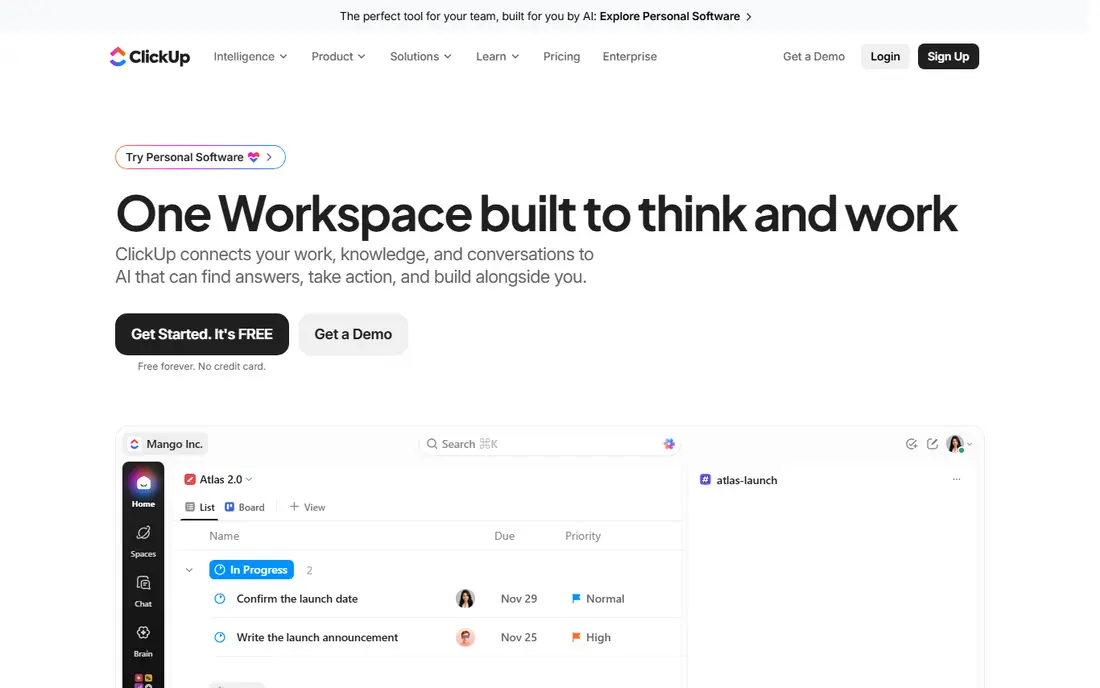
ClickUp wins on value because one workspace covers sprints, docs, goals, time tracking, and dashboards. Sprint views, recurring sprints, and custom statuses let a software team plan like Jira users, while the same workspace also holds marketing tasks and company docs. The Unlimited plan from $7 per user per month on annual billing is one of the cheapest paid routes to a full sprint toolset.
The risk is sprawl. A team without a named admin can end up with five views for the same sprint and no single source of truth. Pick one sprint view, one backlog view, and one dashboard, turn off the rest, and start from a sprint template. With that discipline, ClickUp is excellent value. Without it, a simpler tool like Trello may serve the team better.
- Many views and sprint templates
- Docs and goals included
- Generous free plan
- Too many options can overwhelm new teams
- AI features cost extra
Asana suits teams where engineering works beside marketing, design, and operations. Sprint work shows up in boards and timelines that non engineers can read at a glance, and portfolios let leaders see progress across many teams without opening each project. The Starter plan from $10.99 per user per month on annual billing covers most small team needs, with a free plan for up to 10 users.
Developers may miss Jira style issue history and deep dev tool links, since Asana leans on integrations for that depth. If your sprints involve outside teams and shared deadlines, that trade is worth it, because everyone stays in one tool. If your sprints are purely engineering with complex release rules, Jira or Linear will fit better.
- Clear task ownership
- Timeline and board views
- Portfolios for leaders
- Sprint features are less dev native
- Higher tiers needed for advanced reporting
monday.com is the most visual option on this list. Sprint boards, workload views, and timelines make capacity easy to see, and automations can move items, notify owners, and update status without manual chasing. Teams that struggled to get everyone into a dev heavy tool often adopt monday.com faster, since the boards look familiar from day one.
Pricing needs care. The Basic plan from $9 per user per month on annual billing is the entry point, but some plans carry a minimum seat count, so a tiny team should check the total, not just the per user figure. monday.com also suits mixed teams better than pure engineering teams, since its sprint templates are general rather than dev specific. For a product team with design and marketing in the same sprints, it is a strong pick.
- Visual boards and automations
- Sprint templates
- Easy for non technical users
- Minimum seat rules on some plans
- Costs rise with team size
Trello is the right tool when a team wants a sprint board today, not a platform project next month. Lists for backlog, current sprint, and done, plus cards for each task, give a small team everything it needs to plan a two week sprint. Onboarding takes minutes, and the Standard plan from $5 per user per month on annual billing adds more boards and features.
The limits are reporting and automation. Burndown charts, velocity, and capacity planning need Power-Ups or manual work, and sprint setup stays manual compared with Jira. That is fine for a team of five with one board. Once you run several teams or need release reports for leaders, move to Jira, Linear, or ClickUp before the boards become hard to govern.
- Simplest board workflow
- Fast onboarding
- Useful Power-Ups
- Manual sprint setup
- Basic reporting without add ons
Zenhub is the pick for teams that already live in GitHub and do not want to leave it to plan a sprint. It adds boards, sprints, epics, and reports on top of GitHub issues, so developers update work where they already review code. Capacity based planning and AI estimates help a team set a realistic sprint goal instead of guessing.
If your code is not on GitHub, Zenhub loses most of its appeal, and non engineering teammates may still need another tool for their own projects. Paid plans from $8.33 per user per month on annual billing suit a dev team that wants planning without a second system of record. For GitHub shops, it keeps planning close to the code, which means updates actually happen.
- Lives inside GitHub
- Sprint and capacity features
- Burndown and velocity reports
- Only makes sense for GitHub teams
- Less useful for non engineering work
Wrike suits larger teams that need structure around sprints, approvals, and resource planning. Workflows can be tuned to match how a team actually reviews work, and workload views show who is overloaded before the sprint starts. That structure helps when several teams share people or when client work runs beside product sprints.
Small teams may find Wrike heavy at first, since the same configurability that helps a large team can slow down a team of five. The Team plan from $10 per user per month on annual billing is the entry point for paid features, with a free plan for basic work. Choose Wrike when you need approvals, resource views, and cross team reporting in one place, not when you only need a simple board.
- Configurable workflows
- Approvals and proofing
- Resource and workload views
- Setup takes time
- Interface can feel busy for small teams
Azure DevOps fits engineering teams already standardized on Microsoft tools. Boards and backlogs cover sprint planning, while pipelines handle build and release, so a team can plan and ship without stitching together several vendors. For enterprise teams with strict access and reporting needs, that single suite is a real advantage.
The downside is complexity for newcomers and pricing that depends on users, parallel jobs, and services used, so we list it as See website. A team that only needs sprint boards will find Jira or Linear simpler. A Microsoft shop that also wants pipelines, test plans, and repos in one place will find Azure DevOps worth the learning curve, especially at scale.
- Backlogs, boards, and pipelines in one suite
- Strong for enterprise teams
- Microsoft integration
- Learning curve for new users
- Pricing depends on users and parallel jobs
How we picked these
We compared official pricing pages, feature documentation, and recent pricing reports for tools that support backlog management, sprint cycles, and progress reporting. We kept only tools that are live in October 2026 and where sprints are a real workflow, not just a board template. Prices are the lowest paid tier we could confirm on annual billing where stated, and we used See website where pricing depends on users, jobs, or plan mix. We did not claim hands on testing, and we based the picks on published features and plan details.
What to check before you pay
Run a real sprint in your top two tools before you buy. Import a real backlog, set story points or sizes, assign owners, and hold the sprint review in the tool. That one test reveals more than a feature list, since it shows whether the team will update cards, whether reports make sense to leaders, and whether capacity planning actually prevents overload.
Next, check the total cost, not just the headline price. Count every person who needs a paid seat, add any reporting or automation add ons, and confirm whether guests or viewers are free. Finally, name one admin and one backup before rollout, and agree on a single sprint view and a single definition of done. Tools fail most often when a team runs three versions of the same sprint, not when a feature is missing.
Frequently asked questions
What is the best sprint planning tool for a small software team?
Jira is the safest default, since its free plan covers up to 10 users and its scrum features are complete. Linear suits a small product team that values speed, while Trello suits a team that wants the simplest board possible. Trial Jira and one other tool with a real two week sprint and keep the one the team updates without prompting.
What are the best sprint planning tools for larger teams?
Jira, Azure DevOps, and Wrike scale best for larger teams because they add portfolios, resource views, and reporting that small tools lack. ClickUp also scales well when one admin governs views and templates. Larger teams should check seat pricing, permissions, and reporting tiers before they commit, since those costs grow fast.
Do I need story points to plan a sprint?
No, but some sizing method helps. Story points, t shirt sizes, and simple task counts all work if the team uses them consistently. The tool matters less than the habit: size the work, check capacity, and review what actually finished at the end of the sprint. Adjust the next sprint goal based on that real completion rate.
How long should a sprint be?
Most software teams use one or two weeks, with two weeks the most common choice. Shorter sprints give faster feedback but add more planning overhead, while longer sprints suit work that cannot be split cleanly. Pick one length, stick with it for several sprints, and change it only when the team has data for why it should change.
Can non software teams use sprint planning tools?
Yes, and Asana, monday.com, and ClickUp are the best fits for mixed teams. They present sprints as boards and timelines that non engineers can read, while still tracking owners and dates. Pure engineering tools like Zenhub make less sense when most of the team does not work in code.
What is the difference between scrum and kanban in these tools?
Scrum plans work in fixed sprints with a set goal and a review at the end, while kanban flows work continuously with limits on work in progress. Most tools on this list support both, so a team can run scrum for product work and kanban for support work in the same workspace. Pick the method per team, not per company, when the work types differ.
Sources
See where you really rank - block by block
ProMapRanker scans Google Maps across a grid of your service area. Simple monthly plans from $19, white-label on every plan.
Start freeKeep reading
 zscaler alternatives
Best Zscaler Alternatives in 2026
Looking for zscaler alternatives? We compare 9 SASE and zero trust platforms on architecture, data protection, pricing, and fit for your network and team.
Read → zapier alternatives free
Best Zapier Alternatives Free in 2026
Nine automation tools for zapier alternatives free in 2026, all with genuinely free tiers, plus free plan limits, starting prices and upgrade paths explained.
Read → which platform is best for online reputation
Which Platform Is Best for Online Reputation in 2026
Wondering which platform is best for online reputation? We compare 8 review, listing, and response tools for small and multi-location businesses and agencies.
Read →