 ProMapRanker
Best Spreadsheet Software in 2026

Key takeaways
- Microsoft Excel remains the standard for advanced formulas, PivotTables, and macro-heavy work, while Google Sheets leads for free, real-time collaboration.
- LibreOffice Calc, Zoho Sheet, Apple Numbers, and ONLYOFFICE are strong free spreadsheet software options, with different strengths for offline work and file compatibility.
- WPS Spreadsheets suits people who want a familiar Excel-style interface at no upfront cost, with paid options for extra features.
- Airtable and Smartsheet suit teams whose data has outgrown a plain grid, with linked records, views, and project workflows.
- Test macro-heavy or complex files in any alternative before you switch, since advanced features do not always carry over cleanly.
Quick comparison
| Pick | Great for | Pricing starts at | Free tier | |
|---|---|---|---|---|
 Microsoft Excel | Advanced analysis | See website | Free trial | Visit |
 Google Sheets | Free cloud collaboration | Free | Yes | Visit |
 LibreOffice Calc | Free offline spreadsheets | Free | Yes | Visit |
 Zoho Sheet | Free cloud sheets | Free | Yes | Visit |
 Apple Numbers | Mac and iPad users | Free | Yes | Visit |
 ONLYOFFICE | Excel-compatible files | Free | Yes | Visit |
 WPS Spreadsheets | Familiar Excel-style interface | Free | Yes | Visit |
 Airtable | Linked data and views | Free | Yes | Visit |
 Smartsheet | Projects in a grid | See website | Free trial | Visit |
The best spreadsheet software
We compared desktop, cloud, and grid-style tools that people actually use as spreadsheet software, including free alternatives to Microsoft Excel. Some tools here are pure spreadsheets, while Airtable and Smartsheet add database and project features on top of a grid. That mix helps you see when a plain sheet is enough, and when your work needs something more structured.
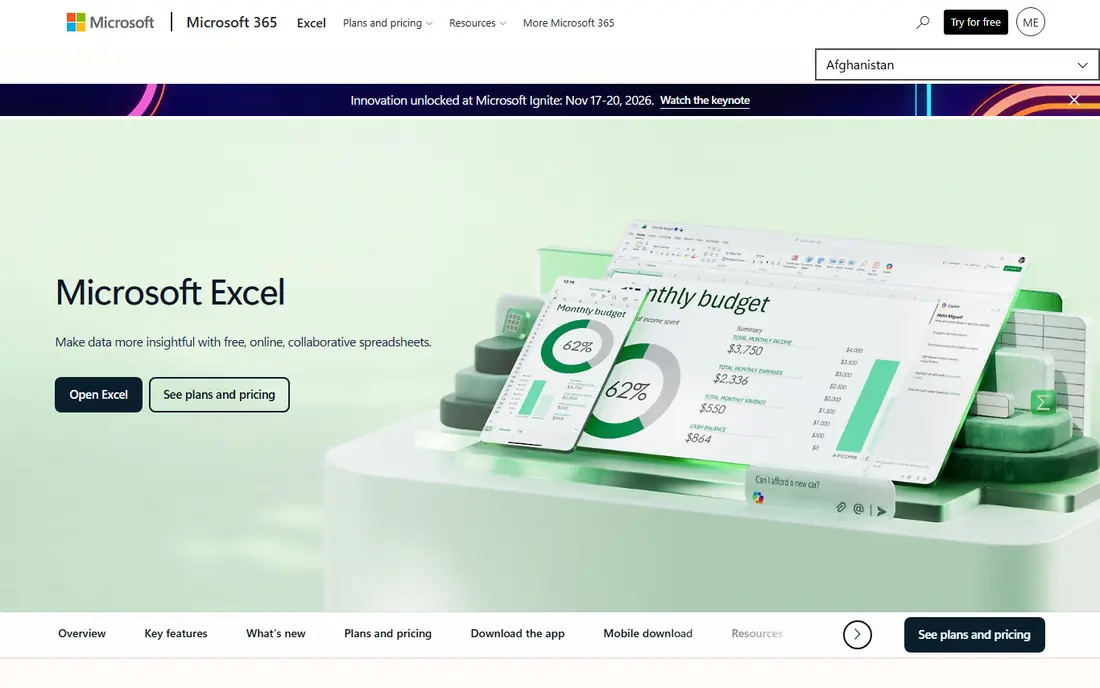
Excel is still the benchmark for spreadsheet software, especially for finance, analysis, and large, complex workbooks. Its formula library, PivotTables, Power Query, and charting tools cover work that simpler sheets struggle with, and macro support through VBA remains important for many businesses. If you receive Excel files from clients or colleagues, Excel also removes most compatibility worries.
The cost and the split between versions are the drawbacks. Excel for the web is free with a Microsoft account, but desktop Excel needs a Microsoft 365 plan or a one-time Office licence. Check the current plan details on the Microsoft site, and confirm whether your work needs desktop features, such as full macro support, before you pay.
- Deep formula library
- PivotTables and Power Query
- Strong macro and VBA support
- Desktop version needs a paid plan
- Web version has fewer features
- Learning curve for advanced tools
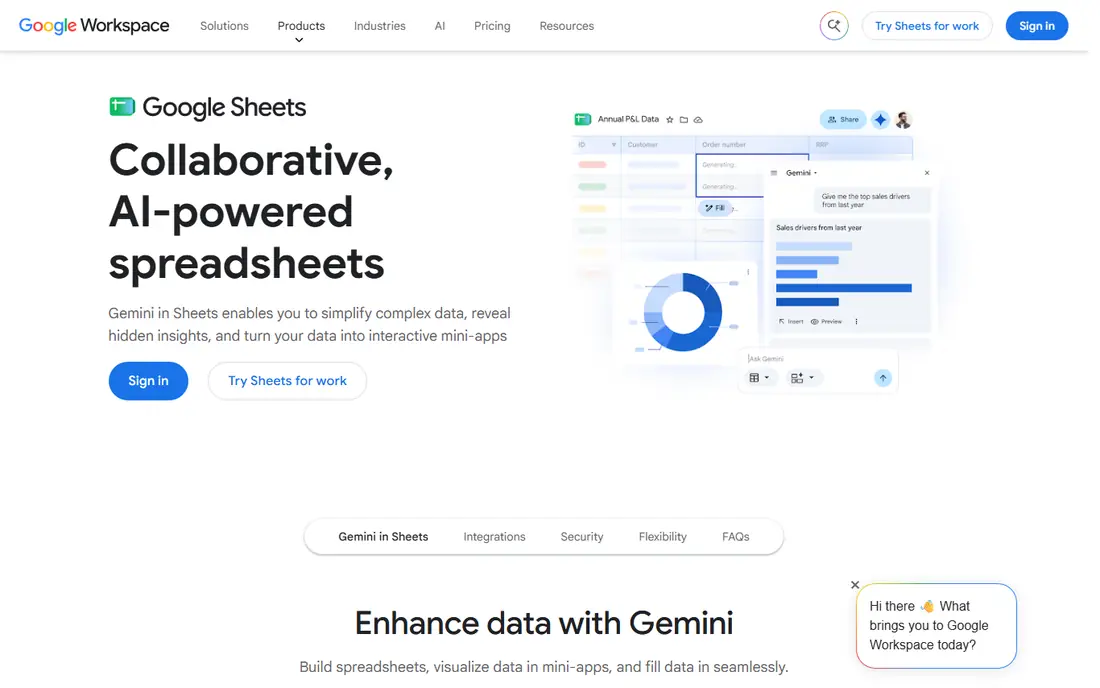
Google Sheets is the best free spreadsheet app for most people who work in a team. It runs in a browser, several people can edit at once, and changes save automatically. It can also open and edit Excel files without converting them first, which makes sharing with Excel users much simpler than it used to be.
The limits appear with scale and complexity. Very large datasets can feel slow, and some advanced Excel features, such as complex macros, do not carry over fully. Test important workbooks before you rely on Sheets for them. For everyday budgets, lists, trackers, and shared planning, Sheets is hard to beat at no cost.
- Free with a Google account
- Real-time collaboration
- Edits Excel files directly
- Advanced features lag Excel
- Very large sheets can slow down
- Offline use needs Chrome setup
LibreOffice Calc is the strongest free desktop spreadsheet for people who want to work offline and avoid subscriptions. It handles formulas, PivotTables, charts, and Excel file formats, and it runs on Windows, Mac, and Linux. For a home user or a small business that needs a solid spreadsheet without a monthly bill, Calc covers most daily work.
Compatibility is generally good but not perfect. Complex Excel files, especially those with macros or intricate formatting, may look slightly different after import. Keep a copy of the original file, and test any workbook you share with Excel users. For personal and small business use, that check is usually quick and worth doing.
- Free and open source
- Works offline on Windows, Mac, and Linux
- Wide formula and PivotTable support
- Interface feels older than Excel
- Some Excel formatting shifts on import
- No built-in cloud collaboration
Zoho Sheet is a free, cloud-based spreadsheet that suits people who already use Zoho apps, or who want a Google Sheets-style tool outside the Google ecosystem. It offers real-time collaboration, version history, charting, and data validation, plus an AI assistant for cleaning and analysing data. For teams on a budget, the free tier is generous.
The main drawback is offline access, which is more limited than a desktop app. If you often work without internet, pair Zoho Sheet with a desktop tool, or choose LibreOffice Calc or ONLYOFFICE instead. Check whether your team needs Zoho Workplace, since Sheet is also part of that paid suite for businesses that want mail and documents together.
- Free cloud spreadsheet
- Real-time collaboration
- Data cleaning and charting tools
- Offline use is limited
- Smaller ecosystem than Google or Microsoft
- Advanced Excel features may differ
Apple Numbers suits Mac, iPad, and iPhone users who want a clean, visual spreadsheet without paying extra. It is free on Apple devices, offers attractive templates, and lets you place tables, charts, and text on a flexible canvas, which works well for reports and presentations. iPad users also benefit from touch and Apple Pencil support.
It is not a like-for-like Excel replacement. Advanced analysis features are thinner, and complex Excel files may need checking after import or export. If you work mainly inside the Apple ecosystem and share files with other Apple users, Numbers is a pleasant, free choice. If you share heavily with Excel users, test your key files first.
- Free on Apple devices
- Clean templates and canvas layout
- Good iPad and Apple Pencil support
- Apple devices only
- Fewer advanced analysis features than Excel
- Excel compatibility needs checking
ONLYOFFICE stands out for file compatibility. Its desktop editors use a native Excel format engine, so Office files often keep their layout more faithfully than in some free alternatives. That matters when you receive formatted spreadsheets from clients and need to return them without broken layouts.
The free desktop editors cover most personal and small business needs, while team collaboration, document management, and cloud features come through a server setup or a paid plan. If you mainly need a free desktop spreadsheet that respects Excel files, ONLYOFFICE is a strong pick. If you need simple browser collaboration, Google Sheets or Zoho Sheet will feel easier.
- Native Excel file handling
- Free desktop editors
- Good layout accuracy for Office files
- Cloud and collaboration features need a server or paid plan
- Smaller template library
- Interface can feel busy
WPS Spreadsheets appeals to people who want an Excel-like experience without paying upfront. The interface will feel familiar to Excel users, it opens and saves Office files, and it runs on desktop and mobile. For students and small businesses, the free tier covers a lot of everyday spreadsheet work.
The trade-off is the upsell. The free version includes prompts to upgrade, and some advanced features sit behind a paid plan. If ads and upgrade prompts bother you, LibreOffice Calc or ONLYOFFICE may feel cleaner. If you want a familiar layout and mobile access at no upfront cost, WPS is worth trying.
- Free tier with a familiar interface
- Good Office file compatibility
- Desktop and mobile apps
- Free version includes ads and prompts to upgrade
- Some features need a paid plan
- Cloud features vary by plan
Airtable is a spreadsheet-style tool that behaves more like a database. You can link records between tables, switch between grid, calendar, gallery, and Kanban views, and set up automations that move data or send alerts. That structure suits content planning, inventory, project tracking, and any list where rows relate to each other.
It is not the best pick for heavy formulas or financial modelling, where Excel or Sheets will serve you better. Paid plans are priced per user, so costs grow with team size. Try the free plan with a real project first, and check whether linked records actually save time for your workflow, rather than adding complexity you do not need.
- Linked records and multiple views
- Automations and integrations
- Free plan for small teams
- Not a pure spreadsheet
- Paid plans start per user
- Large bases need planning to stay fast
Smartsheet takes a grid you already understand and adds project management on top. You can view the same data as a grid, Gantt chart, board, or calendar, set dependencies, assign tasks, and build reports across sheets. That makes it useful for teams managing projects, timelines, and approvals in a spreadsheet-like format.
For a simple budget or list, Smartsheet is more tool than you need, and paid plans will cost more than a free spreadsheet. It earns its place here for teams whose spreadsheets have become project plans, with owners, dates, and status columns that need workflow and reporting. Use the trial with a real project before committing a team to it.
- Grid plus Gantt, board, and calendar views
- Project workflows and reporting
- Strong for team planning
- Paid plans needed for full team use
- Learning curve for advanced features
- Overkill for simple lists
How we picked these
We compared official feature pages, pricing pages, and app listings, and we kept only tools that exist and work in October 2026 and truly function as spreadsheet software or spreadsheet-style grid tools. We looked for free and paid options, desktop and cloud use, offline support, and Excel file compatibility. We did not claim hands-on testing, and we did not list tools that only view spreadsheets or only convert files without editing them.
What to check before you switch
Test your real files, not a sample
Open your most complex workbook in any alternative before you switch, including formulas, charts, PivotTables, and macros. Check totals, formatting, and print layout, and compare them with the original. A tool that handles a simple budget may still struggle with a macro-heavy model.
Decide how you collaborate
If several people edit at once, a cloud tool such as Google Sheets or Zoho Sheet will feel smoother than passing desktop files around. If you work alone or offline, a desktop tool such as LibreOffice Calc or ONLYOFFICE may be faster and simpler. Pick the collaboration model first, then the tool that supports it well.
Count the true cost
Free does not always mean free for a team. Check per-user pricing for paid plans, storage limits, and which features sit behind a paywall. A free desktop app can be the cheapest long-term choice for a small team, while a paid cloud tool may be worth it if it saves hours of manual sharing and version control each week.
Frequently asked questions
What is the best free spreadsheet software?
Google Sheets is the best free choice for cloud collaboration, while LibreOffice Calc is the best free choice for offline desktop work. Zoho Sheet is another strong free cloud option, and ONLYOFFICE suits people who need faithful Excel file handling at no cost.
What is the best free alternative to Microsoft Excel?
LibreOffice Calc is the closest free desktop alternative for most Excel users, with wide formula and PivotTable support. Google Sheets is the closest free cloud alternative, and ONLYOFFICE is worth testing if Excel file layout accuracy matters most to you.
Can Google Sheets open Excel files?
Yes. Google Sheets can open Excel files and edit them directly, or convert them to Sheets format. Complex macros and some advanced features may not carry over, so test important workbooks first, especially if they use VBA or Power Query.
Is spreadsheet software free for business use?
Several free tools, including LibreOffice Calc and ONLYOFFICE desktop editors, are free for commercial use. Google, Zoho, WPS, and Microsoft offer free tiers you can use at work, with paid plans for extra storage, admin controls, and support. Check the licence terms on the vendor site for your team size and use case.
Should I choose a spreadsheet or a grid tool like Airtable?
Choose a plain spreadsheet for calculations, budgets, and analysis. Choose Airtable or Smartsheet when your data has outgrown a single grid, with linked records, multiple views, or project workflows. Many teams use both: Excel or Sheets for models, and a grid tool for tracking work.
Sources
See where you really rank - block by block
ProMapRanker scans Google Maps across a grid of your service area. Simple monthly plans from $19, white-label on every plan.
Start freeKeep reading
 zscaler alternatives
Best Zscaler Alternatives in 2026
Looking for zscaler alternatives? We compare 9 SASE and zero trust platforms on architecture, data protection, pricing, and fit for your network and team.
Read → zapier alternatives free
Best Zapier Alternatives Free in 2026
Nine automation tools for zapier alternatives free in 2026, all with genuinely free tiers, plus free plan limits, starting prices and upgrade paths explained.
Read → which platform is best for online reputation
Which Platform Is Best for Online Reputation in 2026
Wondering which platform is best for online reputation? We compare 8 review, listing, and response tools for small and multi-location businesses and agencies.
Read →