 ProMapRanker
Best Sports Card Scanner App in 2026

Key takeaways
- CollX is our pick for most collectors because it pairs fast scanning with collection tracking and a built-in marketplace.
- Ludex is the best choice for mixed sports and trading card collections, with a lower entry paid price and broad category support.
- Center Stage suits collectors who want quick price checks and a marketplace in the same app, though scan accuracy varies by card and lighting.
- No scanner price is a guaranteed sale price, so check recent sold listings and condition before buying or selling a valuable card.
- Free tiers help for small collections, but scan limits and collection caps mean regular collectors usually need a paid plan.
Quick comparison
| Pick | Great for | Pricing starts at | Free tier | |
|---|---|---|---|---|
 CollX CollX | All-round scanning and selling | $9.99 per month | Yes | Visit |
 Ludex Ludex | Mixed sports and trading cards | $4.99 per month | Yes | Visit |
 Center Stage Center Stage | Quick price checks and marketplace | $9.99 per month | Yes | Visit |
 Cardbase Cardbase | Scanning and trading | Free | Yes | Visit |
 CardSense AI CardSense AI | AI condition checks | See website | Yes | Visit |
 PreGradeCards PreGradeCards | AI grading previews | See website | Yes | Visit |
 Sports Card Pro Sports Card Pro | Price guide and collection lists | See website | Yes | Visit |
 eBay eBay | Scanning to list for sale | Free | Yes | Visit |
The best sports card scanner apps
A sports card scanner app should do three jobs well: identify the exact card from a photo, show a useful price range based on recent sales, and keep a collection list you can search later. Accuracy varies, especially for parallels, inserts, and cards with similar designs, so the best app for you depends on what you collect and whether you plan to sell. The eight options below cover dedicated scanners, grading previews, and the listing tool inside eBay.
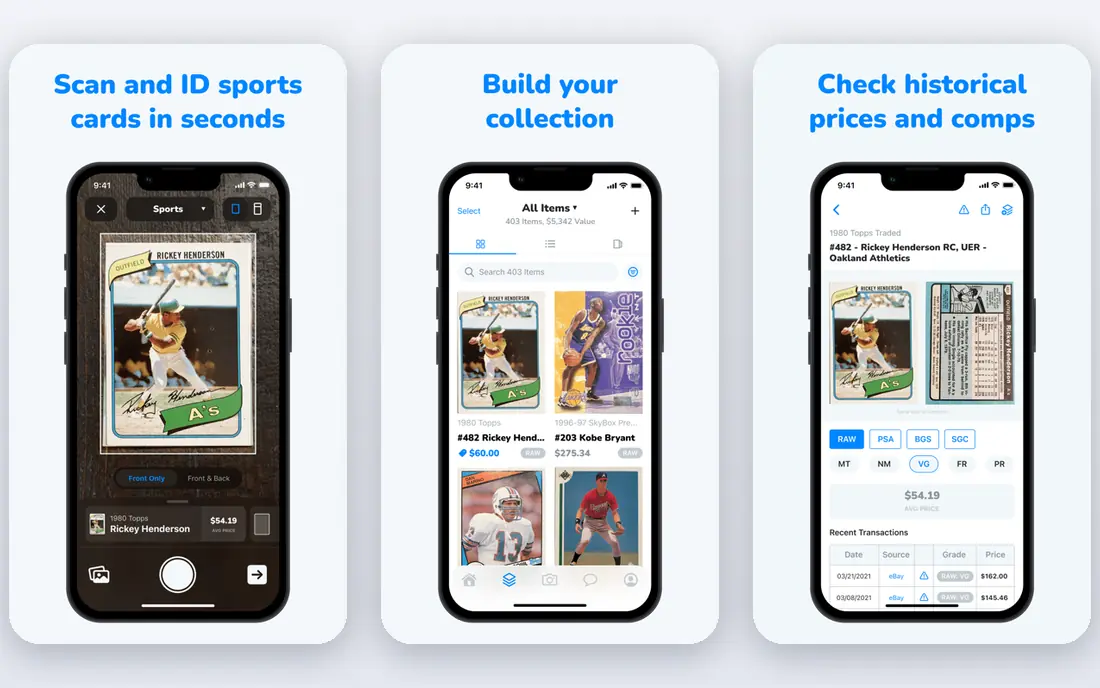
CollX is the most complete scanner for collectors who also buy and sell. You scan a card, add it to a collection, track its estimated value over time, and list it in the built-in marketplace without retyping details. That single workflow saves time when you are sorting a box of cards or pricing a stack before a show.
The free version is a good test, but regular scanning and larger collections push most users toward Pro, listed at $9.99 per month in app store listings. Scan accuracy is generally strong for common base cards, yet parallels and similar-looking inserts can still be misidentified, so check the set, year, and card number before you trust a value. For an all-in-one collector app, CollX remains the default pick.
- Fast card scanning
- Large collection and marketplace features
- Portfolio tracking in one app
- Paid tiers add up for casual collectors
- Scan results still need manual checking for parallels
- Marketplace fees and rules apply to sales
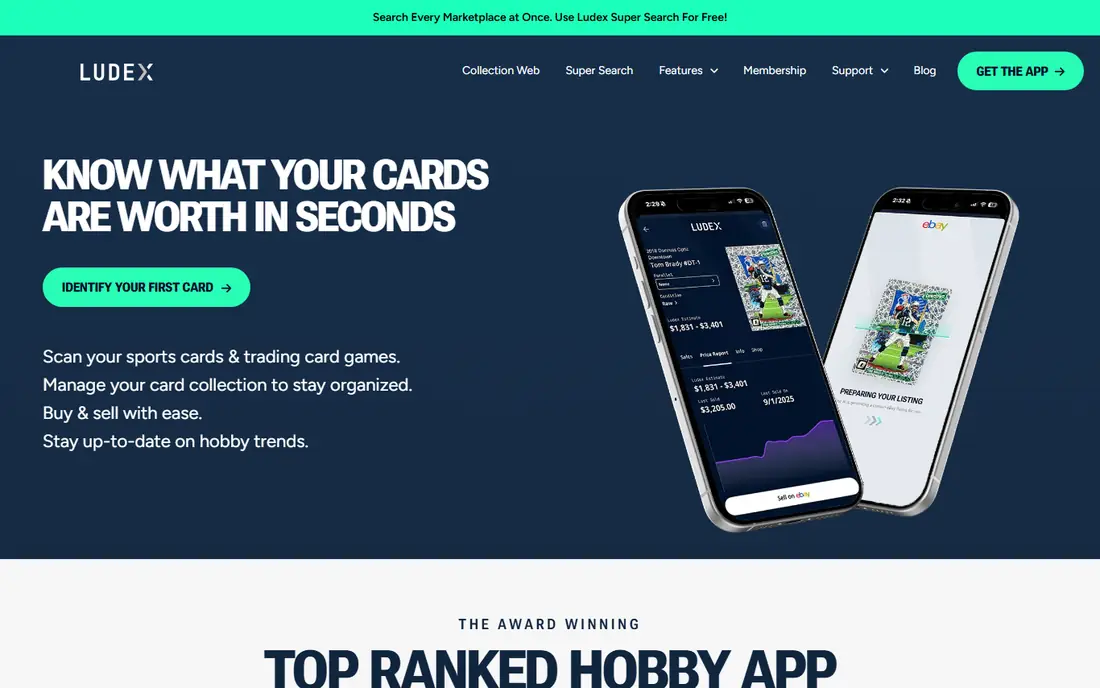
Ludex stands out for collectors whose boxes mix sports cards with trading card games. The app scans both categories, tracks a portfolio, and offers eBay listing help on higher plans, which suits sellers who move across categories. Paid entry at $4.99 per month for a Lite plan is lower than CollX Pro, and higher tiers add unlimited scans and more listings.
The trade-off is depth on sports-only data. Some sports collectors report weaker grade-level price breakdowns than dedicated sports scanners, and the free tier limits scans per month, so a large sorting session can hit the cap fast. If you collect across categories, Ludex is efficient. If you collect only sports and care about PSA 10 versus PSA 9 pricing, compare it closely with CollX and Center Stage.
- Sports and trading card categories in one app
- Lower entry paid price
- Portfolio exports on paid plans
- Sports pricing can be thinner than dedicated sports apps
- Free scan limits are tight
- Grade-specific pricing is limited
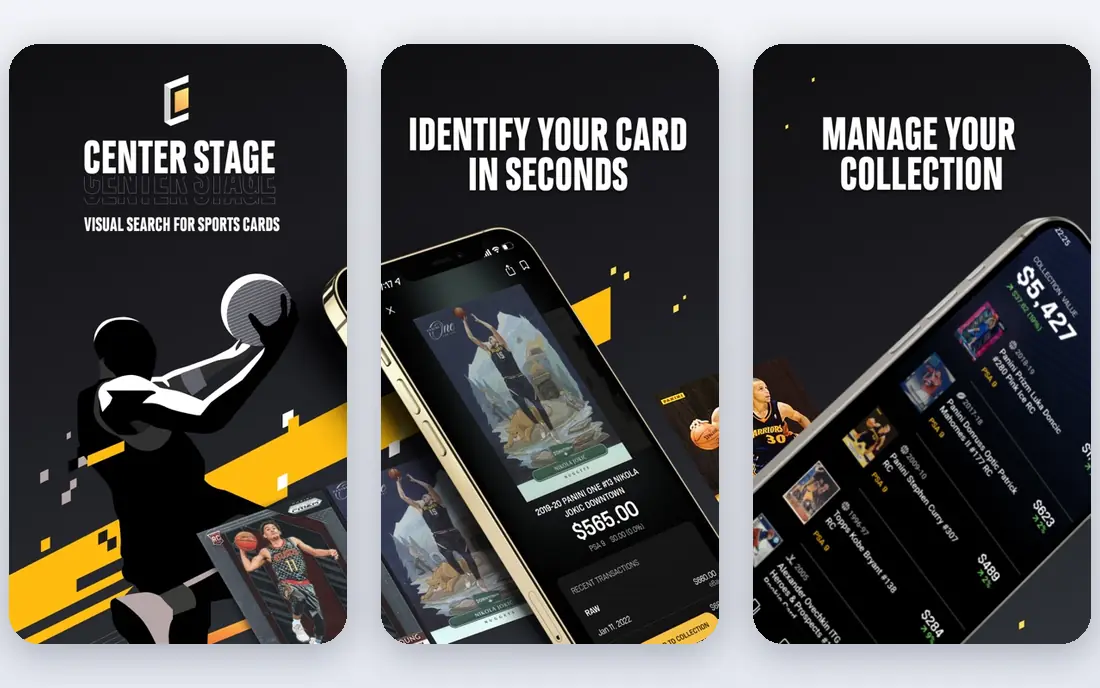
Center Stage focuses on speed: scan a card, see historical sales quickly, and add it to a collection or marketplace listing. It supports basketball, baseball, football, soccer, Formula 1, and hockey cards, with limited support for some trading card games. That breadth covers most US sports collectors, and the free tier gives a useful number of scans per month for testing.
User feedback shows the usual scanner problem: a clear, flat, well-lit photo works far better than a angled or glossy card under bright light. Paid plans at $9.99 per month and above add more scans, exports, pop reports, and seller benefits. Treat the first scan as a starting point, and confirm the exact parallel before you price a card for sale.
- Instant price guide from scans
- Collection management
- Marketplace listings and community features
- Scan accuracy can vary, especially in poor light
- Paid tiers needed for unlimited scans and exports
- Smaller catalog feel than larger rivals
Cardbase, also listed as Cardbase: Sports Cards Scanner, combines scanning, price data, collection management, and trading. The appeal is a free entry point for collectors who want to catalog cards and explore trades without paying a monthly fee first. Verified trading is a useful safety feature, since card trades can go wrong when condition or edition details are unclear.
As a newer entrant, Cardbase does not yet have the same marketplace depth as CollX, and paid Pro and Ultra options appear in app store listings at different price points, so check the in-app purchase screen before you upgrade. For a free scanner to test with a small collection, or for traders who value verified swaps, it is worth trying alongside a larger scanner.
- Free to download and scan
- Collection tracking
- Trading features with verified transactions
- Paid upgrades vary by store listing
- Trading availability depends on location and other users
- Newer app with a smaller community than CollX
CardSense AI adds a step most scanners skip: an AI look at condition. Instead of only identifying a card and showing a price, it aims to flag centering, corners, edges, and surface issues that affect grade and value. That preview can help you decide whether a card is worth sending for professional grading, or whether to sell it raw.
The key limit is that an AI score is not a PSA, SGC, or Beckett grade, and it cannot replace a human grader for a high-value card. Use it to sort candidates and to avoid grading costs on cards with clear flaws. For collectors with raw cards they are considering for grading, CardSense AI fills a gap that price-only scanners leave open.
- AI condition and sub-grade style checks
- Sold comp price context
- Useful before paying for formal grading
- AI condition scores are estimates, not grades
- Coverage varies by card type
- Pricing and limits need checking in the app
PreGradeCards is built for the grading question that drives many buying decisions: what might this card grade, and what would that grade be worth. The app scans a card, gives an AI grade report, and shows live sold comps, so you can compare raw and graded prices before you spend on submission fees. An eBay listing generator is also part of the workflow for sellers.
Pricing is usage based in part, with free scans followed by low per-scan charges in some listings, so heavy users should check the current rate before a large batch. Photo quality matters a great deal, since glare, sleeves, and angled shots can change an AI condition reading. Use PreGradeCards as a screening tool, not as a promise of a grade.
- AI grade reports for sports and trading cards
- Live sold comp data
- Listing help for eBay
- Per-scan costs can add up after free scans
- AI grades are previews, not official grades
- Accuracy depends on photo quality
Sports Card Pro suits collectors who mainly want a price guide and a tidy collection list. You can look up cards, track values, and build want lists for sets you are completing, without the marketplace and social features that dominate other apps. That simpler focus appeals to set builders and long-term collectors who price cards for insurance or trade talks rather than daily selling.
The scanner is less central here than in CollX or Ludex, so manual search by player, set, and year is often part of the workflow. Check the app store listing for your device before you rely on it for a show, since features and paid options differ. As a second reference for values, Sports Card Pro pairs well with a dedicated scanner.
- Price guide focused on sports cards
- Collection lists and want lists
- Useful for checking values without a marketplace push
- Scanning experience varies by card and platform
- Fewer marketplace features than CollX
- Some features need a paid plan
The eBay app includes a card scanning tool inside its sell flow, and for sellers that tool is hard to beat for speed. Scan a card, let eBay pre-fill title, set, year, and card number, then set a price and list. You do not pay for the scanner itself, only the usual selling fees if the card sells, and the listing reaches a large buyer pool.
eBay is not a collection manager or a grading preview tool. It will not track your full portfolio, score condition, or give a detailed sold-comp breakdown in the way dedicated scanners do. Use eBay scanning when the goal is to list quickly, and use a dedicated scanner first when the goal is to catalog, grade-screen, or compare values across conditions.
- Free scanner inside the selling flow
- Pre-fills listing details
- Direct access to the largest card marketplace
- No collection tracking or condition grading
- Price data is listing focused, not a full valuation tool
- Selling fees apply
How we picked these
We compared app store listings, vendor sites, and collector guides for scanner apps that identify sports cards from a photo and show price data in October 2026. We required a real, available app, not a website-only price guide, and we favored apps that cover different jobs, including scanning, collection tracking, trading, marketplace selling, and grading previews. Prices for in-app purchases change by store and plan, so where a price was not stable across listings, we wrote See website and focused on the free tier and the main paid tier.
How to get accurate scans and values
Good scans start with light and position. Place the card flat on a plain background, avoid glare from sleeves and overhead lights, and fill the frame with the card, front first. If a scan returns the wrong parallel, search manually by player, set, year, and card number, and check the back image for set details. A few extra seconds here prevents a pricing error that can be far larger than any app subscription cost.
Reading prices like a collector
Scanner prices are estimates drawn from listings and sales data, and they mix asking prices with sold prices in different ways. Before you buy or sell, filter for sold listings for the exact card and grade, and adjust for condition, centering, and any flaws the scanner cannot see. For valuable cards, compare at least two sources and check the most recent sales, since older sales can mislead in a fast-moving market. This is not financial advice, and card values can fall as well as rise.
Frequently asked questions
What is the best app for card values?
CollX is the best all-round app for card values for most collectors, because it combines scanning, collection tracking, and marketplace data. Ludex is a strong alternative for mixed collections, and Center Stage is useful for quick price checks. Always confirm a value with recent sold listings for the exact card and condition before a sale.
What is the best app to scan baseball cards?
CollX, Ludex, and Center Stage all scan baseball cards, along with other major sports. CollX is the most complete pick for baseball collectors who also sell, while Ludex suits collectors who mix baseball with trading cards. For a free test, try the free tier of each app with the same stack of cards and compare which one identifies parallels correctly.
What is the best sports card app scanner for free?
Cardbase and the free tiers of CollX, Ludex, and Center Stage all let you scan without paying at first. Free tiers limit scans or collection size, so they suit small collections and testing. The eBay app scanner is also free for listing, though it does not track a full collection.
How accurate are sports card scanner apps?
Accuracy is good for common base cards with clear photos, and weaker for parallels, inserts, and cards with similar designs. Lighting, sleeves, glare, and angled photos all reduce accuracy. Treat every scan as a lead, verify set, year, card number, and parallel, and check sold prices before you rely on a value.
Do scanner apps grade cards?
Some apps, such as CardSense AI and PreGradeCards, give AI condition previews or grade estimates, but those are not official grades from PSA, SGC, or Beckett. An AI preview can help you decide whether to submit a card for grading, but it does not guarantee the grade a professional service will assign.
Can I sell cards directly from a scanner app?
Yes, CollX and Center Stage include marketplaces, and Ludex and PreGradeCards offer listing help for eBay. Selling fees, payout timing, and buyer protection rules vary by platform, so read the selling terms before you list. For high-value cards, many sellers still prefer a major marketplace or a graded sale for buyer trust.
Sources
See where you really rank - block by block
ProMapRanker scans Google Maps across a grid of your service area. Simple monthly plans from $19, white-label on every plan.
Start freeKeep reading
 zendesk alternatives
Best Zendesk Alternatives in 2026
Compare the best Zendesk alternatives in 2026, from budget help desks to AI-first support tools, with current pricing, free plans, and honest trade-offs.
Read → wordpress alternatives
Best WordPress Alternatives in 2026
Looking for the best WordPress alternatives? We compare 8 free and paid options for blogs, business sites, stores, and developer-led projects in 2026.
Read → which real estate company has the best training
Best Real Estate Company Training in 2026
Compare which real estate company has the best training, from Keller Williams and eXp to Compass and Coldwell Banker, by program, mentor, and fit in 2026.
Read →