 ProMapRanker
Best Sports Card App for Pricing in 2026

Key takeaways
- Card Ladder gives the deepest sales history and analytics for serious collectors, with Pro at $20 per month.
- Market Movers starts lower, at $9.99 per month, and suits collectors who want market indexes and deal spotting.
- CollX is the easiest free start for scanning a card, with Pro at $7.99 per month for deeper features.
- 130Point is free and useful for checking eBay best-offer prices that sold listings alone do not show.
- Every in-app figure is an estimate, so check recent sold prices for the exact card, grade, and condition before you pay.
Quick comparison
| Pick | Great for | Pricing starts at | Free tier | |
|---|---|---|---|---|
 Card Ladder | Sales history and analytics | $20 per month | Yes | Visit |
 Market Movers | Market indexes and deal spotting | $9.99 per month | Yes | Visit |
 CollX | Free scanning and trading | Free | Yes | Visit |
 Sports Card Pro | Free price lookups | Free | Yes | Visit |
 Ludex | Scanning modern parallels | See website | Yes | Visit |
 130Point | eBay best-offer prices | Free | Yes | Visit |
 Beckett | Long-running price guide data | See website | Free trial | Visit |
 PSA | Graded card data and population reports | See website | Yes | Visit |
 Card Hedge | AI price checks and collection tracking | See website | Yes | Visit |
The best sports card apps for pricing
A sports card has no single price. The same card can sell for very different amounts by grade, condition, and timing, so a good pricing app shows recent sold data and lets you compare like with like. The tools below differ in how they get that data, how they present it, and how much they cost.
Card Ladder is built for collectors who treat pricing as research, not a quick guess. Free browsing covers card values and daily sales recaps, while Pro adds all-time sales history from major marketplaces, value estimates backed by its indexes, and collection tracking with alerts. That history matters when a card last sold months ago and a single recent sale would mislead you.
The cost needs honest use. At $20 per month, Pro pays for itself only if you check prices often, track a collection, or buy and sell regularly. Casual collectors can start free, learn the interface, and upgrade only when they need full history or alerts for specific cards.
- Verified sales data and value indicators
- Full sales history on Pro
- Collection value tracking and price alerts
- Pro is the priciest tier on this list
- Best value comes only with regular use
Market Movers, from Sports Card Investor, suits collectors who follow the market as a whole, not just one card. Charts show how a card price moved over time, sales volume hints at demand, and index views show whether a player or set is rising or cooling. Deal-spotting features help buyers who scan many listings for a fair entry price.
Coverage is the honest limit. Popular modern cards get the fullest data, while obscure vintage or low-volume cards may show fewer sales. Use Market Movers for trends and shortlisting, then confirm a specific purchase against recent sold listings for that exact card and grade.
- Price charts and sales volume trends
- Market-wide index views
- Lower starting price than Card Ladder Pro
- Database coverage can feel thinner outside popular cards
- Some features need higher tiers
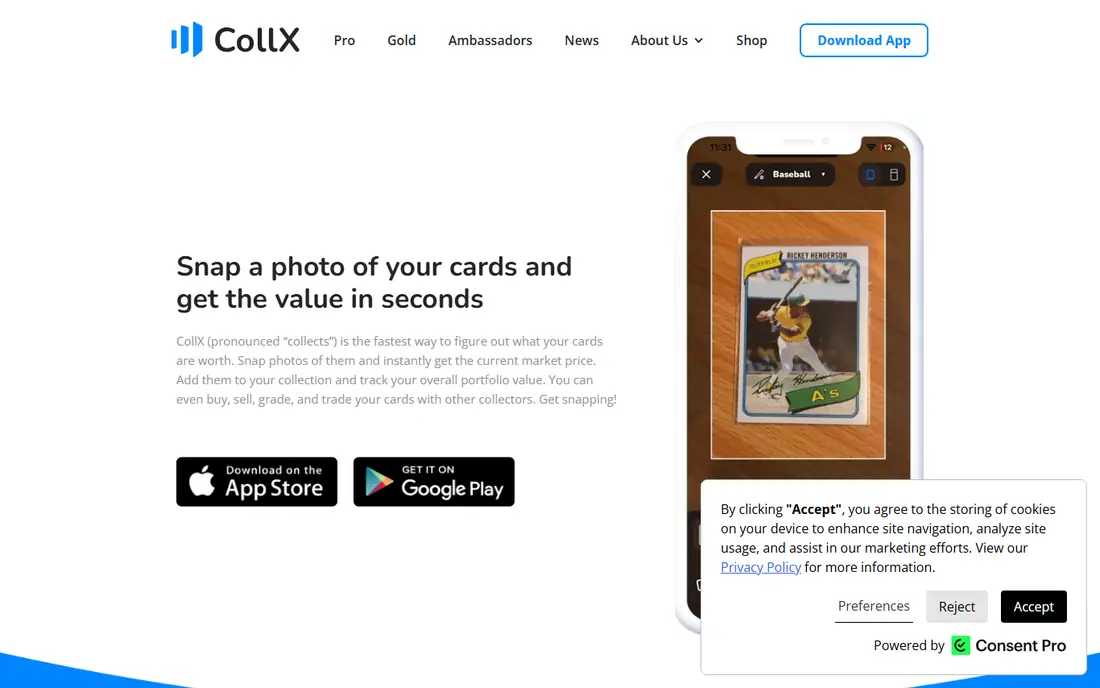
CollX is the easiest way to start. Point a phone camera at a card, get a match and an estimated value, and add the card to a collection without typing year, set, and card number by hand. The built-in marketplace then lets collectors trade or sell, which suits people who enjoy the social side of the hobby.
Treat the estimate with care. CollX values draw on aggregated marketplace data, and reviews often note that estimates sit above recent sold prices. Use CollX for fast identification and inventory, then check a sold-price source before you buy, sell, or grade based on that number.
- Fast camera scanning
- Free tier for casual use
- Built-in marketplace and trading with other collectors
- Value estimates can run high against sold prices
- Pro costs $7.99 per month for fuller features
Sports Card Pro, often written as SportsCardsPro, covers the basic job well: look up a card, see a price guide figure, and track what you own. For a collector with a modest collection who wants a quick check at a card show, that simplicity beats a heavy analytics platform. The free tier keeps the cost at zero for casual use.
The weakness is precision. Price guide figures can sit above what a card actually sold for, especially for raw cards where condition varies. Use Sports Card Pro as a first check and a collection log, and confirm any serious purchase with sold data from eBay or a paid analytics tool.
- Free price lookups across sports
- Simple collection tracking
- No subscription needed to start
- Price figures can look high against sold comps
- Analytics are lighter than Card Ladder or Market Movers
Ludex appeals to collectors who struggle with modern parallels, where the same base card appears in many colours, finishes, and serial-numbered versions. Its scanner aims to tell those versions apart, which matters because a parallel can change the price far more than the player name alone. Export to eBay also helps sellers who scan first and list second.
The cost is the barrier for casual users, with premium pricing reported around $19.99 per month, so confirm the current app store price before subscribing. For a collector who mainly owns vintage cards or a small set, a free scanner plus sold listings may be enough, and Ludex becomes worth it only when parallels cause regular misidentification.
- Strong scanning for modern parallels
- Sold-weighted price approach
- EBay export for listed cards
- Premium pricing is higher than casual scanners
- No built-in marketplace for trading
130Point solves a specific problem that other pricing apps miss. On eBay, a card listed at one price may sell for less through a best offer, and that accepted price is hidden in normal sold listings. 130Point surfaces those accepted prices, so you see what buyers actually paid, not just the asking price.
It is a research tool, not a full collection app. There is no camera scanner and no portfolio tracker, so pair it with CollX, Card Ladder, or a simple spreadsheet. For any purchase where the seller accepted an offer, a 130Point check is one of the fastest ways to avoid overpaying.
- Shows eBay best-offer accepted prices
- Free to use
- Reveals the real sale price behind a listing price
- Focused on eBay data only
- No collection tracking or scanning features
Beckett has published sports card price guides far longer than most apps on this list, and that history still matters for vintage collectors. The app brings price guide lookups to a phone, with hobby news and articles alongside the values. For older sets where modern sales data is thin, a Beckett guide figure gives a useful reference point.
Guide figures need context. A printed or app guide value reflects an editorial estimate at a point in time, while live sales move daily. Use Beckett to understand a card and its place in a set, then check recent sales for the same grade before you set a buying or selling price.
- Decades of price guide history
- Broad coverage across sports and eras
- Hobby news and articles in the app
- Pricing and subscription tiers need checking on the site
- Guide figures are not the same as live sold prices
PSA, the Professional Sports Authenticator, matters for pricing because grade changes value so much. The PSA app and site give access to card facts, population reports showing how many copies earned each grade, and past sales data for graded cards. That context helps a buyer judge whether a high grade is rare or common for that card.
Raw cards need a different check. Population data does not price an ungraded card, and condition judgement still decides whether grading is worth the fee and wait. Use PSA data for graded purchases and for deciding which raw cards might merit grading, and confirm the exact graded sale, not just the grade average.
- Population reports and grade data for PSA-graded cards
- Past sales data for graded cards
- Trusted grading context
- Focused on PSA-graded cards, not raw cards
- Grading and membership costs sit outside the app
Card Hedge splits its work between a consumer app for collectors and a separate data service for developers, which tells you where its strength lies. For common cards, it offers price checks, sales context, and collection tracking without the learning curve of a full analytics platform. Collectors who want a quick second opinion alongside Card Ladder or Market Movers often keep it in the mix.
The limit is coverage depth. Less common cards may show fewer sales or weaker context, so treat Card Hedge as a supporting check rather than the only source for an obscure purchase. Confirm the current pricing tier on the site, and use sold listings to close the gap for any card that matters financially.
- Consumer app plus developer data options
- Price checks across common cards
- Collection tracking features
- Coverage can be thinner outside popular cards
- Pricing tiers need checking on the site
How we picked these
We compared official app pages, pricing pages, and recent collector guides for tools that are still available in October 2026. We kept tools that help with pricing directly, through scanning, sold data, guide data, or graded card data, and we left out tools that only track collections without any price context. Where pricing was not published clearly, we wrote See website rather than guessing a figure.
How to check a card price without overpaying
Start with identification, then with the exact match. Confirm the year, set, card number, parallel, and grade, because a small difference in any of those can change the price a lot. A scanner helps with identification, but it does not replace a careful look at the card front and back, including centring, corners, edges, and surface.
Next, look at recent sold prices for that exact card and grade, not just asking prices or a single guide figure. Check eBay sold listings and 130Point for best-offer prices, then compare with Card Ladder or Market Movers for trend and volume. If only one sale exists, treat the price as thin evidence and widen the search to similar grades or nearby parallels before you decide.
No app can promise a future value, and no estimate should be treated as a guaranteed return. Card prices move with player performance, set popularity, grading supply, and the wider collectibles market. Buy cards you enjoy owning at a price you can accept if the market cools, and keep records of what you paid and what comparable cards sold for.
Frequently asked questions
What is the best sports card pricing app for beginners?
CollX is the easiest start, because free camera scanning identifies cards without manual data entry. Sports Card Pro also works well for free lookups. For any purchase that matters, follow the scan with a sold-price check on 130Point or eBay, since scanner estimates alone can run high.
What is the best app for pricing sports cards accurately?
No single app is accurate for every card, because accuracy depends on sold data for that exact card and grade. Card Ladder and Market Movers give the strongest analytics for popular cards, while 130Point gives the clearest view of eBay best-offer prices. Combine an analytics tool with sold listings for the best check.
What is the best sports cards app for pricing a collection?
Card Ladder Pro suits larger collections, with value tracking, alerts, and full sales history. Market Movers also tracks market movement across a portfolio. For a small collection, CollX or Sports Card Pro may be enough, with a spreadsheet for purchase prices and notes.
Are sports card pricing apps free?
Several offer free tiers, including CollX, Sports Card Pro, and 130Point, while Card Ladder, Market Movers, and Ludex charge for fuller analytics. Free tiers cover identification and basic values, but full sales history, alerts, and advanced charts usually need a paid plan. Check the current app store price before subscribing, since tiers change.
Why do two apps show different prices for the same card?
Apps draw on different sales, time windows, and methods, and some show guide estimates while others show sold averages. Grade, condition, and parallel also explain many gaps, since two listings that look alike may differ in one of those details. Compare the exact card, grade, and sale date across apps before you trust any single figure.
Sources
See where you really rank - block by block
ProMapRanker scans Google Maps across a grid of your service area. Simple monthly plans from $19, white-label on every plan.
Start freeKeep reading
 zscaler alternatives
Best Zscaler Alternatives in 2026
Looking for zscaler alternatives? We compare 9 SASE and zero trust platforms on architecture, data protection, pricing, and fit for your network and team.
Read → zapier alternatives free
Best Zapier Alternatives Free in 2026
Nine automation tools for zapier alternatives free in 2026, all with genuinely free tiers, plus free plan limits, starting prices and upgrade paths explained.
Read → which platform is best for online reputation
Which Platform Is Best for Online Reputation in 2026
Wondering which platform is best for online reputation? We compare 8 review, listing, and response tools for small and multi-location businesses and agencies.
Read →