 ProMapRanker
Best Spelling Apps for Kids in 2026


Classroom-style practice · Pricing starts at: $108 per year
Key takeaways
- SpellingJoy and Khan Academy Kids are the best free starting points, while Spelling Shed adds leagues and competition for children who like games.
- Vocabulary A-Z is the most classroom-like option, with many games and teacher tools, but its $108 per year price is aimed at classrooms rather than one family.
- Spelly and Simplex Spelling avoid subscriptions, with one-time payments that suit parents who dislike monthly bills.
- The best spelling app for kids is the one a child will open often, so favor short daily practice and custom lists over a long feature list.
Quick comparison
| Pick | Great for | Pricing starts at | Free tier | |
|---|---|---|---|---|
| Vocabulary A-Z | Classroom-style practice | $108 per year | No | Visit |
 Spelling Shed | Gamified leagues | $29.99 per year | Yes | Visit |
 Spelly | One-time purchase practice | $29 one-time | Yes | Visit |
 SpellingJoy | Free grade-level lists | Free | Yes | Visit |
 Khan Academy Kids | Free early learning | Free | Yes | Visit |
 Squeebles Spelling Connect | Reward-driven young learners | See website | Free trial | Visit |
 Simplex Spelling | Phonics-based practice | $4.99 one-time | No | Visit |
 Nessy Reading and Spelling | Structured support for struggling readers | $126 per year | No | Visit |
 IXL | All-subject practice with spelling | See website | No | Visit |
The best spelling apps for kids
Spelling practice works best in short, regular sessions, and the apps below take different routes to that habit. Some use games and leagues, some use phonics patterns, and some let a parent or teacher enter the exact words from school. We compared age fit, price, and practice style to help you pick one your child will actually use.
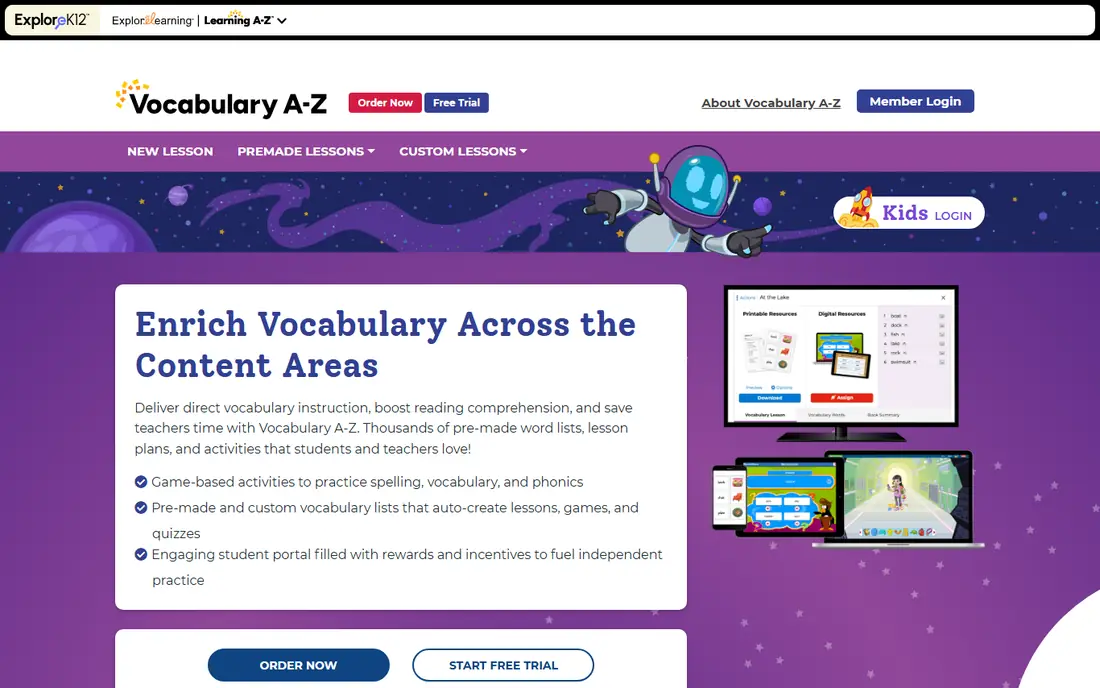
Vocabulary A-Z is the current name for the service formerly known as VocabularySpellingCity, and it remains the most complete classroom spelling tool in this list. Teachers can enter custom lists, assign games, and track progress across a class, while children practice with spelling tests, word sorts, and vocabulary games. The range of activities keeps a weekly list from feeling like the same drill every day.
The drawback for families is price and focus. At $108 per year for up to 36 students, it makes sense for a classroom and less sense for one child at home. Parents who want the same custom-list idea at home should look at Spelly or SpellingJoy first. If a school already uses it, though, home practice on the same platform is a clear win.
- More than 35 learning games
- Custom word lists
- Teacher dashboard and tracking
- Price is classroom-oriented
- Less appealing as a single-family purchase
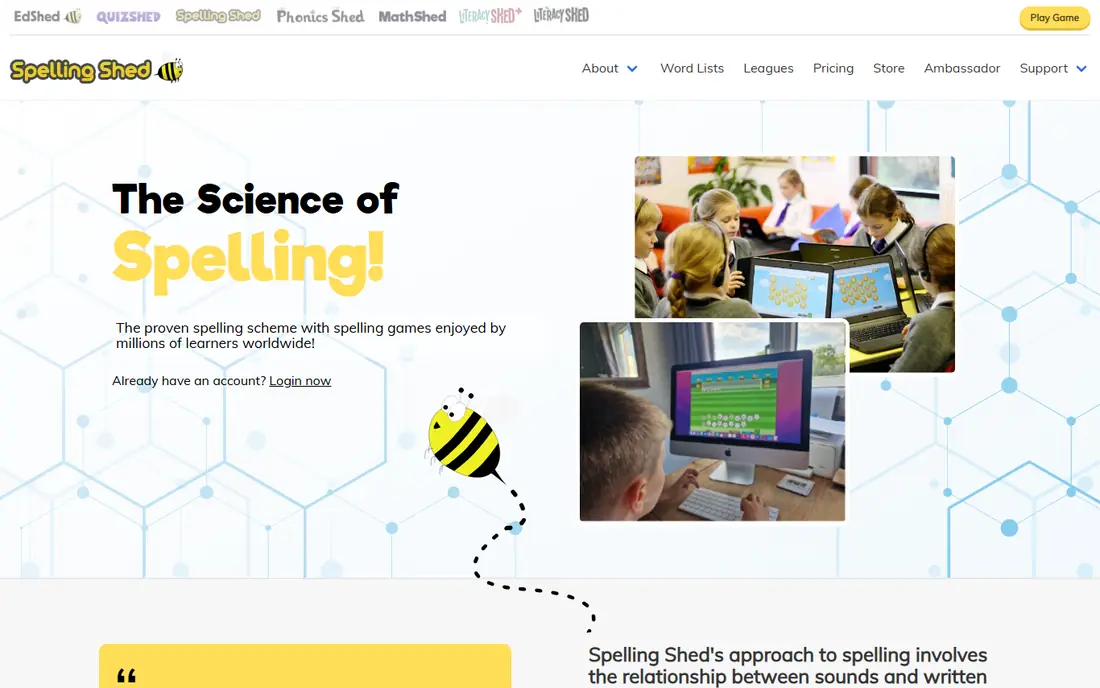
Spelling Shed wraps weekly spelling practice in games, leagues, and rewards, which suits competitive children who like to climb a leaderboard. The home plan costs $29.99 per year for up to 5 children, or $4.99 per month, and covers ages 5 to 11. Parents can follow progress, and children can practice spellings that follow a school-style weekly scheme.
The UK focus is the main caveat for US families. Word lists and spelling patterns follow a UK scheme, and audio uses a British accent, so some words may sound different from a US classroom. If your child enjoys competition and you can check lists against school words, Spelling Shed is one of the most motivating options here.
- Competitive leagues and rewards
- Home plan covers up to 5 children
- Works on web and mobile
- UK curriculum focus
- British accent audio may differ from US school pronunciation
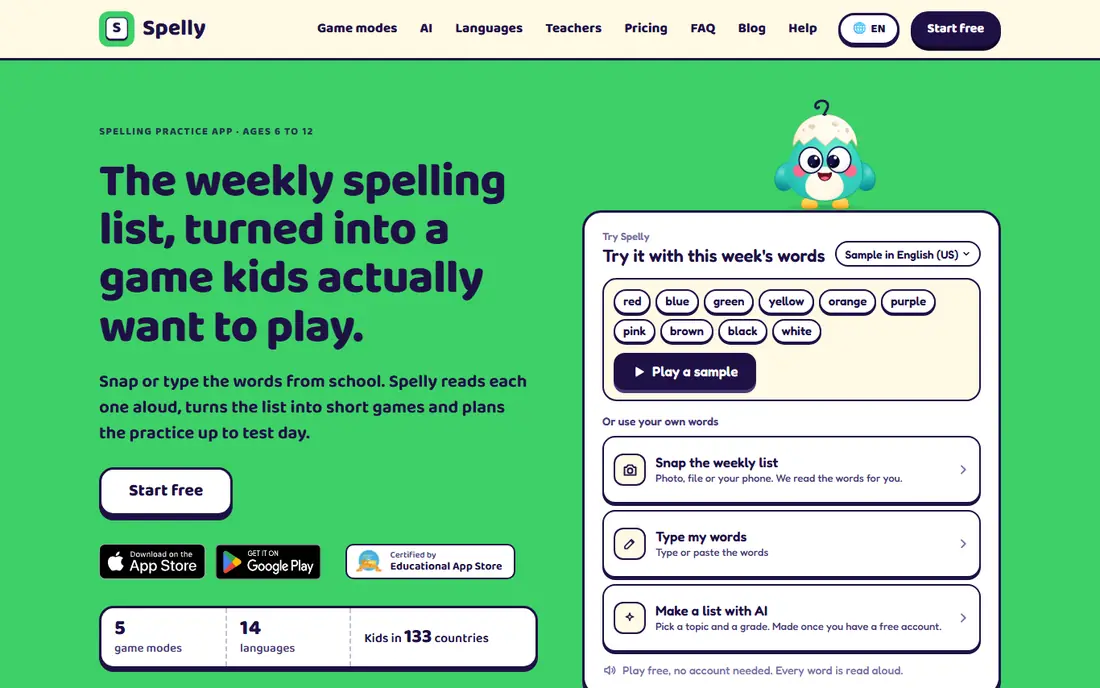
Spelly is built for ages 6 to 12 and takes a different pricing route from most rivals. The free plan includes all five games, grade lists, and daily goals, while a one-time $29 payment removes practice limits with no subscription. It also offers AI-generated word lists and worksheet scans, which help a parent turn a school sheet into practice without typing every word by hand.
Because Spelly is newer, it has less long-term classroom history than Vocabulary A-Z or Spelling Shed. Premium limits still apply to scans and AI lists each month, so heavy users should read those caps first. For a family that dislikes subscriptions and wants a simple, game-based routine, Spelly is a strong modern pick.
- Free tier includes full games
- One-time payment with no subscription
- AI word lists and worksheet scans
- Newer service with a smaller track record
- Premium limits apply to scans and AI lists
SpellingJoy is the best free spelling app for kids in this list, with grade-level lists and games that need no payment to start. Children can practice spelling words, take tests, and play games built around the same lists, which makes it easy to match schoolwork. Parents can use it at home without a classroom license or a monthly bill.
The trade is depth. Progress tracking is simpler than Vocabulary A-Z, and there are fewer teacher tools for managing a whole class. For home practice, that simplicity is often a plus rather than a minus. Start here if you want free, focused spelling practice before you spend anything.
- Completely free
- Grade-level word lists
- Spelling games and tests
- Simpler progress tracking
- Fewer classroom management tools
Khan Academy Kids is a free learning app for younger children, covering early reading, phonics, and literacy alongside math and social learning. It suits preschool through early elementary ages, with stories, songs, and activities that build letter knowledge before formal spelling lists begin. Parents can trust that there are no ads aimed at children in the app.
The limit is focus. This is not a dedicated spelling app with custom weekly lists and spelling tests, so older children who need targeted list practice will outgrow it. Use it as a foundation for younger learners, then move to SpellingJoy, Spelly, or Spelling Shed when school lists become the main task.
- Completely free
- High-quality early literacy content
- No ads or in-app purchases for kids
- Spelling is part of a broader program, not a dedicated spelling curriculum
Squeebles Spelling Connect targets early elementary children who respond to rewards. Parents can enter custom words, children earn characters and rewards as they spell correctly, and the interface stays simple enough for a young child to use alone. That reward loop matters, since a child who enjoys the app will practice more often than a child who dreads it.
Pricing has varied across listings, so we list it as See website rather than a single figure. The app also fits younger learners better than older students, who may find the rewards childish. For ages 5 to 9, especially for a child who needs encouragement to practice, Squeebles is a charming choice.
- Collectible rewards keep young children motivated
- Parent-set word lists
- Simple interface
- Pricing varies by store and plan
- Best for younger ages rather than older students
Simplex Spelling teaches spelling through phonics patterns rather than memorization alone, which helps children understand why a word is spelled a certain way. Each app costs $4.99 as a one-time purchase, with no subscription and no ads, and the method is often praised for learners who struggle with rote lists. The focused design keeps distractions low.
The limits are platform and packaging. Simplex Spelling is iOS only, and families may need more than one app to cover different levels, which adds cost. If your child uses an iPad and benefits from a structured phonics approach, it is one of the best value picks here. Android and web families should pick a cross-platform option instead.
- Phonics-based method
- One-time purchase
- Ad-free and focused
- IOS only
- Separate apps for different levels add cost
Nessy Reading and Spelling is designed for children who need structured help with reading and spelling, including children with dyslexia. Lessons follow a clear sequence, games reinforce patterns, and parents can track progress over time. The program treats reading and spelling as connected skills, which suits a child who struggles with both rather than spelling alone.
The price is higher than most apps here, at $126 per year per child in recent listings, with monthly options also available. That cost is easier to justify when a child needs structured support than when a child only needs weekly list practice. For a struggling reader, Nessy offers a level of structure that free games do not.
- Structured, dyslexia-friendly lessons
- Reading and spelling together
- Progress tracking for parents
- Higher price
- Subscription required for full access
IXL is not a spelling-only app, but it earns a place here for families who want one subscription for many subjects. Spelling practice sits alongside reading, math, and other topics, with adaptive questions that adjust to a child's level and detailed reports for parents. That breadth suits homeschool families who want a single dashboard.
The drawback is that you pay for much more than spelling, and pricing varies by subject and plan, so we list it as See website. A family that only needs spelling will find cheaper, more focused options above. A family that already uses IXL for other subjects gets spelling practice at no extra effort, which is a practical bonus.
- Adaptive practice across subjects
- Detailed progress reports
- Spelling within a wider curriculum
- Higher cost for full access
- Spelling is one subject among many
How we picked these
We compared official product pages, pricing pages, and app listings for spelling apps that are live in October 2026 and aimed at children. We favored apps with clear age ranges, custom or grade-level lists, and honest pricing, and we noted where a price is classroom-oriented or varies by store. We did not claim hands-on testing, and we left out general learning apps with no real spelling practice.
How to pick the right spelling app for your child
Start with age and reading level, not with price. A preschool child needs letter play and phonics, a young elementary child needs short lists and rewards, and an older child needs custom school lists and tests. An app that fits the wrong stage will bore or frustrate a child, no matter how good its reviews look.
Next, check how lists work. If school sends a weekly list, pick an app that lets you enter those exact words. If school does not send lists, pick an app with grade-level lists built in. Finally, keep sessions short and regular. Ten minutes a day beats an hour once a week, and a parent who checks progress weekly can spot a pattern that needs extra help sooner.
A note for parents on screen time and safety
Choose apps with no ads aimed at children when you can, and check whether an app needs an account or collects progress data. Khan Academy Kids and ad-free paid apps are easier to trust on this point. Sit with a younger child for the first sessions, then let them practice alone once the routine is clear.
Frequently asked questions
What is the best spelling app for kids?
SpellingJoy is the best free pick, Spelling Shed is the best gamified pick, and Vocabulary A-Z is the best classroom-style pick. The best spelling app for kids in your home depends on age, whether school lists need to be entered, and whether your child likes competition or quiet practice.
What are the best spelling apps for young children?
Khan Academy Kids suits preschool and early elementary ages, while Squeebles and Spelling Shed suit ages 5 to 9 with rewards and games. For the youngest learners, favor letter play and phonics over formal spelling tests, and keep sessions short.
Are there free spelling apps for kids?
Yes, SpellingJoy and Khan Academy Kids are free, Spelling Shed offers a free tier, and Spelly offers a free plan with full games. Free apps cover grade lists and games well, while paid apps add custom lists, deeper tracking, or structured lessons for struggling readers.
Can spelling apps replace a school spelling list?
Apps work best when they practice the exact words a teacher assigns, so pick one that allows custom lists if school sends a weekly list. An app with only its own lists can still build spelling skill, but it will not directly prepare a child for Friday's test.
How much should a child practice spelling each day?
Short daily practice works best for most children, often around 10 to 15 minutes for elementary ages. Focus on spelling words from memory, reviewing mistakes, and using each word in a sentence, rather than copying a list many times in one sitting.
Sources
See where you really rank - block by block
ProMapRanker scans Google Maps across a grid of your service area. Simple monthly plans from $19, white-label on every plan.
Start freeKeep reading
 zscaler alternatives
Best Zscaler Alternatives in 2026
Looking for zscaler alternatives? We compare 9 SASE and zero trust platforms on architecture, data protection, pricing, and fit for your network and team.
Read → zapier alternatives free
Best Zapier Alternatives Free in 2026
Nine automation tools for zapier alternatives free in 2026, all with genuinely free tiers, plus free plan limits, starting prices and upgrade paths explained.
Read → which platform is best for online reputation
Which Platform Is Best for Online Reputation in 2026
Wondering which platform is best for online reputation? We compare 8 review, listing, and response tools for small and multi-location businesses and agencies.
Read →