 ProMapRanker
Best Free Speedometer Apps in 2026

Clear speed with trip logs · Pricing starts at: Free
Key takeaways
- Speedometer GPS and Frenano are the strongest free starting points, with clear speed displays and no subscription for core use.
- Vane adds a compass, altimeter, and offline map for iPhone users who want more than speed alone.
- GPS speed comes from satellites, not mobile data, so most of these apps work offline once installed.
- A phone speed reading can differ slightly from a car dashboard, which is legally allowed to read high, so road signs stay the authority.
Quick comparison
| Pick | Great for | Pricing starts at | Free tier | |
|---|---|---|---|---|
| Speedometer GPS | Clear speed with trip logs | Free | Yes | Visit |
 Frenano | Private free speed display | Free | Yes | Visit |
 Vane | Speed plus compass and offline map | Free | Yes | Visit |
 GPS Speedometer | Simple free speed tracking | Free | Yes | Visit |
 DigiHUD Speedometer | Large HUD display | Free | Yes | Visit |
 Ulysse Speedometer | Driving display with trip data | Free | Yes | Visit |
 Google Maps | Speedometer inside navigation | Free | Yes | Visit |
The best free speedometer apps
We compared official sites and app store listings for speedometer apps live in October 2026 with a real free tier. Our pick for most people is Speedometer GPS for its clear display and trip logs, with Frenano as the most private free alternative. Use a secure mount, keep your eyes on the road, and treat road signs as the authority on limits.
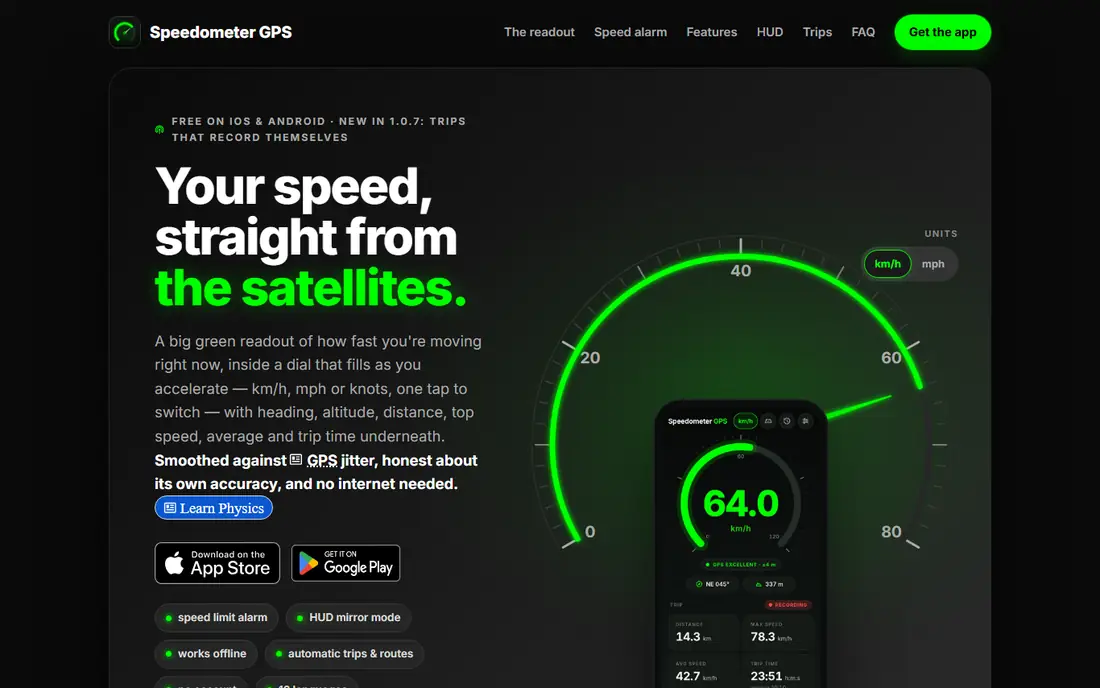
Speedometer GPS shows your speed from GPS satellites in a large, clear display, with no need to press start: a trip begins when you move and saves after you have been parked for about ten minutes. That hands-off flow suits drivers who want a speed readout without managing an app each time. On Android, a floating window can sit over maps or other apps.
The free version carries ads, with a small banner on the main screen and occasional full-screen ads after a trip, never while moving. A one-time Pro purchase removes ads and adds trip exports and extra colors. GPS speed can lag a second or two under hard acceleration, and it needs a clear view of the sky for best accuracy.
- Free with no subscription for core features
- Automatic trip start and save
- Floating display over maps on Android
- Ads appear in the free version
- Pro purchase removes ads and adds exports
- GPS accuracy drops in tunnels and dense cities
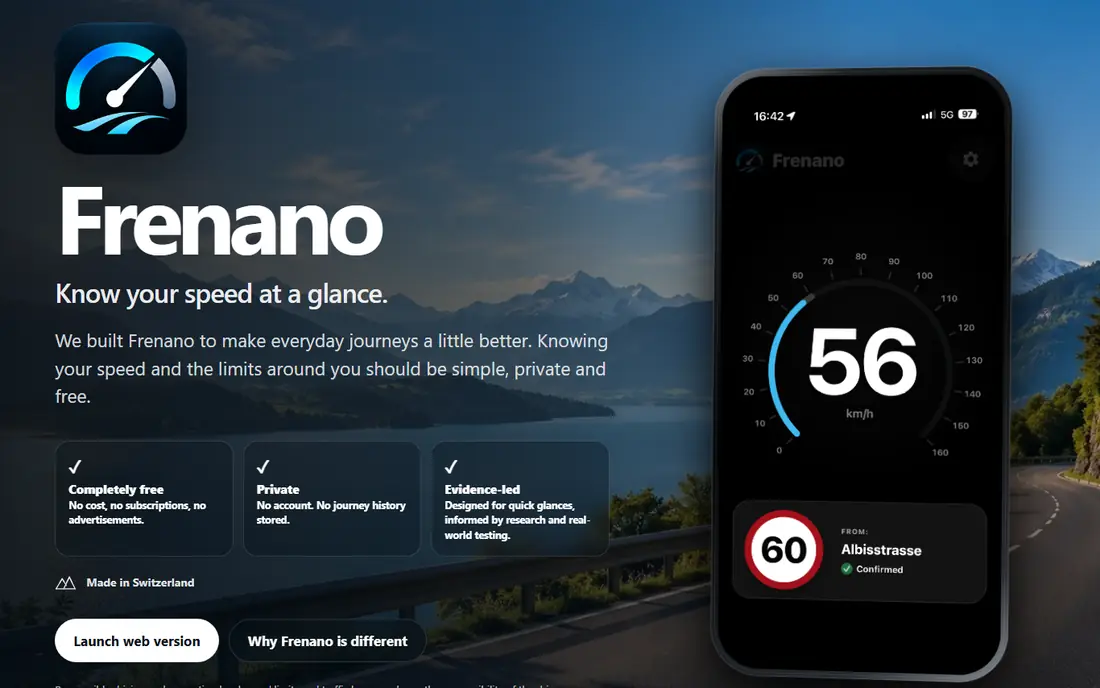
Frenano is built around a simple promise: speed at a glance, free, with no ads, no subscriptions, and no account. It stores no journey history, which makes it the most private option here. The display puts current speed first, with a dial for change and road-limit information kept secondary until it is useful.
That privacy focus means fewer extras. Trip logs and detailed history are thinner than in Speedometer GPS or Vane, and speed-limit information depends on map data, so it can be wrong where maps are out of date. When Frenano cannot confirm a road or limit, it says so, and road signs remain the authority. For a clean, private speed readout, it is hard to beat.
- Completely free with no ads or subscriptions
- No account and no trip history stored
- Clear speed-first display
- IPhone focus in current listings
- Speed-limit data depends on map data
- Fewer trip-log features than rivals
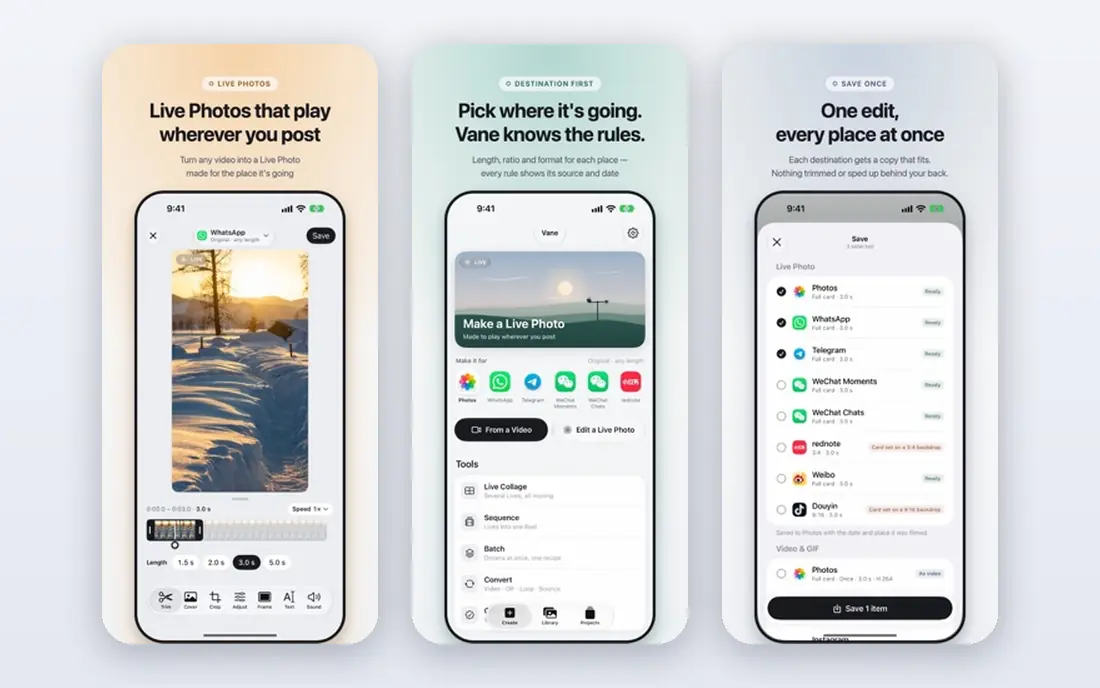
Vane gives iPhone users far more than a speed number. The speedometer, compass, barometric altimeter, spirit level, head-up display, offline map, and trip recording are free, with no ads and no account. Location data stays on your device or in your own iCloud if you sync, which is a strong privacy setup.
The limits are platform and alerts. Vane is for iPhone and Apple Watch, so Android users need another option here. The speed alert, which buzzes when you pass a speed you set, is part of Vane Pro, since it does not rely on a road-limit database that can be wrong. For walkers, cyclists, and drivers on iPhone, the free toolset is generous.
- Speedometer, compass, altimeter, and offline map free
- No ads and no account
- Apple Watch app included
- IPhone and Apple Watch only
- Speed alert is a Pro feature
- Pro can be bought once or by subscription
GPS Speedometer offers a plain, free core: current speed, distance, and trip basics, with no ads stated for the basic speedometer. The iOS and Android apps work offline once installed, since speed comes from GPS rather than mobile data. Units cover mph, km/h, meters per second, and knots, which suits drivers, cyclists, and boaters.
Detailed trip statistics, speed alerts, and extended history sit behind an optional Premium subscription. That split is fair for casual use, but drivers who want alerts should check the Premium price before relying on them. For a simple, free speed readout on either platform, it is a solid choice.
- Core speedometer free with no ads stated
- Works offline once installed
- Speed units include mph, km/h, m/s, and knots
- Premium subscription needed for detailed stats and alerts
- Trip history is limited in the free tier
- Web tool needs internet to load
DigiHUD Speedometer is known for its large, clear digits and a head-up display mode that reflects speed onto the windshield at night. That display suits drivers who want a quick glance without looking down at a small number. The free tier covers the core speedometer and basic trip data.
It is Android-focused, so iPhone users should look at Vane or GPS Speedometer instead. Ads appear in the free version, and the feature set is narrower than Vane or Speedometer GPS. For a big, simple speed display on Android, especially at night, it does the job well.
- Large, clear digits
- HUD mode for windshield reflection
- Simple trip data
- This is the official app store listing, as the app has no standalone homepage
- Android focus
- Ads in the free version
Ulysse Speedometer pairs a driving display with trip data, including distance, average speed, and maximum speed for a journey. It includes a head-up display option and works for driving, cycling, and boating, where a vehicle dashboard may not exist. The free tier covers the core speedometer well.
As with DigiHUD, the focus is Android, and some features need a paid upgrade. The display is busier than Frenano, which may suit drivers who want trip data at a glance but not those who want only a number. Check the store listing for current pricing before you buy any upgrade.
- Speed, distance, and trip data in one display
- HUD option
- Works for driving, cycling, and boating
- This is the official app store listing, as the app has no standalone homepage
- Android focus
- Some features need a paid upgrade
Google Maps is worth listing because many drivers already use it, and it includes a speedometer display during navigation, with speed limits where data is available. That means no extra install, no new account, and no ads beyond what Maps already shows. For a driver who navigates with Maps anyway, the built-in speed readout is convenient.
It is not a dedicated speedometer app. Trip logs, HUD modes, and speed alerts are thinner than in the apps above, and speed-limit data can lag behind road changes. Use it as a handy backup, and keep a dedicated app such as Speedometer GPS or Frenano if you want trip records or a larger display.
- Speedometer built into navigation you may already use
- Speed-limit display where data is available
- No extra app to install
- Speedometer is a navigation feature, not a dedicated speed app
- No detailed trip logs like rivals
- Speed-limit data can be out of date
How we picked these
We compared official sites and app store listings for speedometer apps live in October 2026 with a real free tier. We favored apps with a clear speed display, GPS-based speed that works offline, and honest statements about accuracy and limits. We left out apps we could not confirm as live, apps with no free tier, and apps that only showed speed inside a paid plan.
Using a phone speedometer well
Mount the phone before you drive, in a holder on the dashboard or windshield where it does not block your view. A phone in your hand or on your lap is a distraction and, in many places, against the law. Keep the screen on during use, plug in a charger for long trips, and set your units to mph or km/h before you set off.
Give GPS a moment to settle. Open the app while stationary, wait a few seconds for a good satellite fix, and then drive. On a straight road with clear sky and steady speed, compare the app reading with your dashboard once, so you know the usual difference. Expect a second or two of lag under hard acceleration or braking, and expect weaker readings in tunnels, parking garages, and dense city streets.
Treat speed limits with care. An app limit comes from map data, which can be out of date, while a road sign is the legal authority. If an app limit and a sign disagree, follow the sign. Never use a speedometer app to justify speeding, and never adjust settings while driving: pull over first.
Frequently asked questions
What is the best free speedometer app?
Speedometer GPS is our pick for most people, with a clear display, automatic trips, and a free core without a subscription. Frenano is the best private free alternative, with no ads, no account, and no stored history. Vane is best for iPhone users who also want a compass and offline map.
Are phone speedometers accurate?
In open areas with clear sky and steady speed, GPS speed is typically within a couple of km/h of true ground speed, and often closer than a car dashboard, which is allowed to read high. Accuracy drops in tunnels, dense cities, and under hard acceleration, where a short lag appears. Road signs stay the authority on limits.
Do speedometer apps work without internet?
Yes, once installed, most GPS speedometer apps work offline, since speed comes from satellites rather than mobile data. Ads and map downloads need a connection, but the speed display itself does not. Check the app listing, since a web-based tool needs internet to load first.
Can I use a speedometer app on a bike or boat?
Yes. GPS speed works for cycling, running, boating, and any activity where you move outdoors with a clear sky view. Units such as knots suit boating, while mph and km/h suit road use. Mount the phone securely, since a loose phone is a hazard on a bike or boat.
Is a HUD speedometer app safe at night?
A head-up display that reflects speed onto the windshield can reduce glances down, but it must not block your view or dazzle you. Test HUD mode on a quiet road first, keep brightness low, and turn it off if it distracts you. A dashboard mount is safer than a bright reflection for many drivers.
Sources
See where you really rank - block by block
ProMapRanker scans Google Maps across a grid of your service area. Simple monthly plans from $19, white-label on every plan.
Start freeKeep reading
 zscaler alternatives
Best Zscaler Alternatives in 2026
Looking for zscaler alternatives? We compare 9 SASE and zero trust platforms on architecture, data protection, pricing, and fit for your network and team.
Read → zapier alternatives free
Best Zapier Alternatives Free in 2026
Nine automation tools for zapier alternatives free in 2026, all with genuinely free tiers, plus free plan limits, starting prices and upgrade paths explained.
Read → which platform is best for online reputation
Which Platform Is Best for Online Reputation in 2026
Wondering which platform is best for online reputation? We compare 8 review, listing, and response tools for small and multi-location businesses and agencies.
Read →