 ProMapRanker
Best Software for Writers in 2026


Long books and research · Pricing starts at: $59.99 one-time
Key takeaways
- Scrivener is our pick for long books and research heavy projects, because its binder, corkboard, and compile tools handle structure well.
- Ulysses and iA Writer suit writers who want focus and clean Markdown drafting, with Ulysses offering Apple sync and iA Writer offering a one-time purchase.
- Dabble and Novlr suit novelists who want cloud sync and plotting tools without the learning curve of Scrivener.
- ProWritingAid and Grammarly are editing companions, not drafting apps, and they work best alongside a main writing tool.
Quick comparison
| Pick | Great for | Pricing starts at | Free tier | |
|---|---|---|---|---|
| Scrivener | Long books and research | $59.99 one-time | Free trial (30 days of use) | Visit |
 Ulysses Ulysses | Focused Apple writing | $39.99 per year | Free trial (14 days) | Visit |
 iA Writer iA Writer | Distraction free drafting | See website | Free trial | Visit |
 Dabble Dabble | Cloud novel writing | $9 per month | Free trial (14 days) | Visit |
 Novlr Novlr | Online novel writing | See website | Free trial | Visit |
 Atticus Atticus | Drafting and formatting | See website | No | Visit |
 ProWritingAid ProWritingAid | Full manuscript editing | $120 per year | Yes | Visit |
 Grammarly Grammarly | Grammar and clarity checks | See website | Yes | Visit |
 Google Docs Google Docs | Free collaboration | Free | Yes | Visit |
 Reedsy Studio Reedsy Studio | Free book drafting | Free | Yes | Visit |
The best software for writers
Writers need different tools for different jobs. A novelist needs structure and plotting, a blogger needs fast drafting and publishing, and an editor needs style checks across a full manuscript. The list below covers drafting apps, novel tools, formatting tools, and editing companions, so you can pick one main tool and one helper, rather than trying to make one app do everything.
Scrivener is built for long projects that would overwhelm a single document. You split a book into scenes and chapters in the binder, rearrange them on the corkboard, keep research notes and PDFs in the same project, and set word targets for each section. When the draft is done, the compile system exports to Word, PDF, EPUB, and other formats, with control over headings, front matter, and layout.
That power takes time to learn. New users should work through the built-in tutorial before starting a real book, because the interface has many panels and settings. Scrivener costs $59.99 as a one-time purchase for Mac or Windows, with a 30-day trial counted only on days you use it, and an iOS app sold separately. For a novel, thesis, or research heavy book, the structure is worth the learning time. For a short blog post, it is more than you need.
- Binder and corkboard for structure
- Research folder for notes and PDFs
- Powerful compile for export
- Learning curve is steep at first
- No built-in collaboration
- Mobile app sold separately
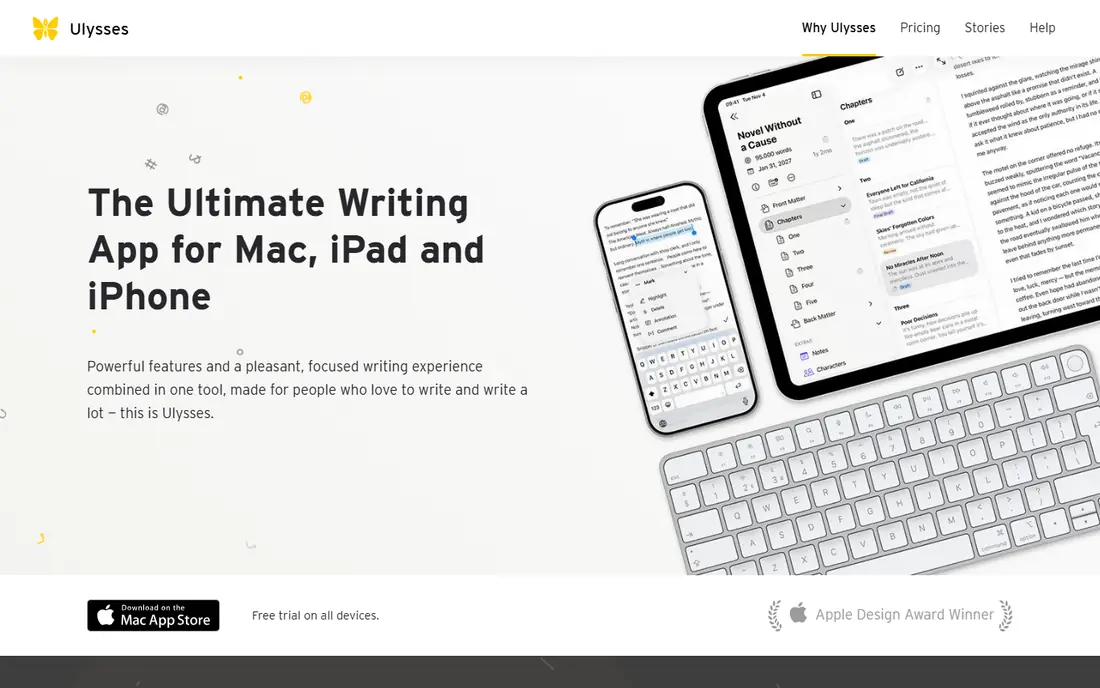
Ulysses gives Apple users a calm place to write, with sheets for individual pieces and groups for projects, plus keywords and filters to find work fast. Writing in Markdown keeps formatting simple while you draft, and export to Word, PDF, EPUB, and HTML handles publishing and sharing. Sync across Mac, iPad, and iPhone through iCloud means you can start on a phone and finish on a Mac without manual file moves.
The limits are platform and pricing. Ulysses runs only on Apple devices, and it is subscription only at $39.99 per year or $5.99 per month in the US, with student pricing available. It also lacks the full print formatting of Scrivener or Atticus, so self-publishers may need a second tool for final layout. For an Apple user who writes daily and wants focus plus sync, Ulysses is a strong main drafting app.
- Clean Markdown writing
- Sheets and groups for organisation
- Sync across Apple devices
- Apple only
- Subscription only
- Not a full print formatter
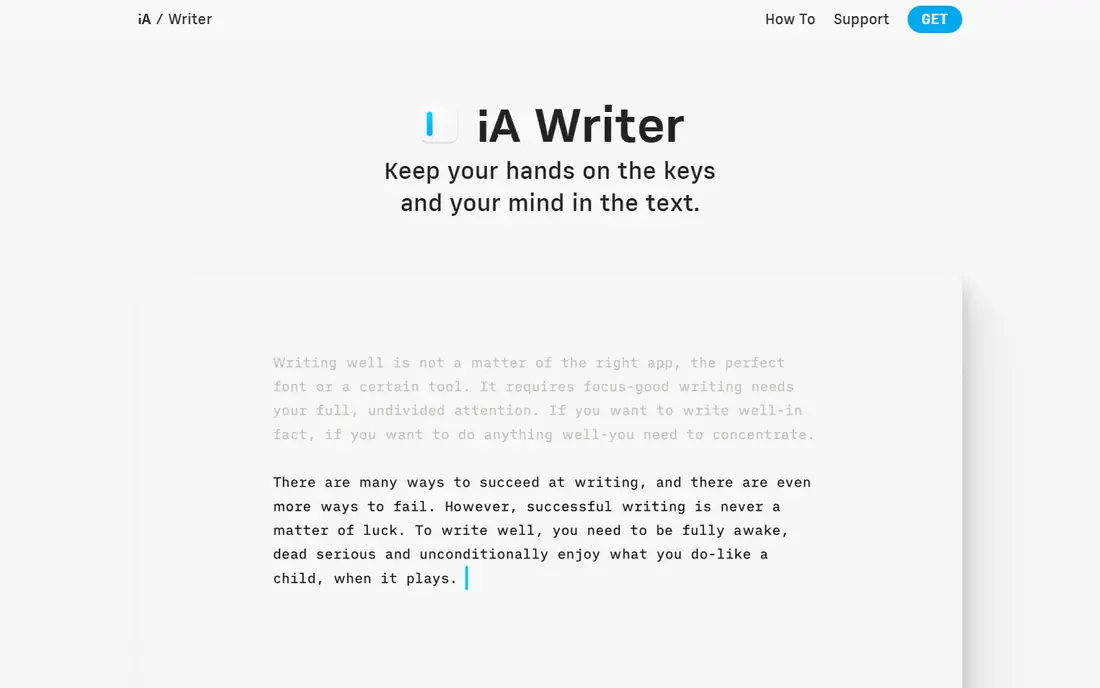
iA Writer strips writing back to text on a page. Focus mode dims everything except the sentence you are writing, and syntax highlight can colour nouns, verbs, and other parts of speech to help you spot weak sentences. It supports Markdown, exports to Word, PDF, and HTML, and syncs through iCloud or Dropbox, which keeps the app simple and fast.
What you gain in focus, you lose in project tools. There is no binder, plot grid, or collaboration system, so novelists with complex timelines will need another tool for planning. Pricing also differs by platform, with a one-time purchase model, so check the current price for Mac, Windows, iOS, or Android on the vendor site. For essays, articles, and daily drafting, iA Writer is one of the calmest apps available.
- Minimal interface with focus mode
- Markdown writing
- Syntax highlight for parts of speech
- No plotting or project management
- Pricing differs by platform
- No collaboration
Dabble is a cloud based novel tool that aims to give writers Scrivener style plotting without the steep learning curve. The plot grid lets you map scenes against plot lines, characters, and notes, and everything syncs automatically across Windows, Mac, and mobile browsers, so you never need to manage files by hand. Paid plans start at $9 per month for Basic in recent guides, with higher tiers adding more features, and a lifetime option has also been offered.
The trade-off is cost over time and formatting depth. A subscription adds up compared with a one-time purchase, and Dabble does not replace a full book formatter for print layout. Some users also find export options less flexible than Scrivener. If you write novels on several devices and want plotting plus sync in one place, Dabble is a practical choice. If you write on one computer and want a one-time purchase, Scrivener may cost less over years.
- Plot grid for story planning
- Automatic cloud sync
- Unlimited projects on paid plans
- Subscription only
- No advanced print formatting
- Export can feel limited for some users
Novlr is a browser based writing app built for novelists. You organise a book into chapters and scenes, track word counts and writing goals, and write from any computer with a browser, without installing software. That simplicity suits writers who move between machines, work on a Chromebook, or want a clean online workspace for a single book at a time.
Novlr does not try to match Scrivener feature for feature. Research tools, plotting depth, and formatting options are more limited, and you need a connection for full use. Check the current pricing tiers on the vendor site, because plans and limits have changed over time. For a novelist who wants a straightforward online home for a draft, Novlr is worth a trial. For a complex series with deep research, Scrivener or Dabble may fit better.
- Browser based novel writing
- Chapter and scene organisation
- Writing goals and stats
- Needs an internet connection for full use
- Smaller feature set than Scrivener
- Pricing tiers vary
Atticus combines drafting with book formatting, which is its main appeal for self-publishers. You write chapters in the browser based app, then format the same manuscript for ebook and print, with themes, chapter headings, and front and back matter handled inside the tool. That saves the step of moving a draft to a separate formatter, and it suits authors who publish on Amazon and other stores.
Atticus is not a plotting or research tool, so novelists who need a plot grid or a large research folder should plan with another app or with notes alongside it. The price is a one-time purchase, higher than a basic editor, so check the current price on the vendor site before you buy. For an author who wants to draft and format in one place, Atticus can save time. For a writer who only needs drafting, a cheaper editor will do.
- Drafting plus ebook and print formatting in one app
- Cloud based
- Chapter themes for self-publishers
- One-time price is higher than a simple editor
- Formatting takes practice
- Not a plotting tool
ProWritingAid is an editing companion, not a replacement for a drafting app. It scans a full manuscript for style issues, pacing, repeated words, dialogue tags, and many other patterns, with reports that help you revise chapter by chapter. Premium costs $120 per year in recent guides, with a lifetime option also offered, and integrations cover Scrivener, Word, Google Docs, and browsers. The free tier lets you test it on short passages.
The reports can feel like a lot at first. Start with one or two reports, such as style and repeated words, and ignore the rest until your draft is clean on those points. ProWritingAid also does not replace a human editor for story, structure, or fact checking. Use it to polish a draft before beta readers or a professional edit, and it can catch patterns you would miss on a read-through.
- Checks style, pacing, and repeated words across a full manuscript
- Works with Scrivener and Word
- Free tier for short passages
- Free tier limits passage length
- Reports can feel overwhelming at first
- Yearly cost adds up
Grammarly checks writing wherever you type, from browsers and email to Word and Google Docs. The free tier covers spelling, grammar, and basic clarity, while paid plans add tone, fluency, and full sentence rewrites. For bloggers, students, and professionals who write short pieces daily, that always-on checking catches errors before publication.
Grammarly is not a book writing app, and its suggestions are not always right for fiction, voice, or technical terms. Accept changes one by one, and keep your own style choices when a suggestion flattens your voice. Check current paid pricing on the vendor site, because plans differ for individuals, students, and teams. As a helper alongside Scrivener, Ulysses, or Google Docs, Grammarly is useful. As a main writing tool, it is too thin.
- Works across browsers, docs, and email
- Grammar, spelling, and tone checks
- Free tier for basic checks
- Advanced style checks need a paid plan
- Suggestions need human judgement
- Not a novel drafting tool
Google Docs is the simplest free starting point for most writers. You get a clean editor, real-time collaboration, comments and suggestions, autosave, and version history, all in a browser, with mobile apps for on-the-go edits. For blog posts, essays, school work, and co-written articles, it is hard to beat on price and ease, and paid Workspace plans add storage and business features if you need them.
Long manuscripts are where Google Docs shows its limits. A novel with many chapters, images, and complex formatting can slow down and become hard to manage in one document, and print book formatting needs a dedicated tool such as Atticus or Vellum. Privacy also depends on your Google account settings, so check sharing permissions before you collaborate. For short and medium work, and for any project with a co-author, Google Docs remains a solid choice.
- Free with a Google account
- Real-time collaboration and suggestions
- Autosave and version history
- Struggles with very long manuscripts
- Formatting for print books is limited
- Needs a Google account
Reedsy Studio is a free browser tool for drafting and formatting books. You organise chapters, write in a clean editor, and export to PDF and EPUB for self-publishing, without paying for the core writing and formatting features. Optional paid add-ons exist for extra services, but the main drafting and export tools are free, which makes Reedsy Studio a low risk way to start a book.
The limits are scope and platform. There is no desktop app, formatting options are simpler than those in Atticus, and collaboration is more limited than in Google Docs. For a solo author on a budget who wants to draft and produce a readable ebook, Reedsy Studio is a strong free option. For a complex print layout or a team project, pair it with a formatter or a collaboration tool.
- Free book drafting and formatting in the browser
- Chapter organisation
- PDF and EPUB export
- Browser only, no desktop app
- Formatting options are simpler than Atticus
- Collaboration is limited
How we picked these
We looked for writing software that is actively available in October 2026 and that fits a real writing job: drafting, novel planning, formatting, or editing. We checked vendor pricing pages, app store listings, and recent pricing guides, and we wrote See website where pricing differs by platform or has changed across sources. We included one-time purchases, subscriptions, and free tools, so readers can compare total cost over time, not only the first month.
How to choose writing software
Start with the length and type of your work. A novel needs structure, so Scrivener, Dabble, Novlr, or Reedsy Studio make sense. A blog post or essay needs speed and focus, so iA Writer, Ulysses, or Google Docs make sense. A book you plan to self-publish needs formatting, so Atticus or Reedsy Studio should be in the plan from the start, not added at the last minute.
Pick one drafting app and one helper
Many writers waste time switching apps mid-book. Choose one place to draft, then add one helper for editing, such as ProWritingAid for a full manuscript or Grammarly for daily checks. Keep research notes in the same project if your app supports it, or in a simple notes app you already use. A simple setup you actually use beats a perfect setup you abandon after a week.
Test export before you commit
Write one chapter, export it to Word, PDF, and EPUB, and open each file on the device where readers will see it. Check headings, chapter breaks, italics, and images, and check whether you can export your full manuscript as plain text or Markdown if you later switch apps. Export is the safety net for every writing tool, and it is easy to test in an afternoon.
Frequently asked questions
What is the best software for writers overall?
Scrivener is our pick for long books, Ulysses is our pick for focused Apple writing, and Google Docs is our pick for free collaboration. The best tool depends on what you write. Novelists need structure, bloggers need speed, and students need collaboration, so match the app to the job before you compare prices.
What is the best tool for writers who write novels?
Scrivener suits complex novels with research, Dabble suits novelists who want cloud sync and a plot grid, and Novlr suits writers who want a simple browser based novel tool. Reedsy Studio is a free option for drafting and basic formatting. Trial two of them with the same chapter and see which structure helps you keep writing.
What are the best apps for writers on a budget?
Google Docs and Reedsy Studio are free for core drafting, and iA Writer offers a one-time purchase that can cost less over time than a subscription. ProWritingAid and Grammarly both offer free tiers for basic checks, with paid plans for full reports. Start free, then pay only for the feature that saves you real time.
Do writers need editing software as well as drafting software?
Not always, but most writers benefit from one editing helper. Drafting apps help you get words down and organise them, while ProWritingAid and Grammarly help you spot grammar, style, and repetition issues. Use an editing tool after a full draft, not during a first draft, so checks do not slow down your writing.
Sources
- https://www.literatureandlatte.com/scrivener
- https://www.ulysses.app/pricing
- https://www.ia.net/writer/pricing
- https://www.dabblewriter.com/pricing
- https://www.novlr.org/pricing
- https://www.atticus.io/pricing
- https://www.prowritingaid.com/pricing
- https://www.grammarly.com/pricing
- https://docs.google.com
- https://reedsy.com/studio
See where you really rank - block by block
ProMapRanker scans Google Maps across a grid of your service area. Simple monthly plans from $19, white-label on every plan.
Start freeKeep reading
 youtube alternatives
Best YouTube Alternatives in 2026
Looking for youtube alternatives in 2026? We compare Vimeo, Dailymotion, Twitch, Rumble, and more on price, audience, monetization, control and privacy.
Read → what's the best ai tool for photo editing
What Is the Best AI Tool for Photo Editing in 2026
What is the best AI tool for photo editing? We compare ten tools for 2026, from Photoshop and Lightroom to Luminar, Topaz, Canva and mobile editors today.
Read → twitter alternatives
Best Twitter Alternatives in 2026
Compare the best twitter alternatives for 2026, from Bluesky, Threads, and Mastodon to Reddit, Tumblr, and Micro.blog, with free plans and audience notes.
Read →