 ProMapRanker
Best Software for Voice of Customer Analytics in 2026


Full enterprise feedback programs · Pricing starts at: See website
Key takeaways
- Most enterprise voice of customer platforms in this list are quote only, so the real cost depends on volume, channels and services.
- Qualtrics, Medallia and InMoment cover the full loop from surveys to action, while smaller tools focus on turning open text into themes.
- Speech and call analysis matters most for contact center teams, and Verint and Qualtrics XM Discover are the strongest picks there.
- Smaller teams should start with Zonka Feedback, Chattermill or Kapiche, which are easier to deploy than a full enterprise suite.
- A voice of customer platform for analytics is only useful if themes lead to assigned actions, so check alerting and case tools before buying.
Quick comparison
| Pick | Great for | Pricing starts at | Free tier | |
|---|---|---|---|---|
| Qualtrics XM | Full enterprise feedback programs | See website | No | Visit |
 Medallia | Large journey and frontline programs | See website | No | Visit |
 InMoment | VoC plus journey analytics at scale | See website | No | Visit |
 Verint | Contact center speech analytics | See website | No | Visit |
 Sprinklr Insights | Social plus service feedback | See website | No | Visit |
 Chattermill | AI themes from multi channel feedback | See website | No | Visit |
 Thematic | Theme analysis for open text | See website | No | Visit |
 Zonka Feedback | Surveys across many channels | See website | No | Visit |
 Kapiche | Fast feedback analysis for product teams | See website | No | Visit |
The best software for voice of customer analytics
These tools collect surveys, calls, chats, reviews and social comments, then turn that open text into themes, sentiment and actions. We compared them on sources, theme analysis, alerting, integrations and fit for team size.
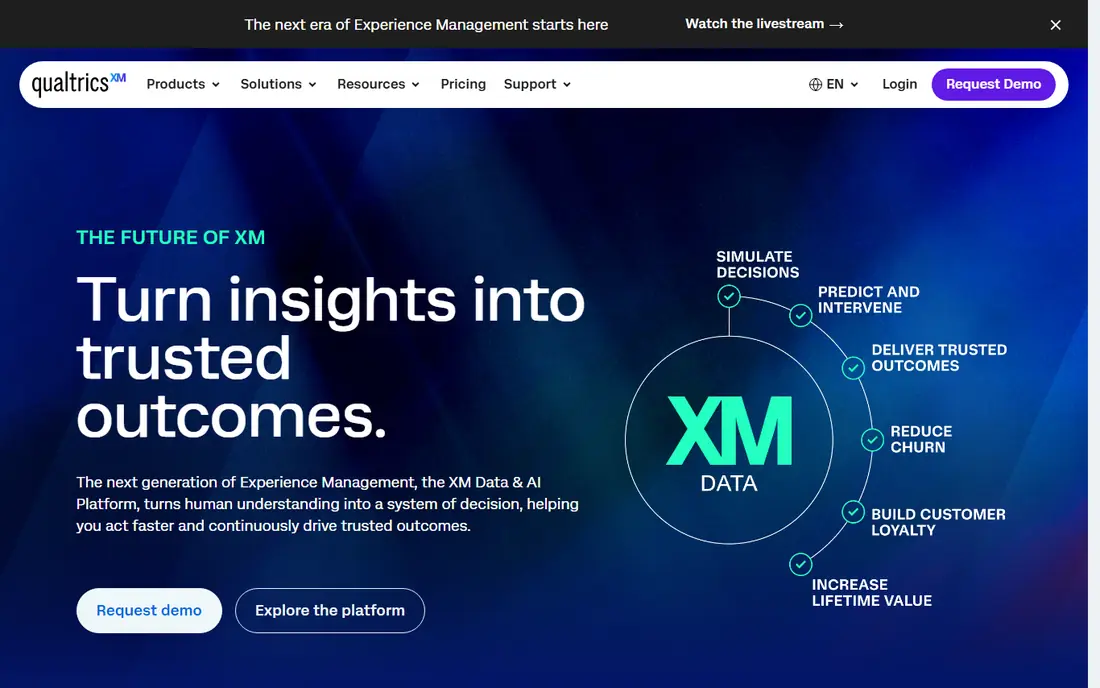
Qualtrics XM is the broadest voice of customer platform in this list. It covers surveys, digital feedback, frontline feedback and contact center conversations, and XM Discover, which came from Clarabridge, analyzes calls, chats, emails and social comments for themes and sentiment. Workflows can route a theme to a team, trigger a follow up or update a dashboard.
The main drawback is scale and cost. Pricing is quoted by program, volume and services, and a full rollout needs planning, governance and training. For a large company with many feedback sources, that breadth is the point. For a small team with one survey and a support inbox, a smaller tool will be faster and cheaper.
- Broad survey, digital and contact center coverage
- XM Discover for conversation analysis
- Strong workflow tools
- Quote only pricing
- Implementation can be heavy
- Smaller teams may pay for breadth they do not use
Medallia suits a large company that wants to track experience across a whole customer journey, not just one survey. It collects feedback from surveys, speech, social, digital and video, applies AI text and journey analysis, and gives frontline staff tools to respond. That journey view helps a company see where customers drop off or complain most, and which step drives the next complaint.
Medallia is an enterprise purchase, with quoted pricing and a rollout that benefits from a dedicated team. A mid-sized company should ask for a scoped pilot on one journey, such as onboarding or support, before buying the full platform. The pilot will show whether the journey reports change decisions or only add dashboards.
- Journey analytics
- Frontline ready tools
- Speech, video and digital sources
- Quote only pricing
- Setup needs expertise
- Breadth can overwhelm a small team
InMoment brings surveys, reviews, social comments, calls, chats and tickets into one experience platform, with AI analytics and journey views shaped by its services team. Alerts and case management help a team act when a theme spikes or a high value customer gives a low score, rather than only reporting the score at month end.
The trade-off is similar to Medallia and Qualtrics. Pricing is not published, and the platform is built for scale, so a small team may find the setup and services cost hard to justify. InMoment is a strong pick for a company that already runs a formal VoC program and needs journey and case tools in one place.
- Multi channel VoC
- Journey views
- Intelligent alerts and case management
- Quote only pricing
- Enterprise setup time
- Smaller teams may find it heavy
Verint is the pick in this list for a contact center heavy team. Its voice of the customer tools analyze calls and other interactions for themes, sentiment and compliance risk, and they sit near workforce management and quality tools in the same vendor family. That closeness helps a center link what customers say to agent coaching and staffing.
Verint is less appealing as a survey only tool. Its modular pricing and deployment options need skilled administrators, and a team that only runs NPS surveys will find simpler tools faster. For a center where calls are the main feedback source, Verint deserves a place on the shortlist.
- Strong speech and interaction analytics
- Workforce tools nearby
- Compliance friendly controls
- Modular pricing can be complex
- Needs skilled admins
- Less suited to survey only teams
Sprinklr Insights suits a company where social comments, reviews and service conversations are a major feedback source. It unifies social, service and survey data, applies AI listening and sentiment analysis, and helps teams spot a theme that starts on social media before it shows up in a survey. That early signal can matter for a brand with a large public footprint.
The platform is broad, and that breadth can feel complex for a team that only needs survey analytics. Pricing is quoted, and the full Sprinklr suite covers marketing and service beyond insights. A buyer should scope the insights purchase separately from the wider suite to keep the cost and rollout clear.
- Social listening across many channels
- Unified CX data
- AI sentiment and themes
- Quote only pricing
- Broad platform can feel complex
- Social strength is not a survey strength
Chattermill is built to unify feedback from surveys, support tickets, reviews, chats and app stores, then apply AI to find themes, sentiment and drivers. It fits a mid-sized company that has feedback in many places but does not want a full enterprise suite. Integrations with Zendesk, Shopify and common CRMs help a team pull sources together without a long project.
The limit is depth at very large scale. Chattermill does not match Qualtrics or Medallia for global journey programs or frontline tooling, and pricing is quoted rather than published. For a product or CX team that needs clear themes fast, that trade-off is usually worth it.
- Unifies feedback from many sources
- AI sentiment and themes
- Faster deployment than enterprise suites
- Pricing is quoted
- Enterprise depth is less than Qualtrics or Medallia
- Some features need setup help
Thematic is an intelligence layer rather than a full survey platform. It reads surveys, tickets, calls, reviews and social comments, groups them into themes, and scores each theme by business impact so a team can act on what matters most. Predictive actions can create tickets or alerts when a theme crosses a threshold.
That focus is both the strength and the limit. A team that already collects feedback well will get fast value from Thematic, while a team that needs to build surveys from scratch will still need a survey tool. Pricing is not published, so a buyer should ask for a quote based on feedback volume and sources.
- Focused theme and impact scoring
- Works across surveys, tickets and reviews
- Predictive actions
- Pricing is not published
- It is an analysis layer, not a full survey platform
- Needs clean source data
Zonka Feedback is a full loop platform for teams that need surveys in many places. It covers web, email, SMS, in app, kiosk and offline surveys, and it reports by location, agent, department or other custom entities. Auto routing by entity, alerts and a case inbox help a team follow up on a low score without manual triage.
Zonka is more accessible than the enterprise suites in this list, but pricing is custom and based on usage and needs. Its analysis tools are solid for survey feedback, while a team that needs deep AI theme analysis across calls and tickets may pair it with a tool such as Thematic or Chattermill.
- Surveys on web, email, SMS, in app and offline
- Entity based reporting
- Auto routing and case inbox
- Pricing is custom
- Analysis depth is less than a dedicated AI layer
- Large programs need planning
Kapiche helps product and CX teams turn open feedback into themes quickly. It analyzes survey text, tickets, reviews and other sources, shows how themes vary by segment, and helps a team track whether a theme is growing or shrinking. That speed suits a product team that reviews feedback weekly and needs to decide what to fix next.
Kapiche is not a survey platform first, so a team that needs to design and send surveys will still need a collection tool. Pricing is quoted, and the value depends on keeping source feeds fresh. For a team with a steady stream of feedback, Kapiche can shorten the gap between a customer comment and a product decision.
- Fast AI theme analysis
- Clear segment views
- Useful for product and CX teams
- Pricing is not published simply
- Survey collection is not its main job
- Needs regular source feeds
How we picked these
We compared official product pages, documentation and current comparison guides, and we kept only tools that exist and work in October 2026 and truly fit voice of customer analytics. We looked for source coverage, theme and sentiment analysis, alerting, action tools and a mix of enterprise and mid-market options. Where pricing was quoted rather than published, we used See website rather than inventing a number.
How to choose a voice of customer platform
Start with your sources, not with a demo. List every place customers already talk to you: surveys, calls, chats, tickets, reviews, app stores and social comments. A tool that only reads surveys will miss the themes that show up in calls, and a tool that only reads calls will miss the themes in reviews.
Next, test theme quality on your own data. Send a sample of real feedback, with names removed, and check whether the themes match what your team already knows and whether they surface anything new. Finally, check the action path. A theme that cannot create a ticket, alert an owner or update a dashboard is only a report, and reports alone do not change customer experience.
Questions to ask before you buy
Ask how themes are built and whether you can edit them, how sentiment is scored, how data is kept private, and how often sources refresh. Ask who owns the rollout and how long a pilot takes. Those answers will tell you whether the platform fits your team or only fits a vendor demo.
Frequently asked questions
What is the best software for voice of customer analytics?
Qualtrics XM, Medallia and InMoment are the strongest full programs for large companies, while Chattermill, Thematic and Kapiche suit teams that need theme analysis without a full suite.
What is the best voice of customer platform for analytics for a mid-sized team?
Chattermill and Zonka Feedback are the most practical mid-sized picks here. Chattermill focuses on AI themes across sources, while Zonka covers survey collection and follow up across many channels.
What is the best voice of customer analytics software for call centers?
Verint and Qualtrics XM Discover are the strongest call focused picks. Both analyze speech and other interactions, while Verint also sits near workforce and quality tools.
How much does voice of customer software cost?
Most tools in this list use quoted pricing, so the total depends on feedback volume, channels, users and services. Smaller AI tools may start at a lower annual level than a full enterprise suite, but you should get a written quote for your volume.
Can a voice of customer tool replace surveys?
No. Analytics tools work best when they read surveys plus calls, tickets, reviews and social comments. A survey alone misses what customers say when they are not asked, and an analytics tool alone still needs a way to collect structured scores.
How do I turn voice of customer themes into action?
Assign each top theme an owner, set an alert threshold, and link the theme to tickets or workflow tasks. Review themes weekly at first, and track whether the theme volume falls after a fix, rather than only tracking the survey score.
Sources
See where you really rank - block by block
ProMapRanker scans Google Maps across a grid of your service area. Simple monthly plans from $19, white-label on every plan.
Start freeKeep reading
 zscaler alternatives
Best Zscaler Alternatives in 2026
Looking for zscaler alternatives? We compare 9 SASE and zero trust platforms on architecture, data protection, pricing, and fit for your network and team.
Read → zapier alternatives free
Best Zapier Alternatives Free in 2026
Nine automation tools for zapier alternatives free in 2026, all with genuinely free tiers, plus free plan limits, starting prices and upgrade paths explained.
Read → which platform is best for online reputation
Which Platform Is Best for Online Reputation in 2026
Wondering which platform is best for online reputation? We compare 8 review, listing, and response tools for small and multi-location businesses and agencies.
Read →